


Why Your Website Needs to Work on Every Screen
_compressed.jpg?alt=media&token=5f3d09c3-3828-4a9c-8a13-eec4424cc253 "responsive website design - responsive website design")
Responsive website design is an approach that ensures your site looks and works perfectly on all devices, from desktops to smartphones. Instead of building separate mobile and desktop versions, a single responsive site uses fluid grids, flexible images, and CSS media queries to adapt to any screen size.
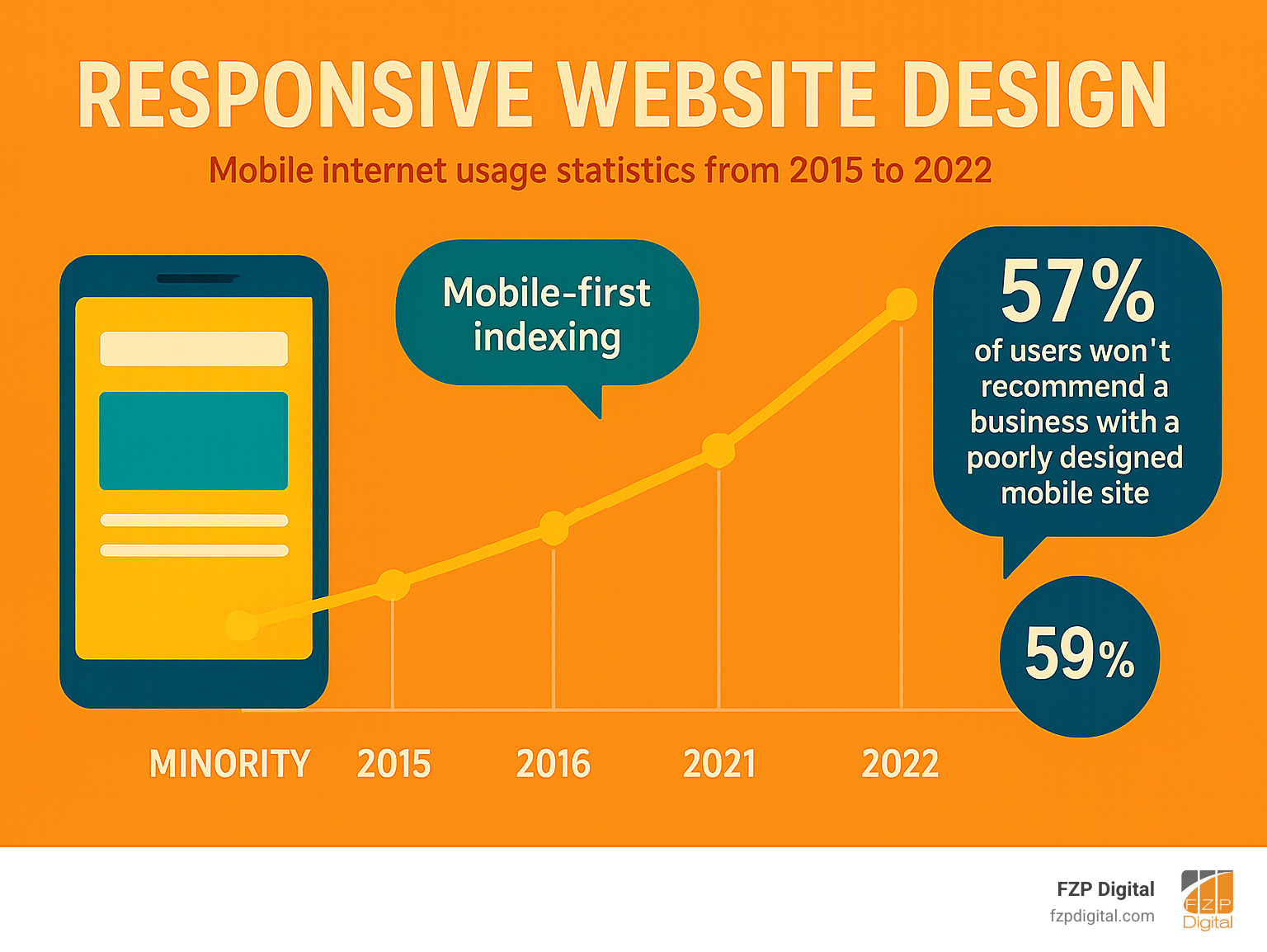
This matters because user expectations are high. Over half of all web traffic comes from mobile devices, and 57% of users won’t recommend a business with a poor mobile website. If visitors have to pinch and zoom to read your content, they’ll leave in seconds.
Google reinforces this with its mobile-first indexing policy. The search engine primarily uses your mobile site to determine rankings, meaning a clunky mobile experience will hurt your visibility. A responsive site provides the seamless experience that both users and search engines demand, protecting your rankings and converting visitors into customers.
The Foundation: What is Responsive Design and Why Does It Matter?
Picture a website that looks perfect whether you’re on your phone or a desktop. That’s the power of responsive website design, an approach pioneered by web designer Ethan Marcotte in his 2010 article, “Responsive Web design”.
Before this, developers often built multiple versions of a site—one for desktop, another for mobile. Responsive design simplified this by using a single, flexible website that adapts to any screen. Think of it like water, flowing to fit any container. This creates a seamless user experience (UX), encouraging visitors to stay longer and convert. A poor mobile experience, on the other hand, sends them straight to your competitors. The shift was so significant that by 2013, Mashable had declared it the “Year of Responsive Web Design” as businesses raced to meet user demand.
Why is responsive website design crucial for SEO?
Google doesn’t just prefer responsive websites—it prioritizes them. With mobile-first indexing, Google primarily evaluates your mobile site to rank your pages. If your mobile experience is poor, your desktop site can’t save your rankings.
A responsive design uses a single URL for all devices, which helps Google crawl and index your content efficiently without the duplicate content issues that plagued older mobile sites (like m.yoursite.com). Responsive sites also tend to load faster on mobile, which improves user engagement signals that Google rewards, such as lower bounce rates and longer visit times. This creates a positive cycle: a great user experience leads to better engagement, which boosts search rankings and brings in more traffic. To see how we can improve your visibility, check out our Search Engine Optimization services.
Responsive vs. Adaptive Design: What’s the Difference?
While both aim for a good multi-device experience, responsive and adaptive designs work differently. Responsive design is fluid, using a single layout that smoothly adjusts to any screen size. Adaptive design is more rigid, using a handful of pre-set layouts and serving the one that best matches the user’s device.
| Feature | Responsive Design | Adaptive Design |
|---|---|---|
| Flexibility | Flows smoothly to any screen size | Jumps between set layouts for specific devices |
| Setup | One codebase with complex CSS | Multiple templates, simpler per layout |
| Maintenance | Easy – update once, works everywhere | Harder – multiple versions to maintain |
| Performance | May load extra content on mobile | Can be faster by serving only what’s needed |
| User Experience | Consistent look across all devices | May vary between different layouts |
Most modern websites use responsive website design for its practicality. Maintaining one site is easier, it’s better for SEO, and it provides a consistent user experience. While adaptive design can sometimes seem simpler initially, responsive design is the superior choice for long-term efficiency and scalability, which is why we recommend it for nearly every project.
The Core Components of Responsive Website Design
Responsive website design relies on three core components working together to create a seamless experience on any device.
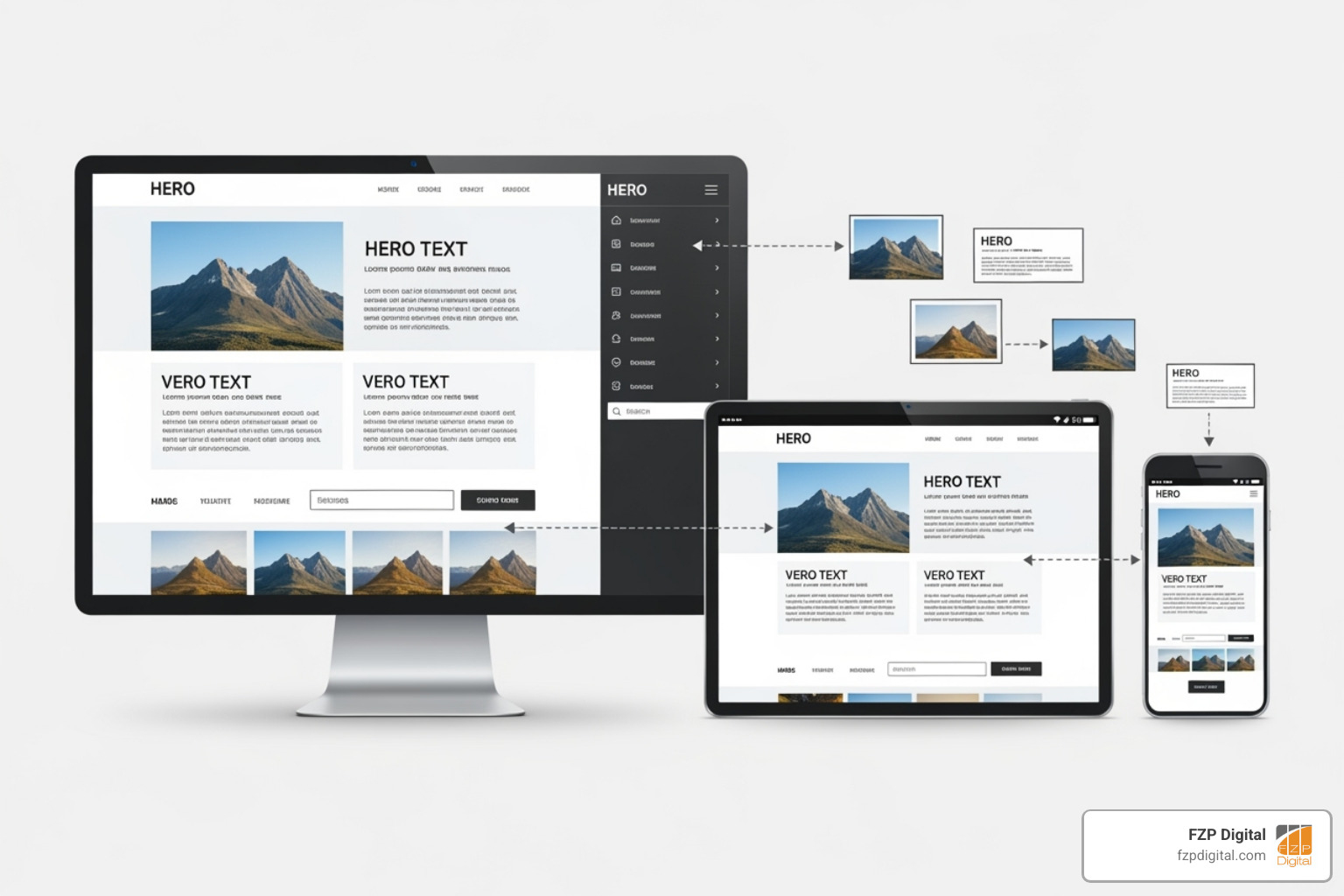
The Viewport: Your Window to the Web
The viewport is the user’s visible area of a web page. Early mobile browsers would render desktop-sized pages and shrink them down, making text and buttons impossibly small. To fix this, we add a simple but crucial meta tag to the website’s HTML:
<meta name="viewport" content="width=device-width, initial-scale=1.0">
This code tells the browser to set the page width to the device’s screen width (width=device-width) and to load the page without any initial zoom (initial-scale=1.0). This single line is the foundation for all other responsive techniques. For more details, see The viewport meta tag documentation.
Fluid Grids and Flexible Layouts
Old websites used fixed-pixel layouts (e.g., a 300px sidebar), which broke on screens that weren’t the exact intended size. Responsive website design uses relative units instead.
- Percentages allow elements to scale proportionally. A sidebar set to 30% width will occupy 30% of the screen, whether on a phone or a large monitor.
- Ems and rems are relative font size units that help keep text and spacing consistent as layouts change.
Modern CSS tools like Flexbox and CSS Grid make creating these layouts easier than ever. Flexbox is ideal for arranging items in a single dimension (a row or column), like for navigation bars. CSS Grid manages two-dimensional layouts (rows and columns), perfect for complex page structures that need to rearrange themselves on different screens. These tools were built for flexibility, making responsive design more intuitive and powerful.
Media Queries and Breakpoints
While fluid grids handle smooth scaling, sometimes you need to make more significant layout changes. This is where media queries come in. They are CSS rules that apply styles only when certain conditions are met, such as screen width.
/* Default mobile styles */
.container { width: 100%; }

/* Styles for screens 768px and wider */
@media screen and (min-width: 768px) {
  .container { width: 90%; }
}
The screen widths where these changes occur are called breakpoints. Instead of choosing breakpoints based on specific devices (like an iPhone or iPad), we use a content-driven approach. We resize the browser and add a breakpoint wherever the content starts to look awkward or crowded. This ensures the design is robust and looks great on any screen, now and in the future. Common uses for media queries include stacking columns vertically on mobile or changing a navigation menu into a hamburger icon.
Building Blocks: Responsive Images, Text, and Frameworks
With a flexible foundation in place, the content inside must also be responsive. This means ensuring images, media, and text adapt correctly.
Making Images and Media Responsive
Images can easily break a responsive layout if not handled correctly. The first step is a simple CSS rule:
img {
  max-width: 100%;
  height: auto;
}
max-width: 100% prevents images from overflowing their containers, while height: auto maintains their aspect ratio. However, serving a huge desktop image to a mobile user slows down the site. To solve this, we use the HTML <picture> element to provide different image sources for different screen sizes.

<picture>
  <source media="(min-width: 1200px)" srcset="large-image.jpg">
  <source media="(min-width: 768px)" srcset="medium-image.jpg">
  <img src="small-image.jpg" alt="Description of image" loading="lazy">
</picture>
This code serves a smaller, optimized image to mobile users and larger versions to tablet and desktop users, improving performance for everyone. The srcset attribute offers even more control based on screen density. This same principle applies to responsive video embedding, where CSS tricks are used to ensure videos scale properly within a flexible layout. Performance is key, so we always optimize images, use modern formats like WebP, and implement lazy loading.
Ensuring Legible and Responsive Typography
Text must remain readable on any device. We achieve this using responsive font size units. Viewport units (vw) scale text relative to the screen’s width, but can become too small or large at extreme sizes. A better approach combines them with rem units using the calc() function:
h1 {
  font-size: calc(2rem + 2vw);
}
This provides a stable base font size (2rem) that also scales fluidly with the screen (+ 2vw), ensuring readability without sacrificing accessibility. Maintaining proper line height, line length, and a clear visual hierarchy is also crucial for a comfortable reading experience on small screens.
The Benefits of Using CSS Frameworks
Building a responsive site from scratch isn’t always necessary. CSS frameworks provide pre-built grid systems and reusable components (like navigation menus and buttons) that have been tested for cross-browser consistency. This leads to faster development and a more reliable foundation.
At FZP Digital, we leverage proven frameworks to handle the complex groundwork, allowing us to focus on the custom design and functionality that make your brand stand out. It’s the ideal blend of efficiency and creativity. Learn more about our Web Design Development process.
Best Practices, Testing, and Common Problems
Building a great responsive website design requires a strategic approach that includes planning, rigorous testing, and ongoing optimization.

Adopting a Mobile-First Strategy
The best responsive sites are designed mobile-first. This means starting with the smallest screen and progressively enhancing the layout for larger devices. The constraints of a small screen force you to prioritize the most important content and features, leading to a cleaner, more focused user experience. This approach also aligns perfectly with Google’s mobile-first indexing, ensuring you’re optimizing for what search engines value most.
Designing for Touch and Accessibility
Most users interact with websites via touch, not a mouse. This requires a different design mindset:
- Generous tap targets: Buttons and links should be large enough to be tapped easily (Google recommends at least 48×48 pixels).
- No hover states: Critical information hidden behind hover effects on desktop must be made visible or accessible via a tap on mobile.
- Simplified navigation: Complex desktop menus should be replaced with mobile-friendly patterns like the “hamburger” menu.
Accessibility is equally important. Using semantic HTML (<nav>, <button>), providing sufficient color contrast, and ensuring the site is fully navigable by keyboard creates an experience that works for everyone.
The Crucial Role of Testing
A design isn’t finished until it’s tested. While browser developer tools are great for initial checks, they don’t replace testing on real devices. Emulators can’t fully replicate touch interactions, performance on mobile networks, or browser-specific rendering quirks. Thorough testing should include:
- Cross-browser compatibility on Chrome, Firefox, Safari, and Edge.
- Real device testing on popular iOS and Android models.
- Performance analysis with tools like Google Lighthouse to identify and fix bottlenecks.
Key challenges in implementing responsive website design
Even with a solid plan, challenges can arise. Common problems include performance optimization (especially with images and scripts), designing complex navigation that works on all screen sizes, and integrating third-party content (like ads or widgets) that may not be responsive. Updating legacy websites can also be difficult, sometimes requiring a complete rebuild. Overcoming these challenges requires expertise and a commitment to a high-quality user experience. To see how we handle these issues, explore our Web Design Development services.
Frequently Asked Questions about Responsive Design
As a Philadelphia & Bucks County agency, we get many questions about responsive website design. Here are answers to the most common ones.
How many breakpoints should a responsive website have?
There’s no magic number. The right number of breakpoints depends entirely on the content. We use a content-driven approach, adding a breakpoint only when the layout starts to look awkward or break as the screen size changes. Most sites end up with three to four main breakpoints (mobile, tablet, laptop, large desktop), but the goal is a design that flows gracefully between them, not one that targets specific devices.
Can I make my existing website responsive?
Yes, it’s often possible. If your site was built recently with modern code, adding responsiveness can be straightforward. However, older sites built with rigid, pixel-based layouts may require a significant rebuild. In those cases, a full redesign is often more cost-effective than retrofitting. If you use a CMS like WordPress, we can often implement a new responsive theme while preserving all your existing content, giving you a modern design without starting from scratch. We always start with an audit to determine the best path forward.
Does responsive design cost more than a standard website?
Upfront, yes, a responsive website design costs more than an old-fashioned, desktop-only site due to the added complexity in design, development, and testing. However, it’s a smarter long-term investment. You’re building one site that works everywhere, saving money on maintaining separate mobile and desktop versions.
More importantly, a non-responsive site costs you lost business. Visitors who can’t use your site on their phone will leave and not return. The improved user experience and higher search rankings from a responsive site typically provide a return on investment that far outweighs the initial cost.
Conclusion: Future-Proofing Your Digital Presence
From fluid grids to mobile-first strategies, we’ve explored how responsive website design is essential for a modern digital presence. Your customers are finding you on a vast array of devices, and a responsive site ensures you’re ready for all of them.
The benefits are clear: improved user experience, higher search rankings from Google’s mobile-first index, increased conversions, and the cost-effectiveness of maintaining a single website. A well-built responsive site adapts to new devices and screen sizes as they emerge, future-proofing your investment.
At FZP Digital, our user-centric approach ensures your website doesn’t just look great—it works beautifully for every visitor. We specialize in creating digital experiences for businesses in Philadelphia and Bucks County that connect with local audiences and drive results. The web will always evolve, but the need for a seamless user experience is constant.
Ready to transform your digital presence? Start your Web Design Development project today and let’s build something remarkable together.