

WordPress development for nonprofits: Ultimate Guide 2025
Introduction: Your Mission Needs a Digital Home
WordPress development for nonprofits is all about creating a powerful digital home for your mission. It means using the world’s most popular website builder to help you raise funds, recruit volunteers, and amplify your impact online.
Quick Start Guide for Nonprofits:
- Choose WordPress.org for full control and flexibility (not WordPress.com)
- Secure hosting and a domain (preferably .org for credibility)
- Select a mobile-responsive theme designed for nonprofit needs
- Install essential plugins for donations, forms, and security
- Create key pages: Homepage, About, Donate, Volunteer, Contact, Blog
- Optimize for search engines so supporters can find you
- Maintain regularly with updates, backups, and fresh content
Think of your website as your mission’s megaphone—an always-open fundraising event that reaches donors at 2 AM and helps volunteers find your cause. A strong online presence is a game-changer for nonprofits, and building one is easier than you might think.
Consider this: WordPress powers over 43% of all websites. Even more impressive, 58% of nonprofit websites worldwide use WordPress—way ahead of competitors like Wix (7%), Squarespace (6%), and Drupal (5%). There’s a good reason for that.
WordPress is open-source, which means you get freedom and flexibility without expensive licensing fees. You own your platform. You control your data. You decide your future.
Whether you’re a small community group just getting started or an established organization ready to level up, WordPress offers the perfect balance of affordability, power, and ease of use.
I’m Fred Z. Poritsky, founder of FZP Digital. Over the years, I’ve helped dozens of nonprofits transform their digital presence with strategic WordPress development for nonprofits. My background in nonprofit financial management and passion for mission-driven web design gives me a unique perspective, and I’m excited to show you how it’s done.
Key WordPress development for nonprofits vocabulary:
Why WordPress is the Go-To for Nonprofits Like Yours
So, why do so many nonprofits, from local charities in Newtown to national organizations, choose WordPress? It’s more than a website builder; it’s your digital headquarters. It empowers you to amplify your mission without breaking the bank.
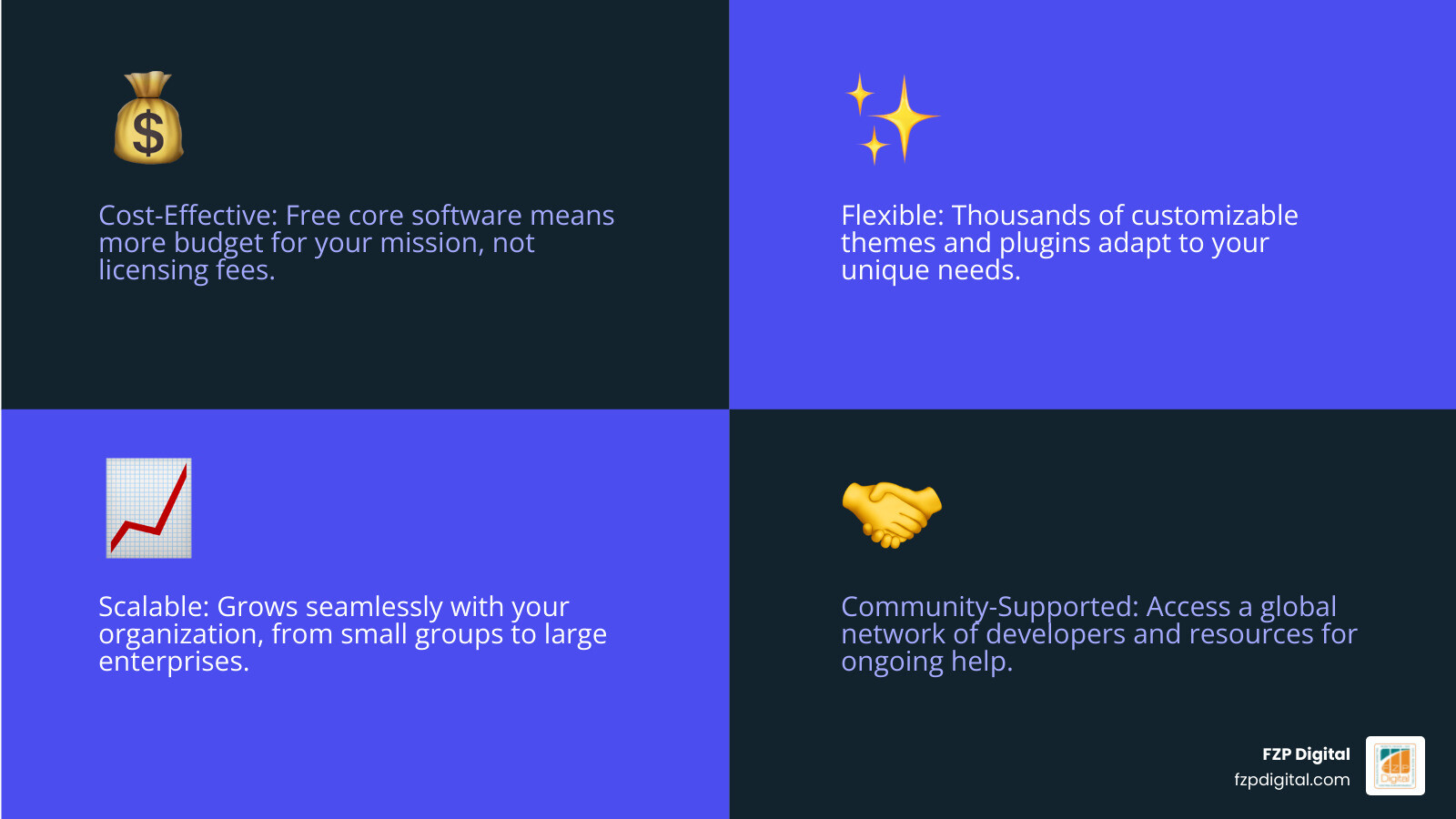
WordPress offers the perfect blend of power and practicality. It’s cost-effective, so you avoid expensive licensing fees and put more money toward your cause. It’s also incredibly flexible, adapting to your unique needs, whether you’re in Philadelphia or Bucks County. As you grow, your site scales with you. With WordPress, you’re in the driver’s seat.
Think of it this way: how many other platforms give you this much control and potential?
| Strength | Benefit for Nonprofits |
|---|---|
| Cost | Free core software, minimal hosting fees, and an abundance of free or affordable tools mean more resources for your mission. |
| Customization | Thousands of themes and plugins allow you to tailor your site to your exact brand and functionality needs, from donation forms to event calendars. |
| Fundraising | Robust plugins specifically designed for donations, recurring gifts, and campaign management, turning your website into a powerful fundraising machine. |
| Ownership | You own all your data and content, giving you complete control and peace of mind, unlike some proprietary platforms. |
The unbeatable cost-effectiveness of WordPress
Let’s talk money—we know every dollar counts. The core WordPress software is completely free. You’ll just pay for web hosting (where your site “lives” online) and a domain name (your site’s address, like fzpdigital.com).
Basic hosting is usually $20-$30 per month, and many providers offer nonprofit discounts. Compare that to proprietary builders charging $500+ annually just for licensing, and the savings are obvious. More of your budget goes directly to your mission, not to tech overhead.
Beyond the core, there are tons of affordable tools and plugins to improve your site, many of which are free! This cost-effectiveness is a huge win for organizations looking to maximize their impact. If you’re looking for a professionally designed WordPress site that fits your budget, check out More info about our Professional WordPress Design.
Flexibility that matches your unique mission
Your nonprofit is unique, and your website should be too. Whether you’re a small animal rescue in Richboro, a historical society in Bucks County, or a large advocacy group in Philadelphia, WordPress offers incredible flexibility. It’s not a one-size-fits-all solution; it’s a canvas for your story.
With thousands of themes (for your site’s look) and plugins (for features), you can build a site that truly reflects your organization. Need an event calendar, a sophisticated donation system, or a volunteer portal? WordPress can do it all. We often help nonprofits integrate custom features, ensuring their website works for them. To learn more about how we approach tailoring designs, visit More info on Designing in WordPress.
Owning your platform, owning your data
Here’s a key difference that often gets overlooked: with WordPress.org (the self-hosted version we recommend), you’re in full control. Your content, donor data, and website code all belong to you. You don’t have to worry about a proprietary platform changing its terms, hiking prices, or shutting down.
Your website built with WordPress development for nonprofits is a digital asset you truly own. This autonomy is invaluable for nonprofits who need stability and security in their online presence.
Step 1: Planning Your Website Like a Pro
Before you start building, let’s get strategic. A website needs a solid blueprint, just like a fundraising campaign. This planning is crucial for creating a site that truly serves your mission.
First, set clear goals. What do you want your website to achieve? Increase donations by 20%? Recruit 50 new volunteers? Measurable goals will guide every design and content decision you make.
Next, who are you trying to reach? Think about your primary audiences: donors, volunteers, beneficiaries, media. Create audience personas. For example, a busy professional donor needs a quick way to give, while a student volunteer wants detailed info. Understanding their needs helps tailor the user experience.
Then, map out the user journey. How will a first-time visitor steer your site to take action? Planning their steps ensures a smooth, intuitive experience. For more insights on this, read our More info on Nonprofit Website Design Best Practices 2025.
Finally, you’ll need to choose a domain name and pick the right web host. For nonprofits, we always recommend the .org advantage for your domain, as it immediately signals your organization’s purpose and credibility.
WordPress.com vs. WordPress.org: What’s the right choice for you?
This is a common question, and it can be a bit confusing, so let’s break it down simply.
- WordPress.com is a hosted service, like renting an apartment. It’s convenient because they handle maintenance and security for a fee. However, you’ll face limits on customization, plugins, and control over your data, especially on cheaper plans.
- WordPress.org is the self-hosted version, like owning a house. You download the free software, get your own hosting, and manage the upkeep. In return, you get total freedom to customize everything, install any plugin, and you fully own your data.
For WordPress development for nonprofits, we always recommend .org for full control. Why? Your unique needs—like complex donation systems or volunteer portals—require the total freedom of .org. You can install any plugin or theme to build a site that truly serves your mission, without platform limitations.
When it comes to choosing the best hosting for your nonprofit, look for providers known for good performance, security, and customer support. Services like Kinsta or WP Engine are often recommended for their WordPress-specific optimizations, but there are many reliable options available. We help our clients in Richboro, Newtown, and Philadelphia make the best decision for their organization’s future.
Blueprinting your site: Pages and navigation
With your goals and audience defined, it’s time to sketch out your site’s structure.
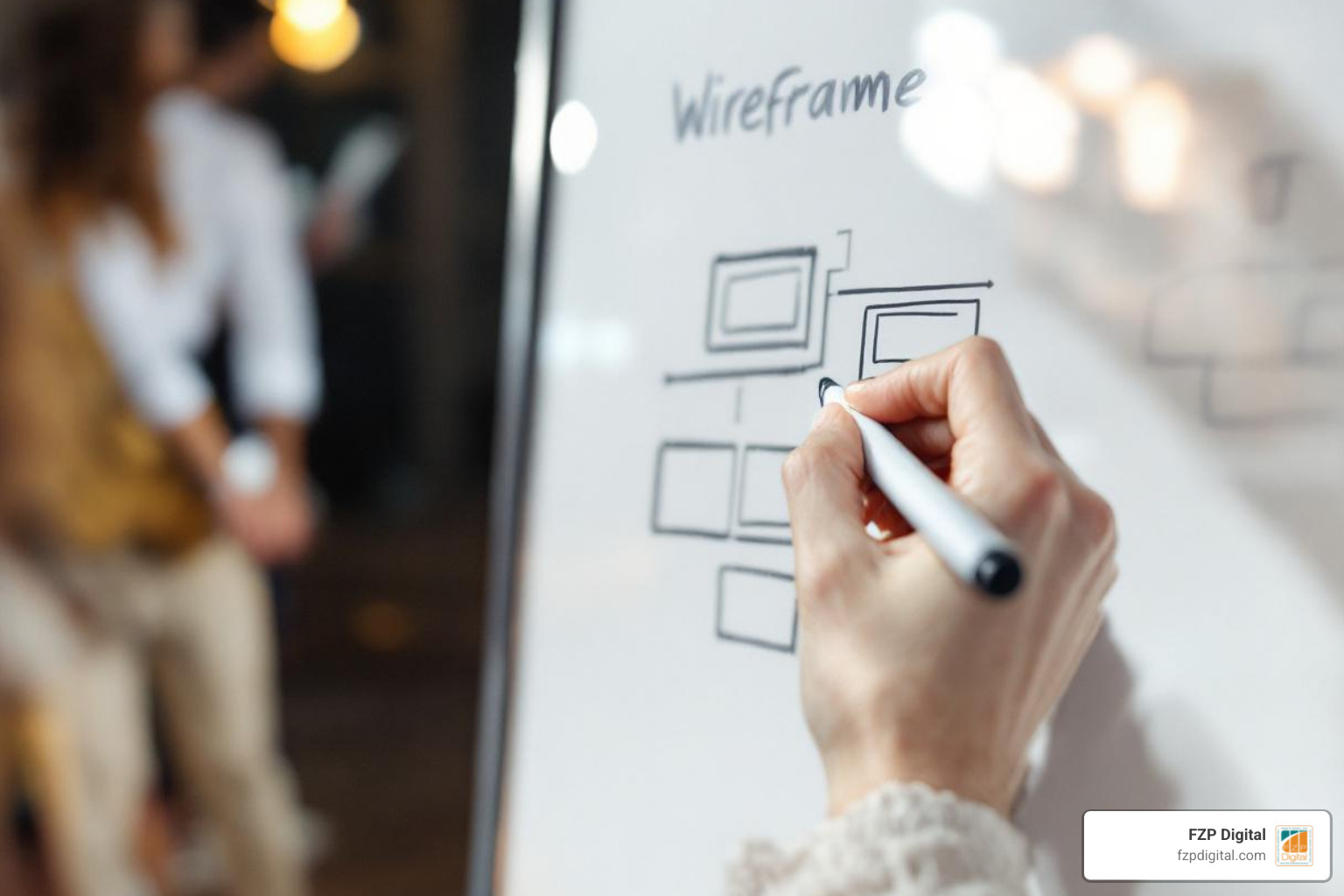
Every nonprofit website needs a set of core pages to effectively communicate its mission and engage visitors. Here are the must-have pages for every nonprofit:
- Homepage: Your digital storefront. It should clearly communicate who you are, what you do, and have prominent calls-to-action (CTAs) for your most important goals (e.g., “Donate Now,” “Volunteer”).
- About Us: This is where you tell your story. Include your mission, vision, values, history, and introduce your team and board. Stories of impact and testimonials work wonderfully here.
- Donate Page: Absolutely mission-critical. Make it easy, secure, and compelling for supporters to give. We’ll dive deeper into this soon!
- Volunteer/Get Involved: This page outlines opportunities to support your cause beyond financial donations. Think about sign-up forms, event listings, and clear instructions.
- Contact: Provide various ways for people to reach you—phone, email, physical address (if applicable), and a contact form.
- Blog/News: A dynamic space to share updates, impact stories, upcoming events, and educational content. This is your storytelling hub.
A simple, intuitive navigation menu is key. Think like a first-time visitor. Your main menu should be clear and guide users effortlessly. We suggest keeping it to 5-7 key links to avoid overwhelming people.
Step 2: Building Your Site with Themes and Plugins
With a solid plan, it’s time for the fun part: bringing your vision to life and making your website look great and work hard for your mission.
Think of it this way: a theme is your site’s design—the layout, colors, and fonts. Plugins are the features you add, like a donation form or an event calendar.
To dive deeper into making your website both beautiful and functional, check out More info on WordPress Website Design Best Practices.
Choosing a theme: Your website’s first impression
Your theme is your website’s first impression, so choosing wisely is key. What should you look for in a nonprofit theme?
- Mobile-responsive design is non-negotiable! Over 60% of nonprofit website traffic is from mobile devices. Your site must look good and be easy to use on a phone, or you’ll miss out on a huge audience.
- Accessibility for all users. Ensuring your site is accessible means everyone, regardless of ability, can interact with your content. This is not just good practice; it reflects your nonprofit’s values. Always aim to follow the Web Content Accessibility Guidelines (WCAG).
- Easy customization. You want a theme that allows you to easily change colors, fonts, and layouts to match your brand without needing to be a coding wizard.
Here are a few recommended nonprofit-friendly themes that we at FZP Digital love working with because they offer great flexibility and performance:
- Astra: A super popular choice (used by 4.8 million sites!) known for its speed and deep integration with popular page builders. It offers over 300 ready-made templates, many of which can be adapted for nonprofits.
- OceanWP: Another user-friendly theme that helps give your nonprofit’s website a professional look. It’s highly customizable and works well for various layouts.
- Blocksy: One of our top choices for its robust features and flexibility, allowing us to build custom designs that truly stand out for our clients.
Essential plugins: Adding superpowers to your site
Plugins are where WordPress really shines for nonprofits. They let you add features without custom coding. But remember, it’s quality over quantity. The right plugins keep your site fast and secure.
Here’s a list of must-have plugins for nonprofits:
- Donation & Fundraising: This is paramount. Solutions like GiveWP or Charitable are fantastic for creating donation forms, managing recurring gifts, and tracking campaigns. We help our clients in Philadelphia and Bucks County choose the best tools for their fundraising goals.
- Form Building: You’ll need these for contact forms, volunteer signups, and event registrations. Gravity Forms is a powerful premium option we love. For a budget-friendly choice, WPForms is excellent and offers a big discount for nonprofits!
- SEO (Search Engine Optimization): To help you get found on Google! Plugins like Yoast SEO or All in One SEO (AIOSEO) guide you through optimizing your content with keywords, meta descriptions, and improving your site’s overall search visibility.
- Security: Protecting your website and donor data is non-negotiable. Wordfence or Solid Security Basic (formerly iThemes Security) are fantastic options for malware scanning, firewall protection, and setting up two-factor authentication.
- Page Builders: These plugins provide drag-and-drop interfaces to design beautiful pages without code. Elementor, Divi, or even WordPress’s native Gutenberg block editor can empower your team to create engaging layouts easily.
Step 3: Fueling Your Mission with Fundraising and Content
Your website isn’t just an online brochure; it’s your 24/7 fundraiser and storyteller. It needs to make it incredibly easy for people to give and inspire them to connect with your cause. For a comprehensive overview, check out our More info on our Nonprofit Website Design Complete Guide.
Creating a powerful online fundraising machine
Your donation page is mission-critical. It’s often the most important page on your entire site, so it needs to be streamlined, accessible, and secure.
- Simple, embedded forms: Don’t send donors off to a third-party site! Keep them on your website with a clear, easy-to-fill-out donation form. Only ask for necessary information.
- Offer multiple donation options: Give your supporters flexibility! Include one-time, monthly, or annual recurring donation options. Offer various payment methods like credit cards, PayPal, and even cryptocurrency if it aligns with your audience.
- Secure payment processing: This builds trust. Ensure your payment processor includes PCI compliance, data encryption, and fraud protection. This keeps sensitive donor data safe. Is WordPress secure for fundraising? Absolutely, when set up correctly. Many donation plugins are built with robust security in mind.
- Build trust with donors: Be transparent about how donations are used. Show your impact with clear statistics or stories directly on the donation page.
Content strategy for effective nonprofit storytelling
Your blog, news section, and even your “About Us” page are your megaphone. This is where you connect with hearts and minds, building a community around your mission.
- Share success stories and testimonials: Nothing is more powerful than showing the real-world impact of your work. Use compelling narratives and quotes from beneficiaries, volunteers, or community members.
- Highlight volunteers and staff: Put faces to your mission! Introduce your dedicated team members and volunteers, sharing why they’re passionate about your cause. This builds connection and trust.
- Use powerful images and videos: Visuals are incredibly engaging. Incorporate high-quality photos and videos that tell your story and evoke emotion. Remember to always include alt text for accessibility!
- Create a resource center: Offer valuable content like educational guides, FAQs, or relevant research. This positions your organization as a thought leader and resource in your field.
- Keep your content fresh and engaging: Regularly update your blog with news, events, and impact reports. A consistent content calendar ensures your audience always has something new to learn and engage with.
Step 4: The Long Game: A Guide to WordPress Development for Nonprofits
Launching your site is just the beginning. To maximize your impact, you need to keep it secure, fast, and visible. This can feel overwhelming when you’re focused on your mission, but don’t worry—that’s where a partner like FZP Digital can help.
Keeping your digital home safe and sound
Why does security matter? A sobering 27% of nonprofits have faced cyberattacks. It’s crucial to protect sensitive donor data and maintain the trust you’ve worked so hard to build.
The good news is that with WordPress, you can implement robust security measures. Here are some simple steps:
- Regular updates: Always keep your WordPress core, themes, and plugins updated to their latest versions. Updates often include critical security patches.
- Strong passwords: This seems basic, but it’s fundamental. Use strong, unique passwords and encourage two-factor authentication for all users.
- Using a security plugin: Plugins like Wordfence or Solid Security Basic act as your site’s guardians, offering firewalls, malware scanning, and login protection.
- The importance of backups: Think of backups as your website’s insurance policy. Regularly back up your entire site (files and database) so you can quickly restore it if anything goes wrong.
Is WordPress secure for nonprofit fundraising? Yes, and here’s why. When properly configured and maintained, WordPress is a highly secure platform for handling sensitive information.
Getting found on Google: An introduction to SEO
What’s SEO? It’s Search Engine Optimization, the process of making your site more visible on Google. It matters because when someone searches for “volunteer opportunities in Bucks County,” you want them to find you.
- Use keywords people actually search for: We help our clients identify the terms and phrases their audience uses. Tools like Google Keyword Planner can reveal what people are looking for, helping you tailor your content to match those searches.
- On-page optimization with the right tools: Plugins like Yoast SEO or AIOSEO guide you through optimizing your page titles, meta descriptions, and content so Google understands what your pages are about.
- The power of local search: For many nonprofits, local visibility is key. Optimizing your Google My Business profile is crucial for appearing in local search results and maps.
This is where expert guidance from a team that truly understands nonprofit SEO—like Fred Z. Poritsky and the FZP Digital crew—can make all the difference for your visibility and impact. We work with nonprofits in Richboro, Newtown, and Philadelphia to ensure their stories reach the right people at the right time.
Maximizing your investment in WordPress development for nonprofits
Launching your site is a huge achievement, but the work doesn’t stop there. Maximizing your investment in WordPress development for nonprofits means continuous care and improvement.
- Regular maintenance: This includes keeping your WordPress core, themes, and plugins updated. It also involves caching (saving versions of your site for faster loading) and data optimization to keep your site fast and healthy.
- Analyze your traffic with Google Analytics: This powerful free tool gives you insights into who is visiting your site, what pages they’re looking at, and how they’re interacting. This data is invaluable for understanding what’s working and what’s not.
- Listen to your audience: Pay attention to user feedback, bounce rates, and conversion rates. Continuously improve the user experience based on what your analytics tell you.
- Continuously improve the user experience: A fast, intuitive, and engaging website keeps visitors coming back and encourages them to take action.
Our team at FZP Digital specializes in crafting More info on our Custom Responsive WordPress Websites and providing ongoing support to ensure your website remains a powerful asset.
Frequently Asked Questions
How much does a WordPress website cost for a nonprofit?
This is a common question! The cost can vary, but here’s a breakdown of what to expect.
- Domain and hosting costs: Your domain name typically costs $10-$20 per year. Basic WordPress hosting can be around $20-$30 per month.
- Themes and plugins: While many excellent free themes and plugins are available, premium options can range from $50-$200 per year for single licenses.
- Professional Development vs. DIY: You can DIY a basic site for a few hundred dollars if you have the time and technical skill. However, for a professional, custom-designed site with specific nonprofit features, investing in a pro is the way to go. Costs can range from a few thousand dollars upwards, depending on complexity, but it’s an investment in a powerful tool for your mission.
Can I manage a WordPress site without being a tech expert?
Absolutely! That’s a huge reason WordPress is so popular. Its user-friendly dashboard makes it easy to manage content, add pages, and even tweak designs.
The built-in Gutenberg block editor is super intuitive, letting you build pages with drag-and-drop blocks—no code needed! Plus, there are tons of online tutorials and a huge community ready to help.
Of course, for advanced customizations, complex integrations, or when you simply want to focus on your mission, that’s when a partner like FZP Digital comes in handy. We’re always just a call away to provide expert support and guidance.
What are some examples of successful nonprofit WordPress websites?
Let’s get inspired! Many incredible nonprofits use WordPress to power their missions. While we can’t share specific client projects here, our research highlights some great real-world examples of what’s possible:
- Marine Toys for Tots: A bold site that’s easy to update with impactful content and images.
- GLBT Advocates & Defenders (GLAD): A custom site with a user-friendly interface and improved navigation.
- Access Now: Integrated multiple sites into one, improving the look and results for their cause.
- Physicians for Human Rights: A clean layout with dynamic reports and multilingual options.
- Alameda County Community Food Bank (ACCFB): A mobile-friendly site with a pantry locator map and clear calls-to-action.
- PEN America: A modern design with a robust news section and easy-to-steer reports.
- Catalyst: Features interactive reports, online courses, and a large research library.
- First Tee: Provides seamless member access, a simple donation page, and compelling stories.
These examples highlight how WordPress empowers organizations to create professional, effective online presences, regardless of their size or specific mission.
Let’s Build Something Amazing Together
Now you know why WordPress is the perfect platform for your nonprofit and the essential steps to get started with WordPress development for nonprofits. It’s a powerful tool that can truly amplify your impact, helping you reach more people, raise more funds, and tell your story more effectively.
But let’s be honest—juggling your mission-critical work and becoming a web development pro is a lot to ask. Your time is precious, and it should be spent on your cause, not wrestling with code or plugin conflicts.
That’s where having a dedicated partner makes all the difference. At FZP Digital, we specialize in crafting beautiful, effective WordPress websites just for nonprofits like yours in Philadelphia, Bucks County, Richboro, and Newtown. We understand the unique challenges and opportunities nonprofits face, and we’re passionate about helping you leverage the power of the web.
If you’re ready to turn your vision into a professional, high-performing website—without the stress—let’s chat. We’re here to help you succeed.
Let’s start your web design and development project