

How to Get Premium Features with a Free Web Chat Tool

Why You Should Add a free chat widget for website Today
A free chat widget for website is a tool you embed on your site to let visitors chat with you — or an AI — in real time, at zero cost.
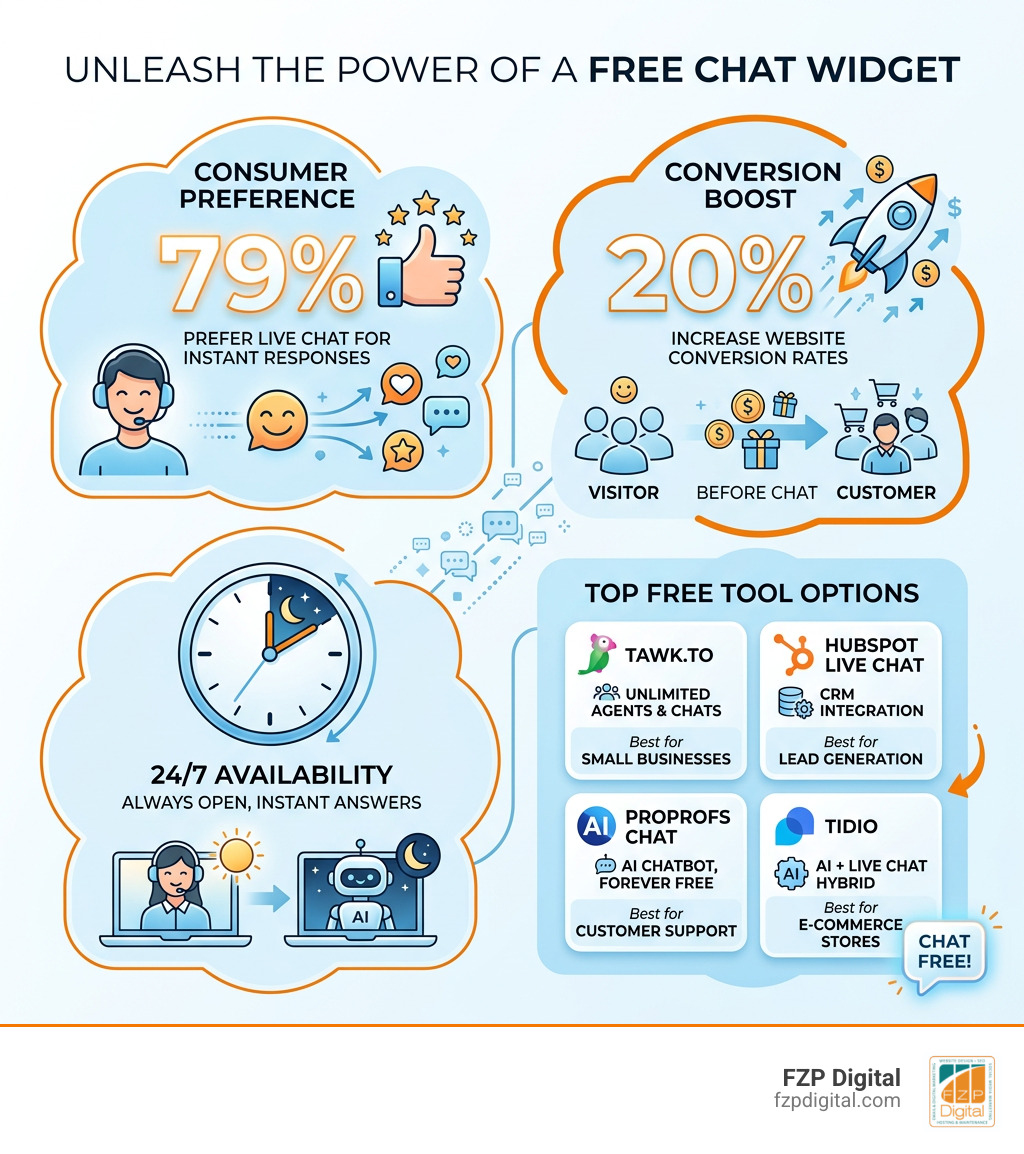
Here are the top free chat widgets worth knowing about:
| Tool | Free Plan Highlights | Best For |
|---|---|---|
| Tawk.to | Unlimited agents, unlimited chats | Small businesses, startups |
| HubSpot Live Chat | CRM integration included | Lead generation |
| ProProfs Chat | AI chatbot, forever free tier | Customer support teams |
| Tidio | AI + live chat hybrid | E-commerce stores |
| Smartsupp | Visitor recording, chatbot | Visual behavior tracking |
| Chatango | Lightweight, easy embed | Community & content sites |
Most of these take under 10 minutes to set up — no coding required.
Here’s the thing: most small business owners assume that “free” means stripped-down and barely functional. But today’s free chat tools often come loaded with features that used to cost serious money — think AI chatbots, mobile apps, visitor analytics, and multi-channel integrations.
And the numbers back it up. 79% of consumers prefer live chat because of the instant responses it delivers. Adding chat to your site can increase conversion rates by as much as 20%.
That’s not a small deal. That’s potentially one in five more visitors turning into customers — without spending a dime on the tool itself.
I’m Fred Z. Poritsky, founder of FZP Digital, and over the years I’ve helped businesses across Philadelphia and beyond build smarter websites — including recommending the right free chat widget for website setups that actually move the needle. In this guide, I’ll walk you through exactly how to get premium-level performance without opening your wallet.
Have you ever landed on a website, had a quick question about a product, and then left because you couldn’t find an answer immediately? You aren’t alone. We live in an era of instant gratification. If you aren’t providing answers right now, your competitors in Newtown or Richboro certainly will.
The primary reason to install a free chat widget for website is simple: customer satisfaction. Research shows that 79% of consumers prefer live chat because it offers instant response opportunities. They don’t want to wait 24 hours for an email reply or sit on hold listening to elevator music. They want to know now if that item is in stock or if you offer weekend consultations.
But it’s not just about being nice to your visitors; it’s about your bottom line. Statistics indicate that having a chat feature on your site increases conversion rates by 20%. Furthermore, 38% of consumers are more likely to buy from a company if they offer live chat support. It builds an immediate sense of brand trust. When a visitor sees that chat bubble, they know there is a pulse behind the screen.
Beyond sales, chat helps with learning how website accessibility can help grow your brand. By providing multiple ways to communicate—text, voice, or even video—you make your business more inclusive.
Finally, let’s talk about the 24/7 factor. Even when our team at FZP Digital is tucked in for the night in Philadelphia, a well-configured chat widget with automated responses keeps the lights on. It gives you a massive competitive edge, ensuring you never miss a lead just because it’s 2:00 AM on a Tuesday.
Key Features of Premium-Level Free Tools
You might be wondering, “What’s the catch?” In 2026, the “catch” is actually in your favor. Many software providers offer robust free tiers to get you into their ecosystem, meaning you get access to high-end tech for $0.
One of the most exciting features hitting the free market is the AI chatbot. These aren’t the clunky bots of five years ago. Modern AI can be trained on your internal knowledge base to provide accurate, human-like answers. This is becoming critical because Gartner predicts search engine volume will drop 25% by 2026 due to AI chatbots. People are moving away from searching and toward asking.
Here is a quick look at what you get when you step up from a basic text box to an AI-powered tool:
| Feature | Basic Free Chat | AI-Powered Free Chat |
|---|---|---|
| Availability | Only when you are online | 24/7/365 |
| Response Time | Minutes to hours | Instant |
| Lead Qualification | Manual | Automated via branching logic |
| Scalability | One-to-one | Handles hundreds of chats at once |
| Customization | Limited colors | Full brand matching & custom CSS |
Beyond AI, look for tools that offer dedicated mobile apps. This allows you to respond to customers while you’re grabbing coffee in Newtown or heading to a meeting in Philly. You should also prioritize visitor analytics. Seeing which page a user is on when they start a chat gives you invaluable context for the conversation.
Lastly, proactive invitations are a game-changer. Instead of waiting for the user to click the bubble, the free chat widget for website can “pop up” with a friendly message like, “Hey! Noticed you’re looking at our web design packages. Need a hand choosing the right one?”
Maximizing Leads with a free chat widget for website
A chat widget isn’t just a support tool; it’s a lead generation machine. By using pre-chat forms, you can capture a visitor’s name and email address before the conversation even begins. This ensures that even if they disconnect, you have a way to follow up.
We often see businesses use chat for lead qualification. A bot can ask a few simple questions: “What is your budget?” or “When are you looking to start?” By the time a human agent steps in, they already know if the visitor is a qualified prospect. This streamlines the sales funnel and significantly boosts customer retention because the user feels heard and understood immediately.
How to Install a free chat widget for website Without Coding
I hear this all the time: “Fred, I’m not a tech person. I can’t add code to my site.” Good news—you don’t have to be a developer to get this working.
The most common method is using a simple JavaScript snippet. You just copy a few lines of code from your chat provider and paste them into your website’s HTML, usually right before the closing