

The Best Divi One-Page Websites to Inspire Your Next Project
Why One-Page Websites Are Having a Moment
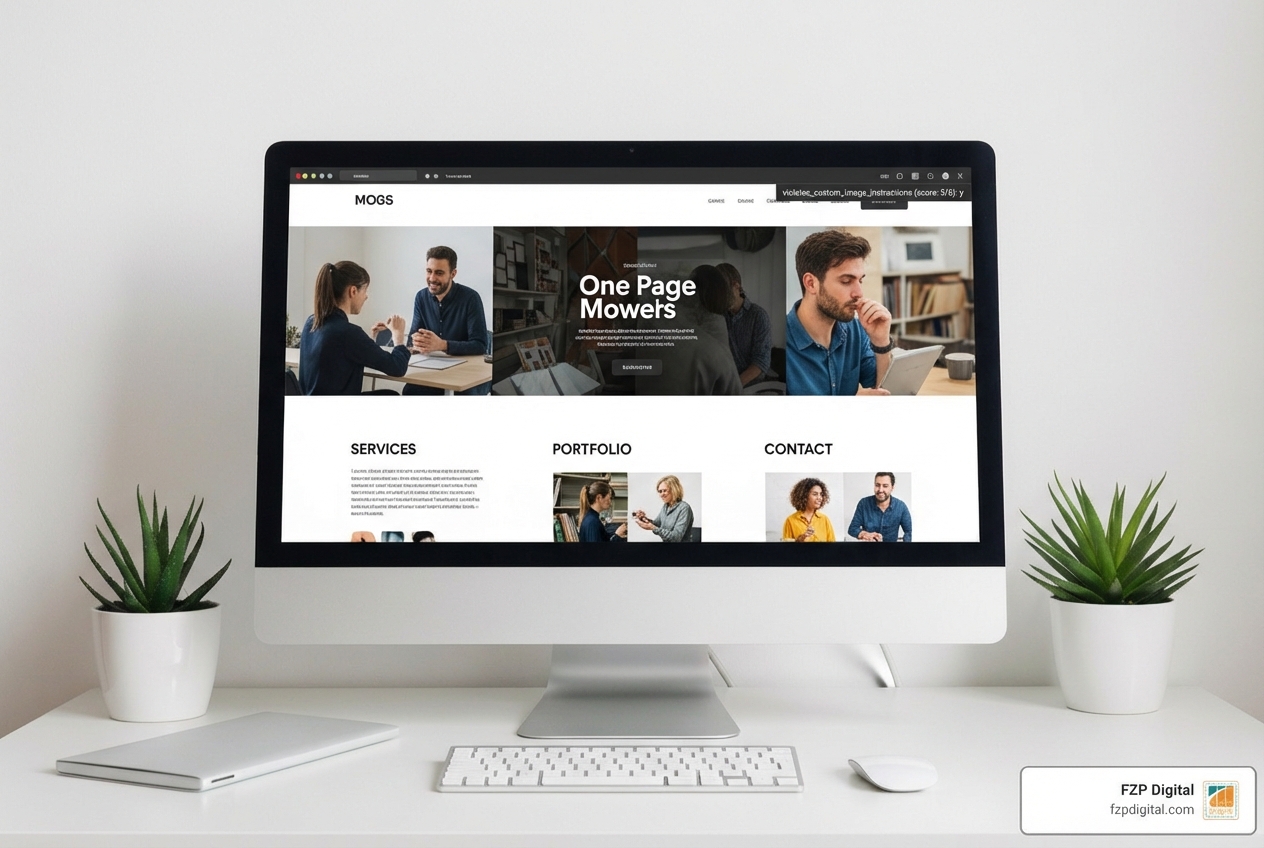
Divi one page website examples showcase how powerful a single, scrolling website can be for telling a focused story, capturing leads, or presenting a portfolio without the distraction of multiple pages.
Here are some of the best Divi one-page websites to inspire your next project:
- Intuitive Life Wellness – A holistic wellness site with earthy tones and flowing sections
- Manent Capital – A financial services site proving that finance websites can be beautiful and engaging
- Next Level Wardrobe – A personal styling service with sleek design and clear calls-to-action
- Love On Lake Como – A destination wedding planner capturing romance through dreamy galleries
- Alpine Fit – A physical therapy practice with a clean, minimal design
- Abigail Jane Coaching – A life coach’s site with soft color palettes and personal branding photography
- The 55 – A functional fitness brand with bold visuals and no-nonsense messaging
- Storylogick – A SaaS copywriting agency showcasing services and portfolio professionally
- Annabel Watters (Virtually Bel) – A tech VA with bold, modern design highlighting expertise
These examples span industries from wellness to finance to fitness, all proving that Divi’s flexible builder can create stunning one-page experiences that convert.
Ever landed on a website and felt immediately lost? Too many menus, unclear navigation, and disconnected pages can be confusing. A one-page website solves that.
It’s storytelling in its purest form. You guide your visitor on a clear path from their problem to your solution. No confusion, just a straight line to “let’s work together.”
And the best part? Divi makes building these incredibly simple.
With over 2 million Divi websites out there, you’re joining a massive community that has proven this theme can handle anything. The drag-and-drop builder means you don’t need to touch code to get complete creative control.
I’m Fred Z. Poritsky, founder of FZP Digital. After decades in both accounting and creative design, I’ve built countless divi one page website examples for businesses in Philadelphia and beyond. Each one proves that the right structure can transform how you connect with your audience. Let me show you what’s possible.
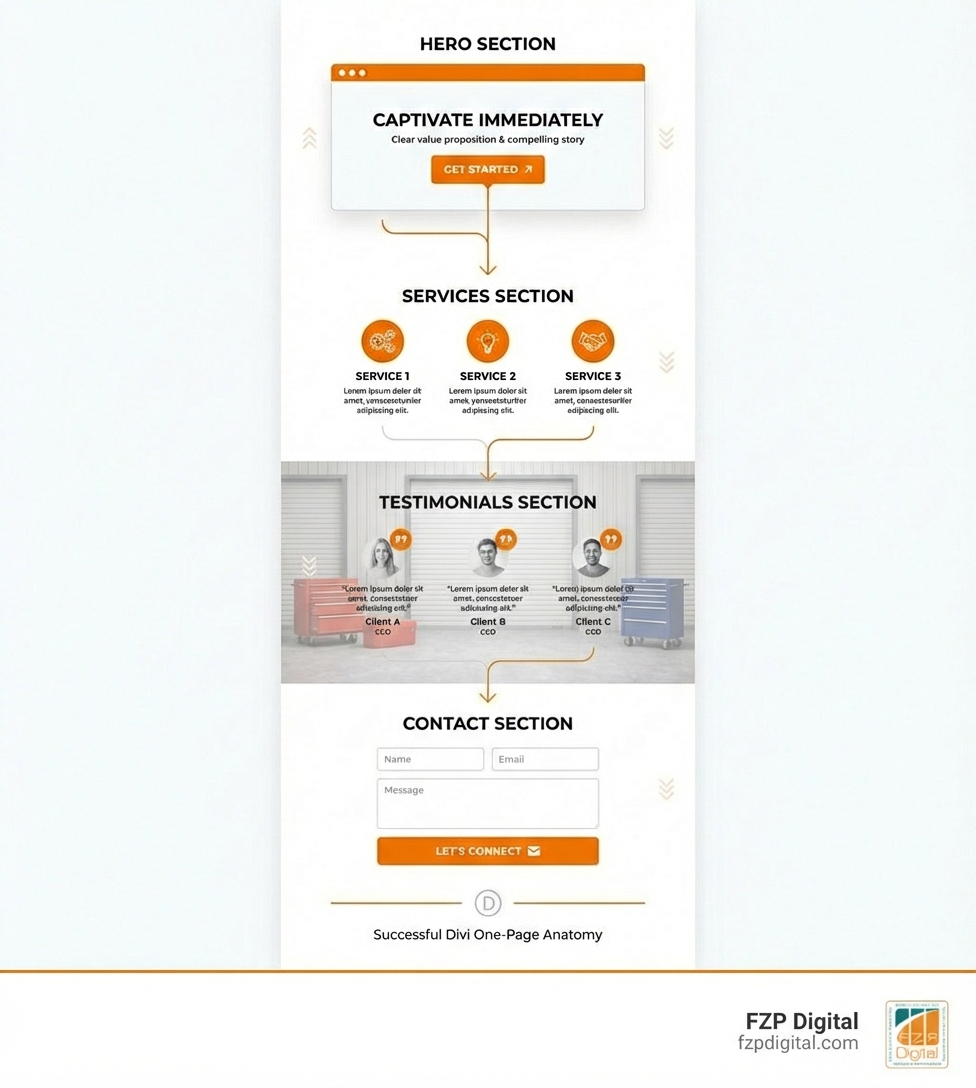
Simple guide to divi one page website examples terms:
What Makes a Single Page So Powerful?
Attention spans are short. People want information, and they want it now. That’s where a single-page site shines.
It offers a streamlined user experience. Visitors simply scroll through your entire message—who you are, what you offer, and why they should choose you—without a single extra click. This focused narrative keeps them engaged.
Then there’s the mobile-first design advantage. One-page sites are perfect for mobile users because they rely on scrolling, which is intuitive on phones. Divi is fully responsive, ensuring your design looks fantastic on any device, whether it’s a desktop in Richboro or a smartphone in Newtown.
This often leads to higher conversion rates. By guiding users through a clear story with one focused call-to-action, they’re more likely to take that next step. Plus, they’re much easier to maintain since you’re only updating one page. We’ve seen this work wonders for many Small Business WordPress Website Design projects here in Philadelphia.
And Why is Divi Your Best Friend for This?
So, a one-page site sounds great, right? Here’s why Divi is the perfect tool for the job.
Divi is a complete visual builder, meaning you build your site on the front end and see changes in real-time. No more guessing or switching between tabs. You drag, drop, and adjust, and your site takes shape instantly.
This allows for incredible no-code customization. Want to change a font, a color, or add an animation? It’s just a click away. You get full creative control without needing to be a coding expert.
Feeling overwhelmed? Divi has your back with tons of pre-made layouts. You can import a design, customize it, and have a beautiful foundation in minutes. It’s a game-changer for speed!
Finally, the Divi community is a massive resource. With millions of users and huge online groups, help and inspiration are always available. It’s why we at FZP Digital consider Divi one of the Best Website Builder options out there, especially for businesses in Philadelphia looking for a powerful, user-friendly solution.
Getting Started: The Magic Behind Divi’s One-Page Navigation
Alright, you’re convinced a Divi one-page site is the way to go. But how do you create that smooth, scroll-to-section magic? It’s all in the navigation setup, and Divi makes it surprisingly simple.
By using anchor links and Section IDs, paired with Divi’s built-in smooth scrolling and Dot Navigation, you can turn a long page into a highly organized experience.
Creating Your “Jump Links” with Anchor Links and Section IDs
Think of anchor links as digital bookmarks that let you jump to a specific spot on the same page. Super handy for a one-page layout, right?
Here’s how to set it up in Divi:
- Identify Your Sections: Decide which sections you want to link to, like “About Us,” “Services,” or “Contact.”
- Assign a CSS ID to a Divi Section: This is the key step. In the Divi Builder, open the settings for a section you want to link to. Go to the “Advanced” tab, find “CSS ID & Classes,” and in the “CSS ID” field, enter a unique ID like
about-usorour-services. Keep it simple, lowercase, and with no spaces! - Make Navigation Intuitive: Giving each section a unique ID creates a target for your menu links. When someone clicks “About Us” in your menu, they’ll smoothly scroll to the section you’ve labeled
about-us. It’s that easy.
Building the Custom Menu in WordPress
Once your CSS IDs are set, it’s time to build the menu.
- Go to Your WordPress Dashboard: Steer to “Appearance” and then “Menus.” If you’re new to this, you can check out this great tutorial for a full rundown.
- Create or Edit a Menu: Create a new menu for your one-page site or edit your main navigation.
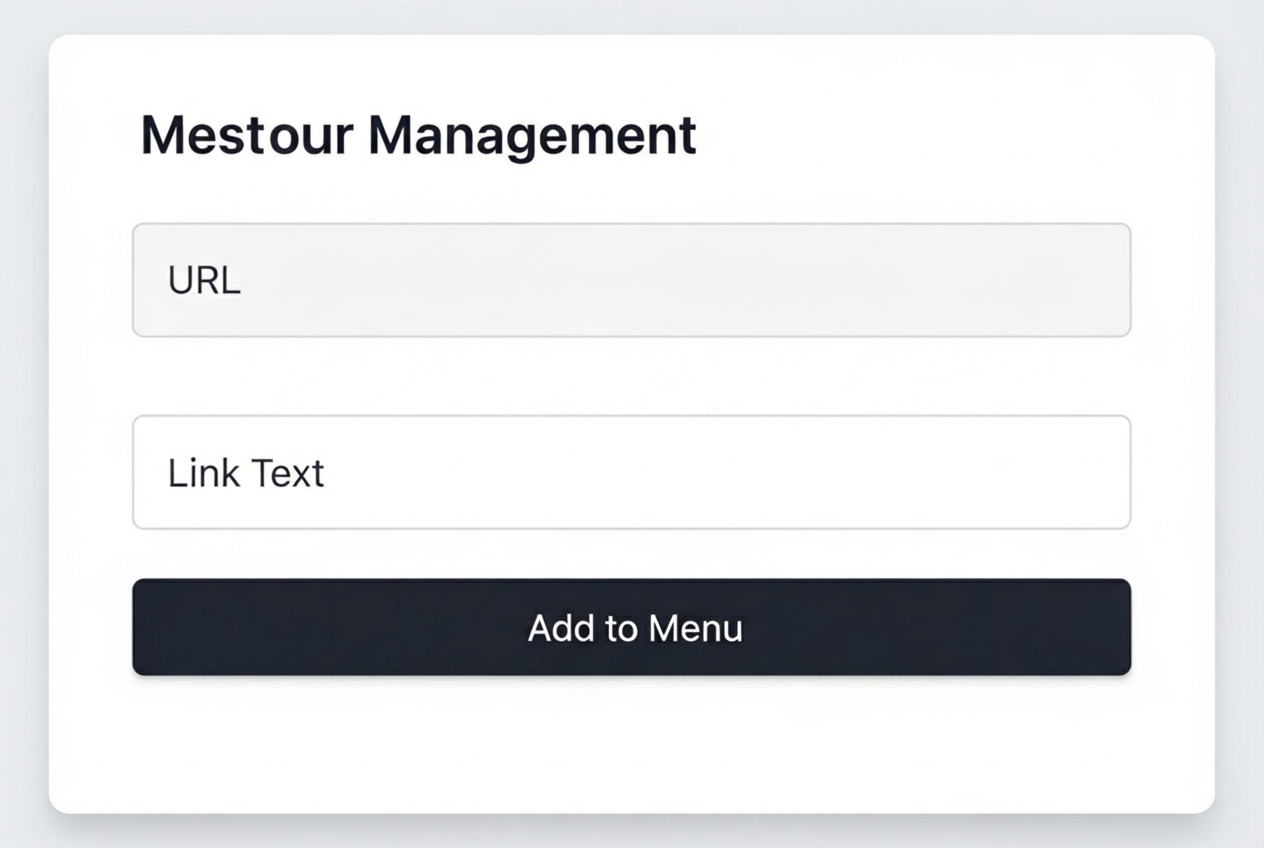
- Add Custom Links: On the left, find the “Custom Links” box. This is where the magic happens.
- In the “URL” field, type
/#followed by the CSS ID you created (e.g.,/#about-us). - In the “Link Text” field, type what the menu item should say (e.g., “About Us”).
- Click “Add to Menu.”
- In the “URL” field, type
- Repeat and Arrange: Do this for all your sections, then drag and drop the menu items into your desired order.
- Enable Smooth Scrolling and Dot Navigation (Optional): In your Divi page settings, you can enable “Dot Navigation” and “Section Scrolling.” Dot Navigation adds clickable dots on the side of the page, and smooth scrolling ensures users glide down the page instead of jumping abruptly. These little touches that make your divi one page website examples truly shine!
A Showcase of Stunning Divi One-Page Website Examples
Now for the fun part: seeing what’s possible! Nothing beats real-world inspiration. These divi one page website examples show the incredible flexibility of Divi, proving a single page can work for anything from a minimalist portfolio to an e-commerce landing page.
When we work with clients in Philadelphia, Richboro, or Newtown, we draw inspiration from all kinds of industries. These examples highlight not just beautiful design but smart functionality that keeps users engaged. Want to see more? Check out Our Work to see some of our own projects.
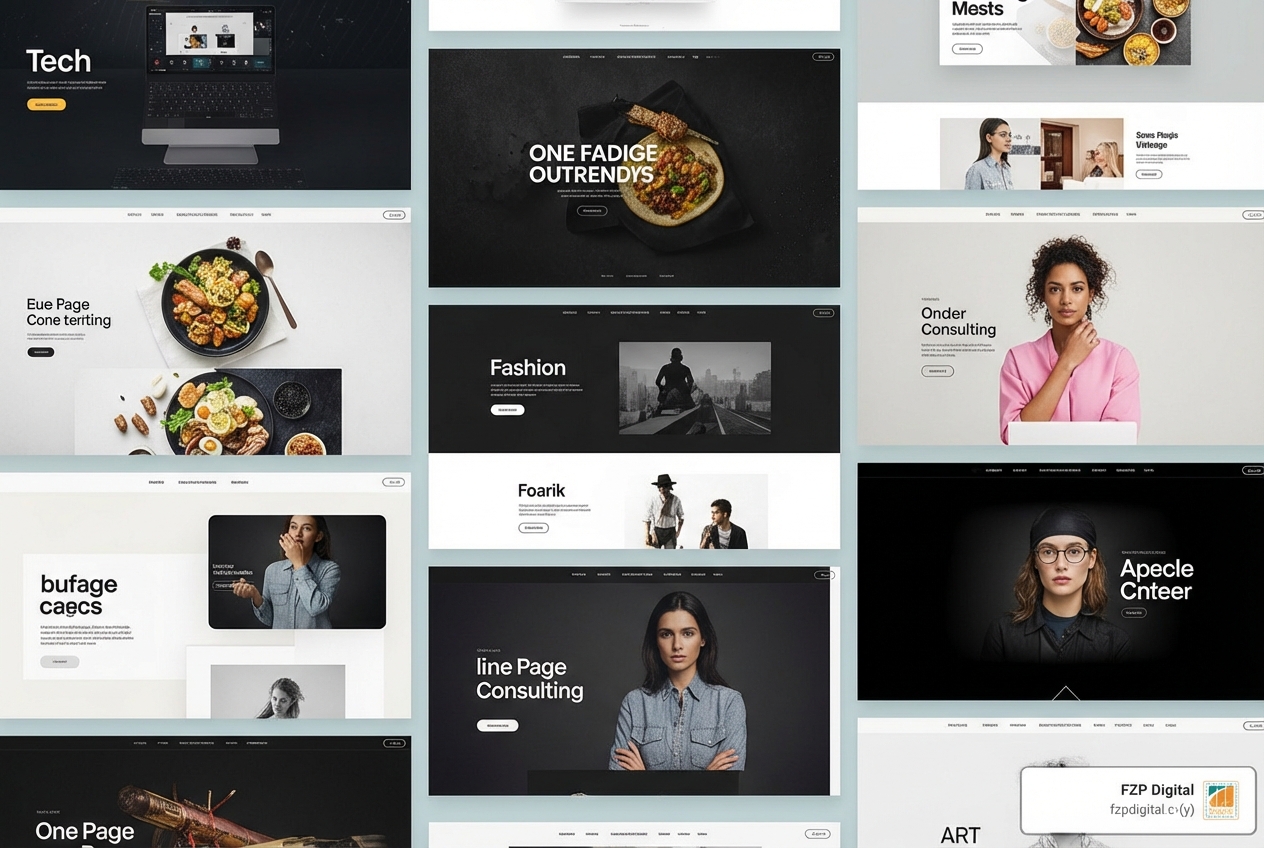
For Coaches and Creatives
One-page sites are a dream for coaches and creatives. They let you tell your story, showcase your offerings, and guide clients to a “work with me” button in one compelling flow.
- Intuitive Life Wellness: This site uses earthy tones and flowing typography to create a sense of calm. It walks you through services and testimonials to a clear call to connect. It’s warm, inviting, and perfectly branded.
- Abigail Jane Coaching’s WordPress website: Abi’s site uses beautiful personal photography and a soft color palette to capture a calm, confident energy. It’s a masterclass in presenting expertise without overwhelming visitors.
- Annabel Watters: Annabel’s site is bold, modern, and to the point. As a tech VA, she uses highlighter-style text to emphasize key services and build trust, making technical services feel approachable.
These sites excel at personal branding and have clear calls-to-action that feel intimate and direct.
For Service-Based Businesses and Agencies
Professional services and agencies can also thrive with a one-page site, especially for capturing leads. It’s all about building trust and showing your value clearly.
- Manent Capital: Proving financial services don’t have to be boring, this site has a clean, confident, and luxurious design. It presents complex information neatly, building trust with a sophisticated look.
- Storylogick: This copywriting agency uses a professional design to showcase its portfolio. Client testimonials are featured prominently, building credibility and keeping the focus on their expertise.
- Alpine Fit: This physical therapy site feels calm and focused. It’s clean and modern, using video testimonials and Google reviews to build immense trust. We often recommend similar Professional WordPress Design principles for our local wellness clients.
These examples show how professional design and trust-building elements can be seamlessly integrated into a one-page format.
More Inspiring Divi one page website examples
Divi’s versatility means there’s a one-page solution for almost any niche. Here are a few more diverse divi one page website examples that push the boundaries.
- Next Level Wardrobe: This personal styling service uses a sleek, modern design that reflects luxury. With an easy booking system and compelling before-and-afters, it’s a high-converting site that knows its audience.
- Love On Lake Como: This wedding planning site captures romance with dreamy galleries and a custom venue search. It’s visually stunning and balances inspiration with practical info on one page.
- The 55: This fitness brand uses bold visuals and stripped-back messaging for its tough products. It’s a great example of a one-page e-commerce site with strong visual impact.
These sites highlight unique layouts and bold visuals, showing how much you can achieve on a single page. A strong visual identity is key, and we often guide clients through a Branding Design Complete Guide to ensure their site perfectly reflects their brand.
Key Ingredients for a High-Converting One-Page Site
Building a great one-page website isn’t just about putting everything on one long scroll. It’s an art form that guides your visitor from curiosity to conversion.
When we tackle a divi one page website examples project for a client in Philadelphia or Bucks County, we focus on core principles that make a page perform. We always follow our WordPress Website Design Best Practices to get every ingredient right.
Tell a Story from Top to Bottom
This is the most critical part of a successful one-page site. Your website is a narrative.
- The Hero Section Hook: Your first impression must grab attention immediately. Clearly state what you do and who you help.
- Guide the User: Each section should flow naturally into the next, building a problem-solution narrative. What are your clients’ challenges? How do you solve them?
- Build Momentum: Use testimonials, case studies, and visuals to build trust and social proof. Each section should reinforce your value and answer potential questions.
- End with a Clear Action: Don’t leave visitors hanging! The bottom of your page needs a strong, singular call-to-action (CTA). Make it obvious what you want them to do next.
Make it Flawlessly Responsive
Your website must look amazing and work perfectly on every device. Over half of all web traffic is mobile, so a non-responsive site alienates a huge audience.
Divi makes this easy with its mobile-first approach and responsive settings. You can adjust how elements appear on desktops, tablets, and phones right in the Divi Builder. This means you can:
- Test on all devices: Preview your design on different screen sizes to catch awkward layouts.
- Adjust spacing and sizing: Fine-tune margins, padding, and font sizes for readability on small screens.
- Hide or show modules: If an element clutters the mobile view, you can hide it just for mobile users.
A seamless experience is non-negotiable. It impacts user satisfaction, bounce rates, and search rankings. Ensuring Responsive Website Design is always a top priority for our clients.
Common Problems and How to Clear Them
Even with a powerful tool like Divi, one-page websites can have unique challenges. We’ve helped many businesses in the Philadelphia area steer these issues, turning potential pitfalls into smooth sailing.
The main culprits are often page load speed, SEO challenges, and content bloat. The temptation to put everything on one page can sometimes work against you, which is where an expert can help keep your site focused and performant.
The Big Question: What About SEO?
This is where people get nervous about one-page sites. “How can I rank for multiple keywords with only one URL?” It’s a valid concern, but it’s definitely solvable.
With a one-page site, you need a clear keyword targeting strategy. Focus on one primary keyword phrase for your core offering, but you can still optimize different sections for related, secondary keywords.
Here’s how we approach it:
- Use H-tags effectively: Each major section should have a clear H2 heading, with sub-sections using H3s. This structure helps search engines understand the topics on your page.
- Optimize sections like “mini-pages”: Fill each section with high-quality content that naturally includes your secondary keywords. Think of each section as a distinct chapter in your story.
- Internal linking (to yourself!): Your anchor links (like
/#about-us) can act as internal links for search engines, further clarifying your site’s structure.
This is a puzzle where professional guidance truly shines. We specialize in Search Engine Optimization Services Philadelphia and can help craft a strategy that gets your one-page Divi site seen.
Keeping Your Page Lean and Fast
Because a one-page site contains a lot of content and images, page load speed can become an issue. A slow site frustrates visitors and hurts your SEO. No one wants to wait for a site to load!
Here are some ways to keep your divi one page website examples zipping along:
- Image optimization: This is huge! Always compress your images before uploading. Using a dedicated plugin or online tool makes a massive difference.
- Limit animations: Divi’s animations are fun, but too many can slow things down. Use them sparingly for maximum impact.
- Use a caching plugin: Caching plugins store static versions of your page so it loads much faster for returning visitors.
- Enable Divi performance settings: Divi has built-in performance options like dynamic CSS and deferring JavaScript. Make sure these are turned on!
A fast site is crucial for user experience and helps with improving search ranking. It’s a key part of our approach for clients in Bucks County and beyond.
Frequently Asked Questions about Divi One-Page Sites
It’s totally understandable to have questions about one-page websites! It’s a unique approach, so you want to be sure it’s the right fit. Let’s tackle some of the most common ones.
Can I use Divi child themes or pre-made layouts for a one-page site?
Absolutely! This is a huge advantage of Divi. Divi child themes and layouts are fantastic starting points that save a ton of time. You can import a pre-designed child theme and consolidate its content onto a single page using anchor links.
Similarly, you can import individual Divi layout sections onto a single page to build your story. Then, just customize the content, colors, and fonts to match your brand. It’s a brilliant way to get a polished look without starting from scratch.
How do I make sure my Divi one-page website is mobile-friendly?
Making your divi one page website examples look great on every device is crucial, and Divi makes it incredibly easy.
- Use the Responsive View: In the Divi Visual Builder, you’ll see icons for desktop, tablet, and phone. Click these to preview how your page looks on different screen sizes.
- Adjust for Each View: Divi lets you adjust settings (like font sizes, spacing, or visibility) for each device. If an element is too big on mobile, you can resize or hide it just for that view.
- Test on Real Devices: Divi’s previews are great, but always test on actual phones and tablets to be sure.
By using these controls, you can ensure a seamless experience for everyone.
Is a one-page website a good choice for my business?
That’s an excellent question, and the answer is: it depends on your goals!
One-page websites are an outstanding choice for:
- Portfolios: Perfect for artists, photographers, and designers to create a continuous visual flow.
- Event Pages: Ideal for promoting a single event with all key info in one place.
- Small Service Providers: Great for coaches, consultants, and local businesses in places like Richboro or Newtown to present their services and contact info effectively.
- Landing Pages: Highly effective for marketing campaigns with a single call-to-action.
- Product Launches: Incredibly compelling for telling the story of a single product.
However, a multi-page site might be better if you have a large amount of diverse content (like a big e-commerce store or blog) or need to target many different keywords.
It all comes down to focus. If your message is concise and leads to a single action, a one-page Divi site could be your perfect solution!
Ready to Build Your Own Masterpiece?
You’ve seen the inspiration and you know the “how-to”—now it’s your turn! Divi provides an incredible canvas for your vision, allowing you to craft stunning divi one page website examples that truly stand out. Remember the key ingredients: a great story, clean design, and a clear goal for your visitors.
Sometimes, turning that vision into a high-performing, pixel-perfect reality is where you need a partner. At FZP Digital, we live and breathe this stuff. We specialize in crafting custom responsive WordPress websites that not only look stunning but are built with a strategy to grow your business, whether you’re in Philadelphia, Richboro, or Newtown. If you’re ready to create something amazing, let’s talk.