

Make a Mark The Ultimate Guide to Crafting Your Perfect Logo
Why Your Business Needs a Professional Logo
Create a logo that truly represents your business, and you’ll have a powerful asset that works for you 24/7. Here’s what you need to know right now:
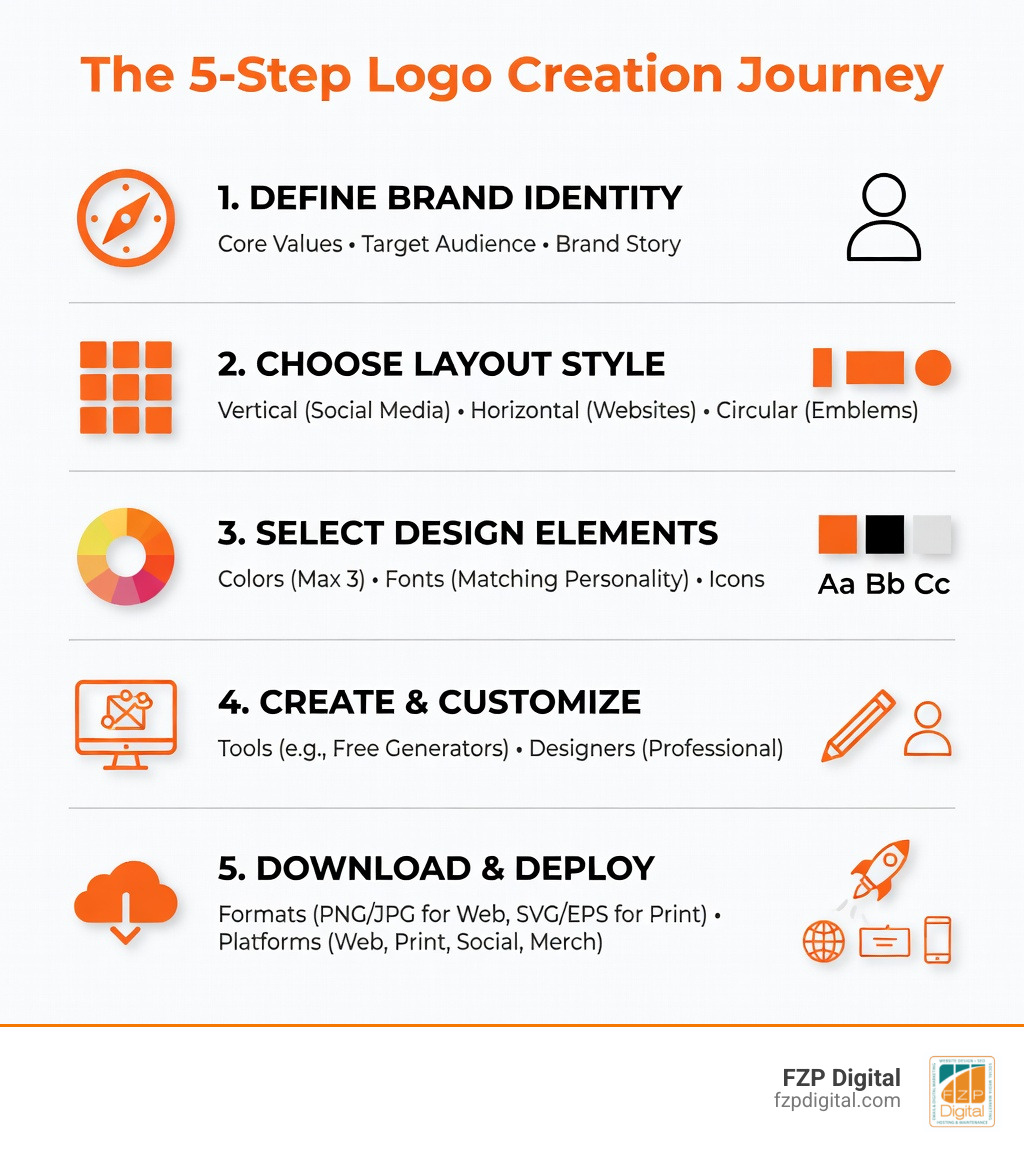
Quick Steps to Create a Logo:
- Define your brand identity – Clarify your core values, target audience, and brand story
- Choose your layout – Pick vertical (social media), horizontal (websites), or circular (emblems)
- Select colors and fonts – Limit to 3 colors max, choose typography that matches your personality
- Use a logo maker or designer – Try free tools like LOGO.com, Adobe Express, or hire a professional
- Download proper formats – Get PNG/JPG for web, SVG/EPS vector files for print and scalability
- Apply consistently – Use across your website, business cards, social media, and merchandise
Think of your logo as your business’s dating profile picture. It’s the first thing potential customers see, and it needs to make them want to learn more about you.
With over 670 million logos created online and counting, there’s never been a better time to craft your own distinctive brand mark. Whether you choose a free AI-powered generator or work with a designer, the key is understanding what makes a logo memorable, scalable, and versatile.
Your logo is more than just a pretty image—it’s your brand’s flag, the visual shorthand for everything your business stands for. It appears on your website header, your social media profiles, your business cards, and eventually on the products or services you’re proud to deliver.
I’m Fred Z. Poritsky, and at FZP Digital, I’ve helped countless Philadelphia-area businesses create a logo that captures their unique story and connects with their ideal customers. My background blending accounting precision with creative design gives me a unique perspective on what makes business branding truly effective.
Create a logo terminology:
Why You Need to Create a Logo That Sticks
Think of your logo as your brand’s flag. Just as a country’s flag embodies its character and history, your logo is the visual manifestation of your brand strategy. It’s the centerpiece of your branding efforts, acting as the anchor for every interaction a customer has with your business. If business is like dating, your logo is that all-important profile picture. Does it look professional? Does it spark interest? Does it hint at the great “personality” (your service) underneath?
When you create a logo, you aren’t just making a pretty picture; you’re building an emotional connection. Research shows that colors can trigger specific feelings and that consumers connect more strongly with stories than with dry product facts. A well-designed logo builds trust from the very first second. Whether you’re looking for Logo Design for Startups or you’re an established firm navigating the Logo Quest: Navigating the World of Design Services, getting this right is non-negotiable.
Defining Your Brand Character
Before you even touch a design tool, you need to know who you are. What are your core values? Who is your target audience? If you’re targeting teenagers, you might want something quirky and high-energy. If you’re an investment firm in Newtown or Richboro, you likely want to emphasize reliability and stability.
Defining these personality traits helps you tell a brand story. For instance, the Baskin Robbins logo subtly embeds the number “31” in its lettering to remind customers of their 31 flavors. Every element should reflect your character, turning a simple graphic into a narrative.
Standing Out from the Competition
In a crowded market, visual differentiation is your best friend. Your logo should highlight your unique selling point. Why should someone choose you over the shop down the street? Your market positioning—whether you’re the affordable “everyman” brand or the premium “luxury” choice—must be clear. Effective Company Logos don’t just fit in; they stand out by being simpler, cleverer, or more resonant than the competition.
Picking Your Style: Layouts and Typography
How you arrange your logo elements matters just as much as the elements themselves. There’s no single “best” layout; it all depends on where you plan to use it.
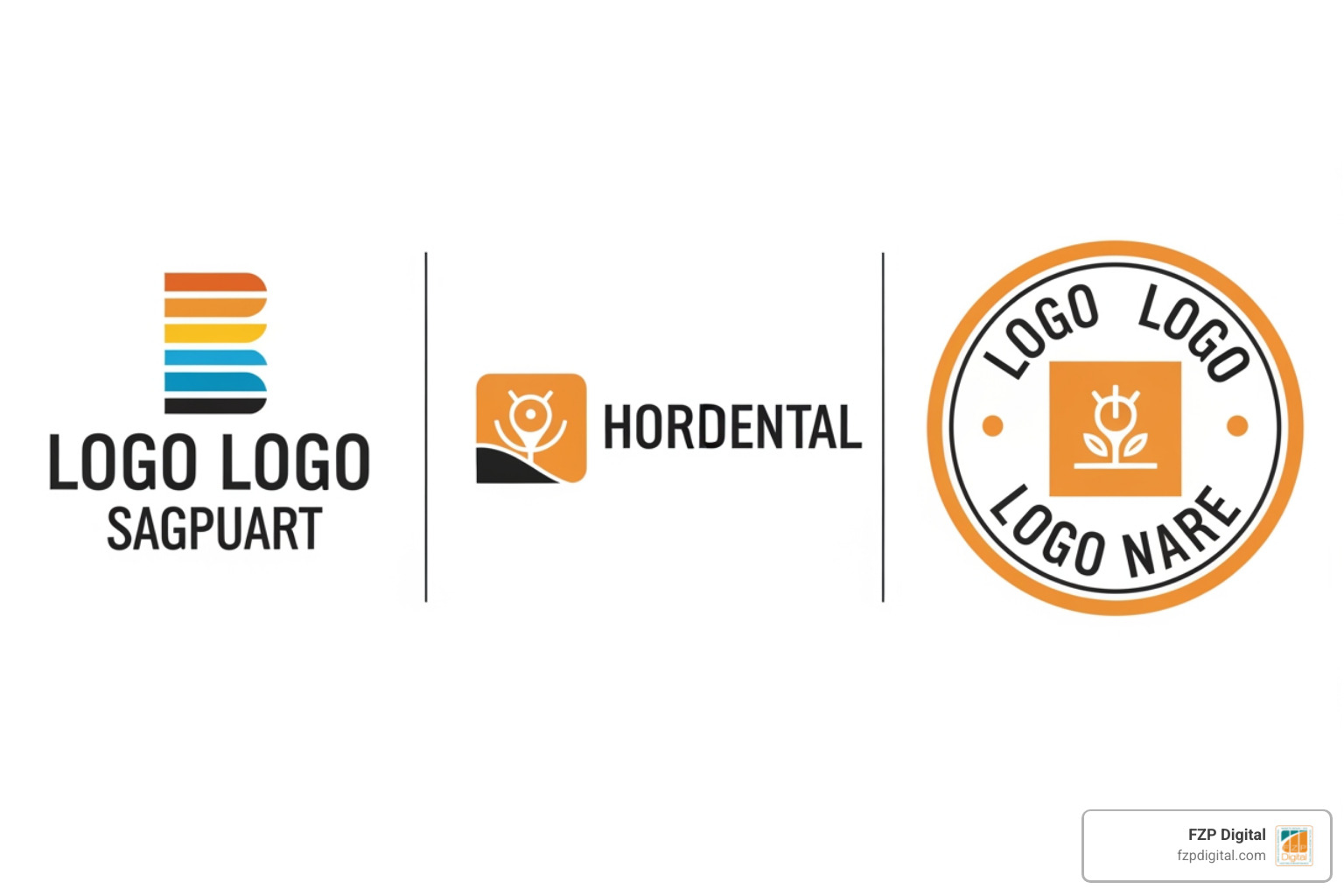
- Vertical Layout: This features the icon directly over the text. It’s a clean, stacked look perfect for square spaces like social media profile pictures or app icons.
- Horizontal Layout: The icon sits to the left or right of the business name. This is incredibly versatile and is the standard choice for website headers and email signatures.
- Circular Layout: Often used for emblems, seals, or badges, this creates a sense of tradition and containment.
- Logotype: A text-only layout focusing on styled typography (think Google or Coca-Cola).
- Lettermark: Uses initials for brands with long names (like IBM or HBO).
- Icon-only: A symbol used as a secondary mark or favicon (the little icon in your browser tab).
| Layout Type | Best Use Case | Why It Works |
|---|---|---|
| Vertical | Social Media Profiles | Fits perfectly in square/circle crops |
| Horizontal | Website Headers | Maximizes space in navigation bars |
| Circular | Merchandise & Stickers | Looks great on physical products |
| Icon-only | Browser Favicons | Remains legible at tiny sizes |
Choosing the Perfect Font
Typography isn’t just about legibility; it’s about psychology. Serif fonts (with the little “feet” on the letters) often feel traditional, reliable, and established. Sans-serif fonts (clean, straight lines) feel modern, slick, and approachable. If you’re looking for inspiration, sites like Fonts.com offer millions of creative options beyond what you’ll find in standard word processors. We recommend choosing a font that conveys your brand’s desired traits—like using a bold font for a loud, energetic brand or a minimalist font like Helvetica for a modern tech company.
The Power of Color Theory
Colors have an extraordinary ability to trigger emotions. Blue often evokes trust and professionalism, which is why it’s a favorite for banks and tech companies. Red can stimulate appetite and excitement, making it a go-to for food and beverage brands.
A golden rule when you create a logo is to limit yourself to three colors or fewer. Too many colors can make the design overwhelming and difficult to scale. You can find unique palettes on Dafont.com or use color generators within design tools to ensure your choices are harmonious.
Your Step-by-Step Guide to Create a Logo
Ready to get started? Designing a logo is a journey that starts with a pencil and ends with a digital masterpiece.
- Research Phase: Look at your competitors and current design trends. What’s working in your industry? What’s overused?
- Brainstorming Rules: There are no bad ideas at this stage. Use a thesaurus to find synonyms for your brand values and see if they spark any visual metaphors.
- Sketching Ideas: Don’t jump to the computer yet! Grab a notebook and sketch dozens of rough ideas. Involve others in this process—sometimes a fresh set of eyes sees a “hidden” symbol you missed.
- Feedback Loops: Once you have a few solid concepts, show them to people you trust. Does the logo convey the message you intended?
For those in the Philadelphia area, our Logo Design Philadelphia Complete Guide provides even more local insights into creating a mark that resonates with our specific community.
Using Smart Tools to Create a Logo
If you’re not a professional illustrator, don’t worry! Modern technology has made it easier than ever to create a logo. Tools like Adobe Express, LOGO.com, and Design.com offer AI-powered generators that can produce hundreds of designs in seconds.
These tools typically use a simple process:
- Enter your business name and slogan.
- Select your industry and preferred styles.
- The AI generates icons and layouts for you to browse.
- Use a drag-and-drop editor to customize colors, fonts, and shapes.
For beginners, checking out a Getting Started Guide for these apps can help you navigate the features quickly.
Final Steps to Create a Logo You Love
Once you’ve picked a base design, it’s time to refine. Adjust the spacing (kerning) between letters and ensure the icon is balanced with the text. This is also the time to decide if you want to add a tagline or even consider animation for your digital platforms. If you already have an old logo that just needs a refresh, you might want to Give Your Logo a Glow Up: Easy Ways to Re-Edit and Revitalize rather than starting entirely from scratch.
Technical Must-Haves: File Formats and Scalability
This is the part where many DIY designers get stuck. If you create a logo but only save it as a small picture, it will look blurry the moment you try to print it on a banner.
- Vector Files (SVG, EPS, PDF): These are the gold standard. They are based on mathematical paths rather than pixels, meaning they can be scaled to the size of a billboard without losing any quality.
- Raster Files (PNG, JPG): These are made of pixels. They are great for websites and social media, but they will “pixelate” if you try to make them too large.
- Transparency: Always ensure you have a PNG version with a transparent background. This allows you to place your logo over any color or image without a clunky white box around it.
For more on how to manage these files within a professional setting, the Deployment Guide from Adobe is a great resource.
Why Vector Graphics Matter
As we mention in our Logo Designer Philadelphia PA Guide, vector graphics are essential for any business that plans to grow. You might only need a logo for your website today, but next year you might want it on a company car or a storefront sign in Bucks County. Vector files ensure your brand looks sharp every single time.
Organizing Your Brand Kit
A logo is just the beginning. To maintain a professional look, you should organize a “Brand Kit.” This includes:
- Style Guides: Rules on how to use (and how not to use) your logo.
- Color Palettes: The exact HEX or RGB codes for your brand colors.
- Font Files: The specific typography used in your branding.
- Favicons: A tiny version of your logo for browser tabs.
Working with a Small Business Logo Designer can help you set this up correctly from day one.
Putting Your New Logo to Work
Now comes the fun part: showing off your new mark! Consistent placement builds brand familiarity.
- Website Headers: Place your logo in the top-left or center of your navigation bar.
- Social Media: Use your vertical or icon-only version for profile pictures.
- Email Signatures: A small horizontal logo adds instant professionalism to every email.
- Product Packaging: If you ship items, your logo should be on every box and tape strip.
For businesses in our area, our Logo Design Services Philadelphia PA can help ensure your logo is optimized for all these different platforms.
Creating Memorable Merchandise
Company swag is a fantastic way to turn employees and customers into brand promoters. Think beyond just t-shirts—mugs, hats, and even high-quality embroidered polos can make your brand feel tangible. We’ve seen great success with local brands using their Logo Philadelphia designs on everything from tote bags to car magnets.
Consistency Across All Platforms
The goal is visual harmony. Whether someone sees your ad on Facebook or picks up your business card in Newtown, they should immediately recognize it’s the same company. Keeping your logo usage consistent across all channels is the secret to building a “big brand” feel, even if you’re a small local business. Check out our Category: Logo Design for more tips on maintaining this harmony.
Frequently Asked Questions about Logo Creation
Can I create a logo for free or are there limitations?
Yes, many tools allow you to design for free. However, be aware that “free” often comes with strings attached. Some sites might let you design for free but charge you to download the high-resolution or vector files you actually need for printing. Others might have limited icon libraries, which could lead to your logo looking very similar to someone else’s. Always check the commercial licensing terms to ensure you own the rights to your design.
What common mistakes should I avoid when designing?
The biggest mistake is over-complexity. If your logo has too many fine details, they will disappear when the logo is shrunk down for a business card. Avoid using too many fonts (stick to one or two) and ensure the design is scalable. Finally, never ignore your audience—don’t pick a “cool” design if it doesn’t resonate with the people you are actually trying to sell to.
What is the best size for my logo?
For web use, a standard size is often 500px by 500px, but it will be displayed much smaller. For a website header, the height is usually between 20px and 100px. The key isn’t just one size, but having a responsive design that looks good whether it’s on a giant desktop screen or a tiny smartphone.
Conclusion
Creating a logo is an exciting milestone for any business owner. It’s the moment your vision starts to take a tangible, visual shape. While DIY tools and AI generators are fantastic for getting started, navigating the nuances of color psychology, file formats, and SEO integration can be a challenge.
That’s where we come in. At FZP Digital, we specialize in helping businesses across Philadelphia, Bucks County, Newtown, and Richboro bridge the gap between a “good” logo and a “great” brand identity. Our collaborative “Develop . Design . Deliver” process ensures that your logo doesn’t just look pretty—it works hard to boost your digital presence and organic search rankings.
If you’re feeling overwhelmed by the technical side of things or simply want a professional eye to ensure your brand makes the best possible first impression, don’t hesitate to reach out. We’d love to help you make your mark. More info about branding services is just a click away!