

How to Design for Everyone and Their Screen Reader
Why Accessible Web Design Is the Foundation of a Great Website
Accessible web design means building websites so that everyone — including people with visual, auditory, motor, and cognitive disabilities — can perceive, navigate, and interact with your content without barriers.
Here’s a quick snapshot of what that means in practice:
| What It Is | What It Means for Your Site |
|---|---|
| Text alternatives for images | Screen readers can describe your visuals |
| Sufficient color contrast | Text is readable for people with low vision |
| Keyboard navigation | Users who can’t use a mouse can still browse |
| Captions and transcripts | Deaf and hard-of-hearing users can access video |
| Clear headings and structure | Everyone can find information quickly |
| Resizable text | Users can scale content without losing functionality |
Think of it this way: an inaccessible website creates the same kind of exclusion as a building entrance with nothing but stairs. The web was designed to tear down those barriers — but only if we build it right.
As Tim Berners-Lee, inventor of the World Wide Web, put it: “The power of the Web is in its universality. Access by everyone regardless of disability is an essential aspect.”
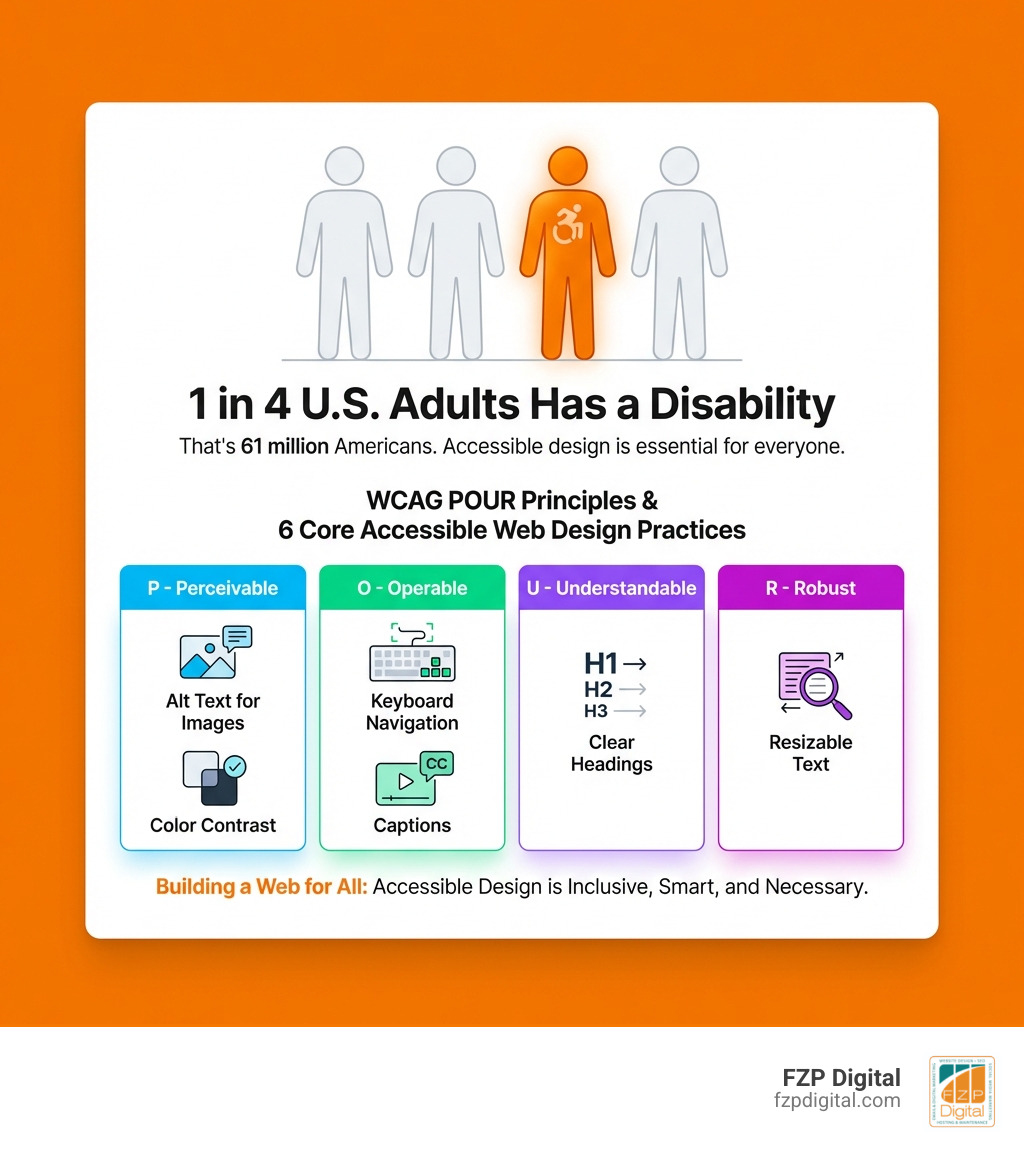
Here’s the part that might surprise you: 1 in 4 U.S. adults — that’s 61 million Americans — lives with a disability that affects major life activities. That’s not a niche audience. That’s a significant portion of your potential customers, donors, and community members.
And yet, most websites still fall short.
This guide is here to change that. Whether you’re running a small business, a nonprofit, or a professional practice in the Philadelphia area, understanding accessible web design isn’t just the right thing to do — it’s smart business.
I’m Fred Z. Poritsky, founder of FZP Digital, and after decades in nonprofit financial management and then building WordPress websites for businesses and organizations of all kinds, I’ve seen how accessible web design transforms a site from a digital brochure into a genuinely inclusive tool for growth. Let’s walk through everything you need to know to make your website work for everyone.
What is Accessible Web Design and Why Should You Care?
When we talk about accessible web design, we’re talking about equal opportunity. In today’s world, the internet is where we go for education, healthcare, employment, and even just to order a pizza. If your website isn’t accessible, you’re essentially putting up a “No Entry” sign for millions of people.
The United Nations recognizes access to information and communications technologies, including the web, as a basic human right in the CRPD. Beyond being a human right, it’s about social inclusion. When we build sites that are easy to use, we’re making sure nobody gets left behind in the digital age.
If you’re wondering what is web accessibility in a nutshell, it’s the practice of removing digital barriers. According to the Morbidity and Mortality Weekly Report from the CDC, 61 million Americans live with disabilities. These range from visual impairments (blindness or low vision) and auditory issues (deafness or hearing loss) to motor disabilities (difficulty using a mouse) and cognitive challenges (dyslexia or ADHD).
By prioritizing accessible web design, we aren’t just checking a box for a small group; we’re creating a better experience for everyone.
The Surprising People Who Benefit from Your Site
You might think accessibility is only for people with permanent disabilities, but that’s a common misconception! Have you ever tried to read a website on your phone while standing in bright sunlight? That’s a situational limitation. Or maybe you’ve tried to navigate a site while holding a sleeping baby or with your arm in a cast? That’s a temporary disability.
Accessible design helps in all these scenarios:
- Noisy Environments: Captions on videos allow people to “watch” your content in a loud coffee shop or a quiet library without headphones.
- Slow Internet: Semantic HTML and well-structured code help pages load faster for people on weak networks.
- Aging Population: As we get older, our vision and motor skills naturally change. Sites with resizable text and clear buttons make life much easier for the 40% of adults over 65 who live with a disability.
- Mobile Users: Small screens require clear navigation and large “tap targets” (buttons), which are core principles of accessibility.
To see these principles in action, check out this Web Accessibility Perspectives Video(YouTube). It’s a great reminder that accessibility is essential for some, but useful for all.
The Four Pillars of the POUR Principles
To make sense of all the technical rules, the World Wide Web Consortium (W3C) created the Web Content Accessibility Guidelines 2.1 (and the more recent WCAG 2.2). These standards are the gold standard worldwide and are even recognized as an ISO standard (ISO/IEC 40500).
The guidelines are built on four main principles, known by the acronym POUR. You can dive deeper into Understanding the Four Principles of Accessibility, but here is the “friend-to-friend” version:
- Perceivable: Users must be able to see or hear the information. It can’t be “invisible” to all their senses.
- Operable: Users must be able to use the interface. This means they can navigate via keyboard, voice command, or mouse.
- Understandable: The content and the way the site works must make sense.
- Robust: The site needs to work well with different browsers and assistive technologies (like screen readers).
Making Your Content Perceivable and Understandable
Let’s start with how people “take in” your site. One of the biggest hurdles is color contrast. If you use light gray text on a white background, many people won’t be able to read it. WCAG Success Criterion 1.4.3: Contrast (minimum)(opens in a new tab) requires a minimum ratio of 4.5:1 for standard text. For more tips, Smashing Magazine: Color Contrast Tips and Tools for Accessibility is a fantastic resource.
Another big one is “Alt Text.” When you add an image, you should provide a text description. If a person is blind and using a screen reader, the software will read that description aloud. Without it, the image is just a “blank” to them.
To make things understandable, we use headers, titles, and lists. Think of your website like a newspaper; the headlines should tell the story so someone can skim and find what they need. We also recommend using plain language. The W3C suggests writing for a “lower secondary education” level (middle school) to ensure your message is clear to everyone, including non-native speakers or people with cognitive disabilities.
Ensuring Your Accessible Web Design is Operable and Robust
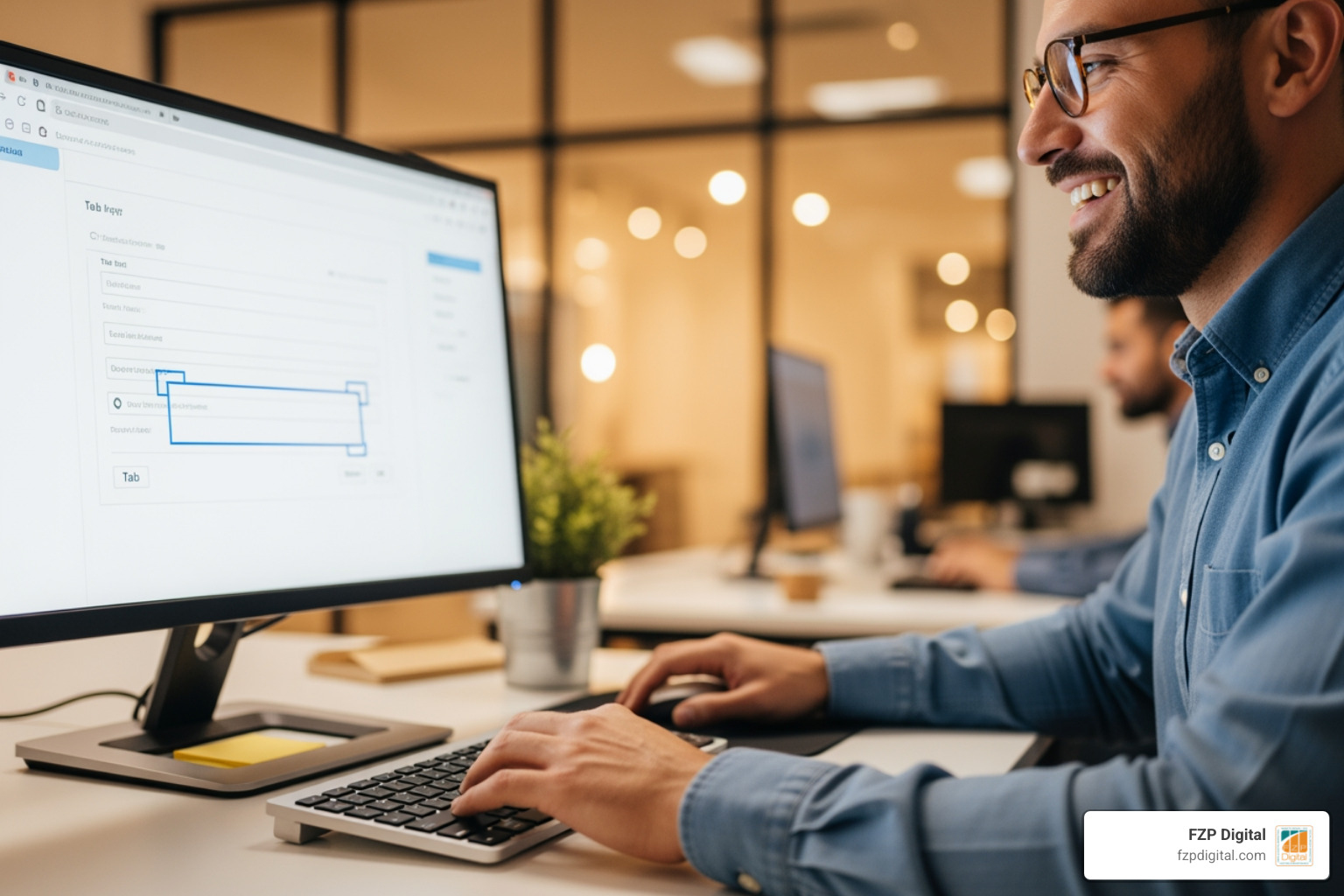
Have you ever tried to browse the web using only your “Tab” key? For many people with motor disabilities, this is their reality because they can’t use a mouse. Accessible web design ensures there are no “keyboard traps” where a user gets stuck in a menu and can’t get out.
Key elements for operability include:
- Focus Indicators: When you tab through a site, a “halo” or border should appear around the element you’re currently on so you know where you are.
- No Time Limits: Don’t force users to fill out a form in two minutes. Give them the option to turn off or extend timers.
- Skip Links: Allow users to skip the navigation menu and jump straight to the main content.
To make a site “Robust,” we rely on Semantic HTML. This means using code for its intended purpose—using a tag for a button instead of a
. This helps assistive technologies understand exactly what each part of your page does. You can explore more technical deep-dives in our category/web-accessibility section. Following Accessibility Oz: Keyboard Accessibility Principles is another great way to ensure your site is truly operable.
Essential Steps for an Accessible Workflow
At FZP Digital, we believe that accessibility shouldn’t be an afterthought—it should be part of the “Develop . Design . Deliver” process from day one. If you’re building a new site in Philadelphia or Newtown, incorporating these steps early saves you time and money later.
The first step is often a website-accessibility-audit. This involves two parts: automated testing and human evaluation.
- Automated Tools: Tools like Google Lighthouse or the WAVE tool can catch about 30-40% of issues instantly, like missing alt text or poor contrast.
- Human Evaluation: This is where the real magic happens. We actually test the site with screen readers and keyboard-only navigation to see if it feels right and functions logically.
When designing interactive elements, check out WebAim: Creating Accessible Forms. Forms are often the place where accessibility breaks down, but with clear labels and error suggestions, they can be a breeze for everyone to use.
Quick Wins You Can Implement Today
You don’t need a total redesign to start making progress. Here are some “quick wins” we often recommend to our clients in Richboro and the surrounding areas:
- Descriptive Links: Instead of saying “Click Here,” say “Download our Accessibility Guide.” This tells screen reader users exactly where the link is going.
- Heading Hierarchy: Make sure you only have one H1 tag per page and that your H2s and H3s follow a logical order.
- Video Captions: Use tools to add captions to your social media and website videos. For help, see this Microsoft Office: Accessibility Training.
- Pause Buttons: If you have a sliding carousel or a video that plays automatically, add a pause button. This helps people with ADHD or visual tracking issues stay focused.
- Clean Image Filenames: Instead of “IMG_1234.jpg,” name your file “philadelphia-web-design-team.jpg.” It helps with SEO and gives a fallback if alt text is missing.
Real-World Examples of Accessible Web Design Done Right
Looking for inspiration? Some of the best websites in the world are also the most accessible.
- Scope(opens in a new tab): This disability equality charity proves that you can have a “slick” brand identity while maintaining high contrast ratios. Their site is vibrant but perfectly readable.
- BBC News Website(opens in a new tab): The BBC is a masterclass in keyboard navigation. You can zip through the latest headlines using just your “Tab” and “Enter” keys, and they provide clear “skip to content” links.
- Wikipedia(opens in a new tab): With over 6.5 million pages, Wikipedia stays accessible by using a clear table of contents with jump links, making it easy to navigate massive amounts of information.
- The Vasa Museum(opens in a new tab): This museum site uses “breadcrumbs” (those little navigation paths at the top of the page) to help users with cognitive disabilities always know exactly where they are in the site’s structure.
Navigating the Legal Landscape and Business Benefits
We often get asked: “Is this legally required?” The short answer for most businesses is yes. The Americans with Disabilities Act (ADA) was enacted in 1990, and while it was written before the internet took over our lives, the Department of Justice has been clear since 1996 that it applies to websites.
| Law/Standard | Who It Applies To | Key Requirement |
|---|---|---|
| ADA Title II | State and Local Governments | Equal access to all public services and programs. |
| ADA Title III | Public Accommodations (Businesses) | Nondiscrimination in places open to the public (including websites). |
| Section 508 | Federal Agencies & Contractors | Technical standards for electronic and information technology. |
Following Section 508 Standards is a great way to ensure you’re meeting the highest bar. Beyond avoiding litigation, there is a massive business case for accessible web design. When you learn-how-website-accessibililty-can-help-grow-your-brand, you realize that accessibility and SEO are two sides of the same coin.
Search engines like Google are essentially “blind” users. They can’t “see” your images or “watch” your videos. They rely on your alt text, your headings, and your site structure to understand what your page is about. By making your site accessible, you’re also making it much easier for Google to crawl and rank your content, which boosts your organic search rankings.
Plus, building an inclusive brand fosters consumer loyalty. When people see that you’ve put in the effort to make your site usable for everyone, it builds trust and expands your market reach to that 25% of the population you might have been accidentally excluding.
Frequently Asked Questions
What are the most common accessibility barriers?
According to a 2020 study from WebAIM, a staggering 98% of the top one million websites had detectable accessibility failures. The “big offenders” are:
- Low contrast text (making it hard to read).
- Missing alt text on images.
- Empty links (links with no text, like an icon button without a label).
- Inaccessible forms (missing labels).
- Mouse-only navigation.
How do screen readers like JAWS or NVDA actually work?
Screen readers are software applications that convert text on a screen into speech or Braille output. Popular versions include JAWS (Job Access With Speech), NVDA (NonVisual Desktop Access), and VoiceOver for Mac and iOS.
These tools don’t just read the page from top to bottom; they allow users to jump between headings, list items, and links. If you want to be truly amazed, Watch Sina Barham use a computer at 1,000 WPM. It shows just how vital proper code structure is for someone navigating non-visually.
Is web accessibility legally required for my business?
If your business is considered a “public accommodation” (which includes most retail, service, and professional businesses), the Americans with Disabilities Act requires you to provide “effective communication.” That means an accessible website. Thousands of demand letters and lawsuits are filed every year against businesses with inaccessible sites, so being proactive is the best way to protect yourself.
Conclusion
At the end of the day, accessible web design isn’t just about code and compliance—it’s about people. It’s about making sure that a veteran in Richboro can access services, a student in Philadelphia can do their research, and a grandparent in Newtown can order a gift for their grandkids without frustration.
We know that topics like SEO and WCAG standards can feel like a lot to navigate. That’s why we’re here. At FZP Digital, we take a collaborative “Develop . Design . Deliver” approach. We don’t just build you a website; we build you a digital presence that is inclusive, premium, and designed to grow your brand.
If you’re ready to ensure your site is ready for everyone—and their screen reader—we’d love to help. Whether you need a full accessibility audit or a brand-new responsive WordPress site, let’s work together to make the web a more welcoming place for everyone. Reach out to us today, and let’s start building something great.