

Making Your Website ADA Compliant the Easy Way
Your Website May Be Excluding People Without You Even Knowing It
ADA accessible website guidelines require businesses and governments to ensure their websites can be used by people with disabilities — just as they must provide physical access to their buildings.
Here’s a quick breakdown of what that means in practice:
| Core Requirement | What It Means for Your Site |
|---|---|
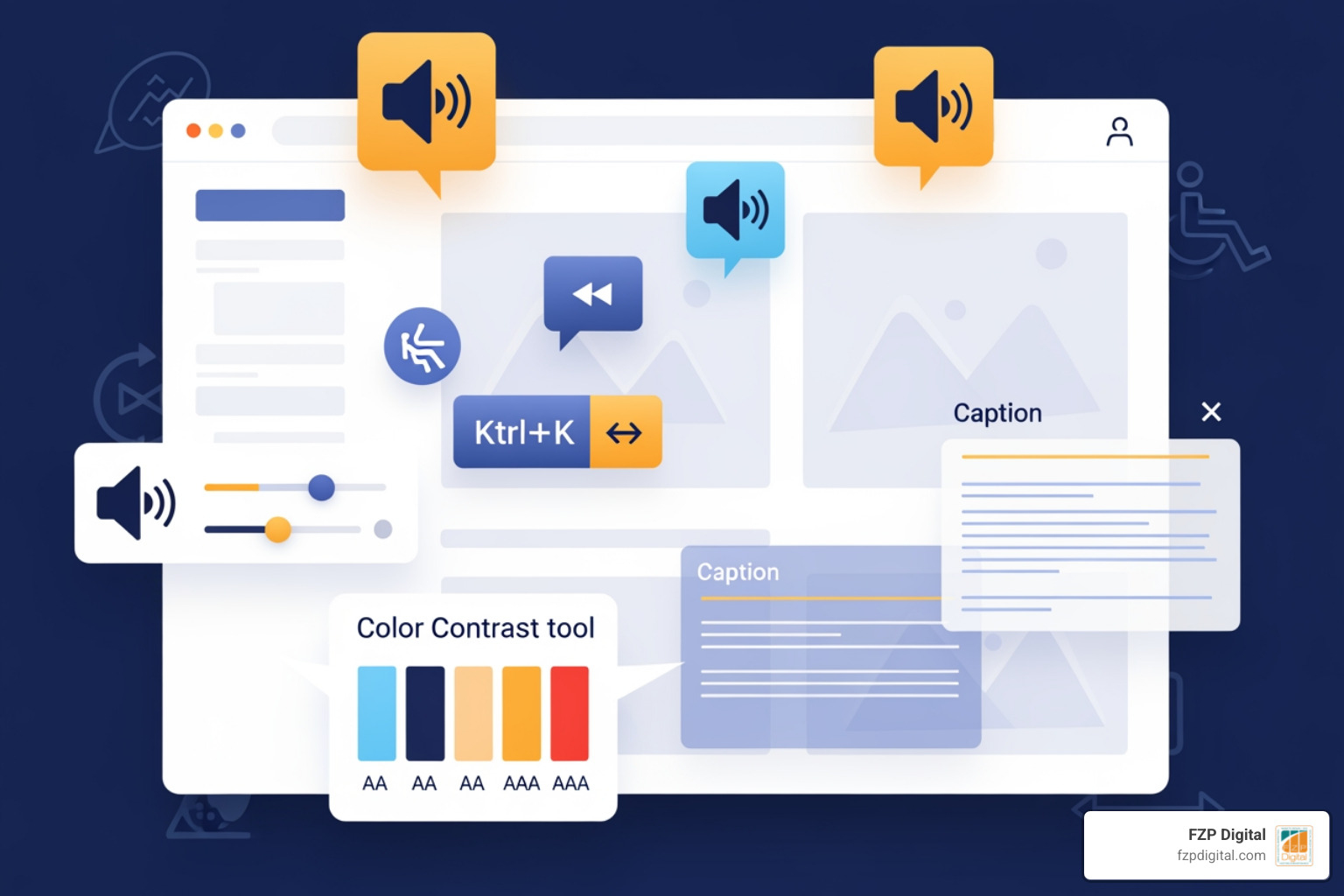
| Text alternatives (alt text) | Every image needs a description a screen reader can read aloud |
| Video captions | All video content must include synchronized, accurate captions |
| Keyboard navigation | Users must be able to navigate your entire site without a mouse |
| Sufficient color contrast | Text must be readable against its background (minimum 4.5:1 ratio) |
| Accessible forms | Form fields need labels, clear instructions, and error indicators |
| No color-only cues | Never use color alone to convey information (e.g., red text for required fields) |
The U.S. Department of Justice has consistently held since 1996 that the Americans with Disabilities Act applies to websites. That means if you run a business or organization open to the public, your website needs to be accessible — full stop.
Think about it this way: an inaccessible website is like having a beautiful storefront with a flight of stairs and no ramp. It doesn’t matter how great your products or services are if a portion of your customers can’t get through the door.
And that “portion” is larger than most people realize. Over 40 million Americans — roughly 13% of the population — identify as having a disability. That’s a lot of potential customers, donors, or clients who may be walking away from your site frustrated.
I’m Fred Z. Poritsky, founder of FZP Digital, and my background in nonprofit management and WordPress web design has given me a front-row seat to how ada accessible website guidelines get overlooked — especially by small and mid-sized businesses who simply don’t know where to start. In this guide, I’ll walk you through everything you need to know to make compliance feel less overwhelming and more achievable.
What Are the ada accessible website guidelines?
When we talk about making a website “ADA compliant,” we’re essentially talking about digital inclusion. The Americans with Disabilities Act (ADA) is a civil rights law that was signed in 1990 to prevent discrimination. While the internet wasn’t what it is today back then, the Department of Justice (DOJ) has made it very clear that the law’s requirement for “effective communication” extends to the digital world.
At its heart, what is web accessibility really comes down to ensuring that everyone—regardless of how they perceive or interact with the world—can access the same information. If a person who is blind uses a screen reader to browse your site, can they “hear” what your images represent? If someone with a motor impairment can’t use a mouse, can they navigate your menu using only a keyboard?
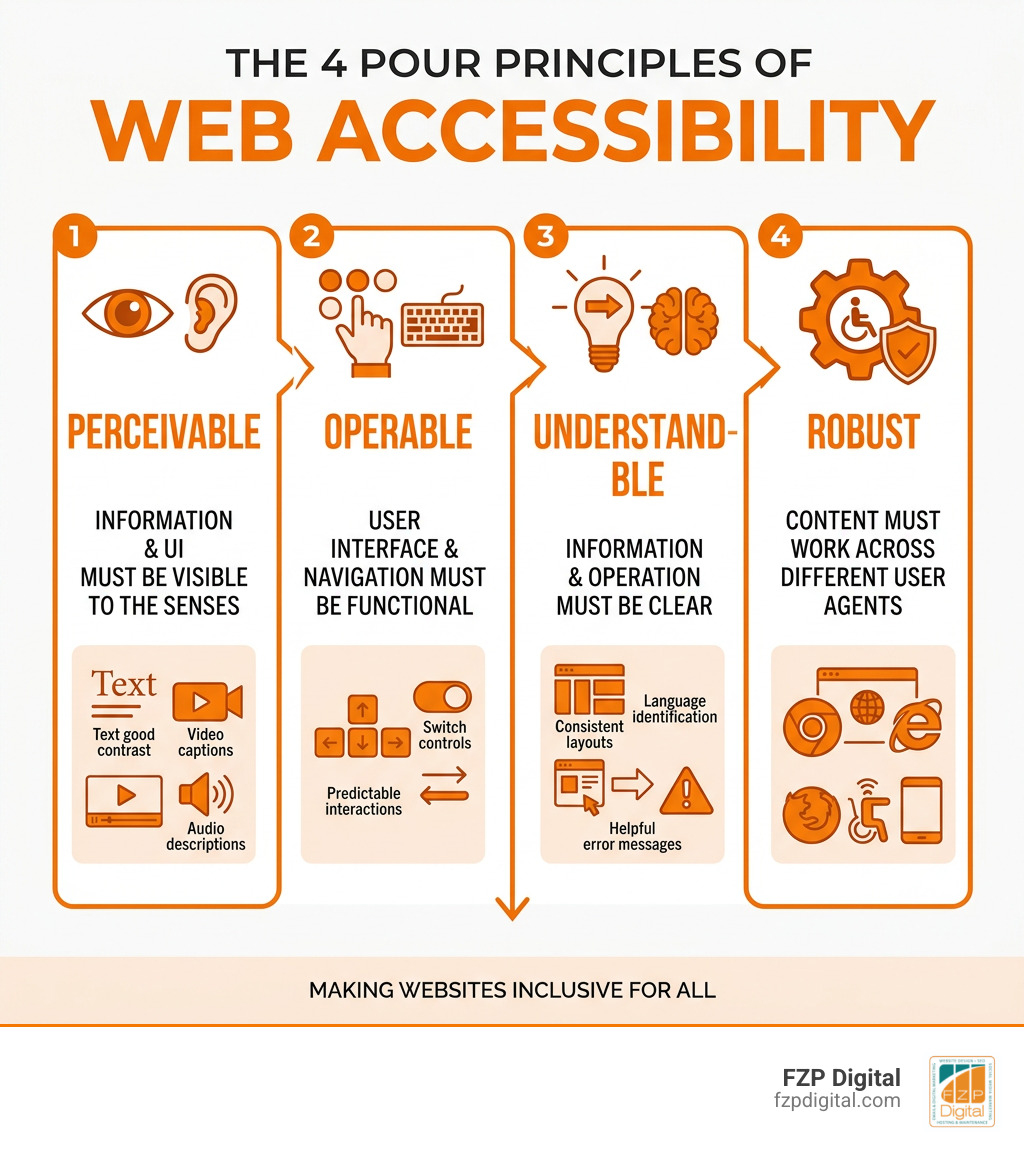
To answer these questions, the tech world relies on the Web Content Accessibility Guidelines (WCAG). Think of WCAG as the “gold standard” or the rulebook for the internet. It’s developed by the World Wide Web Consortium (W3C) and is broken down into four main principles often called POUR:
- Perceivable: Users must be able to see or hear the information.
- Operable: Users must be able to navigate the site (e.g., using a keyboard or voice commands).
- Understandable: The content and interface shouldn’t be confusing.
- Robust: The site must work well with different technologies, like screen readers or older browsers.
How ada accessible website guidelines Apply to Your Business
You might be wondering, “Does this actually apply to my small business in Bucks County?” The short answer is almost certainly yes.
The ADA is divided into different “Titles.” Title III of the Act specifically focuses on “public accommodations.” This traditionally meant physical places like hotels, restaurants, and doctor’s offices. However, the DOJ and the courts now consider websites to be “places of public accommodation” as well.
If you offer goods or services to the public—whether you’re a retail shop in Newtown or a healthcare provider in Richboro—you have a legal obligation to provide equal access. This isn’t just a “nice to have” feature; it’s a requirement to ensure you aren’t discriminating against the one in four adults in the U.S. who live with a disability.
New 2024 Requirements for State and Local Governments
For our friends working in state and local government, the stakes just got even higher. On April 24, 2024, the DOJ published a final rule that specifically updates Title II of the ADA.
This new rule mandates that all “public entities” (think city councils, public schools, and local transit authorities) must make their websites and mobile apps accessible. It specifically points to WCAG 2.1 Level AA as the technical standard to meet. This is a big deal because it moves away from “flexibility” and sets a very specific bar that must be cleared within the next few years. If you’re managing a local government site, the clock is officially ticking on compliance.
Why Your Business Needs to Prioritize Accessibility Now
We often hear from clients who are worried about the “hassle” of accessibility. But what if we told you that following ada accessible website guidelines is actually one of the best things you can do for your business growth?
First, let’s talk about market reach. When you ignore accessibility, you’re effectively turning away 25% of the adult population. That’s a massive group of people with spending power who want to use your services but can’t. By making your site inclusive, you learn how website accessibility can help grow your brand by opening your doors to everyone.
Here are a few other reasons why we at FZP Digital prioritize this for every WordPress site we build:
- Massive SEO Boost: Search engines like Google love accessible sites. Things like alt text for images, proper heading structures (H1, H2, H3), and descriptive links help Google understand your content better. What’s good for a screen reader is almost always good for a search engine bot.
- Better User Experience (UX) for Everyone: Have you ever tried to watch a video in a noisy Philadelphia coffee shop without headphones? You probably used the captions. Accessibility features benefit people with temporary injuries (like a broken arm) or situational limitations, too.
- Brand Reputation: Being known as an inclusive, empathetic brand builds serious consumer loyalty. People want to support businesses that care about all members of their community.
- Avoiding Legal Headaches: Website accessibility lawsuits have surged in recent years. Settlements can be expensive—sometimes reaching $26,000 or more, not including your own legal fees. Investing in accessibility now is much cheaper than fighting a lawsuit later.
Essential Fixes for ada accessible website guidelines Compliance
Making your website accessible doesn’t have to happen overnight, but there are several “quick wins” you can implement right away. If you’re following the Section 508 Standards—which the federal government uses—you’ll find that these practices are the foundation of a solid digital presence.
Let’s look at some of the most common barriers mentioned in DOJ guidance and how we can fix them:
1. Master Your Alt Text
Every image on your site needs “alternative text.” This is a short description embedded in the code that tells a screen reader what the image is.
- The Fix: Instead of a filename like “IMG_1234.jpg,” use “Happy family eating at a restaurant in Newtown.” If an image is purely decorative (like a swirl or a line), you can use an empty alt attribute (alt=””) so the screen reader knows to skip it.
2. Check Your Color Contrast
If your text is light gray on a white background, many people won’t be able to read it. This includes people with low vision and even those looking at their phones in bright sunlight.
- The Fix: Aim for a contrast ratio of at least 4.5:1. There are plenty of free online tools where you can plug in your hex codes to see if they pass.
3. Captions Are Non-Negotiable
If you have videos on your site, you must provide captions. This is essential for the deaf and hard-of-hearing community.
- The Fix: Use tools like YouTube’s auto-captioning (but be sure to edit them for accuracy!) or professional services to ensure every word is captured correctly.
4. Enable Keyboard Navigation
Some users navigate the web using only the “Tab” key or voice commands. If they can’t get to your “Contact Us” button without a mouse, your site isn’t accessible.
- The Fix: Test it yourself! Unplug your mouse and see if you can navigate your entire site. You should see a “focus indicator” (usually a box or outline) showing you where you are on the page.
Common Barriers and Easy Fixes
| Barrier | The Accessible Solution |
|---|---|
| Color-only cues (e.g., “Fields in red are required”) | Add text: “Fields in red and marked with an asterisk (*) are required.” |
| Small, unresizable text | Use responsive design that allows for 200% zooming without breaking the layout. |
| Inaccessible forms | Ensure every form field has a clear label (e.g., ). |
| Moving/Blinking content | Provide a “Pause” or “Stop” button for any animation that lasts longer than 5 seconds. |
Real-World Lessons from DOJ Enforcement Actions
If you’re still on the fence about whether the DOJ takes this seriously, the history of enforcement actions tells a clear story. Since 1996, the Department has been active in ensuring digital spaces are as open as physical ones.
Through Project Civic Access, the DOJ has reached agreements with cities like Denver and Jacksonville to ensure their digital services—everything from paying parking tickets to viewing transit schedules—are accessible to everyone.
Private businesses haven’t been exempt, either. Here are a few notable examples:
- Rite Aid Corporation: The DOJ reached a settlement with Rite Aid because their COVID-19 vaccine registration portal had accessibility barriers. During a global health crisis, this was a critical issue of “effective communication.”
- Peapod: The online grocery giant entered an agreement to ensure its website and mobile apps were accessible. For someone with a disability who may have trouble getting to a physical store, online grocery delivery isn’t just a convenience—it’s a lifeline.
- HRB Digital and HRB Tax Group (H&R Block): This settlement focused on ensuring that people using assistive technology, like screen readers or refreshable Braille displays, could navigate the company’s tax filing software.
The lesson here is simple: the DOJ views website accessibility as a priority. They aren’t just looking at the “big guys”; they’re looking at any entity that provides essential services to the public.
Frequently Asked Questions About Website Compliance
Which entities are required to follow the ADA?
Under the ADA, two main groups are covered:
- Title II (State and Local Governments): This includes everything from your local school district to the Bucks County government offices.
- Title III (Public Accommodations): This covers private businesses that are open to the public. This includes retail stores, banks, hotels, theaters, private schools, and healthcare providers. If you have a “brick and mortar” location or offer services to the public online, you’re likely covered.
Does the DOJ mandate a specific technical standard?
Currently, for private businesses (Title III), the DOJ doesn’t mandate one specific “law” like WCAG 2.1. Instead, they provide “flexibility” in how you achieve accessibility. However, they almost always point to WCAG and the Section 508 Information and Communication Technology Accessibility Standards as the best ways to meet your legal obligations. For state and local governments (Title II), the 2024 rule now specifically requires WCAG 2.1 Level AA.
How do I start an accessibility audit?
The best way to start is with a website accessibility audit. This usually involves three steps:
- Automated Scans: Using software to find “low-hanging fruit” like missing alt text or poor contrast.
- Manual Testing: Having a human (ideally someone who understands accessibility) navigate the site using only a keyboard and a screen reader.
- User Testing: The “gold standard” is having people with actual disabilities test your site and provide feedback on their experience.
Once the audit is done, you’ll have a “remediation plan”—a checklist of what needs to be fixed and in what order of priority.
Conclusion: Partnering for a More Inclusive Digital Future
We know that navigating ada accessible website guidelines can feel like trying to learn a new language. But remember, you don’t have to do it alone. At FZP Digital, we believe that every business in Philadelphia, Newtown, and Richboro deserves a website that works for everyone.
Our founder, Fred Z. Poritsky, has built FZP Digital on a collaborative “Develop . Design . Deliver” process. We don’t just build “pretty” websites; we build premium, responsive WordPress sites that are designed with SEO and accessibility in mind from day one.
Whether you’re looking to refresh your brand or you’re worried about your current site’s compliance, we’re here to help. We treat accessibility issues as critical “usability bugs” that deserve to be fixed so your business can thrive and your community can feel included.
Ready to make your digital presence more welcoming? More info about accessibility services is just a click away. Let’s work together to build a web that belongs to everyone.