

The 5-Minute Guide to Setting Up Your WordPress Live Chat Widget
What Is a Live Chat Widget for WordPress (And How Do You Add One Fast)?
A live chat widget wordpress setup is one of the quickest wins you can add to your business website today. If you just want the short answer, here it is:
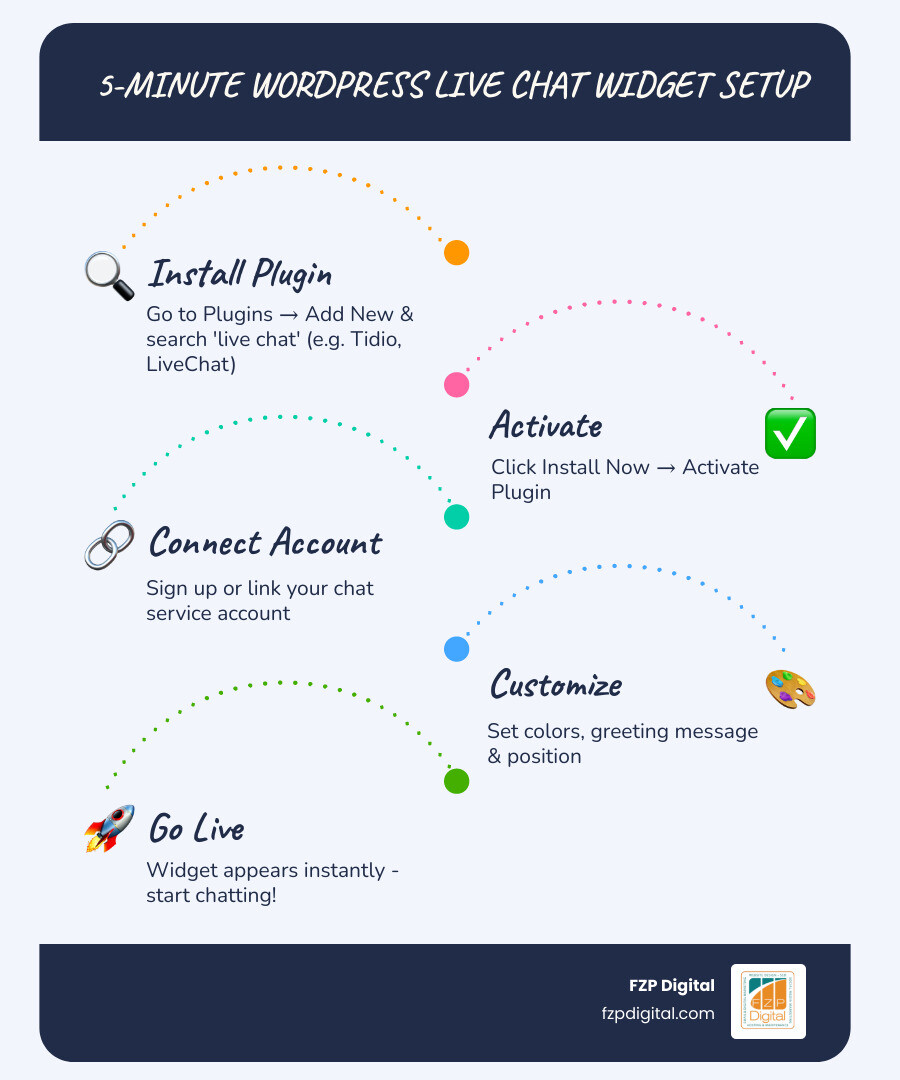
How to add a live chat widget to WordPress in 5 minutes:
- Go to your WordPress dashboard → Plugins → Add New
- Search for a live chat plugin (e.g., LiveChat, Tidio, or Tawk.to)
- Click Install, then Activate
- Create or connect your chat service account
- Customize your widget colors and greeting message
- Your chat widget is live — visitors can start chatting immediately
That’s genuinely it. No coding. No developer needed.
Now, if you want to make sure you’re choosing the right plugin for your business, setting it up properly, and actually converting visitors into customers — that’s where a little more guidance goes a long way.
Here’s why this matters: over half of online shoppers say they’re more likely to buy from a business that offers live chat. And studies show it can boost your conversion rate by as much as 29%. For a small business or nonprofit trying to grow, that’s not a small thing.
Whether you’re running an ecommerce store, a law firm, a nonprofit, or a local service business, adding a live chat widget to your WordPress site is one of the most impactful things you can do this week.
I’m Fred Z. Poritsky, founder of FZP Digital — a Philadelphia-based digital marketing agency where I help businesses and nonprofits build powerful WordPress websites that actually work for them. Helping clients implement tools like a live chat widget for WordPress is a core part of how I help businesses turn their websites from digital brochures into real growth engines.
Why You Need a Live Chat Widget WordPress Strategy
Have you ever been browsing a website, had a quick question about a product or service, and then left because you couldn’t find the answer immediately? We’ve all been there. In today’s digital world, your customers expect instant gratification. If they have to wait 24 hours for an email reply, they’ve likely already moved on to your competitor in Philadelphia or Bucks County.
Implementing a live chat widget wordpress strategy isn’t just about being “fancy”; it’s about meeting your customers where they are. Research shows that shoppers are more likely to purchase from a business that offers live chat. Why? Because it builds trust. It shows there is a real human (or a very helpful AI) behind the screen ready to help.
The numbers don’t lie. Integrating live chat can increase your conversion rate by 29%. Think about that for a second. Without changing your products, your pricing, or your ad spend, you could see a nearly 30% jump in leads or sales just by being available to talk. Furthermore, some studies suggest that live chat can boost overall sales by up to 40%.
For our local partners, from Newtown to the heart of Philly, this means more than just a chat box; it’s a lead generation machine. It allows you to:
- Capture Leads 24/7: Even when you’re sleeping, a contact form within the widget can collect messages for you to follow up on the next morning.
- Boost Customer Loyalty: 54% of consumers are more likely to repurchase from a company that offers live chat support.
- Understand Your Visitors: You can track visitors in real time to see which pages they are browsing, helping you provide context-aware support.
Choosing the Right Features for Your Business
Not all chat widgets are created equal. Depending on whether you’re a small local shop or a large nonprofit, your needs will vary. When we work with clients on Small Business WordPress Website Design, we look for a specific set of “must-have” features to ensure the tool actually helps the business grow.
Key Features to Look For:
- AI Chatbots: Tools like ChatBot can handle FAQs instantly, solving up to 70% of customer problems without you ever lifting a finger.
- Mobile Support: You’re busy running your business in Richboro or Philadelphia. You need a LiveChat mobile app so you can answer questions while you’re on the go.
- WooCommerce Integration: If you sell products, you need a tool built for ecommerce. This lets you see what’s in a customer’s cart so you can offer personalized upsells or help with checkout issues.
- CRM Syncing: Your chat tool should talk to your other tools. Accessing detailed visitor profiles and syncing them with your CRM ensures no lead falls through the cracks.
Free vs. Pro: What Do You Really Need?
Many plugins offer a free version, but they come with limitations. Here is a quick breakdown to help you decide.
| Feature | Free Version | Pro Version |
|---|---|---|
| Number of Agents | Usually 1 agent | Unlimited agents |
| Chat History | Limited (e.g., 7-30 days) | Unlimited / Archived |
| Customization | Basic colors/branding | Full widget customization |
| Automation | Basic greetings | AI-powered reply suggestions |
| Reporting | Basic stats | Detailed reports & analytics |
If you’re just starting out, a free version like the HubSpot free plugin or Tidio is a fantastic way to get your feet wet. However, as you scale, the Pro features—like organizing agents into groups and messaging channel integrations for WhatsApp and Facebook—become essential.
How to Set Up Your New Chat System
Setting up a live chat widget wordpress is surprisingly simple, but doing it right requires a few extra steps to ensure it matches your brand and doesn’t annoy your visitors. We always recommend following a structured approach, similar to what we outline in our WordPress Web Design Philadelphia Guide 2025.
Step-by-Step: Installing Your Live Chat Widget WordPress
Ready to go live? Follow these steps to get your widget up and running in minutes:
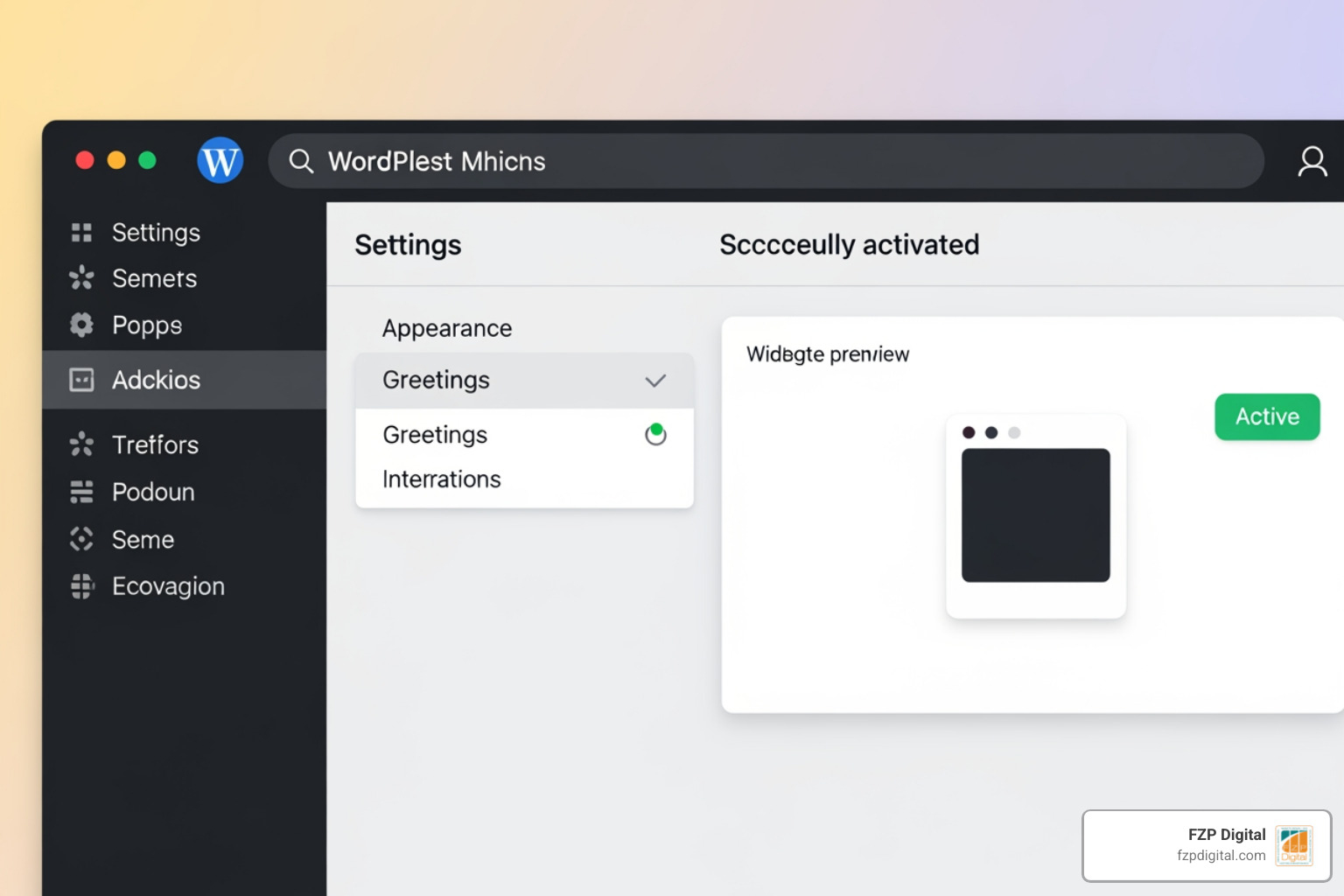
- Search and Install: From your WordPress admin, go to Plugins > Add New. Type “LiveChat” or “WPChat” into the search bar. Click Install Now, then Activate.
- The Setup Wizard: Most modern plugins, like LiveChat, will prompt you to create an account or sign in. This is where the magic happens—it connects your website to the chat server.
- Customize the Look: Don’t settle for the default settings! Go to the plugin settings to match your brand perfectly. Change the colors to match your logo and choose a friendly “eye-catcher” (that little bubble that says “How can I help?”).
- Set Up Greetings: Use targeted messages to greet visitors. For example, if someone is on your pricing page for more than 30 seconds, have the widget automatically ask, “Do you have any questions about our plans?”
- Test It Out: Open your website in an Incognito window. Does the bubble appear? Does the greeting trigger? Send a test message to yourself to make sure you receive the notification on your desktop or mobile app.
If you run into any snags, most premium plugins offer a step-by-step help center article to guide you through the trickier parts of integration.
Performance, Security, and Best Practices
One concern we often hear from business owners in Bucks County is, “Will this slow down my site?” It’s a valid question! A slow website can hurt your SEO and frustrate users.
To keep your site lightning-fast, look for plugins that use asynchronous loading. This means the chat script loads after the rest of your page content, so your visitors don’t have to wait for the chat box to appear before they can read your site. Tools like Social Intents use tiny scripts (under 20KB) to ensure there is zero impact on performance.
Security is another big one. You’re handling customer data, so you need to ensure your plugin follows Security & access controls. This includes things like 2-step verification for your agents and being GDPR compliant.
At FZP Digital, we emphasize Professional WordPress Design that balances these cool features with rock-solid performance and accessibility. You want a “wow” factor, but not at the expense of a secure, fast user experience.
Frequently Asked Questions about Live Chat Widget WordPress
Choosing a live chat widget wordpress solution can feel overwhelming with thousands of options in the plugin directory. Here are the most common questions we get from our clients.
Will a chat widget slow down my website?
Generally, no—provided you choose a high-quality plugin. Most reputable chat tools load “asynchronously,” meaning they don’t block the rest of your site from loading. If you’re worried about speed, check out our guide on how we craft custom responsive WordPress websites with speed and accessibility.
Can I manage chats from my phone?
Absolutely! This is one of the best parts of modern live chat. Most services offer a LiveChat mobile app for iOS and Android. You can be at a meeting in Philadelphia or grabbing lunch in Newtown and still provide top-notch support to your website visitors.
Do I need to know how to code?
Not at all. The LiveChat plugin for WordPress and others like it are designed for non-technical users. It’s a simple “install and click” process. If you can use a smartphone, you can set up a live chat widget.
What if I’m offline?
Most widgets automatically switch to a contact form when you aren’t available. This allows you to “capture messages when you’re offline” so you never miss a lead. You can even set a schedule so the widget only appears during your business hours.
Conclusion: Taking Your Customer Support to the Next Level
Adding a live chat widget wordpress to your site is one of the most cost-effective ways to grow your business. It humanizes your brand, provides instant value to your visitors, and—most importantly—drives more sales. Whether you’re using ready-made answers to speed up support or AI text enhancement to sound more professional, these tools are game-changers.
However, we know that as a business owner, your time is your most valuable asset. While setting up a widget is easy, optimizing your entire digital presence for growth is a bigger challenge. That’s where we come in.
At FZP Digital, we don’t just “build websites.” We partner with you to Develop . Design . Deliver a digital strategy that gets results. From Professional WordPress Design to complex SEO challenges, we help businesses in Philadelphia, Newtown, and Richboro stand out in a crowded market.
Ready to turn your website into a high-converting machine? Let’s chat—literally! Or, better yet, Contact FZP Digital for expert WordPress help and let’s see how we can take your business to the next level.