


Local WordPress Designer: Top 5 Secrets for Speedy Sites
Why Every Local WordPress Designer Needs Local Development Tools

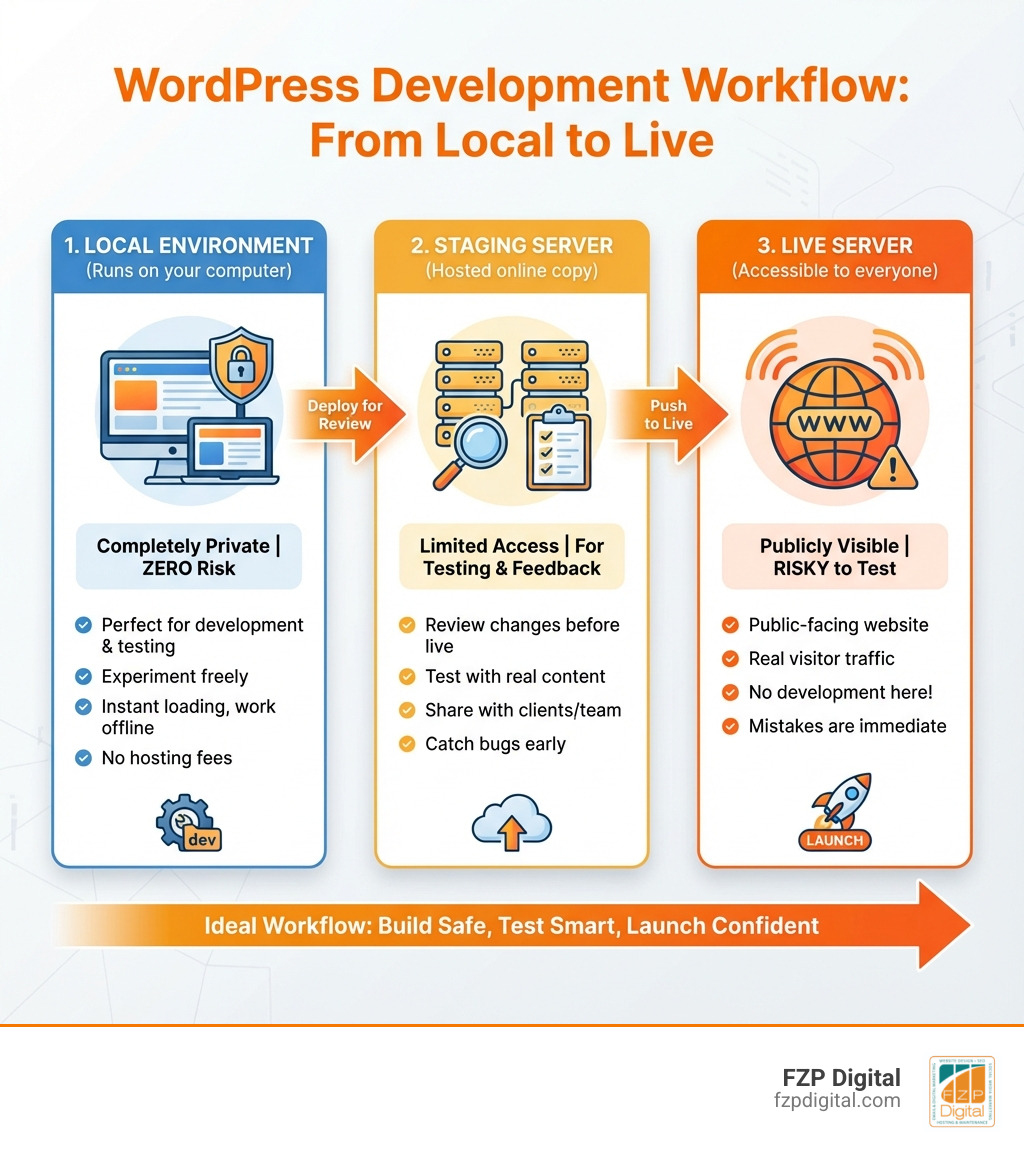
A local WordPress designer knows that building websites directly on a live server is like performing surgery in public—risky, stressful, and one mistake away from disaster. But here’s the good news: you don’t have to work that way anymore.
If you’re searching for local WordPress development tools, here’s what you need to know:
- Local Development Environment = A set of tools that lets you build WordPress sites on your computer, not on the internet
- Why Use It? Work offline, test safely, load sites instantly, and develop for free without hosting costs
- Top Tools: WordPress Studio, Local, DevKinsta, XAMPP, MAMP, Laragon, Docker, and VVV
- Who Needs It? Designers, developers, agencies, and anyone building or maintaining WordPress sites
- Cost: Most tools are completely free; premium features range from $0-50/month
Think of it this way: a local development environment is like having a private workshop where you can build, break, and rebuild your WordPress site without anyone watching. No hosting fees. No client panic. No “oops, I just broke the live site” moments at 2 AM.
The benefits are impossible to ignore:
You work faster because everything loads instantly on your computer. You work safer because changes only affect your local copy. You work smarter because you can test new plugins, themes, and features without risking your client’s live website.
More than 1,000,000 developers have already downloaded tools like Local, and WordPress powers over 40% of all websites on the internet. Yet many small business owners and nonprofit leaders in Philadelphia still don’t know these tools exist—or how they could transform their web design process.
Whether you’re managing a small business website, redesigning a nonprofit’s digital presence, or just trying to fix your site without breaking it, local development tools are your secret weapon. They let you experiment freely, learn WordPress safely, and deliver better results to your clients or organization.
I’m Fred Z. Poritsky, founder of FZP Digital, and I’ve spent decades helping businesses in Philadelphia and Bucks County build better websites using WordPress. As a local WordPress designer who started in nonprofit financial management before finding my passion for web design, I’ve seen how the right tools can transform not just your workflow, but your entire business.
Local WordPress designer terms to remember:
The Top 5 Reasons You’ll Love Working Locally
So, what’s the big fuss about setting up a WordPress site right on your own computer? Well, for us, it boils down to five incredibly compelling reasons that make our work as local WordPress designer professionals in Philadelphia and Bucks County not just easier, but genuinely more effective.
- Safety from Mistakes (Your Digital Sandbox): Imagine being able to try out a risky new plugin or a complete theme overhaul without a shred of fear that you’ll break your client’s live website. That’s exactly what a local environment offers. It’s a completely isolated copy of the site, meaning whatever chaos you release locally, the live version remains perfectly pristine. This allows for fearless experimentation and learning, which is invaluable.
- Blazing-Fast Speed and Efficiency: When you’re working on a live server, every change you make, every file you upload, every page you refresh, involves sending data back and forth over the internet. This can add up to a lot of wasted time, especially if your internet connection isn’t stellar. With a local environment, everything is happening on your computer. Pages load instantly, file transfers are immediate, and your workflow becomes incredibly smooth and efficient. We’ve seen projects move along much faster thanks to this local speed boost!
- Offline Development Freedom: Ever been stuck without internet access but still needed to work on a website? With a local setup, that’s no problem at all. You can be on a train, at a coffee shop with spotty Wi-Fi, or even in the middle of nowhere, and still be fully productive. This flexibility is a game-changer for maintaining consistent progress on projects, regardless of external circumstances.
- Perfect for Learning and Experimentation: For anyone new to WordPress or looking to expand their skills, a local environment is the ultimate classroom. You can install WordPress again and again, test out different themes, play with custom code, and explore the vast world of plugins without any pressure or cost. It’s truly a zero-cost way to experiment and grow your expertise, which is something we always encourage. We believe that continuous learning is key to delivering Professional WordPress Design.
- Cost-Effective Testing: Why pay for hosting a staging site or a development server when you can do all your intensive testing for free on your own machine? Whether you’re trying out a new feature, debugging a tricky plugin conflict, or ensuring a theme update doesn’t break anything, doing it locally costs you nothing but your time. This makes it incredibly economical for us and, ultimately, for our clients in Richboro, Newtown, and Philadelphia.
Why Every Great Local WordPress Designer Uses a Local Environment
For us at FZP Digital, and for any serious local WordPress designer, working locally isn’t just a convenience—it’s a fundamental part of our “Develop . Design . Deliver” process. It empowers us with a level of control and efficiency that’s simply best by working directly on a live server.
First off, there’s the unparalleled control over the server environment. When we work locally, our computer essentially becomes the server. This means we can easily tweak settings, install server-side software, and configure things exactly how we need them for a specific project. Need to test a site on an older or newer version of PHP? No problem! Many local tools allow for effortless PHP version switching, letting us ensure compatibility and performance across different server configurations. This level of granular control is crucial for advanced development and troubleshooting.
Then there’s database management. Every WordPress site relies heavily on its database. Local environments come with built-in tools that make it simple to access, edit, import, and export databases. This is vital for tasks like moving a site, debugging database issues, or even just exploring how WordPress stores its data. It significantly contributes to a faster workflow because we’re not waiting for remote connections or dealing with potential latency.
Another huge benefit is client privacy. When we’re in the early stages of design and development for a client in Philadelphia, we want to ensure their project is kept private and secure. A local environment ensures there’s no public access to works-in-progress. Clients can review our progress through secure, temporary links only when we’re ready for their feedback, protecting their brand and project until it’s perfect for launch. This approach aligns perfectly with our commitment to WordPress Website Design Best Practices.
A local environment allows us to be more precise, more experimental, and more secure in our work. It’s how we ensure that when a website is ready to go live, it’s not just beautiful, but also robust, efficient, and thoroughly tested.
Okay, I’m Sold! How Do I Pick the Right Tool for Me?

Choosing a local WordPress development environment really is a personal journey, and we understand that it can feel a bit overwhelming with all the options out there. There’s no single ‘best’ tool because what works perfectly for one person might not be ideal for another. It truly depends on a few key factors: your current skill level, the operating system of your computer, and the specific needs of your project.
Are you just starting out, building a simple blog, or do you have years of coding experience and are tackling a complex e-commerce platform for a client in Newtown? Your comfort with the command line versus a graphical interface will play a big role. Similarly, whether you’re on Windows, macOS, or Linux will narrow down your choices, as some tools are platform-specific or perform better on certain systems.
For instance, if you’re building a straightforward marketing site for a local business, a user-friendly, all-in-one solution might be perfect. But if you’re developing custom plugins or complex integrations, you might need something that offers more granular control and advanced features. Don’t worry, we’ll walk you through the considerations so you can make an informed decision for your work as a local WordPress designer.
Key Factors for a Local WordPress Designer to Consider
When we’re advising clients or even choosing tools for our own projects at FZP Digital, we look at several crucial factors to ensure we’re picking the right local development environment. These considerations can make a huge difference in your efficiency and enjoyment of the development process.
- Ease of Use: This is often the biggest deciding factor, especially for those new to local development.
- One-Click WordPress Install: Can you get a new WordPress site up and running with just a few clicks? This saves immense time and hassle.
- Graphical User Interface (GUI): Do you prefer a visual interface where you can click buttons and toggle settings, or are you comfortable typing commands into a terminal? Some tools are very GUI-driven, while others require more command-line comfort. Laragon, for example, was designed to be user-friendly, offering a management dashboard that simplifies many tasks.
- Compatibility: Does the tool play nicely with your computer’s operating system (Windows, macOS, Linux)? Also, consider if it supports the specific versions of PHP, MySQL, and web servers (Apache or Nginx) that your projects require.
- Features: What kind of power tools does it offer?
- WP-CLI Integration: This is a command-line interface for WordPress that allows you to manage installations, update plugins, import content, and much more, all without touching the browser. It’s a huge time-saver for advanced users.
- Email Testing Tools: Being able to test how your WordPress site sends emails (contact forms, notifications, etc.) locally is incredibly useful. Tools like Mailpit or Mailcatcher intercept outgoing emails, allowing you to view and debug them without actually sending them.
- Docker Containerization: For advanced users, understanding Docker containerization explained can be a game-changer. Docker allows you to create isolated “containers” for each project, ensuring that different projects with different requirements don’t conflict with each other on your machine. It offers a lightweight, efficient way to manage multiple development environments.
- Database Managers: Access to a robust database manager (like Adminer or phpMyAdmin) within your local environment is essential for managing your WordPress database effectively.
- Support: What kind of help is available if you run into trouble? Look for tools with active community forums, comprehensive documentation, and responsive support channels.
By considering these points, you’ll be well on your way to finding a local development environment that truly improves your capabilities as a local WordPress designer.
A Quick Look at the Main Types of Tools
When you dive into local WordPress development, you’ll generally encounter three main categories of tools, each with its own strengths and ideal user base. Let’s break them down so you can see where you might fit in.
| Type of Tool | Examples | Key Features |
| All-in-One Software | ||
|---|---|---|
| All-in-One Software | Local, DevKinsta, WordPress Studio | User-friendly GUI, one-click WordPress install, local SSL, PHP version switching, database tools, email catchers, advanced features like WP-CLI integration, project blueprints, cloud sync. Often designed for quick setup and ease of use. |
| Stack Packages | XAMPP, MAMP, WampServer | Provide a ready-to-use Apache/Nginx, MySQL/MariaDB, and PHP stack. Generally less opinionated for WordPress specifically, requiring more manual setup or configuration. Can be more resource-intensive as they often run a full web server. |
| Advanced Software | Docker, VVV, WP-Env | Command-line driven, sometimes with a more primitive GUI. Designed for developers who want ultimate control and customization. Often requires a deeper technical understanding. |