

Best Practices for Nonprofit Website Design: Essential 2025
Your Digital Front Door: Why Your Website is Your Most Important Asset

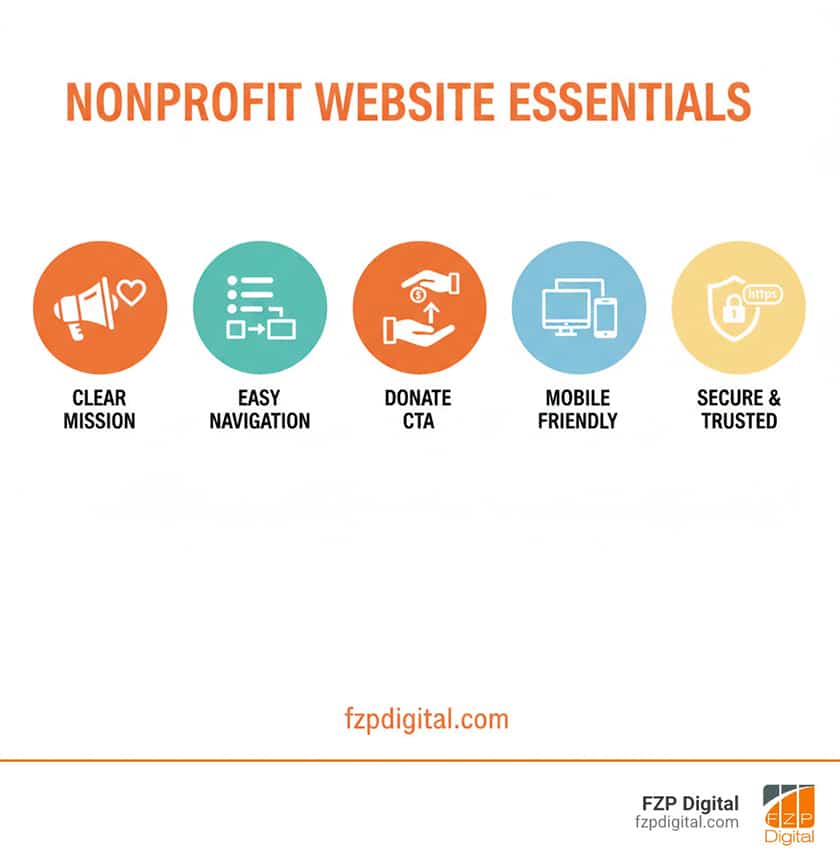
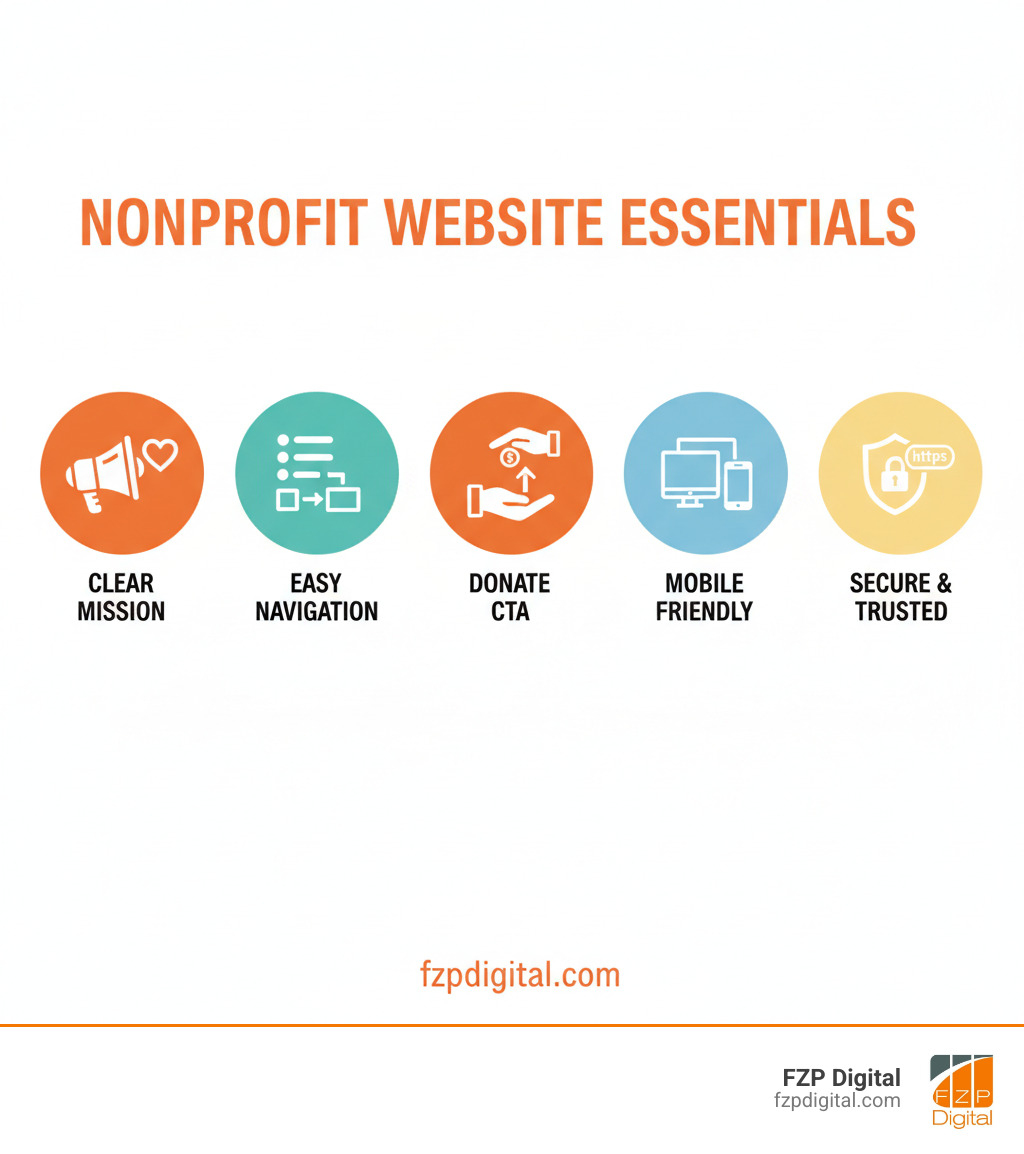
When it comes to best practices for nonprofit website design, it’s all about creating a welcoming, trustworthy, and easy-to-use online space. This means having a mobile-first approach, ensuring accessibility, featuring prominent donation buttons, clearly communicating your mission, keeping navigation simple, optimizing for speed and security, and using SEO to help supporters find you.
Think of your website as your digital headquarters. It’s the first place potential donors, volunteers, and beneficiaries go to see who you are. And those first few seconds? They’re everything.
Did you know that over 75% of people judge your organization’s credibility based on your website’s design alone? A great site builds trust instantly, while a confusing one can send supporters away before they ever learn about your incredible work.
When you get it right, your website becomes a powerful tool for turning casual visitors into passionate supporters. I’m Fred Z. Poritsky, and I’ve spent years helping nonprofits create websites that don’t just look great—they get results by implementing these best practices and connecting organizations with the people who care most.
Simple best practices for nonprofit website design glossary:
Building a Foundation of Trust and Connection
Think of your website as the heart of your digital world. It’s where your story lives and breathes! This is your chance to connect with people on an emotional level and show them exactly why your work is so important. Let’s make sure it’s telling the right story.
Clearly and Passionately Communicate Your Mission

That space at the very top of your website—the first thing people see—is your most valuable real estate! This is where you need to communicate your “Why” clearly and passionately. Use an impactful headline that immediately grabs attention and tells visitors what you’re all about. No one should have to hunt around to figure out your mission.
For example, a nonprofit fighting the water crisis could use a headline like “Clean Water Changes Everything” with powerful images of the people they help. It’s immediate, it’s powerful, and it shows integrity from the start.
People connect with real stories, not corporate speak. Please, use high-quality, original photos and videos of the people you serve, your staff, and your volunteers—and avoid those generic stock photos! Keep your writing concise and emotionally compelling. Drowning visitors in jargon or long paragraphs will only push them away. We believe in showing your hard work, not just talking about it, which is a key part of the best practices for nonprofit website design. More info about our approach to authentic messaging.
Keep Your Branding Consistent and Memorable
Consistent branding isn’t just about looking pretty—it builds recognition, fosters trust, and reinforces your identity. Your logo placement, color scheme, and typography should be the same on every page of your website and across all your digital platforms. Think of it as your visual fingerprint.
A digital style guide is a lifesaver here, acting as a rulebook for your brand’s visual identity. When users see your brand on your website, social media, or in an email, they should instantly recognize it’s you. Over 75% of users judge your credibility on design, and consistency is a huge part of that!
Want to dive deeper into how colors can impact your brand’s message? Check out an expert’s guide to color theory.
Key branding elements we help clients standardize include your logo, color palette, fonts, imagery style, and tone of voice.
Weave Your Impact Throughout the Site
It’s not enough to just say you make a difference. You need to show it! People want to see the tangible results of their support—the real-world change their donation creates. This is where weaving your impact throughout your site becomes so powerful, not just on a single page visitors might never find.
Incorporate impact dashboards with live metrics (meals provided, children educated). Use statistics and data in clear infographics. Share personal beneficiary stories with names and photos (with permission!) to create a deep emotional connection. Add testimonials from those you’ve helped, donors, and volunteers.
And don’t forget video! Short, engaging videos are fantastic for storytelling and can increase conversions by up to 86%. Demonstrating your hard work is a cornerstone of best practices for nonprofit website design. We’ve seen how powerfully showing impact can turn a casual browser into a committed supporter. Take a look at how we’ve helped organizations tell their story through compelling digital experiences.
Core Best Practices for Nonprofit Website Design to Create a Seamless User Journey
Ever been on a website that was just impossible to use? So frustrating! We want to make sure your supporters have the exact opposite experience. A smooth, easy journey is key to keeping them engaged.
Make Navigation Simple and Intuitive

Think of your website’s navigation as its road map. You don’t want visitors getting lost! User-friendly navigation is one of the most fundamental best practices for nonprofit website design. What works is a simple menu structure with a logical page hierarchy that makes sense to your visitors, not just your internal team. Avoid “drop-down overload”—those endless menus that are a surefire way to lose supporters.
We often use a technique called card sorting, where we ask people to organize your site’s topics into groups that make sense to them. This helps us build a navigation structure based on how your audience actually thinks. Your site should also be easily searchable with clear page titles and descriptive URLs. If someone can’t find what they’re looking for in seconds, they’re gone. You can see a great example of simple navigation in some of our past projects.
Prioritize Mobile-First Design (It’s Not Optional!)
Let’s be honest: you probably reach for your phone more than your laptop to look things up. Your supporters do, too! With over 62% of all website traffic coming from mobile devices, a mobile-responsive website isn’t just nice to have—it’s absolutely essential for implementing best practices for nonprofit website design.
“Mobile-first” means we design for the smallest screens first, then scale up. This ensures the best experience for the majority of your users. We focus on vertical layouts, large fonts, and easy-to-tap buttons. Critically, 53% of mobile visitors will leave a site if it takes more than three seconds to load. Three seconds! That’s why we rigorously test our designs on real phones and tablets to ensure your site looks fantastic and functions flawlessly everywhere.
Want to see the numbers for yourself? Check out the latest data on mobile traffic. And you can check out our mobile-friendly nonprofit designs to see this in practice.
One of the most important best practices for nonprofit website design: Ensure Accessibility for All
If your mission is to serve everyone, shouldn’t your website be accessible to everyone, too? Web accessibility isn’t just a legal checkbox—it’s about living out your core value of inclusivity. A staggering one in four U.S. adults lives with a disability. If your website isn’t designed with them in mind, you’re unintentionally shutting the door on a huge part of your community.
So, what does an accessible website look like? It means including alt text for images so screen readers can describe them. It means using high-contrast colors so people with visual impairments can read your content. It means adding closed captions to videos for those with hearing disabilities. It also means ensuring your entire site works with keyboard navigation, since not everyone can use a mouse.
We follow the Web Content Accessibility Guidelines (WCAG) because they’re the gold standard for creating inclusive digital experiences. Making your site accessible expands your reach, strengthens your mission, and shows you truly mean it when you say you’re here for everyone. Want to learn more? Find out how website accessibility can help grow your brand.
Turning Inspiration into Action: How to Drive Engagement and Donations
Okay, so you’ve captured their hearts and minds. Now what? It’s time to make it incredibly easy for them to join your cause. This is where clear, compelling calls-to-action come in, guiding your supporters to make a real difference.
Make Your “Donate” Button Impossible to Miss
This might seem obvious, but you’d be surprised how many nonprofits bury their “Donate” button! If someone is ready to give, you need to make that path as clear as possible. This is a cornerstone of best practices for nonprofit website design.
Your “Donate” button should be prominent, typically in the top right corner of your header and visible on every page. It needs a contrasting color that stands out, and an action-oriented label like “Donate Now.”
The donation process itself must also be simple. This means frictionless donation forms with minimal required fields. We love helping nonprofits implement suggested donation amounts (e.g., “$25 provides a meal for a family”) and recurring giving options to create a steady stream of support.
Your mobile donation experience has to be perfect, especially since 1 in 4 donation forms still fail basic mobile usability tests! That’s a lot of support slipping through the cracks. We can help you create donation pages that inspire generosity and get results. Explore examples of effective donation pages in our portfolio.
Create Multiple Pathways for Engagement
Not everyone is ready to donate right away, and that’s okay! Your website should offer a variety of ways for people to connect with your mission. This broad approach is a key best practice for nonprofit website design.
Think beyond just the “Donate” button. Offer easy volunteer sign-ups with clear information. Feature newsletter opt-ins prominently to build your email list—The Natural Resources Defense Council (NRDC), for example, does this on every page. Promote your events with seamless event registration. If your mission involves advocacy, provide advocacy tools like pre-written forms to contact legislators.
What about social sharing? While social media icons shouldn’t dominate your homepage, giving users an easy way to share your content is still valuable for spreading the word.
By offering multiple pathways, you nurture relationships and build a community that’s engaged in many ways. Dive deeper into how to design your site for comprehensive engagement with our complete Non-Profit Site Design Guide.
The Technical Stuff That Makes a Huge Difference (And Where an Expert Helps!)
Now for the “under the hood” work. This part can feel a little technical, we know! But getting it right is the secret sauce to a high-performing website that both search engines and your users love. This is where having a pro in your corner can save you a ton of headaches.
Technical best practices for nonprofit website design: Speed, Security, and SEO
This is where the rubber meets the road, and it’s where best practices for nonprofit website design become crucial for success. Let’s break it down!
First, website performance. A slow website is a deal-breaker. If your mobile load time goes from 1 to 3 seconds, the chance of visitors leaving jumps by 32%! A fast site isn’t just for users; Google also ranks faster sites higher. We help by:
- Using Premium Hosting: Budget hosting is often slow and risky. Premium hosting pays off in speed and reliability.
- Optimizing Images: We compress your images so they load quickly without losing quality.
- Writing Clean Code: We keep your site’s code lean and efficient to keep it zippy.
Next, website security. With about 27% of nonprofits facing cyberattacks, security is a must. Your donors need to trust you with their information. We implement key measures like:
- SSL Certificates (HTTPS): That little padlock in the address bar tells visitors your site is secure. It’s essential for building trust and for Google rankings.
- Regular Updates: We keep your website’s software, themes, and plugins updated with the latest security patches.
- Secure Payment Processing: We ensure your donation systems are PCI compliant to protect sensitive financial data.
Navigating these technical waters is essential for building trust. You can learn more about why your website needs to be secure and even get a full Website Accessibility Audit from us to make sure you’re covered!
Making Sure Supporters Can Find You (SEO)
What’s the point of a beautiful website if no one can find it? That’s where Search Engine Optimization (SEO) comes in. For nonprofits, it’s your best friend for bringing in new supporters from Google, ChatGPT Search, and Bing. This is one of the most critical best practices for nonprofit website design.
While the information provided here is helpful, true SEO success is complex and requires professional expertise. The digital landscape is always changing, and getting it right is what separates a website that exists from one that grows your mission. To achieve your goals and ensure your organization gets the visibility it deserves, we strongly recommend you partner with FZP Digital. We help nonprofits get found by:
- Keyword Research: We figure out what words your potential supporters are actually searching for. You can get a beginner’s understanding of what a keyword is here.
- Optimizing Content: We ensure your website’s content is valuable, original, and uses those keywords effectively.
- Technical SEO: We set up tools like Google Analytics and Search Console and ensure your site has that all-important SSL certificate.
- Preparing for AI Search: New AI search tools are a growing source of traffic. A strong SEO foundation is key to being found in these new environments.
We stay on top of the latest trends, like those in our Nonprofit Website Design Best Practices for 2025, so you don’t have to.
Integrate Your Tools for a Smarter Workflow
Your nonprofit likely uses a bunch of digital tools, like a CRM or email platform. One of the smartest best practices for nonprofit website design is making sure these tools all “talk” to each other!
Why does this matter? It automates data entry, streamlines your communications, and gives you a complete picture of each supporter’s journey. This saves your team countless hours and helps you build stronger, more personalized relationships.
Here at FZP Digital, we specialize in premium responsive WordPress website design, and a huge part of our “Develop . Design . Deliver” process is ensuring seamless integration with all your systems. We create digital solutions that work for you, freeing you up to focus on your mission. Learn more about how FZP Digital helps you integrate your tools seamlessly.
Frequently Asked Questions about Nonprofit Website Design
We get a lot of great questions from nonprofits across Richboro, Newtown, Philadelphia, and the wider Bucks County, Montgomery County, Delaware, and New Jersey areas. Here are some of the most common ones:
How often should we update our nonprofit’s website?
Think of your website as a living thing—it needs regular care! For content like blog posts and news, aim for weekly or bi-weekly updates to keep things fresh for visitors and search engines. It’s also crucial to test all your forms and donation flows monthly to catch any broken links.
At least once a year, we recommend a full audit. Check your site against accessibility standards (like those from WebAIM), see what similar organizations are doing well, and get feedback from people outside your team.
A major redesign usually happens every 3-5 years, especially if your site is looking dated, running slowly, or not mobile-friendly. This ensures you’re keeping up with current best practices for nonprofit website design.
What are the biggest mistakes to avoid in nonprofit web design?
We’ve seen a few! Here are the biggest pitfalls that can hurt your mission:
- Outdated Design: 75% of users judge your legitimacy on design. A dated site screams untrustworthy.
- Slow Load Times: 53% of mobile users leave if a site takes more than 3 seconds to load. Speed is everything.
- Poor Mobile Experience: With over half of traffic coming from phones, a clunky mobile site means lost donations.
- Confusing Navigation: If people can’t find what they’re looking for in seconds, they’ll leave.
- No Clear Calls-to-Action: Don’t make people guess! Tell them exactly what you want them to do.
- Ignoring Accessibility: This excludes 1 in 4 adults with a disability and opens you to legal risk.
- Weak Storytelling: Show your impact with real stories and data, don’t just list your programs.
- Inadequate Security: Without HTTPS, you risk losing donor trust and facing cyberattacks. With 27% of nonprofits experiencing a cyberattack, this is not something to ignore.
How can we build trust and credibility with our website?
Building trust is everything for a nonprofit. Your website is your primary tool for establishing it. The key is to combine several elements into a cohesive, trustworthy experience.
Transparency is foundational. Clearly display your financial reports and impact metrics. A modern, professional design and strong security features (like an SSL certificate) signal credibility and safety. Authentic storytelling with real beneficiary stories and testimonials creates an emotional connection, while concrete data demonstrates your impact.
An accessible website shows you care about inclusivity, and having easy-to-find contact information proves there are real, responsive people behind the mission. Finally, consistent branding across all your platforms reinforces your identity and professionalism. Getting all these pieces to work together perfectly is where partnering with experts who understand best practices for nonprofit website design can make all the difference.
Let’s Bring Your Mission to Life Online
Whew, that’s a lot to think about, isn’t it?
Here’s the truth: a truly effective nonprofit website is so much more than a pretty design. It’s a powerful engine for your mission, built on trust, user-friendliness, and technical excellence. From communicating your mission with passion to ensuring every visitor can access your content, these best practices for nonprofit website design all have to work together.
And let’s be honest: getting all these pieces to fit together perfectly—especially the tricky SEO and security parts—is what separates a good website from a great one. That’s where having a dedicated partner can make all the difference.
The team at FZP Digital lives and breathes this stuff. We help nonprofits across Philadelphia, Bucks County, and beyond steer the digital world. From premium responsive WordPress website design to SEO strategies that get you found, we build websites that don’t just look good—they get results.
We know you’d rather spend your time changing lives than wrestling with SSL certificates or keyword research. That’s why we’re here. Our “Develop . Design . Deliver” process ensures your website truly reflects your mission and serves your supporters.
Your organization does incredible work. Shouldn’t your website reflect that?
Ready to build a website that works as hard as you do? Let’s talk about your project!