


How to make sure your CRM knows when the phone rings
Your CRM Is Flying Blind Every Time the Phone Rings (Here’s How to Fix It)

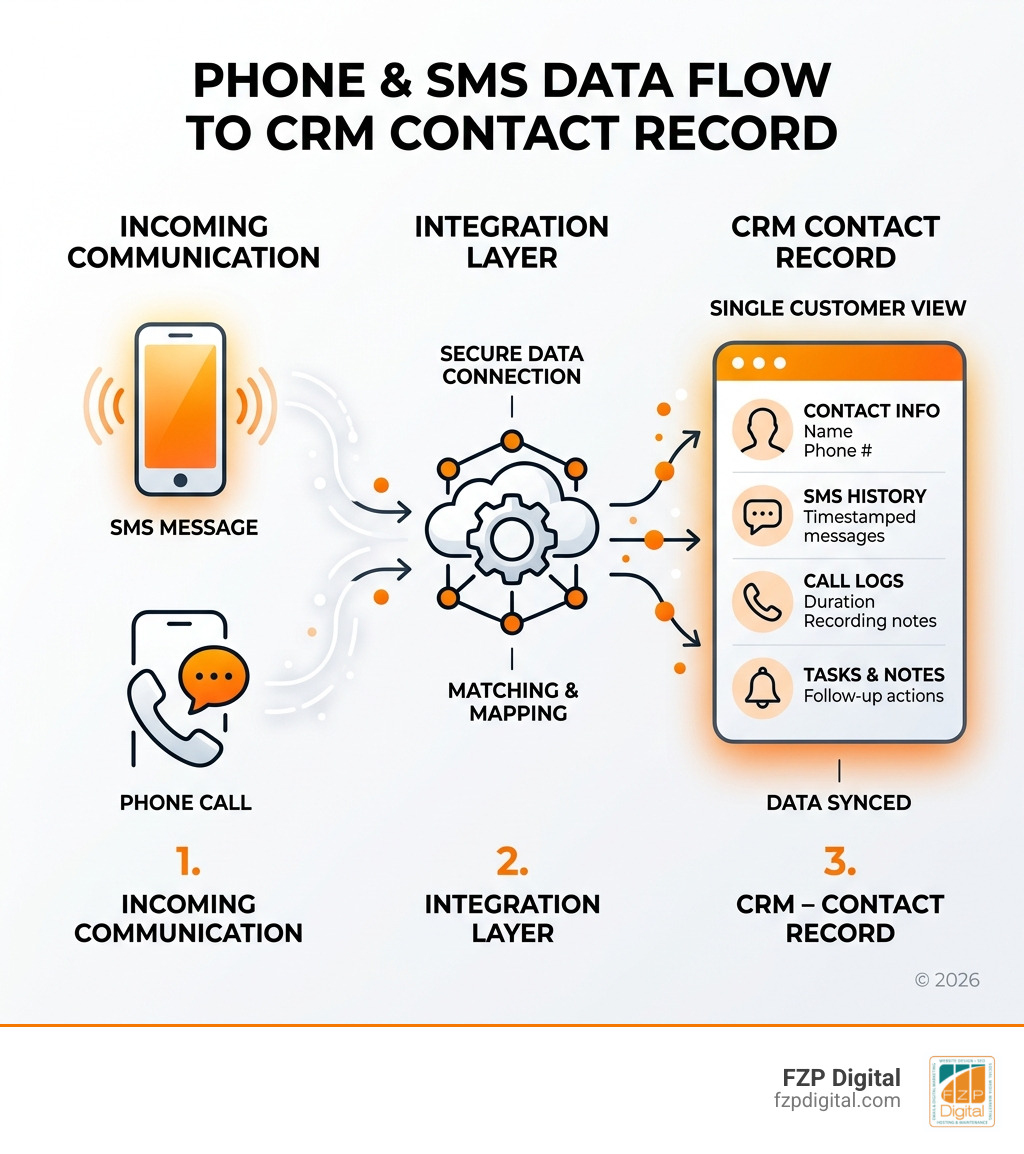
How to integrate SMS and phone systems with CRM is one of the most practical upgrades a small business can make to its communication stack — and it’s more straightforward than most people think.
Here’s a quick answer if you need it fast:
To integrate SMS and phone systems with your CRM:
- Choose your method — native integration, no-code tool (like Zapier), or a direct API connection
- Select a compatible SMS/phone provider — look for one that lists your CRM as a supported integration
- Map your contact fields — make sure phone numbers, names, and opt-in status sync correctly between platforms
- Set up triggers and automation — define what happens when a call comes in or a text is received (log it, create a task, update a record)
- Test thoroughly — send test messages and make test calls before going live
- Train your team — the best integration fails if people don’t use it
Now, let’s talk about why this matters so much.
You know that feeling when you’re juggling between your phone, your texting app, and your CRM — manually copying notes, hoping you didn’t miss anything? It’s exhausting, and it’s costing you more than just time.
Text messages get opened 98% of the time. The average response comes in under 90 seconds. Meanwhile, your customer’s full conversation history is sitting in three different places — or worse, on a sticky note.
When your CRM doesn’t know the phone rang, you’re not just losing efficiency. You’re losing context, continuity, and probably customers.
That’s exactly what this guide is here to fix.
I’m Fred Z. Poritsky, founder of FZP Digital — I’ve spent years helping Philadelphia-area businesses and nonprofits build smarter digital systems, including guiding clients through the process of how to integrate SMS and phone systems with CRM so that no conversation ever falls through the cracks. Let’s walk through everything you need to know to get this right.
Glossary for how to integrate sms and phone systems with crm:
Why you need to integrate SMS and phone systems with CRM
In today’s market, especially here in the Philadelphia and Bucks County area, waiting an hour to respond to a lead is often an hour too late. If you’re wondering how to integrate SMS and phone systems with CRM, it’s likely because you’ve felt the friction of fragmented tools.
Research shows that 51% of brands report having fragmented tools that don’t share data. This “data silo” effect means your sales team might be calling someone who just sent a frustrated text to support, or your marketing team is sending “Welcome” emails to a client who already canceled over the phone.
The statistics for SMS are staggering:
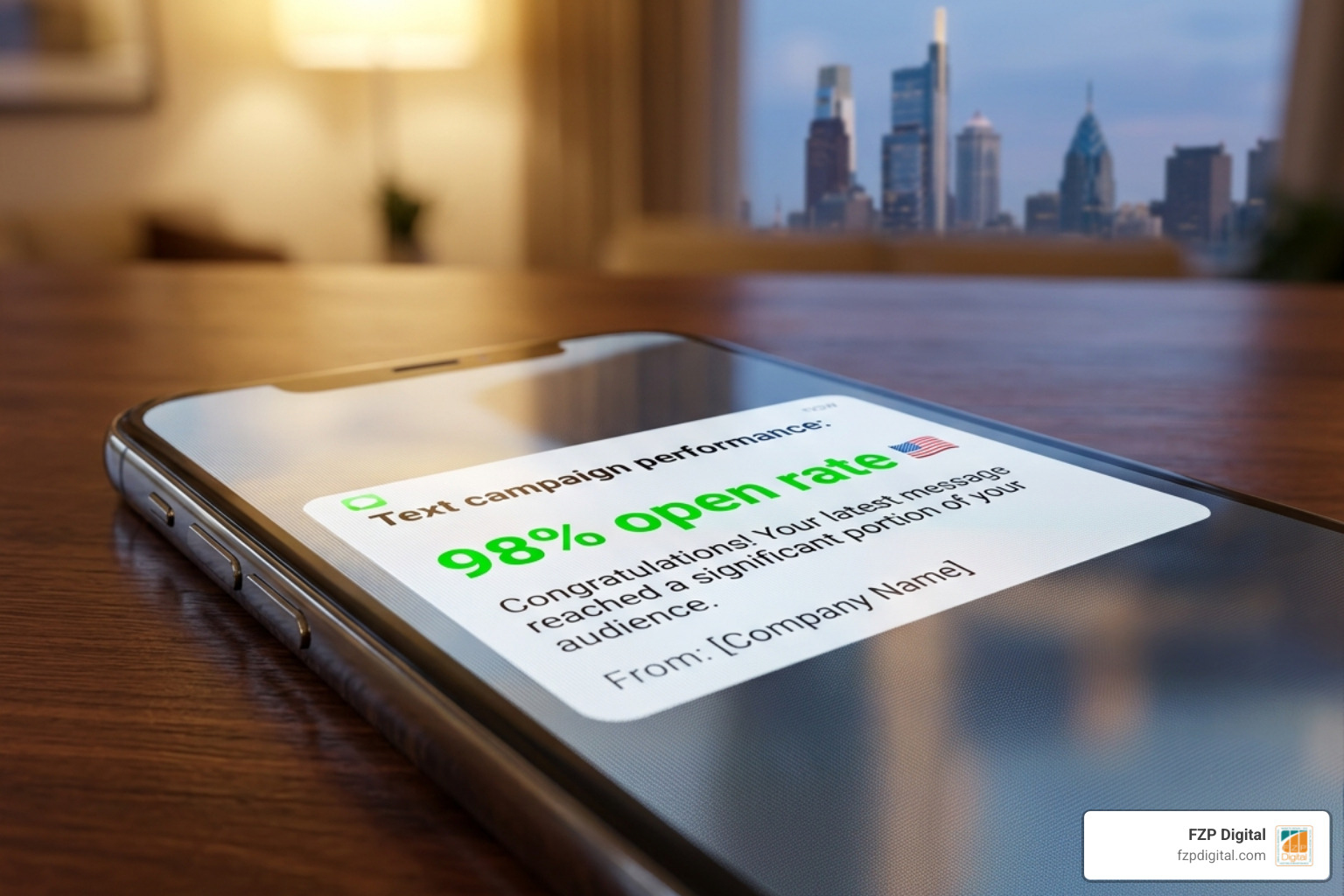
- 98% open rate: Compare that to the average email, and it’s clear where your customers are looking.
- 90-second response time: Most people read a text within three minutes of receiving it.
- 75% preference: Three out of four customers actually prefer to text customer support rather than wait on hold.
By bridging the gap between your communication channels and your CRM, you eliminate the “copy-paste” tax. Sales teams that automate data entry can save over 5.5 hours per week. That is nearly a full workday every month that your team could spend closing deals instead of typing notes.
CRM SMS integration: The key to streamlined communication is about more than just convenience; it’s about valuing your customer’s time. Since 2/3 of U.S. customers say valuing their time is the most important thing a company can do, showing up with their full history ready to go is a massive competitive advantage.
| Feature | Manual Logging | Automated Integration |
|---|---|---|
| Data Accuracy | High risk of human error | 100% accurate syncing |
| Speed to Lead | Minutes to hours | Instant (seconds) |
| Team Visibility | Siloed on individual phones | Visible to the whole team |
| Compliance | Hard to track opt-outs | Automated opt-out syncing |
| Time Spent | ~5.5 hours/week per rep | Near zero |
How to integrate SMS and phone systems with CRM: The main methods
When we sit down with clients in Newtown or Richboro to discuss their tech stack, we usually look at three primary ways to get the job done. The “best” way depends on your budget, your technical comfort level, and the specific CRM you use (like Salesforce, HubSpot, Zoho, or Pipedrive).
1. Native Integrations
Many modern phone systems and SMS providers offer “native” integrations. This means they’ve already built a “plug-and-play” app for your CRM. For example, you might find an app in the HubSpot Marketplace or Salesforce AppExchange. This is usually the easiest route because it enables features like click-to-call (where you click a number in your CRM and your computer dials it) and automatic call logging without any coding. Top Phone System Integration for Your CRM | VoiceRules is a great example of a provider that focuses on making these connections seamless.
2. No-Code Tools (Middleware)
If a native app doesn’t exist, don’t panic! Tools like Zapier or Make act as a bridge. You can set up a “Zap” that says: “When I receive a new SMS in my texting app, create a note in this person’s CRM record.” This is incredibly flexible and allows you to build custom logic without being a developer.
3. Two-Way Syncing
The gold standard is a two-way sync. This ensures that if a contact changes their phone number in the CRM, your texting app updates automatically. It also ensures that “STOP” or “UNSUBSCRIBE” requests are honored across all platforms instantly, keeping you compliant.
Using APIs for custom connections
For businesses with very specific workflows or those using proprietary software, How To Hook Your Data Up To Your Crm Using Apis is the way to go.
An API (Application Programming Interface) allows two systems to “talk” to each other directly. While this usually requires a developer, it offers unparalleled scalability. You can map custom data fields—like a specific “Lead Score” or “Last Purchase Date”—directly into your phone system’s caller ID, so your reps know exactly who is calling and why before they even pick up.
How to integrate SMS and phone systems with CRM for sales teams
For sales, integration is all about speed-to-lead. When a new lead fills out a form on your WordPress site, an integrated system can instantly send a “Thanks for reaching out!” text and trigger an automated call to the sales rep. This immediate touchpoint significantly increases conversion rates. Plus, having all appointment reminders sent via SMS reduces no-show rates by up to 40%.
How to integrate SMS and phone systems with CRM for customer support
In support, context is king. Integration allows for ticket creation the moment a text comes in. Instead of asking, “What was your order number again?” your rep sees the order history the moment the phone rings. With 75% of customers preferring SMS support, providing a real-time, logged conversation history ensures that if a case is handed off to a new agent, the customer doesn’t have to repeat themselves.
Step-by-step: Setting up your integrated communication hub
Ready to dive in? Here is how we typically approach a rollout at FZP Digital:
- Platform Selection: First, ensure your CRM and your phone/SMS provider are compatible. If you’re using Salesforce, look for providers with strong AppExchange ratings.
- API Authentication: You’ll usually need to generate an API key from your CRM and paste it into your phone system’s settings. This is like a “digital handshake” that gives the systems permission to share data.
- Field Mapping: This is crucial. You need to tell the system: “The ‘Mobile Number’ field in the CRM should match the ‘Recipient’ field in the SMS tool.” Don’t forget to map things like “Owner” so the right salesperson gets the notification.
- Contact Synchronization: Run an initial sync to bring your existing database into the communication tool.
- Trigger Configuration: Define your “If/Then” rules. If a deal moves to “Closed Won,” then send a “Thank You” text.
- Testing Phase: Never skip this! Send texts to your own phone and make calls to ensure the logs are appearing in the CRM as expected.
- Team Training & User Adoption: 70% of digital transformations fail due to poor user adoption. Show your team how much time they’ll save. If they see that they no longer have to manually log every 2-minute call, they’ll embrace the new system quickly.
Best practices for compliance and data hygiene
Before you start blasting texts, we need to talk about the “boring” but vital stuff: compliance. SMS is highly regulated by the TCPA (Telephone Consumer Protection Act) and GDPR.
- Explicit Consent: You must have documented permission to text your customers. A checkbox on your lead form that says “I agree to receive SMS updates” is a great start.
- Opt-out Management: Your system must automatically handle “STOP” requests. If someone texts STOP, your CRM should immediately check a “Do Not Text” box on their record.
- Data Cleaning: Integration only works if your data is clean. Ensure phone numbers are in a consistent format (e.g., +12155550123).
- Timing and Frequency: Don’t be that brand that texts at 3:00 AM. Use your CRM’s time zone data to ensure messages land during business hours.
Measuring success: Metrics that actually matter
How do you know if your integration is actually working? Don’t just look at the “cool factor”—look at the data.
- Delivery and Open Rates: Are your messages actually reaching the customer?
- Response Times: Has your average response time dropped from hours to minutes?
- Conversion Tracking: Are leads who receive an automated text within 5 minutes converting at a higher rate than those who don’t?
- Call Volume vs. Resolution: Are your reps handling more calls because the logging is automated?
- Customer Feedback: Use your integrated SMS to send a quick “How did we do?” text after a call.
Frequently Asked Questions about CRM integrations
Can I send SMS from my CRM without a third-party provider?
Some CRMs have built-in SMS features (like HubSpot’s native SMS), but they often have higher per-message costs and fewer features than a dedicated provider. Most businesses find that integrating a specialist provider gives them better deliverability and lower costs in the long run.
How long does it take to set up a phone-CRM integration?
A basic native integration can often be set up in under 30 minutes. However, building custom API workflows or complex Zapier automations can take a few days of planning and testing to ensure everything flows perfectly.
Is it expensive to integrate these systems?
The “cost” is usually just the subscription to the SMS/phone service. Many integrations are included for free in the mid-to-high tier plans of these providers. When you factor in the 5.5 hours saved per week per employee, the ROI is usually massive.
Conclusion
At the end of the day, how to integrate SMS and phone systems with CRM isn’t just a technical task—it’s a strategy to make your business more human. By removing the manual hurdles of data entry, you allow your team to focus on what they do best: building relationships and solving problems for your clients.
Whether you’re a local law firm in Philadelphia or a service business in Bucks County, having a “central nervous system” where every call and text is accounted for will transform your professional image and your bottom line.
Navigating APIs, field mapping, and TCPA compliance can feel like a lot to take on alone. That’s where expert guidance makes all the difference. At FZP Digital, we love helping our neighbors turn these technical challenges into growth opportunities. If you’re ready to stop flying blind and start connecting with your customers on the channels they actually use, we’re here to help you navigate the process from start to finish.