


How Pipedrive CRM Integrations Can Save Your Sales Team Time

Your Sales Team Is Losing Time — Pipedrive CRM Integration Can Fix That
Pipedrive CRM integration is the process of connecting your Pipedrive sales platform to the other tools your business already uses — so data flows automatically between them, your team stops doing repetitive manual work, and nothing falls through the cracks.
Here’s a quick look at what Pipedrive CRM integration makes possible:
| What You Can Connect | What It Does For You |
|---|---|
| Email (Gmail, Outlook) | Auto-logs every conversation to the right deal |
| Marketing tools (Mailchimp, ActiveCampaign) | Syncs contacts and tracks campaign engagement in your CRM |
| E-commerce (Shopify, Stripe) | Turns new orders and payments into CRM deals automatically |
| Accounting (QuickBooks, NetSuite) | Creates invoices from deals without emailing your accountant |
| Customer support tools | Gives reps full ticket history before they pick up the phone |
| Analytics (Google Analytics) | Ties marketing activity to real revenue in your pipeline |
| Social media (LinkedIn via Surfe) | Pulls contact data directly into Pipedrive without copy-pasting |
Sound like something your business needs? You’re not alone.
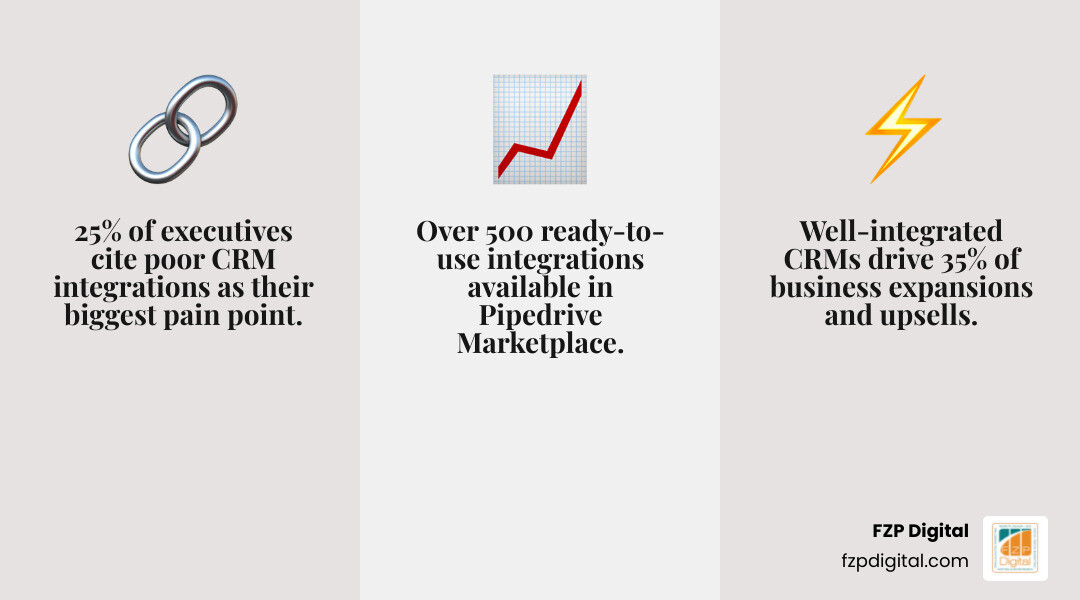
A full 25% of VPs and executives say that poor integrations are the single biggest problem with their current CRM. And when integrations are working well, they contribute to an average of 35% of expansions and upsells — that’s not a small number.
The good news: Pipedrive makes this surprisingly approachable, even if you’re not technical. With over 500 ready-to-use integrations in its Marketplace, plus an open API for custom needs, there’s almost certainly a way to connect the tools you already love.
I’m Fred Z. Poritsky, founder of FZP Digital, and my background in financial management and digital marketing has given me a front-row seat to exactly how much time small businesses waste on disconnected tools — helping clients get their Pipedrive CRM integration set up right is one of the most impactful things we do together. Let’s walk through everything you need to know.
Simple guide to pipedrive crm integration:
- how to integrate chatbot with crm for lead capture
- how to integrate company data into crm using api
- how to integrate inventory systems with crm
What are CRM Integration Services and Why Do They Matter?
When we talk about CRM integration services, we’re talking about the methods and tools used to bridge the gap between your Pipedrive: Sales CRM & Pipeline Management Software and the rest of your tech stack. Think of it as building a digital highway where information travels freely between your email, your website, your accounting software, and your sales dashboard.
In the old days (which, let’s be honest, for some businesses was just last week!), this happened via “manual integration”—which is just a fancy way of saying your sales reps were copy-pasting names and numbers from one screen to another. Not only is that boring, but it’s also where mistakes happen.
Modern integrations typically use APIs (Application Programming Interfaces) or middleware (like Zapier) to centralize data. This eliminates “data silos”—those pesky situations where your marketing team knows one thing about a customer, but your sales team has no idea because the information is stuck in a different app. By connecting these systems, you create a “single source of truth.”
Understanding the Goal of CRM and Sales Integrations
The ultimate goal here isn’t just to have cool tech; it’s to make your life easier. When you implement a pipedrive crm integration, you’re aiming for:
- Workflow Automation: Letting the computer handle the “grunt work” like creating follow-up tasks or sending welcome emails.
- Seamless Data Sharing: Ensuring that when a customer pays an invoice in your accounting software, the deal is automatically marked as “Won” in Pipedrive.
- Sky-High Productivity: Freeing up your sales team to actually sell rather than manage spreadsheets.
- Better Customer Satisfaction: When you know a customer’s full history—including their recent support tickets or email clicks—you can provide a much more personalized experience.
Why a Pipedrive CRM Integration is the Secret to Sales Success in 2026
As we move through 2026, the businesses in Philadelphia and Bucks County that are winning are the ones that move the fastest. Pipedrive is uniquely positioned to help you do that because it was built by salespeople, for salespeople. It doesn’t try to be everything to everyone; instead, it focuses on being the best at managing your pipeline and then connecting to everything else via its massive ecosystem.
According to the CRM Integration Services Guide | Pipedrive, the platform now offers over 500 out-of-the-box integrations. Whether you’re a small team in Newtown or a growing agency in Downtown Philly, this “plug-and-play” approach means you don’t need a massive IT department to get sophisticated results.
Choosing the Right Pipedrive CRM Integration for Your Marketing Stack
Choosing where to start can feel a bit like looking at a 50-page menu at a diner. You know you’re hungry, but what do you actually need?
For most of our clients at FZP Digital, we recommend starting with lead generation. A great example is the Leadfeeder integration. It identifies which companies are visiting your website and automatically adds them as leads in Pipedrive. One real-world case study showed a company increasing their lead generation by a staggering 800% just by automating this flow.
If you’re wondering How To Hook Your Data Up To Your Crm Using Apis, the answer is often simpler than you think. You don’t always have to write code; often, it’s about choosing the right “connector” tool that speaks both languages.
Setting Up Your First Pipedrive CRM Integration via the Marketplace
The Pipedrive Marketplace is your best friend. It’s organized by category—Marketing, Customer Support, Accounting, etc.—and features one-click installations for many popular apps.
Before you hit “install,” check the user reviews. They are a goldmine for understanding how the integration behaves in the real world. You can filter by “Top Rated” or “Newest” to see what’s working for other businesses like yours. Most integrations offer a free trial, so you can test the waters without any commitment.
Seven Essential Types of Integrations to Build Your Ecosystem
To build a truly “connected” business, you should look at these seven core areas. Think of these as the pillars of your sales machine.
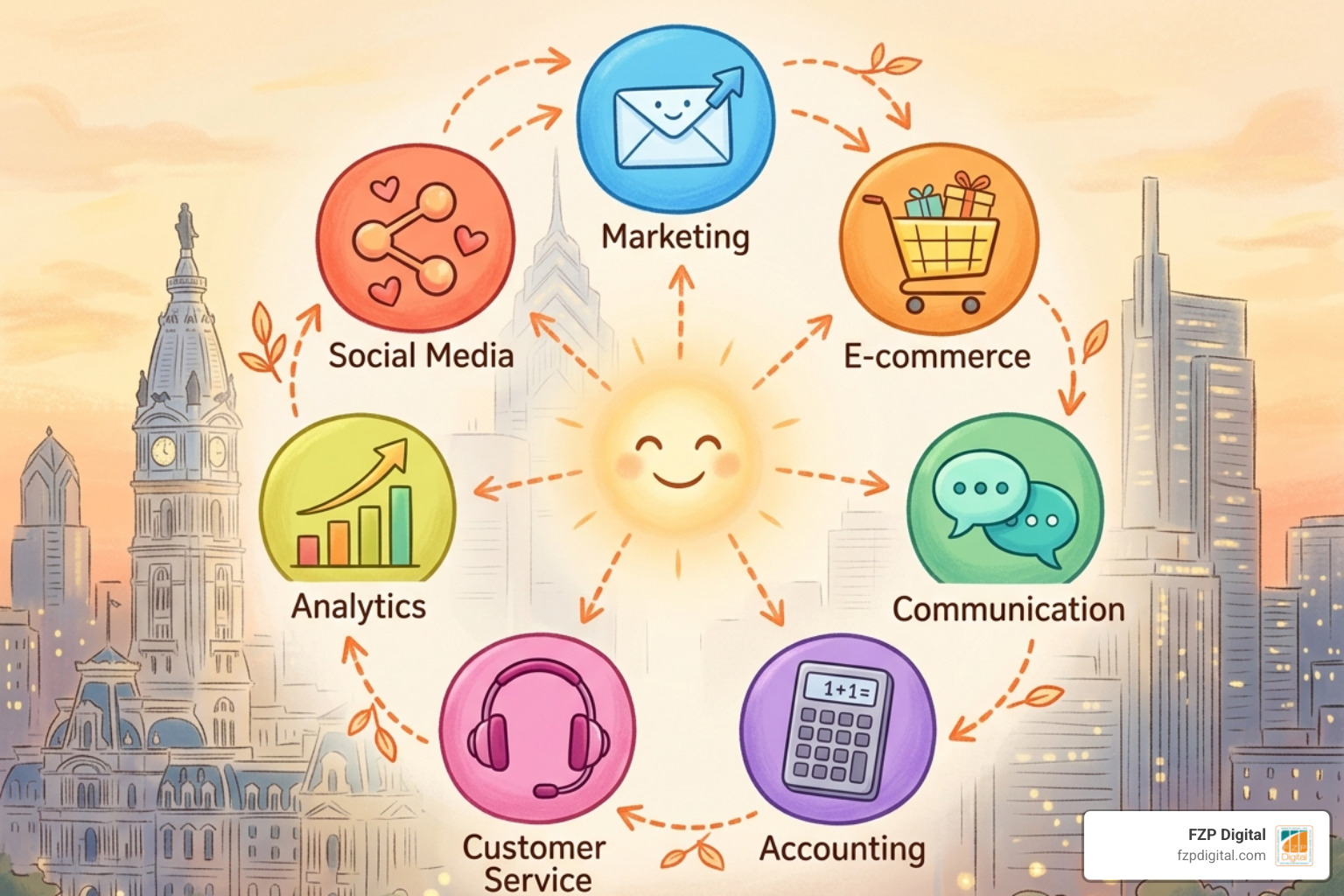
1. Marketing and Lead Generation
This is where the magic starts. By connecting tools like Mailchimp or ActiveCampaign, you can sync your contact lists 24/7. No more exporting CSV files! You can even see which emails a prospect opened right inside their Pipedrive profile.
If you’re running a shop, the Pipedrive Shopify Integration – Quick Connect – Zapier is a game-changer. It can automatically create a person in Pipedrive every time a new customer makes a purchase on your site.
2. E-commerce and Payments
Nothing is more satisfying than seeing a deal close. With the Pipedrive Stripe Integration – Quick Connect – Zapier, you can track real-time purchases. When a payment is successful in Stripe, Pipedrive can automatically move the deal to the “Closed-Won” stage and even attach the receipt. This keeps your revenue data accurate without you lifting a finger.
3. Communication and Email Management
You’re probably living in your inbox, right? Pipedrive’s native sync with Gmail and Outlook is legendary. It pulls in your conversations so you have a full timeline of every interaction.
For internal team speed, we love DealBot for Slack. It sends a notification to your team’s Slack channel the second a deal is won. It’s a great way to celebrate wins together, even if half the team is in Richboro and the other half is in Center City. Plus, the Calendar Pipedrive Integration – Quick Connect – Zapier ensures that every meeting you book is logged as an activity in your CRM.
4. Accounting and Financial Software
Bridge the gap between sales and finance. Using the NetSuite Pipedrive Integration – Quick Connect – Zapier or the popular QuickBooks integration, you can generate invoices directly from a deal. This saves hours of back-and-forth between your sales reps and your bookkeeper.
5. Customer Service and Support
When a customer calls with a problem, the last thing they want to do is repeat their whole life story. By integrating tools like Zendesk or Intercom, your support reps can see the customer’s full sales history, and your sales reps can see if there are any open support tickets before they try to upsell them. It’s all about context.
6. Analytics and Reporting
You can’t manage what you don’t measure. Connecting Google Analytics allows you to see the true ROI of your marketing spend. You can track a user from their first click on a Google Ad all the way to a closed deal in Pipedrive. Check out our Category/Crm Connection/ for more deep dives into how data-driven decisions can transform your growth.
7. Social Media and Sales Engagement
For B2B sales, LinkedIn is king. Tools like Surfe allow you to pull LinkedIn profiles directly into Pipedrive with one click. No more manual data entry! It even syncs your LinkedIn messages so you never lose track of a conversation.

Best Practices and Real-World Success Stories
Over the years, we’ve seen what works and what doesn’t. Here are a few “pro tips” for a smooth pipedrive crm integration:
- Clean Your Data First: Don’t move “junk” data into a new system. Take a Saturday, grab a coffee, and delete those duplicate contacts.
- Start Small (Pilot Testing): Don’t try to integrate everything at once. Pick one tool (like your email) and get it working perfectly before moving to the next.
- Train Your Team: A tool is only useful if people know how to use it. At FZP Digital, we emphasize a collaborative process to ensure your team feels confident with the new setup.
- Think Scalability: Choose integrations that can grow with you. If you plan on doubling your team in the next year, make sure your tools can handle the extra volume.
If you’re feeling overwhelmed, you can always Find a Pipedrive Consultant | Pipedrive Expert Marketplace to help guide the way.
How to Troubleshoot Your Pipedrive CRM Integration for Maximum Uptime
Even the best systems have hiccups. Sometimes an API limit is reached, or a password changes and breaks a connection. We recommend setting up “feedback loops”—basically, a simple way for your team to report if something isn’t syncing correctly. Most modern integration tools have a “monitoring” dashboard that will send you an alert if a “Zap” or a sync fails.
Overcoming Challenges and Getting Started
The biggest hurdles are usually compatibility and security. You want to make sure any app you connect is SOC 2 and GDPR compliant to protect your customer’s privacy. Pipedrive takes this seriously, and most apps in their Marketplace meet high security standards.
Leveraging No-Code Tools and the Open API
If you can’t find a native integration in the Marketplace, don’t panic! This is where “No-Code” tools like Zapier or Make.com shine. They act as a universal translator between apps.
For truly unique business processes—like a real estate agent needing a custom “Property” module—Pipedrive’s Open API allows developers to build exactly what you need. The Pipedrive Integrations | Connect Your Apps with Zapier page is a great resource to see the hundreds of “triggers” and “actions” you can use to build custom workflows.
Frequently Asked Questions about Pipedrive CRM Integration
What are the top Pipedrive integrations for small businesses?
For most SMBs, we recommend starting with Gmail/Outlook sync, Mailchimp for marketing, QuickBooks for invoicing, and Zapier to fill in any gaps. These provide the highest “bang for your buck” in terms of time saved.
How does Pipedrive’s open API help with custom needs?
The API (Application Programming Interface) is like a secret back door that lets different software programs talk to each other. If you have a custom-built internal database, a developer can use the API to make sure it stays in sync with Pipedrive.
What are the biggest challenges with CRM integrations?
The “Big Three” are data quality (messy records), user adoption (people not using the new tools), and technical “breaks” (when an app updates and the connection fails). Working with a partner like FZP Digital can help you navigate these challenges before they become headaches.
Conclusion
At the end of the day, a pipedrive crm integration is about one thing: giving you your time back. Whether you’re based in Richboro, Newtown, or right in the heart of Philadelphia, your sales team should be focused on building relationships, not managing data.
At FZP Digital, we take a “Develop . Design . Deliver” approach. We don’t just set up the tech; we make sure it fits your specific business goals. Fred Z. Poritsky and our team specialize in creating high-performing WordPress websites that feed directly into your CRM, ensuring that your digital presence is a lead-generating machine.
Ready to stop the manual data entry and start scaling? We’d love to help you build a tech stack that actually works for you. More info about digital marketing services is just a click away, or reach out for a chat about how we can streamline your sales process together. Let’s get your business moving!