


The Secret Life of a Live Chat Agent: Jobs and Skills

What Is a Live Chat Agent — and Why Should You Care?
A live chat agent is a real, human customer support professional who communicates with website visitors or customers in real time through a chat interface — answering questions, solving problems, and guiding people toward a decision, all via text.
Here’s a quick snapshot of what you need to know:
| Topic | Quick Answer |
|---|---|
| What they do | Provide real-time text-based support on websites or apps |
| How they differ from chatbots | They bring human empathy, judgment, and complex problem-solving |
| Key skills needed | Written communication, typing speed (45–65+ WPM), empathy, product knowledge |
| Typical pay | $20–$35/hr depending on experience and role |
| Where jobs are found | Remote platforms, job boards, freelance marketplaces — 2,000+ open roles in the US alone |
| Why businesses use them | Live chat can increase conversions by up to 3× and improve customer satisfaction above 90% |
Think about the last time you visited a website and a little chat window popped up in the corner. That might have been a bot — but behind many of those conversations is a real person, often working from home, juggling multiple chats at once, and genuinely trying to help you.
It’s a role that’s growing fast. As businesses shift away from phone-based support toward digital-first customer service, the demand for skilled chat professionals has surged. In fact, there are currently over 2,000 live chat job listings in the United States — and that number keeps climbing.
Whether you’re exploring this as a career path or a business owner wondering if it’s the right fit for your customer experience strategy, this guide breaks it all down.
I’m Fred Z. Poritsky, founder of FZP Digital — and while my background spans nonprofit financial management, web design, and digital marketing, I’ve helped plenty of Philadelphia-area businesses implement live chat agent solutions as part of a broader customer engagement strategy. Let’s dig into what this role really looks like, what it pays, and how to get started.
Live chat agent terms explained:
What is a Live Chat Agent and Why Are They in High Demand?
A live chat agent is part customer service representative, part digital guide, part problem-solver, and occasionally part mind reader. Their job is to help customers through real-time written conversations on a website, app, or customer portal.
Instead of waiting on hold, sending an email into the void, or shouting “representative!” into a phone menu, customers can simply type a question and get help quickly.
That speed is a huge reason live chat has become so popular. For businesses, live chat can:
- Increase conversions by up to 3x
- Improve response time by around 60%
- Increase average order value by 25%
- Improve customer conversion by 30%
- Increase sales by 25%
- Reduce support workload by up to 30% when paired with a strong knowledge base
- Help support teams resolve up to 28% more requests on first contact
- Support customer satisfaction levels above 90% when implemented well
For customers, the benefit is even simpler: they get answers without stopping everything they’re doing.
You can be shopping for a product, comparing service packages, booking an appointment, or asking about an order while still sipping coffee in your kitchen. That’s why we often say live chat is not just a customer support feature. It’s part of the modern website experience.
If you want a deeper look at why chat has become such a normal part of digital communication, we explain it here: Why Live Customer Service Chat Is the New Phone Call.
The Shift from Phones to Real-Time Digital Support
Phone support still matters, especially for sensitive, urgent, or complicated issues. But customer expectations have changed.
People want help that is:
- Fast
- Convenient
- Easy to access
- Available outside traditional business hours
- Less disruptive than a phone call
Live chat checks those boxes.
A customer can ask about pricing while browsing your website. A patient can ask a basic scheduling question. A shopper can confirm shipping details before buying. A homeowner in Bucks County can ask whether a local service provider covers Richboro, Newtown, Philadelphia, or Downtown Philadelphia before filling out a contact form.
That’s powerful because the customer is already engaged.
Traditional channels work differently:
| Channel | Typical Customer Experience | Main Limitation |
|---|---|---|
| Phone | Direct conversation | Can involve hold times and scheduling friction |
| Detailed written support | Often slower and less immediate | |
| Contact form | Simple lead capture | No real-time conversation |
| Social media message | Convenient but public-adjacent | Can be scattered across platforms |
| Live chat | Instant written help | Requires staffing, training, and quality control |
A well-trained live chat agent can also help multiple customers at once, something phone agents usually can’t do. That means faster queue movement and better productivity.
If waiting drives you mildly bonkers, you’ll probably enjoy our guide to the best live chat for customer service teams who hate waiting.
How a Live Chat Agent Differs from an AI Chatbot
Let’s clear this up because it’s one of the biggest points of confusion.
A chatbot is software. A live chat agent is a human being.
Both can be useful. They’re just not the same thing.
AI chatbots are great for:
- Answering common questions
- Collecting contact information
- Routing conversations
- Sharing links to help articles
- Handling simple requests after hours
- Supporting customers in multiple languages, depending on the system
- Reducing repetitive work for human agents
Human live chat agents are better for:
- Emotional situations
- Confusing or unusual problems
- Sales conversations that require judgment
- Troubleshooting with multiple variables
- Handling complaints
- Building trust
- Knowing when to bend a script or escalate
The best setup is often hybrid support. The chatbot handles repetitive questions, then passes complex conversations to a human agent with the context included. That way, the customer doesn’t have to repeat everything. Nobody enjoys typing “as I already said” for the third time. Nobody.
This hybrid approach can be especially helpful for small businesses that don’t have a large support team. AI can cover the basics, while live agents focus on the conversations where empathy and decision-making matter most.
For businesses using chat as part of sales, we also recommend reading How to Turn Your Chatbot into a Lead Generating Machine.
Behind the Screens: A Day in the Life of a Chat Support Professional

So what does a live chat agent actually do all day?
It’s not just “sit at a laptop and type nice things.” Although, yes, typing nice things is definitely part of it.
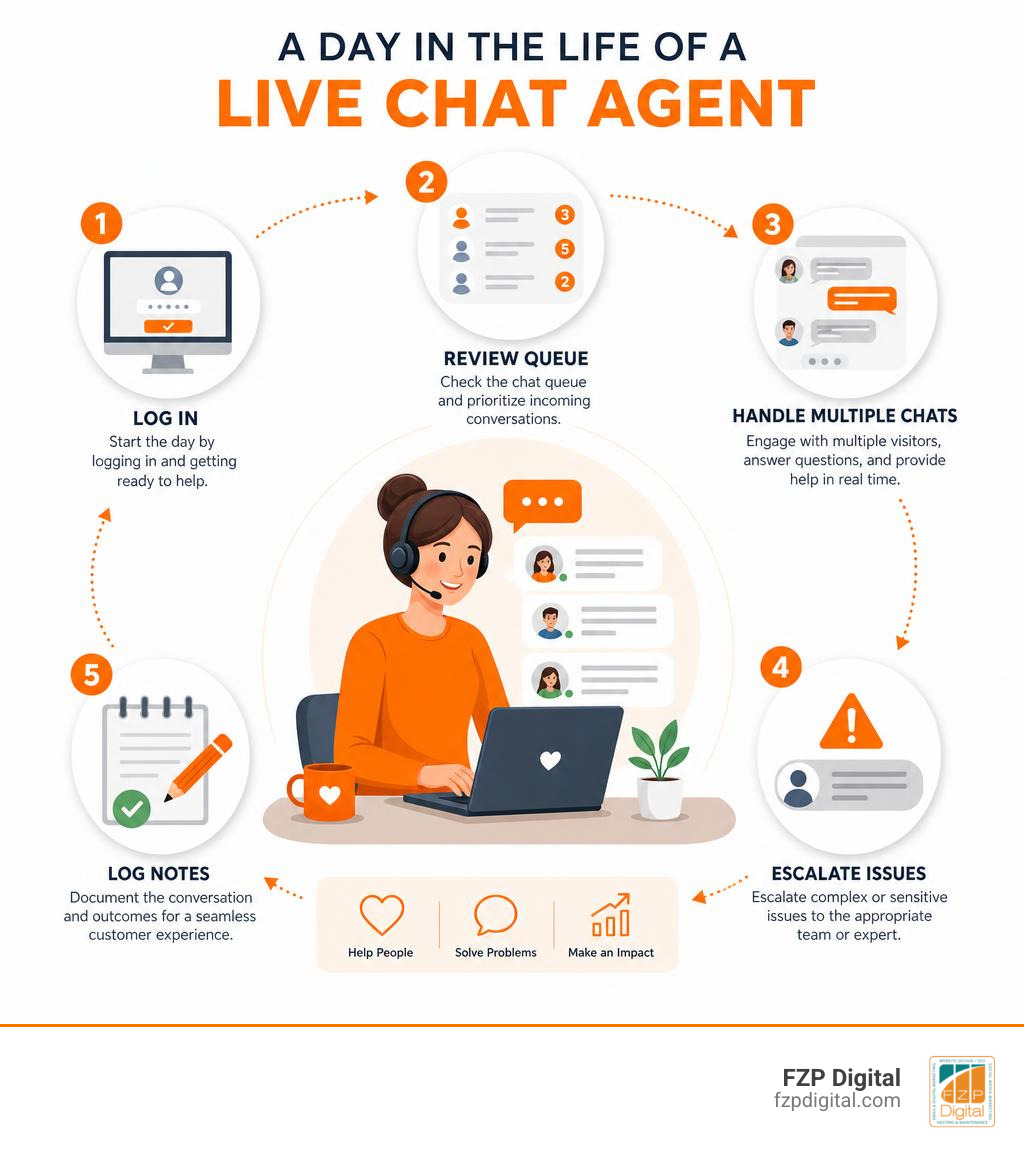
A typical day may include:
- Logging into the chat platform
- Checking announcements, updates, or new product notes
- Reviewing the support queue
- Responding to incoming chats
- Looking up customer records
- Answering product or service questions
- Troubleshooting issues
- Creating or updating support tickets
- Escalating complex problems
- Capturing leads for the sales team
- Tagging conversations for reporting
- Logging notes in a CRM or help desk
- Reviewing quality feedback from managers
A chat agent may handle questions like:
- “Do you offer service in Philadelphia?”
- “Can I book a consultation?”
- “Where is my order?”
- “How do I reset my password?”
- “Can I speak with someone about pricing?”
- “I’m having trouble checking out.”
- “Does this product come in another size?”
- “Can you help me compare these two options?”
In other words, the agent is often the first real human connection between a customer and a business.
That makes the role more important than many people realize.
For businesses, this means your live chat agent is part of your brand experience. For job seekers, it means this role builds valuable skills in communication, sales, technical support, operations, and customer success.
Essential Skills Every Live Chat Agent Needs to Succeed
A great live chat agent needs more than fast fingers. Speed helps, but clarity matters more.
Here are the big skills that separate average chat support from excellent chat support.
1. Strong written communication
Live chat is text-based, so writing is the whole experience.
Agents need to write responses that are:
- Clear
- Friendly
- Accurate
- Brief but helpful
- Grammatically clean
- On-brand
The customer can’t hear your tone of voice, so the words have to carry warmth. “Please provide your order number” feels very different from “Absolutely, I can help with that. Could you send me your order number?”
Small wording changes make a big difference.
2. Typing speed and accuracy
Many roles ask for at least 45 words per minute. Some more demanding chat positions prefer 65 WPM or higher with strong accuracy.
But don’t panic if you’re not there yet. Typing speed improves with practice. Accuracy is more important than blasting through a sentence and sending “We’re hapy to hepl.” That’s not a typo you want representing your brand.
3. Active listening
Yes, listening applies to text.
A good agent reads carefully, notices details, and avoids making the customer repeat themselves. They understand the actual issue, not just the words on the screen.
For example, if a customer says, “I’ve tried checking out three times and it keeps failing,” the issue may not just be checkout. It may involve frustration, urgency, and potential lost revenue.
4. Empathy
Empathy is what makes human support human.
Customers often start chats because something is unclear, broken, delayed, or stressful. A good agent acknowledges that.
Simple phrases help:
- “I can see why that would be frustrating.”
- “Thanks for explaining that.”
- “Let’s get this sorted out.”
- “I’ll stay with you while we check this.”
Empathy doesn’t mean over-apologizing. It means making the customer feel understood.
5. Product or service knowledge
Agents need to know what they’re supporting.
That includes:
- Products
- Pricing
- Policies
- Service areas
- Refund or cancellation rules
- Technical steps
- Common customer objections
- Escalation paths
This is where a strong knowledge base becomes essential. A well-built knowledge base can reduce support workload by up to 30% because agents and customers can find answers faster.
6. Technical comfort
Live chat agents often use several tools at once:
- Chat dashboard
- CRM
- Ticketing system
- Website backend
- Order management system
- Internal knowledge base
- Email platform
- Calendar or scheduling tool
They don’t need to be software engineers, but they do need to be comfortable learning new systems.
7. Sales awareness
Not every chat is a sales chat. But many chats influence sales.
Agents should know how to:
- Identify buying intent
- Recommend the right product or service
- Explain value clearly
- Offer next steps
- Capture lead details
- Avoid sounding pushy
Live chat can increase average order value by 25% and sales by 25% when agents guide customers at the right moment. That’s not magic. It’s timely help.
Managing Multiple Conversations Without Losing the Human Touch
Here’s the part that surprises people: live chat agents often handle more than one conversation at a time.
That’s one reason chat can be so efficient. An agent can answer one customer, wait while they check something, then help another customer in the meantime.
But multitasking can go sideways fast if there’s no structure. Accidentally sending “Your refund is approved” to someone asking about lawn care? Not ideal.
To maintain quality, agents use:
Canned responses
These are pre-written replies for common questions. They save time and keep messaging consistent.
Examples:
- Business hours
- Return policy
- Appointment scheduling steps
- Password reset instructions
- Shipping timelines
- Service area answers
The key is personalization. A canned response should be a starting point, not a robotic wall of text.
Internal notes
Agents log what happened so the next person has context. This matters when chats become tickets, sales leads, or follow-up calls.
Good notes include:
- Customer issue
- Steps already tried
- Customer mood or urgency
- Promised follow-up
- Escalation details
Tags and categories
Tags help businesses track patterns. For example:
- Billing
- Technical issue
- Sales lead
- Product question
- Complaint
- Appointment request
- Website issue
Over time, those tags show what customers ask most often. That insight can improve your website, FAQ page, product descriptions, and SEO strategy.
Smart escalation
A live chat agent should not guess when the answer matters. If they don’t know, they should escalate.
Good escalation includes:
- A clear summary
- Screenshots if available
- Customer contact details
- Priority level
- What the customer already tried
Quality assurance
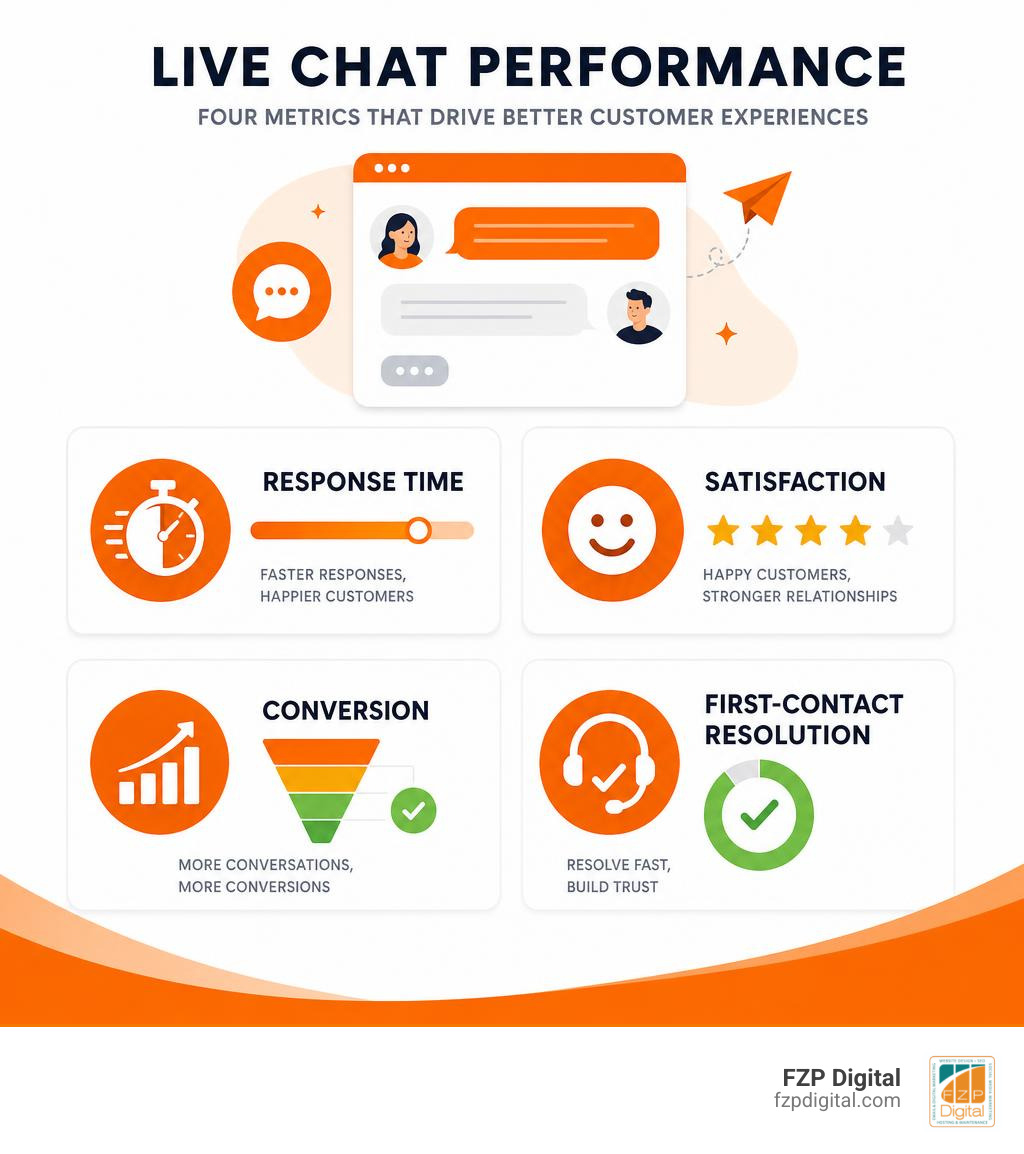
Businesses should review chats regularly for:
- Accuracy
- Tone
- Response time
- Resolution quality
- Missed sales opportunities
- Compliance with policies
- Customer satisfaction
This is how chat teams improve without turning the job into a stress Olympics.
Finding and Landing Remote Chat Support Jobs

Remote chat support jobs are appealing because they often offer flexible schedules, text-based communication, and work-from-home options.
In the Philadelphia area, job seekers can explore listings like remote chat jobs in Greater Philadelphia. These roles may use titles such as:
- Live Chat Agent
- Chat Support Representative
- Online Chat Specialist
- Customer Support Specialist
- Customer Care Associate
- Website Chat Representative
- Customer Service and Ticketing Agent
- Online Sales Concierge
- Technical Support Chat Agent
If you’re applying, your resume should highlight:
- Written communication
- Typing speed
- Customer service experience
- Retail or hospitality experience
- Problem-solving
- Remote work readiness
- Software tools you’ve used
- Ability to follow scripts and workflows
- Calm communication under pressure
Even if you’ve never held a formal chat support job, you may already have transferable experience. If you’ve helped customers in a store, answered emails, managed social messages, scheduled appointments, resolved complaints, or explained products, you’ve used skills that matter.
A strong application should include examples like:
- “Resolved customer questions through written communication”
- “Maintained professional tone during high-volume customer interactions”
- “Used internal documentation to provide accurate answers”
- “Escalated complex issues with detailed notes”
- “Handled multiple priorities while meeting response time goals”
Simple, specific, and believable beats buzzword soup every time.
Typical Compensation and Career Growth Paths
Based on current remote chat support job postings, many roles fall in the range of about $20 to $35 per hour, depending on experience, schedule, industry, and responsibilities. Some entry-level roles offer training, while more advanced roles may require technical knowledge, sales ability, or previous support experience.
Some postings mention starting rates around $25 per hour with increases after a training or shift milestone. Others list broader ranges such as $20 to $32 per hour.
Typical pricing and cost models for businesses include:
| Model | How It Works | Best For |
|---|---|---|
| In-house hourly agent | Business hires and trains its own support staff | Companies needing strong brand control |
| Remote contract support | Outside support professional handles assigned hours | Small teams needing flexible coverage |
| Managed chat coverage | A service provides agents for certain shifts or 24/7 | Businesses that miss chats after hours |
| Software per agent/month | Business pays for chat platform seats | Teams managing support internally |
| Hybrid AI plus human support | AI handles basic questions, humans handle complex ones | Scaling support without overwhelming staff |
For software, pricing often starts in the low monthly range per agent and increases with advanced features, automation, reporting, integrations, and enterprise needs.
For job seekers, live chat support can lead to several career paths:
- Senior Chat Agent
- Customer Support Lead
- Quality Assurance Analyst
- Technical Support Specialist
- Customer Success Associate
- Sales Development Representative
- Support Operations Coordinator
- Knowledge Base Manager
- Training Specialist
- Team Manager
The role is a great training ground because you learn how customers think. That knowledge is gold in marketing, sales, web design, product development, and operations.
If you want to see how a remote chat role is commonly described, this online chat specialist job posting gives a general sense of the responsibilities employers often look for.
Setting Up Your Home Office for Success
A chat support job may be remote, but it still requires a professional setup.
You’ll typically need:
- Reliable high-speed internet
- A quiet workspace
- Laptop or desktop computer
- Updated browser
- Headset if meetings or voice escalation are required
- Password manager
- Comfortable chair
- Second monitor if possible
- Good lighting for video meetings
- Backup plan for outages
Some roles require minimum internet speeds. Research from job postings shows requirements can range from 10 Mbps for basic roles to much higher speeds for more demanding setups. The practical rule? Your connection should be stable enough to keep multiple browser tabs, chat tools, and customer systems open without freezing every five minutes.
A second monitor is not mandatory, but it helps. One screen can hold the chat dashboard while the other holds the knowledge base, CRM, or order system. It’s like giving your brain an extra countertop.
For businesses setting up chat on their own site, the technical side also matters. Placement, mobile responsiveness, load speed, and routing rules all affect performance. If you use WordPress, we walk through the basics here: The 5-Minute Guide to Setting Up Your WordPress Live Chat Widget.
Frequently Asked Questions About Chat Support Roles
Let’s answer the questions people usually ask before applying for a live chat job or hiring chat support for their business.
Do I need prior customer service experience to get started?
Not always.
Many entry-level chat roles provide training, especially if the company has scripts, workflows, and a knowledge base. However, prior customer service experience definitely helps.
Useful transferable backgrounds include:
- Retail
- Hospitality
- Reception or front desk work
- Administrative support
- Email support
- Social media moderation
- Sales
- Technical troubleshooting
- Appointment scheduling
Employers usually care most about whether you can communicate clearly, stay calm, learn quickly, and follow instructions.
If you’re a business owner, this matters because the right training system can turn a promising beginner into a strong agent. A good onboarding process should include:
- Product or service overview
- Brand voice guidelines
- Common questions
- Escalation rules
- Tool training
- Example chats
- Practice conversations
- Quality review
If you’re experimenting with chat on your website, you may not need to start with a large budget. We explain some options in Free Live Chat Service Because the Best Things in Life Are Free.
What typing speed is required for these positions?
Most live chat jobs expect fast, accurate typing.
Common requirements include:
- 45 WPM for many entry-level roles
- 60 to 65+ WPM for higher-volume roles
- Strong grammar and spelling
- Ability to respond quickly without sounding rushed
But typing speed alone won’t get you hired.
A fast typist who sends cold, confusing answers will struggle. A slightly slower agent who writes clearly, solves problems, and makes customers feel respected may perform better.
To improve, practice:
- Touch typing
- Writing short, complete answers
- Using text expansion tools responsibly
- Proofreading before sending
- Summarizing issues in one or two sentences
- Avoiding jargon
A good live chat answer should feel like a helpful human wrote it, not like a printer gained consciousness.
Can chat support roles lead to other career opportunities?
Absolutely.
Live chat support builds skills that transfer into many digital roles. You learn what customers ask, where they get confused, what prevents them from buying, and what makes them trust a business.
That experience can lead to:
- Customer success
- Sales support
- Technical support
- Operations
- Training
- Team leadership
- Marketing coordination
- Website content strategy
- User experience research
- Support documentation
For businesses, chat transcripts are also a treasure chest of insight. They reveal:
- Missing website information
- Confusing pricing
- Broken forms
- Common objections
- Product questions
- Local service-area confusion
- Lead quality
- Customer satisfaction trends
At FZP Digital, this is where our web design and SEO work often connects with live chat strategy. If customers keep asking the same question, that question may deserve a better website section, FAQ, blog post, service page, or call-to-action.
That’s not just customer support. That’s digital strategy.
Conclusion
A live chat agent is much more than someone who answers website messages. They’re often the first human touchpoint in a customer’s journey, the person who turns confusion into clarity, and sometimes the difference between a bounced visitor and a new customer.
For job seekers, chat support can be a flexible and practical way to build a career in customer service, sales, technical support, or customer success.
For businesses, live chat can improve response times, increase conversions, support lead generation, raise customer satisfaction, and uncover valuable website insights. But it works best when it’s planned carefully.
That means thinking through:
- Who will answer chats
- What hours you’ll cover
- When AI should step in
- When humans should take over
- How chats connect to your CRM or ticketing system
- What scripts and knowledge base articles agents need
- Which metrics define success
- How chat supports your broader website and SEO goals
The strongest live chat strategies blend people, process, and technology. AI can handle repetitive tasks. Human agents can bring empathy and judgment. Your website can guide visitors toward action. Your analytics can show what’s working. When all those pieces fit together, the customer experience feels smooth instead of stitched together with duct tape.
At FZP Digital, we help businesses in Richboro, Newtown, Philadelphia, and Downtown Philadelphia build stronger digital experiences through responsive WordPress website design, SEO, branding, and practical customer engagement tools. Fred Z. Poritsky and our team use a collaborative Develop . Design . Deliver process to make sure your website doesn’t just look good, but actually helps people take the next step.
If you’re wondering whether live chat belongs on your website, or how to connect it with your broader digital strategy, we’d be happy to help you think it through.
You can partner with FZP Digital and let’s build a website experience that makes customers feel welcomed from the first click.