


Small Business WordPress Website Design: Your 2025 Edge
So, Why is WordPress Your Small Business’s New Best Friend?
Thinking about a professional small business wordpress website design can feel like a huge task, right? You might worry it’s too complex or expensive. But what if I told you there’s a platform that over 43% of the entire internet trusts, and it’s perfectly suited for businesses just like yours?
That platform is WordPress. It’s powerful, flexible, and surprisingly budget-friendly. And since a whopping 75% of consumers judge a company’s credibility by its website, a professional online presence isn’t just nice—it’s essential.
I’m Fred Z. Poritsky, and I love helping businesses thrive online. My unique blend of business sense and creative passion means I build beautiful, functional websites that genuinely help you grow. Let’s explore how WordPress can transform your online presence!
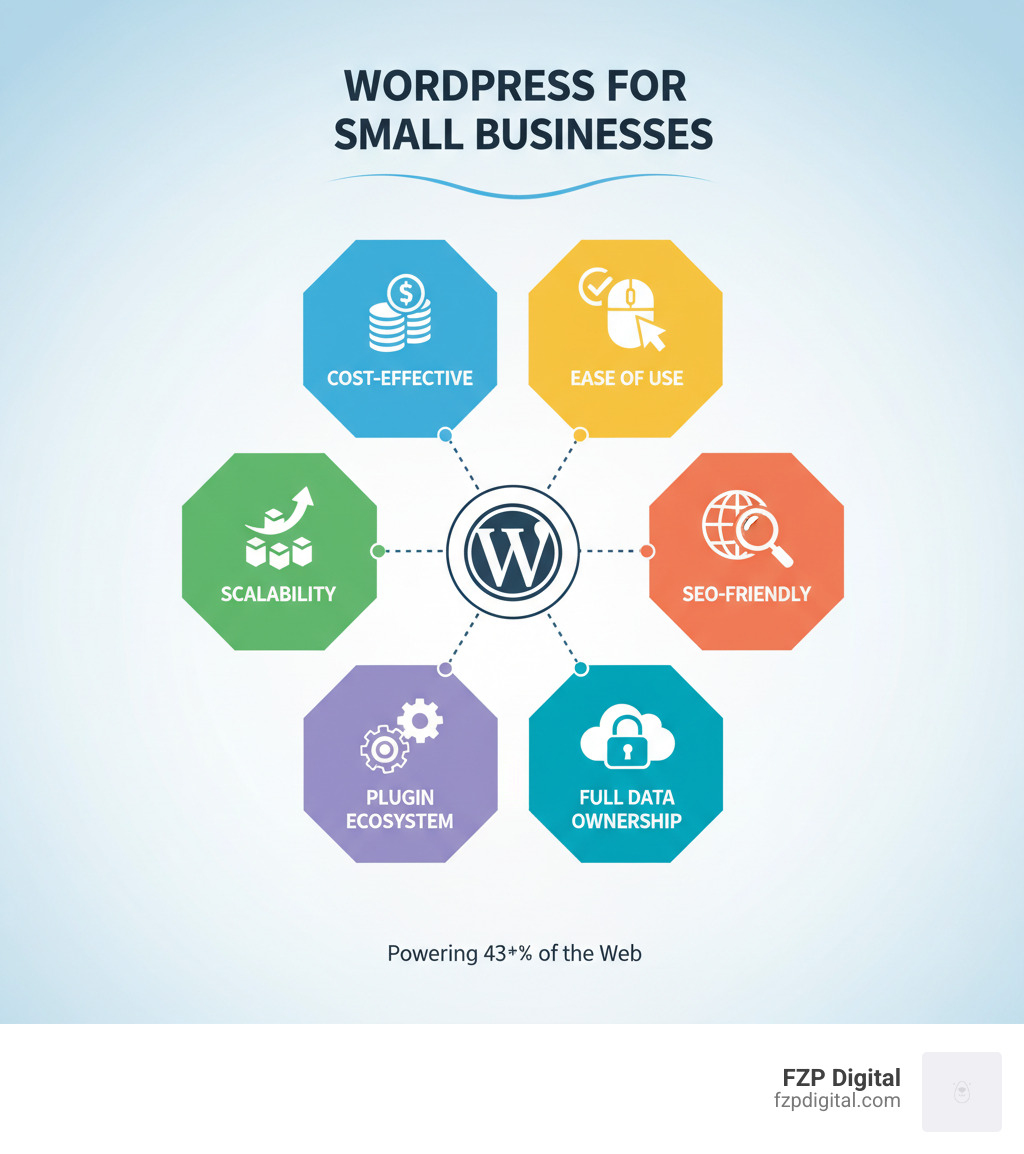
Small business wordpress website design terms at a glance:
The Amazing Benefits of WordPress
So, why all the fuss about WordPress? It’s the undisputed champ of website platforms for good reason!
- You Truly Own It: With self-hosted WordPress, you have full ownership of your website, content, and data. No one can hold it hostage. That freedom is golden!
- It’s Open-Source and Free: The core WordPress software is 100% free! A global community constantly improves it, keeping it secure and modern.
- It Grows With You: Start with a simple site and add an online store, booking system, or membership area later. WordPress scales with your ambitions without needing a total rebuild.
- Built for Google’s Love (SEO-Friendly): WordPress gives you a great SEO-ready foundation. With the right plugins and strategy, it’s much easier to rank higher in search results, meaning more customers find you.
- Limitless Customization: With tens of thousands of themes and over 59,000 free plugins, your imagination is the only limit. You can create a unique site that perfectly reflects your brand.
- Credibility and Professionalism: A well-designed WordPress site instantly boosts your professional image and builds trust with potential customers.
WordPress.org vs. WordPress.com: What’s the Difference?
This is a super common question! They share a name but are two different beasts. Here’s the quick lowdown:
- WordPress.org (Self-Hosted): This is the free software you install on your own web hosting. It offers total freedom, unlimited customization, and full ownership. You’re responsible for hosting and maintenance, but the flexibility is best. This is what we almost always recommend for serious businesses.
- WordPress.com (Hosted Service): This is a commercial service that handles the hosting and technical backend for you. It’s simpler to start but has limitations on themes, plugins, and monetization on its lower-tier plans. It’s great for hobby blogs, but less ideal for a growing business that needs full control.
Here’s a quick table to help you visualize the differences:
| Feature | WordPress.org (Self-Hosted) | WordPress.com (Hosted Service) |
|---|---|---|
| Cost | Free software + hosting & domain fees | Free (limited) to various paid plans |
| Plugins | 59,000+ free, plus premium (full access) | Limited on lower plans, full access on Business+ |
| Themes | Unlimited free and premium themes | Limited on lower plans, full access on Business+ |
| Customization | Unlimited (code access, full control) | Limited (depends on plan, less control) |
| Ownership | Full ownership of site files & database | Content ownership, but platform controls software |
| Monetization | No restrictions | Restrictions on lower plans |
For your small business wordpress website design, the control and scalability of WordPress.org are the clear winners for long-term success.
First Things First: Nailing Down Your Domain and Hosting
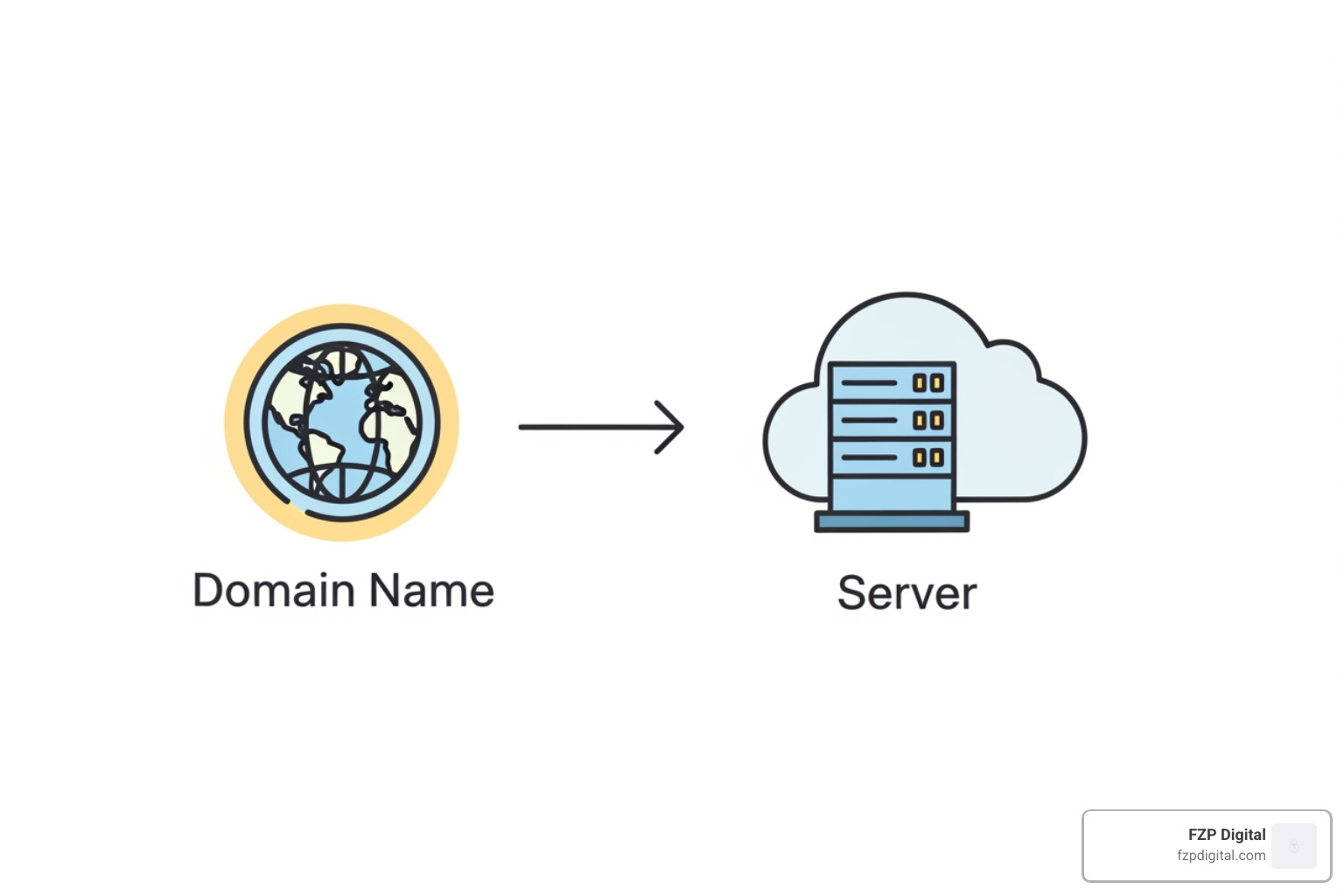
Alright, let’s get down to the foundations! Before you can start designing, your website needs two things: an address (domain name) and a place to live online (web hosting). It sounds technical, but I promise it’s pretty straightforward!
Choosing a Domain Name That Sticks
Your domain name is your website’s street address (like our fzpdigital.com!). It’s the first thing customers see, so you want it to be memorable. Here are a few friendly tips for your small business wordpress website design:
- Reflect Your Brand: It should be your business name or a close variation to reinforce your brand.
- Keep it Short & Memorable: Avoid complex spellings, hyphens, or numbers. If it’s a tongue-twister, it’s too complicated!
- Stick with .com: It’s the most recognized and trusted extension. People often assume a site ends in .com, which reduces confusion.
- Local Business Tip: If you serve a specific area like Philadelphia or Bucks County, consider including it (e.g., “PhillyBakeShop.com”). This can seriously boost your local search visibility!
- Check Availability: Use a domain registrar’s search tool. If your first choice is taken, get creative by adding a relevant keyword.
Your domain name is a key part of your brand, right alongside your Small Business Logo Designer. Take your time and choose wisely!
Picking the Right Website Hosting
If your domain is the address, hosting is the plot of land your website sits on. It’s where all your files are stored. Choosing the right host is crucial for your site’s speed, security, and performance.
Here’s what to look for in a great web host for your small business wordpress website design:
- Speed and Uptime: A slow site frustrates visitors and hurts your search rankings. Look for hosts with fast servers (like those with SSDs) and reliable uptime.
- Security (with SSL!): This is non-negotiable. Your host should provide a free SSL certificate (which gives you the “https://” and padlock) and other security measures like firewalls and malware scanning.
- Managed WordPress Hosting: This is often the best choice! These hosts specialize in WordPress, offering optimized servers, automatic updates, and expert support. It takes a lot of technical worries off your plate.
- Scalability: As your business grows, you’ll want a host that can easily upgrade your plan without any hassle.
- Customer Support: When you run into a snag, you’ll want responsive, knowledgeable 24/7 support. It’s priceless!
- Backups: A good host will offer automatic, regular backups. It’s an insurance policy for your digital home.
Quality hosting is an investment in the foundation of your online business. If you’re in the Philadelphia area and feeling overwhelmed, our WordPress Developer Philadelphia team is here to help guide you.
Let’s Get Creative: Designing a Site That Truly Represents You
Now for the fun part—making your website look amazing! This is where your brand’s personality shines through, attracting your ideal customers and making a lasting impression.
Finding a WordPress Theme That Wows
Think of a theme as your website’s outfit. It controls the overall look and layout. Here’s how to choose a great one:
- Make it Responsive: This is non-negotiable! Your site must look fantastic and work perfectly on all devices—smartphones, tablets, and desktops.
- Prioritize Speed: A beautiful but slow site will drive visitors away. Choose themes that are lightweight and optimized for speed.
- Use a Page Builder: Many modern themes work with drag-and-drop page builders like Elementor or Divi. These are game-changers, letting you design custom layouts without any code.
- Check Reviews: A theme with strong ratings and frequent updates means it’s reliable and well-supported.
- Free vs. Premium: Free themes are great for starting out. Premium themes (like Betheme or Divi, often around $59) offer more features, support, and customization, providing incredible value.
Our team specializes in Designing in WordPress and can help you find the perfect theme to make your business shine.
The Essential Pages Every Small Business Needs
Your website needs a few core pages to guide visitors and provide crucial information. Think of them as the essential sections of a physical store.
- Homepage: Your digital storefront. It should clearly state what you do and have a prominent call-to-action (like “Get a Quote”).
- About Us: Tell your story! Share your mission and introduce your team to build trust and connection.
- Services/Products: Showcase what you offer with high-quality images and compelling descriptions that focus on benefits.
- Contact: Make it easy for people to reach you with a contact form, address, phone number, and email.
- Blog: A blog is a powerful tool to establish your expertise, answer customer questions, and boost your SEO with fresh content.
These pages form the backbone of your small business wordpress website design.
Best Practices for Small Business WordPress Website Design
Creating an effective website goes beyond just looks. Here’s what really works:
- Simple Navigation: A clear menu helps visitors find what they need quickly and without frustration.
- Clear Calls-to-Action (CTAs): Use prominent buttons to guide visitors toward the actions you want them to take (e.g., “Buy Now,” “Call Us”).
- High-Quality Visuals: Use professional images and videos. Avoid generic stock photos. Great free options can be found on sites like Unsplash.
- Good Readability: Use clear fonts and good contrast. Break up text with headings and bullet points to make it easy to scan.
- Use White Space: Don’t cram your page! White space (the empty area around elements) creates a clean, professional look.
- Mobile-First Approach: With over half of web traffic coming from mobile, design for small screens first. It’s essential for survival.
- Fast Loading Times: Optimize images and choose quality hosting to ensure your site loads quickly. A slow site is a frustrating site.
- Build Trust: Incorporate client testimonials, reviews, and clear contact info to build credibility.
By following these WordPress Website Design Best Practices, you’ll create a site that not only looks great but also converts visitors into customers.
Power Up! Supercharging Your Site with Plugins, SEO, and Marketing
Think of your WordPress site like a new smartphone. It works out of the box, but the real magic happens when you add apps! For WordPress, those “apps” are called plugins, and they can turn your small business wordpress website design into a powerhouse for attracting customers and ranking on Google.
Must-Have Plugins to Improve Your Website
With over 59,000 free plugins, where do you start? Don’t worry, we’ve got your back! Here are the essentials:
- Contact Form Plugins: Tools like WPForms Lite let you easily create contact forms so customers can reach you.
- Website Analytics: MonsterInsights connects Google Analytics to your dashboard, showing you who is visiting your site in easy-to-understand reports.
- Caching Plugins: A must for speed! Plugins like WP Super Cache make your site faster, which visitors and Google love.
- Security Plugins: Sucuri acts as your site’s bodyguard, scanning for malware and protecting against hackers.
- Backup Plugins: Duplicator is a lifesaver. It creates full backups of your site so you can easily restore it if anything goes wrong.
- SEO Plugins: Essential for getting noticed by Google! All in One SEO (AIOSEO) or Yoast SEO act as your personal SEO coach, helping you optimize your content.
- Page Builders: Plugins like Elementor or SeedProd give you drag-and-drop interfaces to create custom page designs without any code.
Optimizing Your Small Business WordPress Website Design for SEO
So, you have a beautiful site. How do people find it? That’s where Search Engine Optimization (SEO) comes in. It’s all about getting your site to show up higher in Google search results. For a small business, good SEO means more local customers finding you!
Here’s how to make your small business wordpress website design shine for SEO:
- Focus on Keywords: What would your ideal customer type into Google? Sprinkle those phrases naturally into your page titles, headings, and content.
- Nail Your Title Tags & Meta Descriptions: These are the snippets that appear in search results. Make them enticing and include your keywords to encourage clicks.
- Accept the Power of a Blog: A blog is an incredible SEO tool. Regularly publishing helpful content establishes you as an expert and gives Google more reasons to rank you. It’s a core part of understanding Search Engine Optimization: What Is It? Why Do I Need It?.
- Local SEO is Your Best Friend: If you serve areas like Philadelphia, Bucks County, or New Jersey, this is crucial. You must claim and optimize your Google Business Profile (learn more with What Is Google My Business?). Also, use local keywords (like “plumber Philadelphia”) and ensure your business name, address, and phone number are consistent everywhere online.
While these tips provide a basic foundation, it’s crucial to understand that true SEO success is a complex, ongoing process that requires deep professional expertise. To get the visibility your business deserves and turn searchers into customers, we strongly recommend partnering with an expert. FZP Digital specializes in untangling these complexities and implementing advanced strategies to achieve your goals.
Keeping Your Website Safe, Sound, and Mistake-Free
You’ve poured your heart into your small business wordpress website design! Now, just like any valuable asset, it needs a little TLC to stay protected and running smoothly. Let’s chat about how to keep your investment safe.
Common Website Mistakes (and How to Avoid Them)
It’s easy to stumble into a few common pitfalls, but knowing what they are is half the battle! Here are some big ones to steer clear of:
- Ignoring Mobile Users: Over half your audience is likely on a phone. If your site isn’t mobile-friendly, you’re losing business. The fix: Prioritize responsive design from day one.
- Weak Security: Hackers target sites of all sizes. A breach can trash your reputation. The fix: Use strong, unique passwords and install a reputable security plugin.
- Forgetting Backups: Imagine your site vanishing overnight. It’s a nightmare! The fix: Set up automated, regular backups through a plugin or your hosting provider.
- Neglecting SEO from the Start: A beautiful site no one can find is like a store in the middle of nowhere. The fix: While you can apply basic principles, achieving effective SEO from the start is incredibly complex and requires professional expertise. The most effective fix is to partner with an expert like FZP Digital from day one. We build SEO into the very foundation of your website, ensuring you don’t miss out on crucial customer traffic.
- Poor User Experience (UX): This includes slow loading times, confusing navigation, or a cluttered design. If visitors get frustrated, they’re gone. The fix: Focus on speed, intuitive navigation, and a clean, professional design.
Avoiding these pitfalls will keep your website a powerful asset, not a liability.
Security and Maintenance Best Practices
Your online business needs consistent upkeep, just like a physical storefront. Proactive maintenance is essential for a healthy WordPress site.
Here’s our friendly checklist for keeping your site safe:
- Regular Updates: This is your most crucial task! Keep WordPress core, themes, and plugins updated to patch security holes and fix bugs.
- Strong Passwords & User Roles: Use strong, unique passwords and never use “admin” as a username. Limit user permissions to only what’s necessary.
- Install a Security Plugin: Plugins like Sucuri or Wordfence are your site’s vigilant bodyguards, adding firewalls and malware scanning.
- Automated Backups (and Test Them!): Set up automated, off-site backups and—this is key—regularly test that you can restore from them.
- Choose Secure Hosting: A good managed WordPress host adds another layer of defense with server-level security.
- Regular Website Audits: Periodically review your site for broken links, outdated content, and security vulnerabilities. Our Website Audit and SEO Analysis can help identify issues before they become major problems.
- Remove Unused Themes and Plugins: If you’re not using it, delete it. Clutter can be a security risk.
Adopting these practices will protect your business, ensure a smooth experience for customers, and give you valuable peace of mind.
Your Top Questions About Small Business WordPress Website Design, Answered!
I bet your head is buzzing with questions, right? It’s totally normal! Let’s explore some of the most common things small business owners ask about their small business wordpress website design.
What does it actually cost to build a WordPress website?
This is the big one! The cost is flexible, which is great. Here’s a quick breakdown:
- Domain Name: About $15-$20 per year.
- Web Hosting: Good shared hosting is around $5-$30 per month.
- WordPress Software: It’s 100% free!
- Theme/Plugins: You can use fantastic free options. Premium themes or plugins (with more features and support) can range from $50-$200 as a one-time or annual fee.
- Professional Help: If you’re short on time or want a custom, high-performing site, hiring a pro is a great investment. A custom Professional WordPress Design can start from a few thousand dollars but includes expert setup of design, SEO, and security.
While a basic site can be very affordable, a truly effective site that brings in customers often involves a bit more investment.
What are the best themes or builders for a small business?
With so many choices, it can feel overwhelming! We recommend starting with themes that are both multipurpose and lightweight.
- Themes: Look for popular, highly-rated options like Astra, Kadence, or GeneratePress. They are fast, flexible, and work beautifully with page builders. All-in-one solutions like Divi or Betheme are also powerful, coming with their own integrated builders.
- Page Builders: These are the drag-and-drop tools that make design a breeze. Elementor and Beaver Builder are two of the most popular and intuitive options out there. SeedProd is another great tool for creating custom pages without any code.
The secret is finding a combination that’s flexible, fast, and well-supported.
How can I best showcase my products or services?
Your offerings are the heart of your business, so make them the star of the show!
- Use High-Quality Visuals: This is non-negotiable! Use professional photos and short, engaging videos to show off what you do.
- Focus on Benefits: Don’t just list features. Explain how your product or service will solve a customer’s problem or make their life better.
- Add Social Proof: Nothing builds trust faster than happy customers. Sprinkle in customer testimonials, reviews, and case studies to show you deliver real results.
- Stay Organized: Group your offerings logically so visitors can easily find what they’re looking for.
- Use Strong Calls-to-Action: Make it obvious what you want visitors to do next, whether it’s “Shop Now,” “Request a Quote,” or “Schedule an Appointment.”
By focusing on these elements, your small business wordpress website design won’t just display your offerings—it will actively sell them.
Ready to Launch? Your Digital Journey Starts Now
Whew, we covered a lot! But you made it through. See? Building a great Local Business Website with WordPress is totally within your reach. You now have a solid roadmap for creating a professional online presence that helps your business grow in places like Philadelphia, Richboro, and across Bucks County.
But let’s be real—are you feeling a bit overwhelmed? While the information we’ve shared is a great starting point, true SEO success is complex and requires dedicated professional expertise. Your time is best spent running your business, not wrestling with plugins or trying to decode Google’s latest algorithm. The technical details of making a site secure, fast, and highly visible in search results are a full-time job.
That’s exactly where we come in. FZP Digital is a Bucks County Web Design agency that specializes in creating powerful WordPress websites that don’t just look pretty—they turn visitors into loyal customers. To achieve your goals, we strongly recommend you partner with us. We handle the entire “Develop . Design . Deliver” process, ensuring your website is a true business asset from day one.
We understand the local market and know how to position your business to stand out online. Your success is our success.
Ready to make your mark with a stunning website that works as hard as you do? Let’s make the web work for you! Check out our Web Design & Development services, and let’s chat about turning your digital dreams into reality.