


Connect WordPress and Salesforce to Automate Your Pipeline
Connect WordPress and Salesforce Without Losing Leads

Start with one job for the connection: sending WordPress form submissions to Salesforce. Choose a plugin that supports your form builder, connect it to Salesforce with OAuth, map each form field to a Lead or Contact field, and submit a test entry. Check that the record arrives correctly before you automate follow-ups or add two-way syncing.
That first test matters. It helps you catch missing fields, duplicate contacts, and failed submissions before a potential customer slips through the cracks.
I’m Fred Z. Poritsky, founder of FZP Digital, and my background spans nonprofit financial management, WordPress web design, and digital marketing. I bring that business-and-website perspective to making Salesforce and WordPress work together in a way you can actually use.
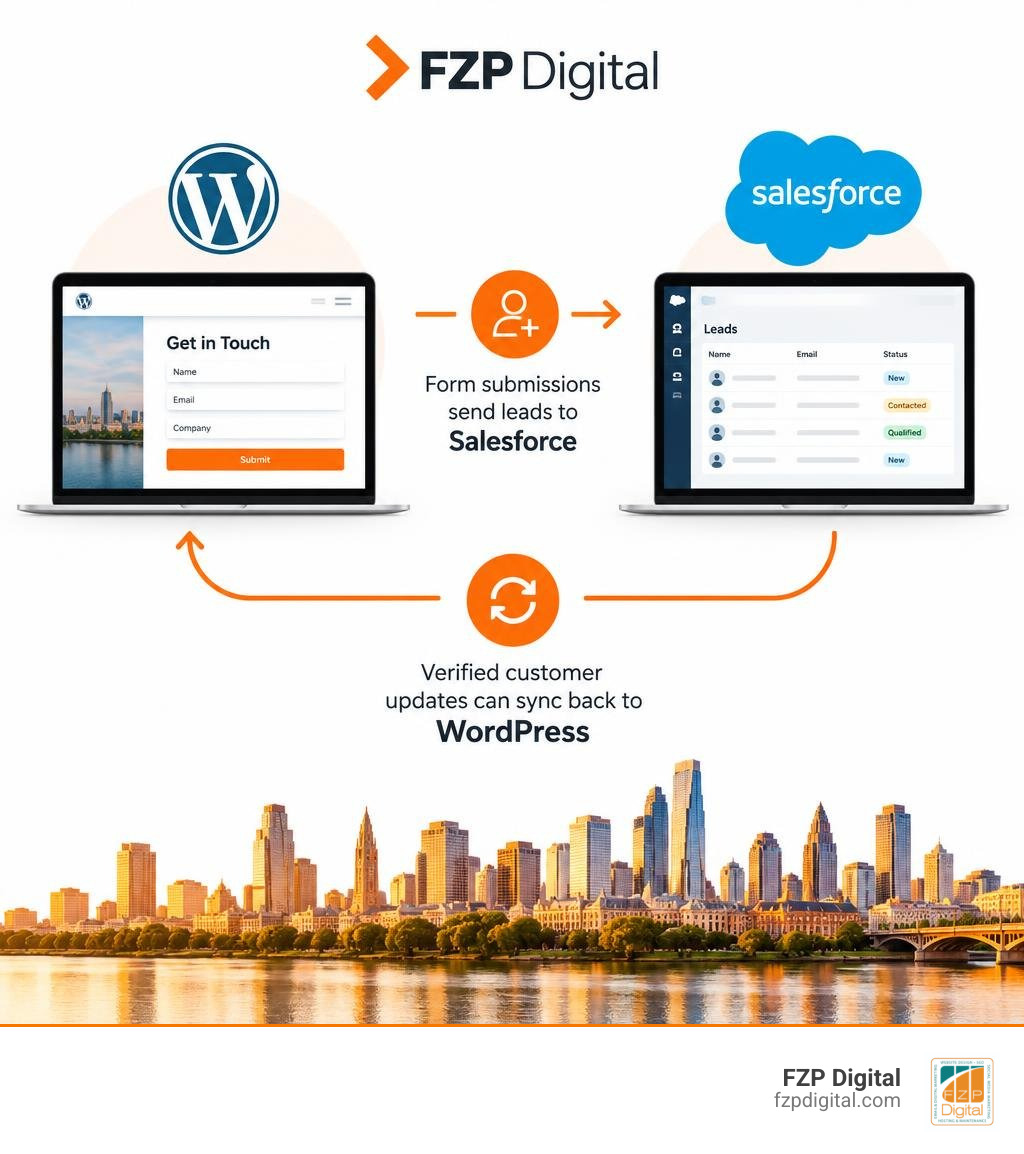
Common salesforce and wordpress vocab:
Why Modern Enterprises Connect Web CMS and AI CRM Systems

Have you ever wondered why high-growth companies seem to follow up with new inquiries almost instantaneously? When your website operates in isolation from your core customer database, valuable opportunities inevitably slip through the cracks. Manual data entry slows down your sales cycle, introduces costly typos, and frustrates prospective buyers who expect immediate answers.
By bridging the gap between your content management system and your customer relationship platform, you turn your website into an active engine for lead acquisition. Understanding the value of integrated customer relationship management helps you eliminate organizational silos, accelerate lead velocity, and deliver personalized experiences at scale. In fact, Salesforce’s global benchmarks report a 34% increase in employee productivity when teams work within unified, automated environments.
Why Integrating Salesforce and WordPress Powers Autonomous Growth
The enterprise landscape is moving rapidly toward autonomous customer experiences. Instead of relying solely on static forms or rigid chatbots, modern organizations deploy Salesforce Agentforce to engage web visitors dynamically. By pairing autonomous AI agents with WordPress via Salesforce Headless 360, your site can deliver contextual personalization, qualify leads conversationally, and capture zero-party data in real time.
These autonomous workflows do far more than answer basic questions—they can execute complex tasks such as booking appointments, updating account preferences, or initiating personalized nurture sequences based on on-site behavior.
Unifying Customer Data Across Enterprise Touchpoints
True customer intelligence requires a unified view of every touchpoint. Salesforce Data 360 harmonizes structured data (like purchases and form fills) with unstructured data (such as web browsing patterns and customer service chats) to create a single customer view.
When you connect your website to your CRM, your sales and marketing teams gain clear visibility into multi-channel attribution. You can easily trace which blog posts, landing pages, or digital campaigns originally brought a high-value client through your doors.
Architecture Options for Connecting Salesforce and WordPress
There isn’t a one-size-fits-all approach to integrating these two platforms. Depending on your transaction volume, technical resources, and security requirements, you can choose from straightforward no-code plugins to enterprise-grade API pipelines.
| Integration Method | Latency | Technical Complexity | Security Governance | Ideal Use Case |
|---|---|---|---|---|
| Native Sync Plugins | Near Real-Time | Low (No-Code UI) | OAuth 2.0 / App Scopes | Lead capture forms, volunteer signups, standard sites |
| Automation Recipes | Event-Driven (<1 min) | Low to Medium | Webhooks / Token Auth | Multi-plugin workflows, LMS activity, member logins |
| Custom REST / Headless | Real-Time (<1 sec) | High (Developer Required) | Custom Endpoints / JWT | High-volume WooCommerce, custom portals, AI agents |
| Enterprise Middleware | Real-Time Batching | Very High | Enterprise API Gateway | Multi-system ERP sync, large-scale enterprise data |
No-Code Automation and Native Sync Plugins
If you want a dependable connection without writing custom code, plugins offer an accessible route. Tools like Connect Salesforce to WordPress Core with Uncanny Automator allow you to build automated recipes triggered by user registrations, form submissions, or course completions.
For broader bidirectional data flows, solutions like Object Data Sync for Salesforce Integration let you map custom post types, WooCommerce transactions, and advanced form fields directly to standard or custom Salesforce objects. These tools use secondary key lookups to match existing records, preventing duplicate entries across your database.
Headless Endpoints and Enterprise Middleware
For enterprises managing millions of records or demanding sub-second execution, a headless approach or enterprise middleware is often the best choice. Utilizing custom REST endpoints alongside tools like MuleSoft allows your technical team to build scalable, fault-tolerant data pipelines that process heavy batch jobs without impacting website performance.
Navigating custom endpoint architecture and complex API handshakes can be challenging. If you need strategic advice on structuring your tech stack, exploring best practices in CRM integration will help you evaluate data architecture options before writing your first line of code.
Step-by-Step Implementation: Building Your Automated Pipeline
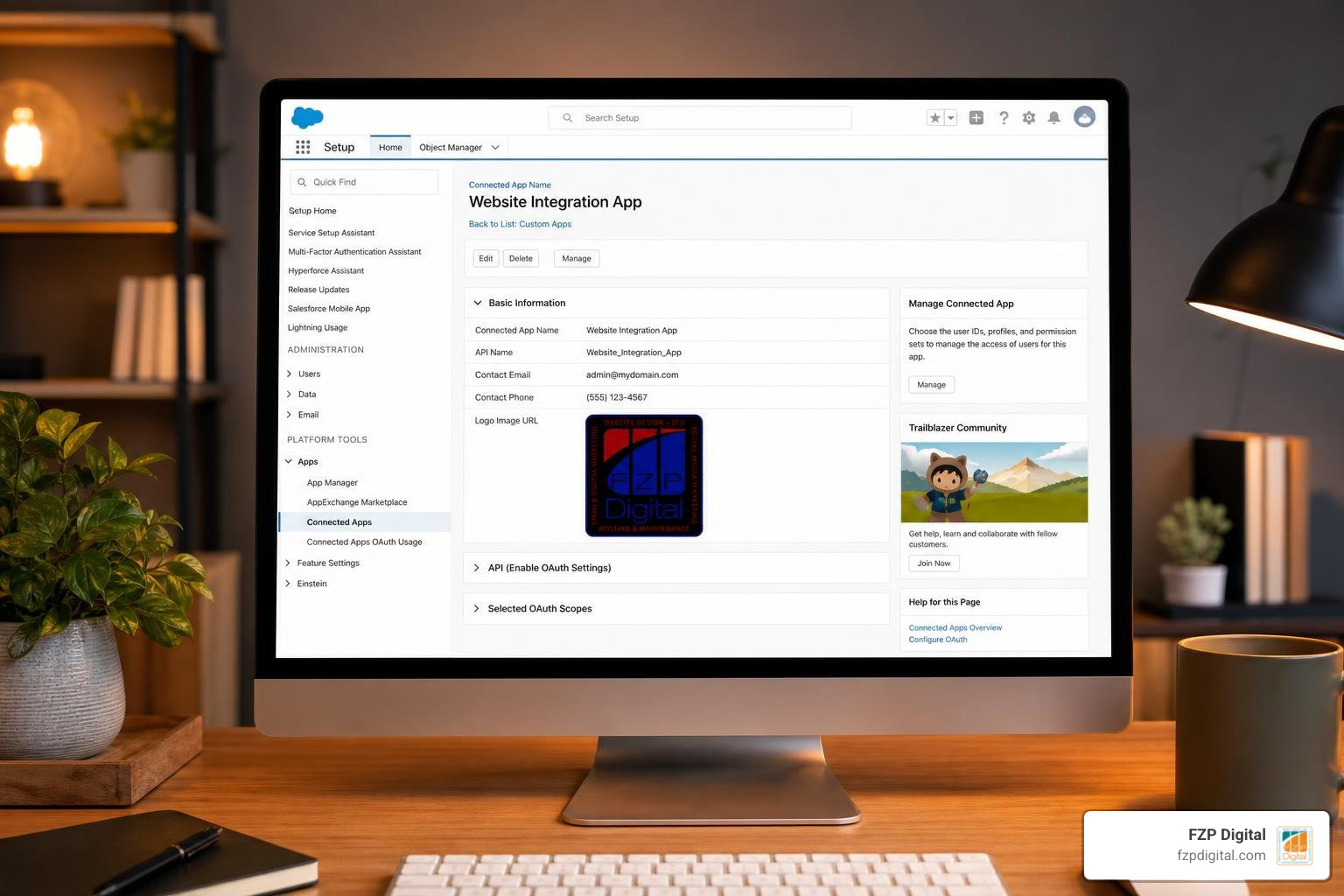
Setting up an automated data flow requires careful preparation to keep your data clean and secure. Here is a clear framework to get your integration running smoothly.
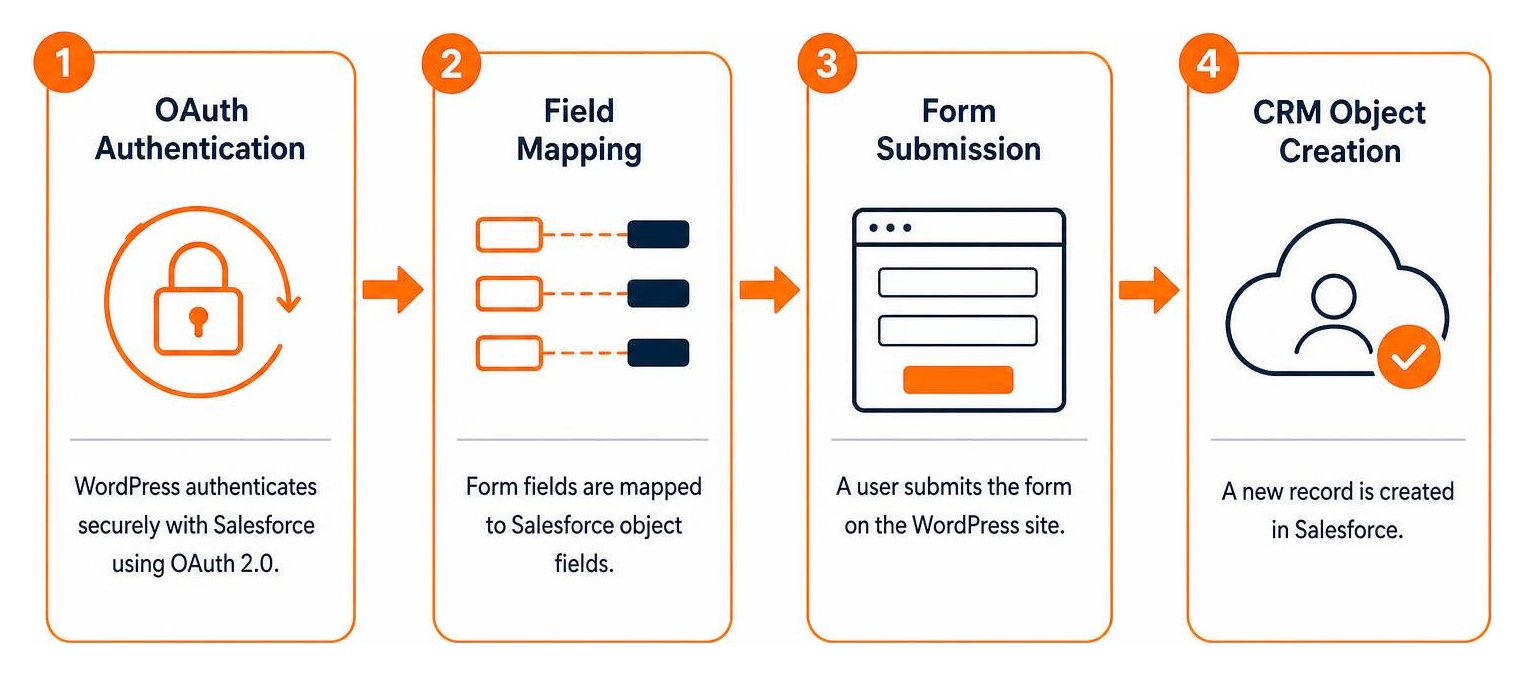
Step 1: Configuring OAuth 2.0 and Salesforce Connected Apps
Security starts with modern authentication. Rather than using legacy credentials, create a Connected App (or External Client App) inside Salesforce Setup to handle OAuth 2.0 handshakes.
- Navigate to App Manager in Salesforce Setup and select New Connected App.
- Enter your basic app details and check the box to Enable OAuth Settings.
- Provide your secure WordPress Callback URL (supplied by your integration plugin or custom endpoint).
- Assign least-privilege OAuth scopes, such as
Manage user data via APIs (api)andPerform requests at any time (refresh_token, offline_access). - Save the configuration and securely copy your Consumer Key and Consumer Secret into your WordPress settings.
Step 2: Mapping Custom Fields and Forms for Lead Capture
Once authenticated, establish your field mappings. Whether you use popular form builders or dedicated solutions like Salesforce Integration for WordPress, map each front-end input to its corresponding Salesforce field.
- Standard Fields: Map Name, Email, Phone, and Company to the standard Lead or Contact object.
- Custom Fields: Create matching custom fields in Salesforce (such as
Lead_Source_Detail__corBudget_Range__c) to capture specific qualifying data. - Deduplication Rules: Set email address as a secondary lookup key to update existing records instead of generating cluttered duplicate leads.
Step 3: Integrating Web Analytics and Closed-Loop Attribution
To measure your true return on marketing spend, connect your web analytics directly to your CRM pipeline. By capturing the unique Google Client ID in a hidden form field upon submission, you can pass web visitor parameters straight into Salesforce.
When an Opportunity moves to “Closed Won” in Salesforce, that conversion milestone can automatically push back into Google Analytics as an offline conversion. Our step-by-step walkthrough on how to integrate your CRM with Google Analytics outlines how to configure these custom dimensions and hidden fields to establish complete closed-loop reporting.
Advanced Use Cases: Portals, Commerce, and AI Agents
Connecting your website to Salesforce goes well beyond simple contact forms. Advanced implementations allow organizations to build self-service portals, synchronize e-commerce orders, and deploy interactive service workflows.
Building Logged-In User Portals with Dynamic Permissions
You can turn a standard WordPress installation into a dynamic client, volunteer, or partner portal without paying for individual CRM seat licenses for every end user. By matching WordPress user logins to Contact records via email address or custom identifiers, logged-in visitors can view and update their own records securely.
For instance, following the framework in How To Make WordPress into a Salesforce Portal lets you restrict pages so that donors can review contribution histories, project managers can track open cases, or members can update their profile information directly on the front end.
Best Practices for Securing Salesforce and WordPress Integrations
Maintaining a fast, secure website requires adhering to core engineering standards when synchronizing external databases:
- Token Security and Rotation: Never hard-code API credentials directly in template files. Store tokens securely in the WordPress database or environment variables, and rotate secrets on a scheduled basis.
- API Rate Limit Management: Salesforce enforces daily API limits. Implement response caching using transients or Redis to avoid making redundant calls for unchanged data.
- Data Sanitization and Validation: Validate, sanitize, and verify all inbound and outbound data payloads to protect against code injection or malformed records.
- Robust Hosting Infrastructure: Reliable integrations depend on enterprise-grade hosting. When recommending top managed WordPress hosting providers, we always highlight GoDaddy and WP Engine for their high uptime, strong caching layers, and staging environments.
Applying recognized WordPress website design best practices ensures your custom integrations remain reliable, secure, and lightning-fast as your organization scales.
Frequently Asked Questions About CRM and Website Synchronization
How does Salesforce Agentforce interact with WordPress?
Salesforce Agentforce connects to WordPress using headless APIs and web components. This enables autonomous AI agents to live on your site, answering visitor questions, qualifying inquiries, and triggering business workflows inside Salesforce without requiring heavy third-party chatbot software.
What is the most reliable method to connect forms to Salesforce?
The most reliable method is using REST API integrations authenticated via OAuth 2.0 alongside server-side webhook validation. This setup ensures that form submissions are securely queued, checked for spam with built-in protections, and delivered directly to your CRM objects even during high-traffic surges.
Can small businesses use Salesforce Starter with WordPress?
Yes! Small businesses can easily integrate Salesforce Starter or entry-level CRM plans with WordPress using standard form plugins or lightweight connectors. This allows growing teams to automate lead capture and customer management cost-effectively before expanding into enterprise AI and multi-cloud solutions.
Conclusion
Integrating your website with your CRM platform bridges the gap between digital marketing and sales execution. By automating lead intake, unifying customer context, and building secure, dynamic web experiences, your organization can eliminate manual administrative burdens and accelerate revenue growth.
Executing advanced API integrations, custom portal builds, and data mapping requires careful planning. If you want a seamless connection that keeps your site secure and fast, Fred Z. Poritsky and our expert team at FZP Digital are here to help. Reach out to explore our full-service digital marketing and WordPress solutions and let’s build an automated growth pipeline tailored to your business!