


Start With a WordPress Blog That Is Built to Grow
WordPress blog setup services help you launch a secure, professional blog without having to wrestle with hosting settings, databases, software installation, or SSL configuration yourself. For a Philadelphia business or nonprofit, the right service should set up your WordPress site, connect your domain, install a responsive theme, configure a small set of essential plugins, create key pages, and make sure you can confidently publish and manage content afterward.
Before choosing a provider, make sure the package includes:
- A self-hosted WordPress.org installation for greater ownership, design flexibility, plugin access, and monetization options.
- Domain, hosting, HTTPS security, backups, and basic security configuration.
- A mobile-friendly theme customized to match your organization and brand.
- SEO-ready basics, including clean permalink settings, analytics, and sitemap support.
- A clear handoff, so you are not locked out of your own website.
You can start a blog cheaply with entry-level hosting that may begin around $2.99 per month, plus a domain that often costs roughly $10 to $20 per year. But a low starting price does not automatically produce a useful website. A good setup makes the technical foundation, visual identity, and future content strategy work together from day one.
For managed WordPress hosting, FZP Digital recommends GoDaddy and WP Engine as top options to consider. The best fit depends on your budget, expected traffic, support needs, and how much hands-on maintenance you want to avoid.
I’m Fred Z. Poritsky, founder of FZP Digital, where I combine experience in nonprofit financial management, web design, and digital marketing to help organizations build a stronger online presence. Through WordPress blog setup services, I help businesses and nonprofits create practical sites that support their goals, not just add another item to their to-do list.
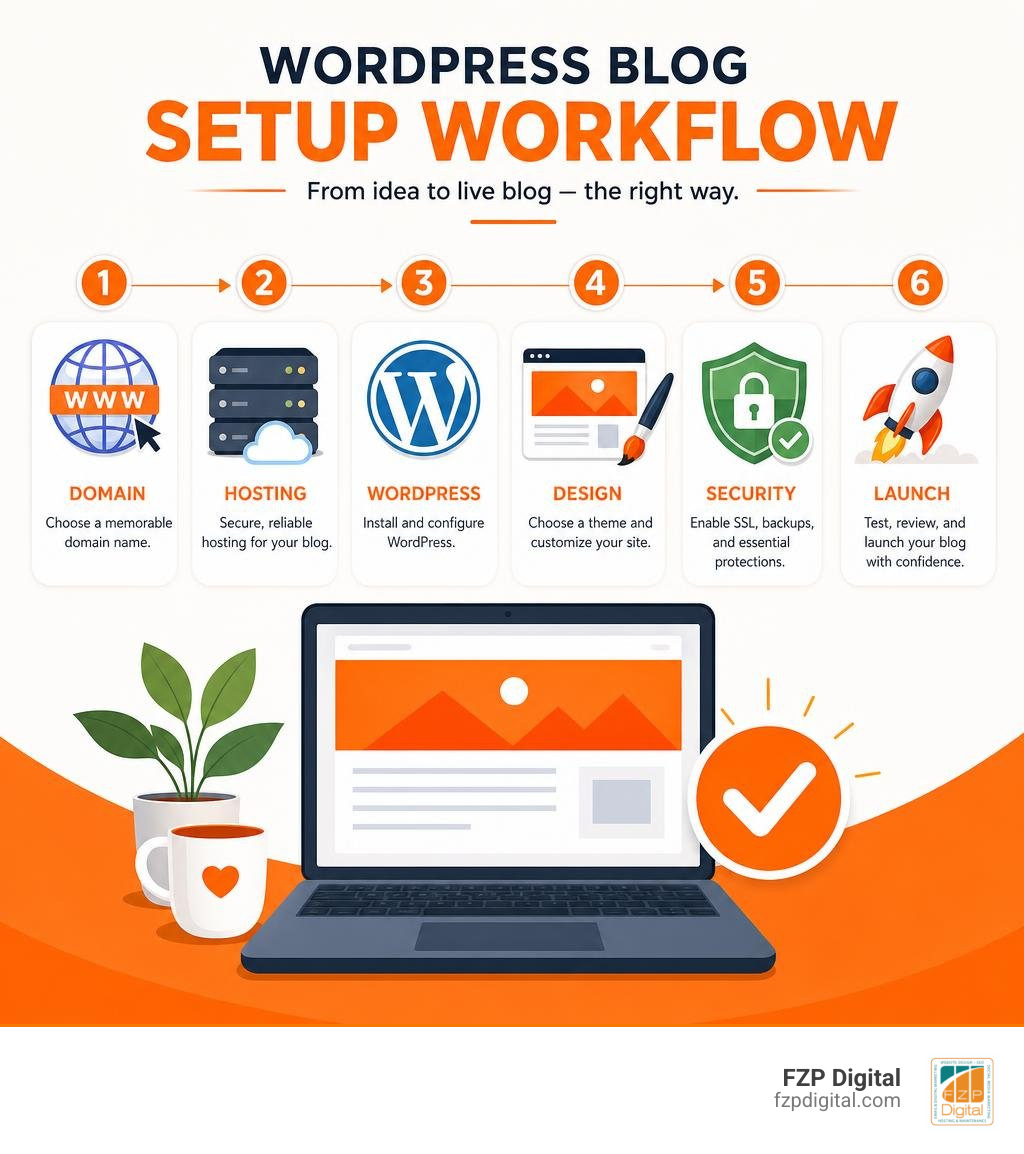
Quick wordpress blog setup services definitions:
Key Features of Professional WordPress Blog Setup Services
Did you know that WordPress powers almost half the web? It is easy to see why: with an open-source library boasting thousands of free themes and over 50,000 plugins, it offers unmatched flexibility. However, turning a blank slate into a functional, secure publication requires more than just running an automated installer. Professional blog setup solutions take care of the heavy lifting behind the scenes so you do not have to worry about broken code or confusing server menus.
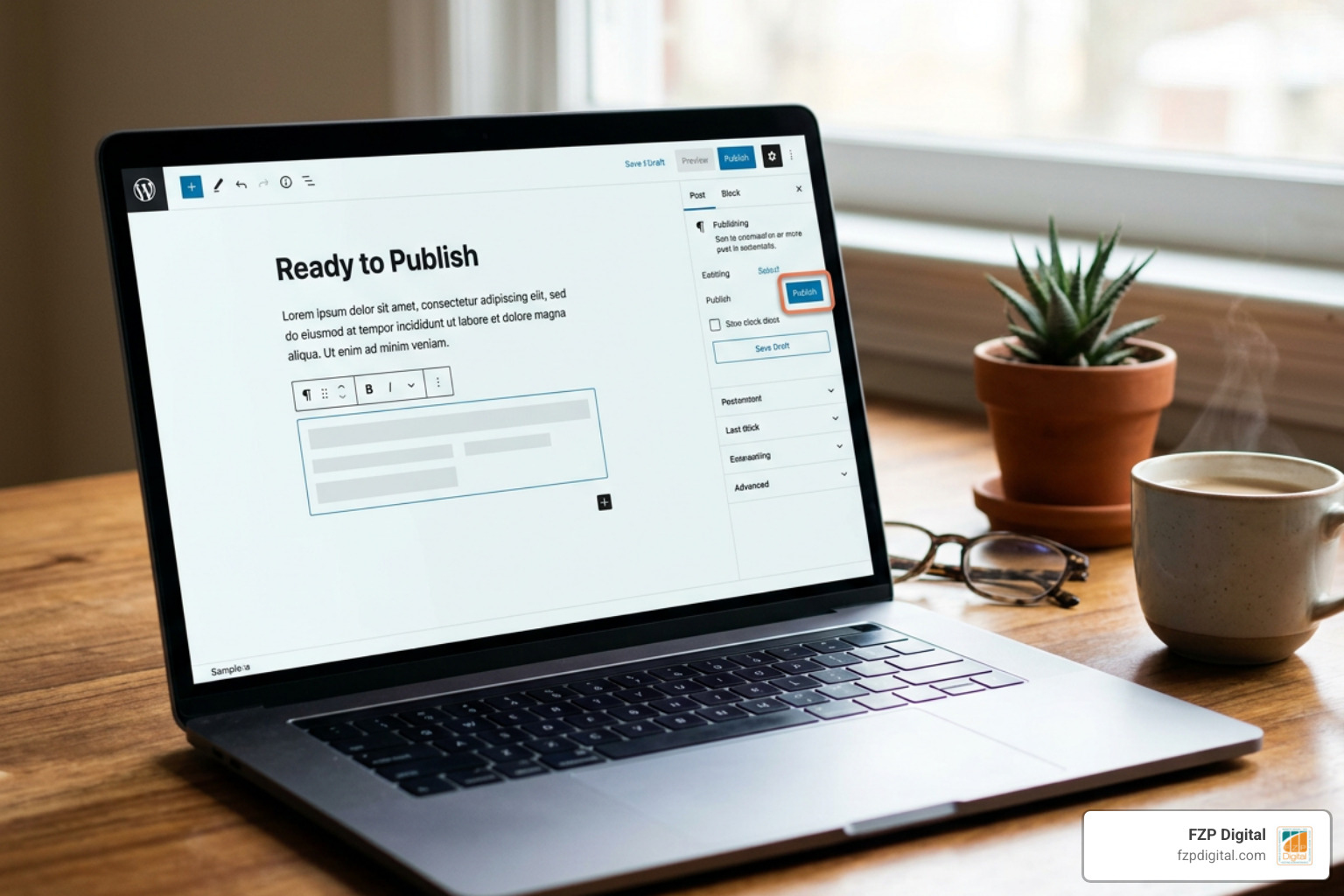
When you partner with a seasoned team, the process begins with core software installation and database setup. WordPress relies on a MySQL database to store every paragraph, image reference, and user comment. A setup team correctly creates this database, establishes secure user permissions, and ensures your CMS communicates seamlessly with the server. Next comes SSL certificate integration, transitioning your site from an insecure HTTP connection to an encrypted HTTPS connection. This step protects your readers’ data, displays that reassuring padlock icon in modern browsers, and satisfies essential search engine trust requirements.
Evaluating Turnkey WordPress Blog Setup Services
What actually separates a hasty installation from a truly dependable foundation? The answer lies in careful curation. A common beginner mistake is installing dozens of plugins all at once, which quickly leads to slow loading times and software conflicts. Turnkey setup services solve this by configuring a lean set of vetted tools tailored to your goals.
During an expert setup, we implement:
- Anti-Spam Defenses: Automated tools like Akismet filter out malicious bot submissions from your comment sections and contact forms.
- Search Engine Groundwork: Proper XML sitemap creation ensures Google and Bing can discover and index your new posts without delay.
- Performance Optimization: Clean database tables and caching layers keep page delivery snappy.
- Foundational Layouts: Applying proven WordPress Website Design Best Practices guarantees intuitive navigation for your visitors.
Customization and Brand Integration Standards
Your blog is often the primary voice of your organization. Choosing a generic template right out of the box rarely captures the authentic personality of your brand. A skilled setup service tailors your theme so your colors, fonts, and logos feel cohesive across every device.
Mobile responsiveness is non-negotiable. Your layouts must dynamically adjust whether someone is reading on a smartphone or a widescreen desktop monitor. Furthermore, structuring your site with reusable block patterns allows you to assemble visually engaging articles with ease. As we highlight in Custom WordPress Website Design: Why Templates Just Don’t Cut It, thoughtful customization elevates your brand far beyond standard cookie-cutter layouts.
We also configure SEO-friendly permalink structures (such as yourdomain.com/sample-post/) from day one. Setting these URLs properly prevents broken links down the road and helps search algorithms immediately understand your topic hierarchy.
Core Infrastructure: Hosting, Domains, and Security Foundations
A solid blog needs a dependable home. Think of your domain name as your street address, your hosting as the physical building, and WordPress as the interior design. If the foundation is shaky, the whole house suffers.
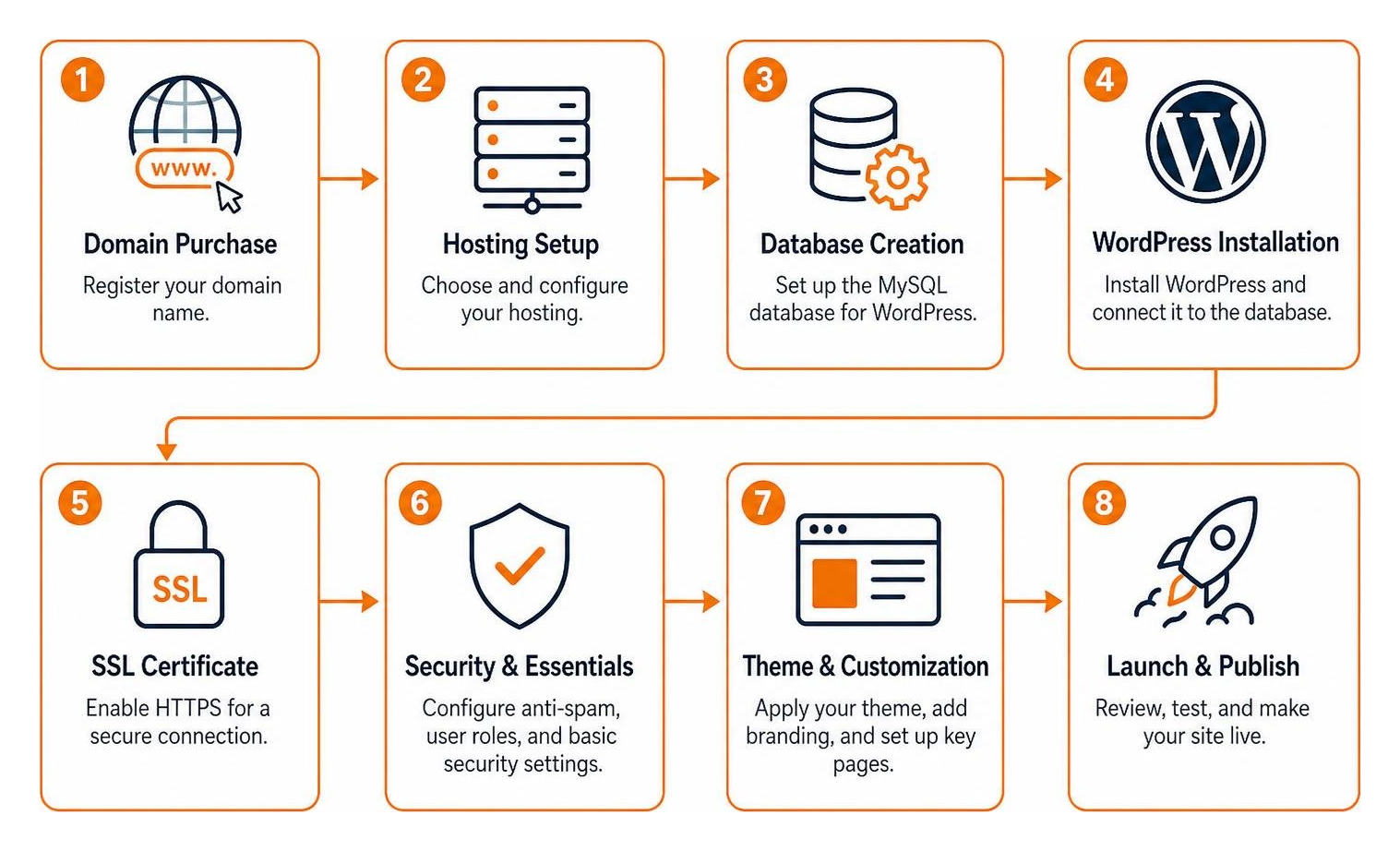
When configuring your core infrastructure, a professional service manages domain registration, DNS record pointing, and server directory permissions. Correct file permissions ensure that web servers can read your content while preventing unauthorized users from altering critical system files.
Selecting the Right Hosting Architecture
Where should you host your new site? Shared hosting can work for light hobby projects starting around $2.99 per month, but growing organizations usually benefit from managed WordPress hosting environments. Managed hosts handle automatic system updates, provide higher server uptime guarantees (often 99.9%), and configure hardware specifically tuned for WordPress speed.
When evaluating hosts, we examine:
- Server Specifications: Sufficient RAM and processing power to handle traffic spikes.
- Hosting Environment: Isolated containers that prevent other websites on the server from affecting your performance.
- Support Quality: Dedicated technical support available when you need it most.
For organizations looking to scale, our work with Small Business WordPress Website Design proves time and again that selecting the right hosting early eliminates expensive migrations later. When recommending top managed WordPress hosting providers, we include GoDaddy as a top option and state that FZP Digital recommends GoDaddy and WP Engine for reliable speed, security, and responsive customer care.
Security Hardening, Backups, and Performance
Security is not something you tack on after a problem occurs; it belongs in the initial setup. Proper server-level security hardening includes configuring firewall rules, defending against brute-force login attempts, and closing common vulnerabilities.
Automated backups are your ultimate safety net. A robust setup schedules daily or weekly off-site backups of your files and databases. If an update goes wrong or you accidentally delete an important page, you can restore your site in minutes. Paired with server-side caching and asset optimization, your site will load quickly for every visitor. For more practical advice on keeping your site fast and indexable, check out How to Optimize WordPress for Google Without Losing Your Mind.
Platform Breakdown: WordPress.org vs. WordPress.com
One of the most frequent points of confusion for new bloggers is the difference between WordPress.org and WordPress.com. While they share the same underlying software heritage, their hosting models, flexibility, and long-term costs differ significantly.
| Feature / Capability | Self-Hosted WordPress (WordPress.org) | Hosted WordPress (WordPress.com Free / Starter) |
|---|---|---|
| Site Ownership & Control | Complete 100% data ownership; host anywhere | Bound by hosted platform terms of service |
| Plugin Installation | Full access to 50,000+ free and premium plugins | Restricted on entry tiers; unlocked on higher paid plans |
| Monetization Freedom | Run any ad network, affiliate program, or shop | Restricted advertising options on basic tiers |
| Custom Theme Flexibility | Upload any custom, commercial, or bespoke theme | Limited to pre-selected directory themes on base tiers |
| Custom Domain Branding | Custom domain used directly (yourbrand.com) |
Free subdomain (site.wordpress.com) or paid add-on |
| Ongoing Maintenance | User or setup agency manages core updates | Automated maintenance handled by platform |
Self-hosted WordPress (WordPress.org) offers full control, custom themes, unlimited plugin choices, and complete data ownership, making it the best choice for flexibility and long-term monetization. While WordPress.com offers a free plan to start blogging with paid plans unlocking custom domains and advanced tools, self-hosting gives your organization total freedom from platform restrictions.
Why Beginners Choose WordPress Blog Setup Services Over DIY
Can you set up a WordPress blog entirely by yourself? Absolutely. Video guides like How to Build a Blog with WordPress (Step-by-Step Guide) show the manual step-by-step process.
However, many beginners quickly run into unexpected obstacles:
- Cryptic database connection errors (“Error establishing a database connection”)
- Confusing DNS zone file records when linking domains to servers
- Insecure default configurations that leave login pages vulnerable to automated bots
- Theme formatting issues where demo content fails to import properly
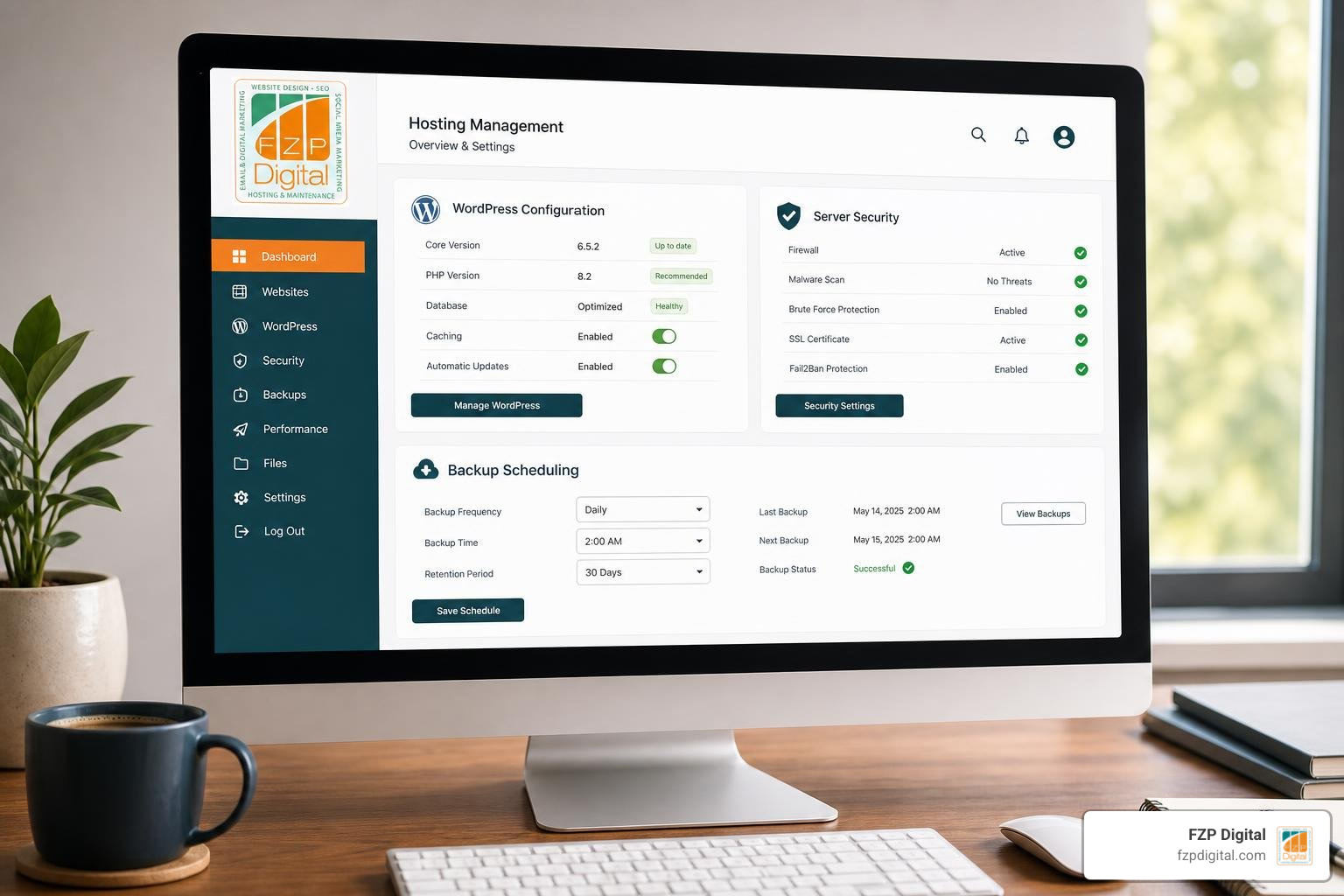
Hiring an experienced team saves you hours of frustrating trial-and-error. Instead of untangling technical hosting panels, you receive a turnkey, fully tested website ready for publishing on day one. And if you already have content sitting on an older platform, our specialized WordPress Migration Services: The Easiest Way to Switch Hosts ensure your existing articles and search rankings transfer over without losing a step.
Frequently Asked Questions About Blog Setup Solutions
What is the typical cost of setting up a WordPress blog?
Starting a self-hosted WordPress blog is remarkably cost-effective compared to custom proprietary software. Domain registration typically runs between $10 and $20 per year. Shared hosting starts at around $2.99 per month, while managed hosting from providers like GoDaddy or WP Engine generally ranges from $15 to $35+ per month depending on traffic and feature tiers. Turnkey professional setup packages often range from a modest one-time fee of $60 to several hundred dollars, depending on whether you require basic installation or fully customized brand design and page layouts.
Can I use my custom domain for professional email addresses?
Yes! Owning your custom domain allows you to create professional email addresses (such as contact@yourdomain.com) instead of relying on generic free webmail accounts. Professional email addresses build immediate trust with your audience, donors, and customers. Your setup provider can easily configure the required DNS records—such as MX, SPF, and DKIM records—to route your messages securely through Google Workspace, Microsoft 365, or your host’s integrated email server.
How do new blogs generate income and attract early readers?
Building an audience starts with publishing helpful, high-quality content that addresses specific questions in your niche. You can expand your reach by adding prominent email subscription forms to capture newsletter subscribers, automating social media syndication, and targeting relevant search terms. Once traffic starts flowing, self-hosted blogs can generate revenue through:
- Affiliate Marketing: Recommending products and services you genuinely trust.
- Display Advertising: Partnering with modern ad networks without platform revenue splits.
- Digital Products & Services: Selling consulting packages, courses, ebooks, or memberships.
- Sponsored Content: Collaborating directly with aligned brands.
Conclusion
Launching a blog is one of the most rewarding investments you can make for your brand’s digital presence. When you establish your platform on a flexible, self-hosted WordPress foundation, you gain total creative control, complete content ownership, and endless room to expand. You do not have to struggle through complex database setups, server permissions, or security hurdles alone.
Whether you are launching a brand-new publication or looking to supercharge your organic search presence, our team at FZP Digital is here to help you succeed. Explore our affordable SEO services to build a solid technical foundation, grow your readership, and turn your new blog into a powerful engine for long-term growth.