


Unlock Your Creativity: Designing Websites with WordPress, Start to Finish
Why Web Design with WordPress Everything from Beginning to End Still Matters in 2026
Web design with WordPress everything from beginning to end is one of the most empowering journeys you can take as a small business owner or nonprofit leader — and you’re in the right place to start it.
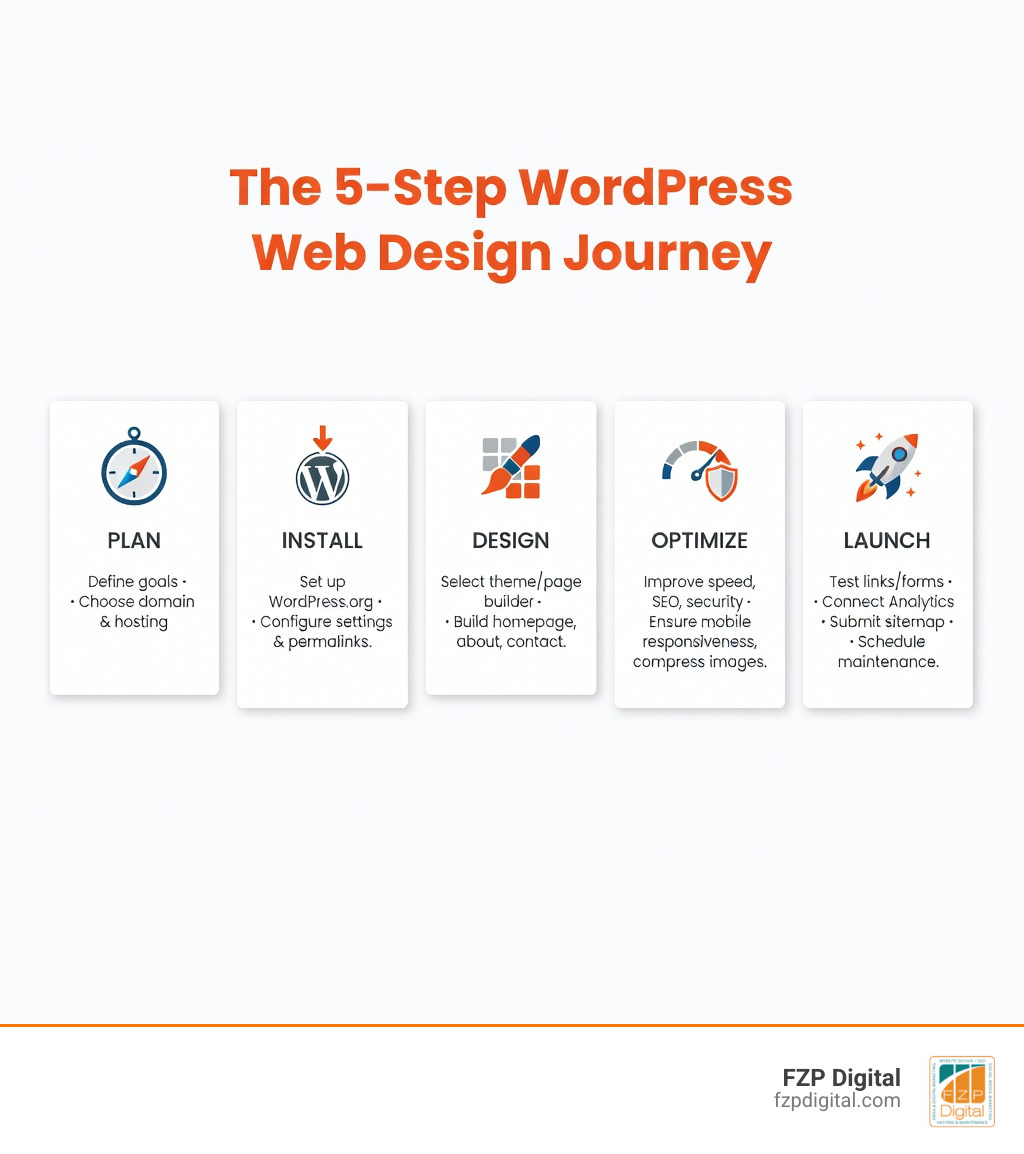
Here’s the quick version of what that journey looks like:
- Plan — Define your goals, pick a domain, and choose your hosting
- Install — Set up WordPress.org and configure your essential settings
- Design — Choose a theme or page builder and build your pages
- Optimize — Speed, SEO, security, and mobile responsiveness
- Launch — Test everything, go live, and maintain your site ongoing
That’s the whole process in five steps. The rest of this guide breaks each one down so you can actually do it.
WordPress isn’t just popular — it’s dominant. It powers around 43% of all websites on the internet, with roughly 810 million sites built on the platform as of 2025. Over 500 new WordPress sites go live every single day.
Why does that matter to you? Because it means WordPress has been battle-tested at massive scale. There’s a huge community, endless learning resources, and a plugin library with over 60,000 free options to extend your site’s functionality.
And here’s the part that often surprises people: WordPress is 100% free and open-source. You own your content, your design, and your data — no one can pull the rug out from under you.
Whether you’re a Philadelphia-area attorney trying to attract new clients, a nonprofit looking to connect with donors, or a retailer who needs an online presence that actually works — WordPress gives you a professional platform without requiring a computer science degree.
I’m Fred Z. Poritsky, founder of FZP Digital, and I came to web design through an unconventional path — decades in accounting and nonprofit financial management before discovering a deep love for the creativity of digital technology, which I trace directly back to a lifetime of playing drums. That blend of left-brain business thinking and right-brain creativity shapes how I approach web design with WordPress everything from beginning to end for every client I work with. Let’s walk through the entire process together, step by step.
Web design with wordpress everything from beginning to end terms to learn:
The Foundation: Planning and Choosing Your WordPress Flavor
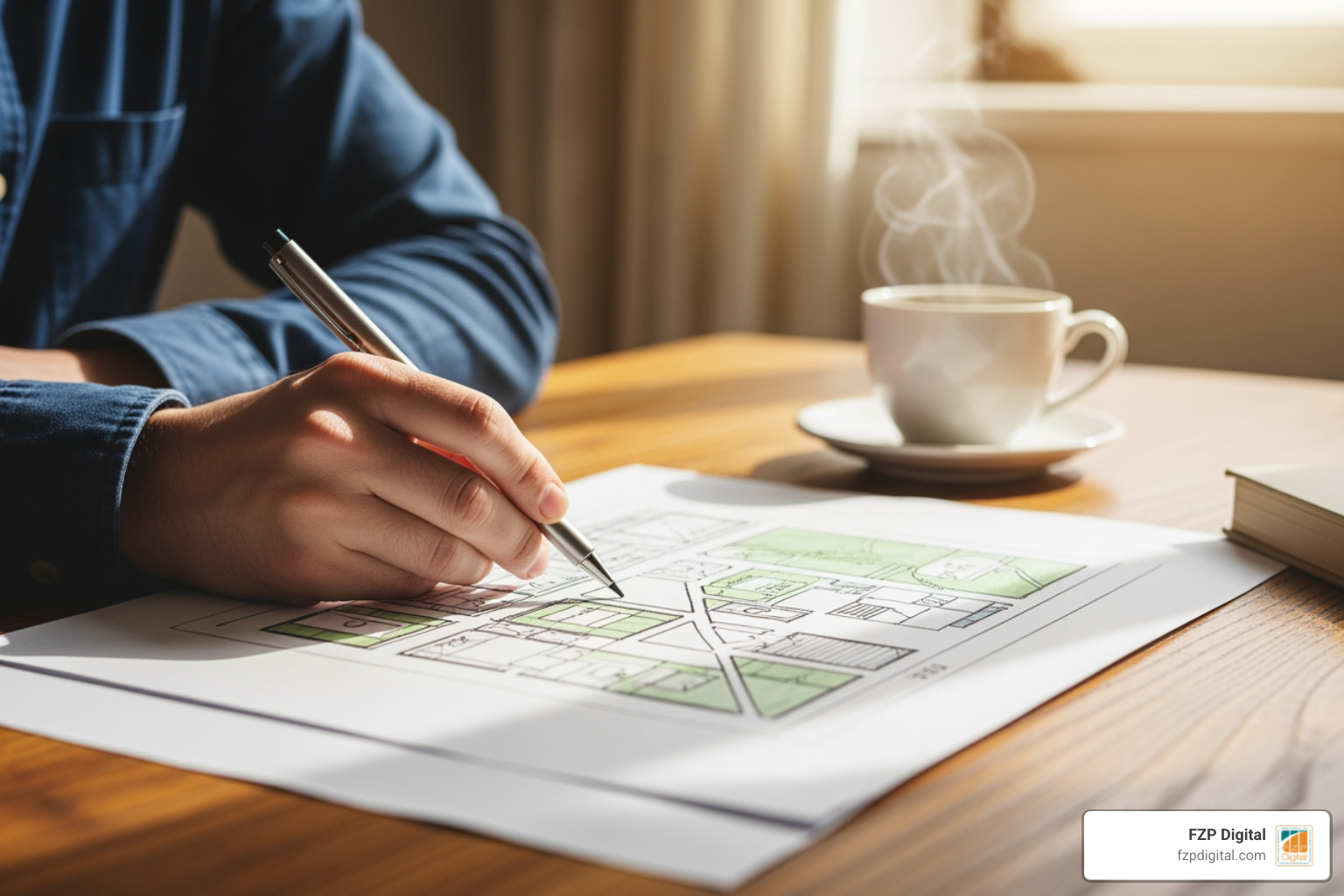
Before you click a single button, you need a plan. Rushing this stage is the most common mistake we see new creators make. Think of your website like a house; you wouldn’t start pouring concrete without a blueprint, right?
First, you must decide on your “niche” and purpose. Are you building a portfolio to showcase your art in Bucks County? Or maybe an e-commerce shop to sell handmade goods? Once you know your goal, map out a sitemap. A standard professional site usually includes a Home page, About page, Services/Products, Blog, and Contact page.
WordPress.org vs. WordPress.com: Which is Right for You?
This is the “fork in the road” moment. While they share a name, they offer very different experiences.
| Feature | WordPress.org (Self-Hosted) | WordPress.com (Hosted Service) |
|---|---|---|
| Control | 100% Full Control | Limited by Plan |
| Plugins | Install any of the 60,000+ | Only on higher-paid plans |
| Themes | Total design freedom | Limited selection on free/basic |
| Maintenance | You handle updates/backups | Handled for you |
| Best For | Professional WordPress design | Casual blogging/Hobbyists |
For any business or nonprofit in the Philadelphia area, we almost always recommend WordPress.org. It gives you the “freedom of the software” to grow your digital asset exactly how you want.
Hosting and Domains
To get your site online, you need two things: a domain name (your address, like fzpdigital.com) and a web host (the “land” where your files live). When picking a domain, keep it short, memorable, and avoid hyphens.
For hosting, look for “Managed WordPress Hosting.” While it might cost a bit more than the $5-a-month “bargain” bins, it provides better speed, security, and automatic backups. Plus, most reputable hosts include an SSL certificate (that little padlock in the browser) for free, which is essential for security and SEO.
Setting the Stage: Installation and Essential Skills
Once your hosting is set up, most providers offer a “one-click installation.” It’s as simple as it sounds—you click a button, and WordPress is ready to go.
While you don’t need to be a master coder to succeed with web design with wordpress everything from beginning to end, having a basic understanding of the “building blocks” helps you troubleshoot and customize.
- HTML: The skeleton of your site.
- CSS: The “paint” and styling.
- PHP: The “engine” that powers WordPress.
- MySQL: The “filing cabinet” where your data is stored.
Your First Login: Key Settings
When you first log in to your dashboard, don’t start designing just yet! There are three “housekeeping” tasks to handle:
- Permalinks: Go to Settings > Permalinks and select “Post name.” This makes your URLs look like
yoursite.com/about/instead ofyoursite.com/?p=123. It’s the single most important setting for SEO. - Timezone: Ensure your site matches your local time (e.g., New York for Philadelphia/Bucks County).
- User Roles: If you have a team, set them up as “Editors” or “Authors” rather than “Administrators” to keep your site secure.
At FZP Digital, we specialize in small business WordPress website design where we handle all this technical heavy lifting for you, ensuring your foundation is rock-solid from day one.
Web Design with WordPress Everything from Beginning to End: The Creative Process
Now for the fun part: designing in wordpress. This is where your brand comes to life. Start by choosing your colors. We recommend 2-3 primary colors and a few accent colors. Tools like Adobe Color are fantastic for finding harmonious combinations.
The Great Debate: Themes vs. Page Builders
In modern WordPress, you have two main paths:
- Block Themes: These use the native WordPress “Gutenberg” editor. It’s fast, lightweight, and uses Core Blocks to build layouts.
- Page Builders (like Elementor): These offer a visual, drag-and-drop experience. Most professionals prefer this for “pixel-perfect” control.
Whichever you choose, always follow responsive design principles. Over 50% of web traffic comes from mobile devices. We use a “mobile-first” approach, ensuring the site looks stunning on a smartphone before we even worry about the desktop version.
Mastering the Layout
Your homepage is your digital storefront. It needs a clear “Hero” section (the top part people see first), a strong call to action (CTA), and a clean navigation menu.
When building your pages, remember WordPress website design best practices:
- Visual Hierarchy: Make the most important things (like your “Contact Us” button) stand out.
- High-Quality Imagery: Use your own photos or high-quality stock from Unsplash.
- Header & Footer: Keep your logo in the top left and your contact info in the footer so people can always find you.
Advanced Customization and Plugins
Plugins are the “apps” for your website. You can find over 60,000 in the WordPress Plugin Repository. But be careful—too many plugins can slow your site down. “Less is more” is our golden rule.
Essential toolkit includes:
- SEO: Rank Math or Yoast SEO.
- Forms: WPForms or Elementor Form Builder.
- E-commerce: WooCommerce (the world’s most popular way to sell online).
- Security: Akismet for spam and Wordfence for protection.
- Design: Canva for creating custom graphics and social media assets.
Optimizing for Performance, Speed, and Security
A beautiful site is useless if it’s slow or gets hacked. Google actually penalizes slow websites in search rankings, so speed is a core part of SEO.
To keep things fast, use the secret to speedy sites:
- Caching: This saves a “snapshot” of your site so it loads faster for repeat visitors.
- Image Compression: Large images are the #1 cause of slow sites. Always resize and compress them before uploading.
- Broken Links: Use the W3C Link Checker to ensure you don’t have any dead ends.
Security Best Practices
Your site’s security depends on three things: your host, your plugins, and your habits.
- Passwords: Use long, unique passwords.
- 2FA: Enable Two-Factor Authentication. It’s like having a second lock on your front door.
- Updates: Keep WordPress core, themes, and plugins updated. Outdated software is the most common entry point for hackers.
- Cloudflare: Using a service like Cloudflare adds an extra layer of protection and a CDN (Content Delivery Network) to speed up your site globally.
Frequently Asked Questions about WordPress Web Design
How long does it typically take to build a WordPress site from scratch?
For an experienced developer, the “gist” of WordPress can be grasped in less than a week. However, building a custom, professional site usually takes 1 to 6 months to truly master the backend. For a business owner, you can launch a simple 5-page site in a weekend using a page builder, but a complex e-commerce store will take several weeks of dedicated work. If you’re in the Newtown or Richboro area, our Bucks County WordPress ultimate guide can help you plan your timeline.
Should beginners learn coding or use page builders like Elementor?
You don’t have to learn code, but knowing a little CSS is like having a superpower. Page builders like Elementor are fantastic for speed and visual building, but they can sometimes add “bloat” to your site. We recommend a hybrid approach: use a page builder for the layout, but learn enough HTML/CSS to make small tweaks. Check out our WordPress web design Philadelphia guide 2026 for more on choosing your workflow.
What are the most common mistakes beginners make?
The biggest mistake is installing too many plugins. This creates security holes and slows your site to a crawl. Other common errors include using weak passwords, ignoring mobile responsiveness, and—worst of all—forgetting to set up a backup system. Before you hire help, read our guide on how to pick your perfect WordPress design company.
Conclusion
Building a website is a journey, but you don’t have to walk it alone. Before you hit “Publish,” run through your pre-launch checklist:
- [ ] Test all links and buttons.
- [ ] Check your site on a phone, tablet, and laptop.
- [ ] Connect Google Analytics to track your visitors.
- [ ] Submit your sitemap to Google Search Console.
- [ ] Delete any “dummy” content (like the “Hello World” post).
At FZP Digital, we believe in a collaborative “Develop . Design . Deliver” process. We don’t just build sites; we build digital assets that help Philadelphia and Bucks County businesses thrive. Whether you need a brand-new logo or a complete SEO strategy to climb the rankings, we’re here to help.
Ready to take the next step? Unlock your digital potential with FZP Digital and let’s build something amazing together.