


Get Exactly What You Need with Custom WordPress Plugin Development in Richboro
Custom WordPress Plugin Development in Richboro: What to Look for Before You Hire
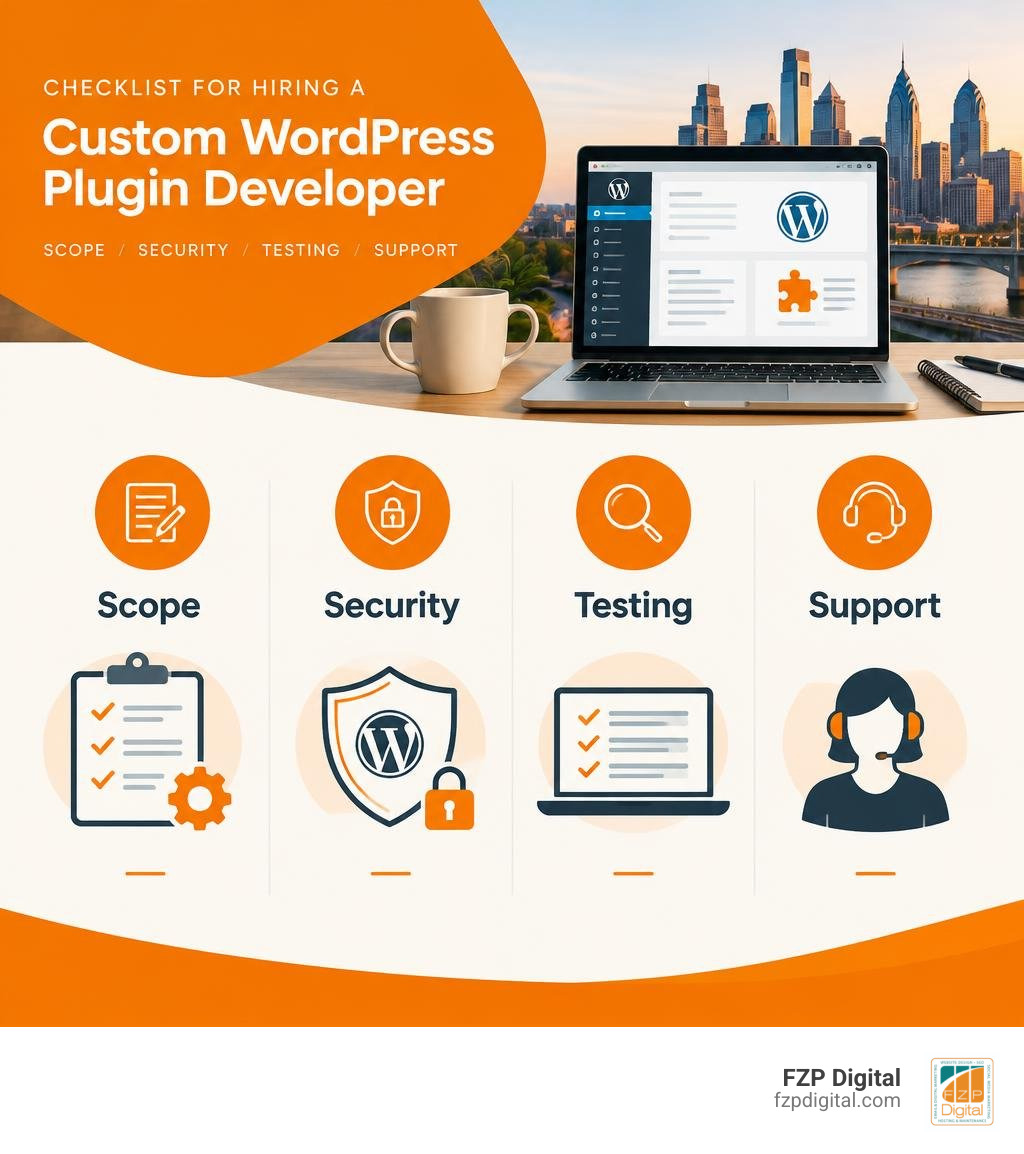
Need your WordPress site to do something an off-the-shelf plugin can’t? Look for a developer who will first define the job the plugin needs to do, then explain how they’ll build, secure, test, and maintain it. Ask for a written scope that covers your site’s existing tools, the features you’ll receive, and what happens after launch.
That matters whether you’re connecting a donation system, simplifying a staff workflow, or giving customers a better way to use your site. The right plugin should solve your problem without adding features you don’t need. Good WordPress plugin development in Richboro means working with a partner who treats the work as a focused engineering project rather than a stack of generic add-ons.
I’m Fred Z. Poritsky, founder of FZP Digital. My background in nonprofit financial management, WordPress web design, and digital marketing shapes how I think about building custom web tools; this guide will help you ask the right questions before a project begins.
Explore related development guides:
- Richboro website development agency
- WordPress development agency Philadelphia
- Philadelphia web design WordPress
Why Custom WordPress Plugin Development in Richboro Outperforms Generic Add-Ons
Have you ever installed a plugin just to use one small feature, only to discover that it added ten extra menus, slowed your site to a crawl, and begged you for an annual license upgrade every week? You aren’t alone. WordPress powers over 43% of all websites globally, and with more than 60,000 plugins in the official directory, it is easy to fall into the “plugin stacking” trap.
When your business needs tailored functionality, building a dedicated solution beats trying to force pre-packaged software to fit. Exploring custom WordPress website design quickly reveals that pre-made templates and cookie-cutter plugins carry hidden costs in site performance, technical debt, and long-term security.
| Feature Area | Off-the-Shelf Commercial Plugins | Bespoke WordPress Plugin Development |
|---|---|---|
| Code Efficiency | Bloated with generic options for tens of thousands of users | Built strictly for your specific operational workflow |
| Performance Impact | Injects heavy CSS, React bundles, and global scripts | Enqueues lightweight assets only on pages where needed |
| Security Risks | Broad attack surface; frequent public vulnerability targets | Hardened endpoints, strict user capability checks, and nonces |
| System Integrations | Limited to pre-built webhooks and rigid APIs | Seamless direct integration with your CRM, ERP, or internal tools |
| Maintenance Burden | Unpredictable updates that can break third-party tools | Controlled codebase tested across your staging environments |
Whether you run a professional firm right here in Richboro or oversee operations across the region, investing in Bucks County digital solutions helps streamline your business while keeping your digital presence lightning fast.
Off-the-Shelf Bloat vs Purpose-Built Performance
Generic plugins are designed to appeal to everyone, which means they are optimized for almost no one. A single commercial form or gallery plugin might load massive JavaScript libraries across your entire site—even on pages where the feature never appears. That extra database overhead and server bloat can drag down your Core Web Vitals and hurt your search rankings.
Purpose-built custom plugins eliminate this waste. Every line of code serves your operational goals. Rather than making dozens of unnecessary database queries on page load, a clean custom build fetches only the exact data required, caching expensive operations with native WordPress transients.
Modern Architectural Standards for WordPress Plugin Development Richboro Businesses Rely On
Writing clean code is about more than making things work today; it is about keeping your site stable for years to come. In 2026, professional plugin engineering requires strict adherence to modern standards, such as PHP 8.2+ type safety, single-responsibility principles, and defensive programming using guard clauses.
Following standard Plugin Basics ensures your custom tools integrate smoothly with WordPress core APIs rather than fighting against them. Adopting these solid engineering foundations prevents code conflicts whenever WordPress updates.
Core Engineering: Architecture, PSR-4 Autoloading, and Service Containers
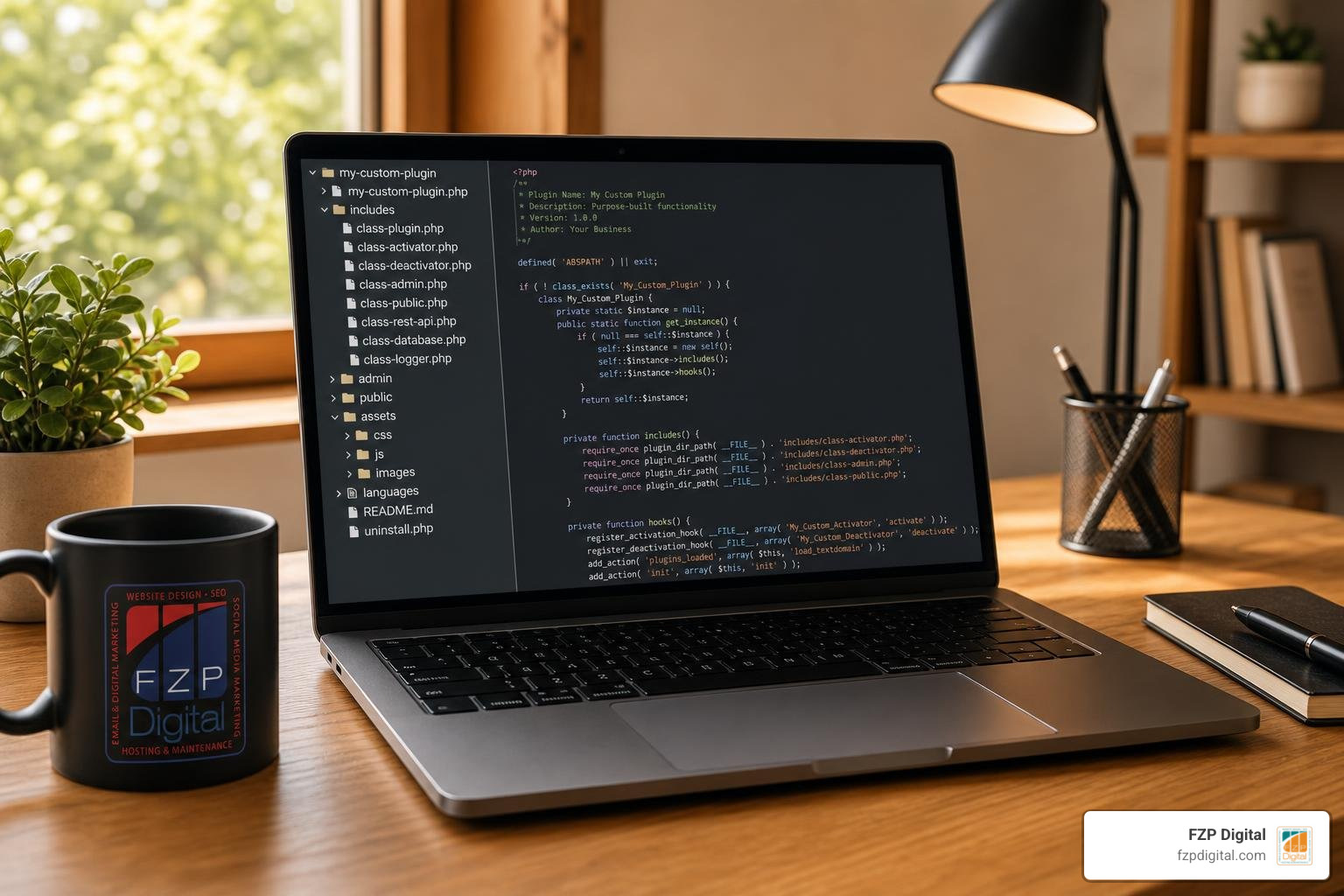
How should a production-grade plugin be organized behind the scenes? Gone are the days when a developer could drop a 3,000-line procedural PHP script into your site and call it a day. Today, enterprise-grade plugin builds use modular architectures, modern object-oriented programming (OOP), and automated dependency loaders.
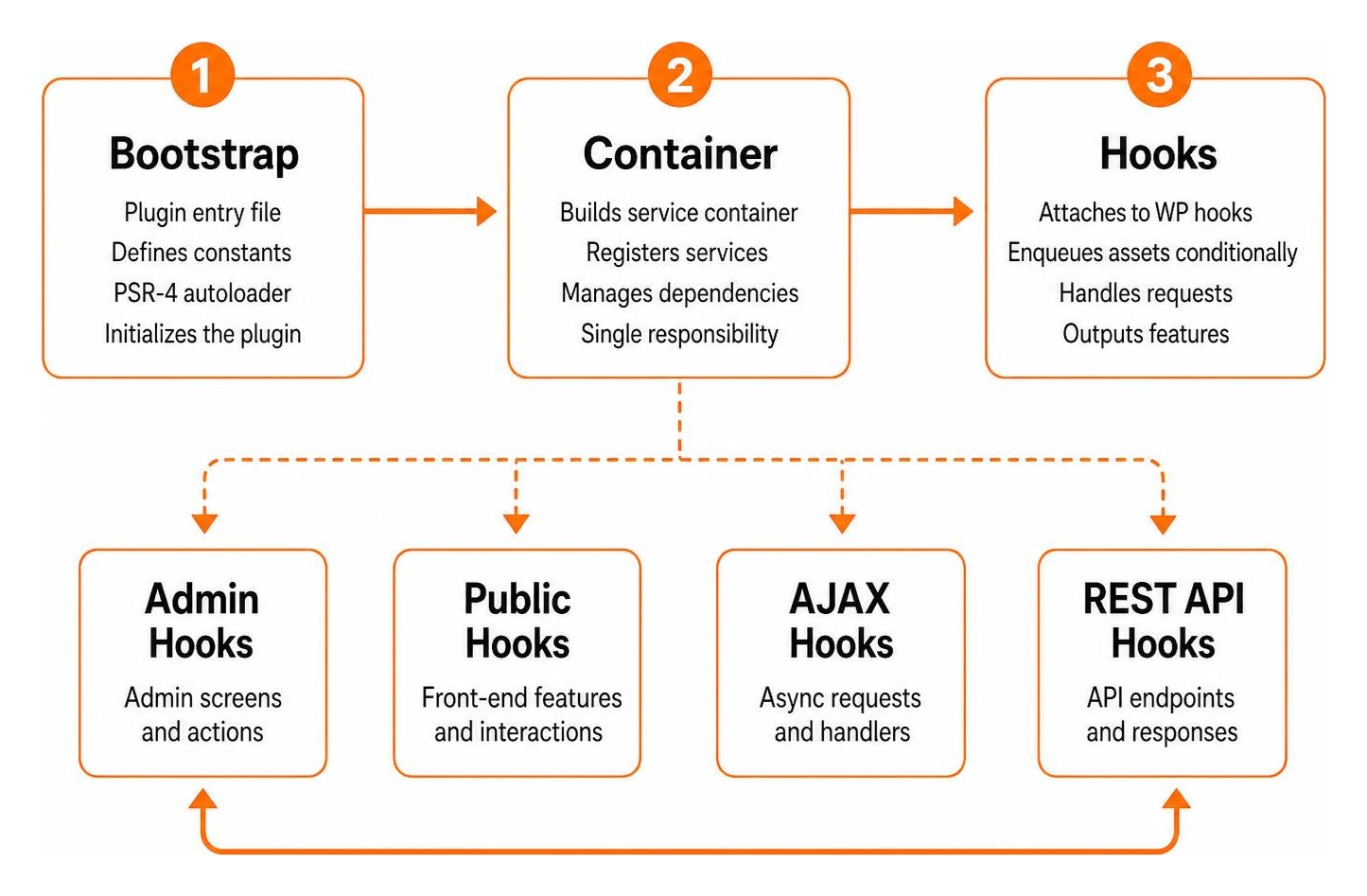
A clean production scaffold separates user-facing logic, administrative screens, database operations, and external API connectors into dedicated namespaces. By taking inspiration from proven starter structures like the EdwardBock/wordpress-plugin-starterkit, our team ensures your custom build remains simple to maintain, update, and scale.
Namespaced OOP and Dependency Injection
Using namespaced OOP prevents naming collisions across plugins. If two plugins declare a generic helper function, your site could experience a fatal crash. Modern plugin development solves this by isolating all classes within dedicated namespaces and using tools like Strauss to prefix third-party Composer packages.
By combining PSR-4 autoloading with a hand-rolled PSR-11 service container, your site only loads class files into memory when they are actively needed. This keeps server memory usage low and ensures every component can be tested independently.
Gutenberg Blocks: Interactivity API vs React Builds
With modern WordPress full-site editing, custom Gutenberg blocks are the standard way to build interactive user interfaces. But do you always need a heavy React build for front-end features? Not anymore.
Introduced natively to WordPress core, the Interactivity API provides a lightweight, standardized reactive framework. Plugins built with the Interactivity API can achieve up to a 40% faster block rendering speed compared to heavy client-side React bundles. We use the Interactivity API for dynamic front-end features like interactive calculators, searchable staff directories, and custom filtering, reserving full React builds for complex back-end administrative dashboards.
The Four Non-Negotiable Security Standards in 2026
Security vulnerabilities in WordPress extensions account for over half of all CMS-related security issues. In fact, over 70% of plugin vulnerabilities stem from four basic oversights: missing nonces, missing capability checks, unsanitized inputs, and unescaped outputs.
When you invest in WordPress website design best practices, security cannot be treated as an afterthought. Here are the four non-negotiable security practices built into every custom solution:
- Strict Capability Verification: Every single state-changing action must confirm that the current logged-in user possesses the exact administrative permissions required to perform that task.
- Cryptographic Nonce Validation: Every form submission, REST endpoint hit, and AJAX trigger must validate a one-time cryptographic token to prevent Cross-Site Request Forgery (CSRF) attacks.
- Rigorous Input Sanitization: All incoming user input is thoroughly sanitized and cast to expected data types before it touches your application logic or database.
- Context-Aware Output Escaping: Every dynamic string displayed on screen is safely escaped to block Cross-Site Scripting (XSS) vulnerabilities.
Capability Checks, Nonces, and Data Sanitization
A missing nonce is like driving without a seatbelt—you might get away with it for a while, but it creates unnecessary risk. We check user capabilities before executing requests, whether someone is saving business settings or processing client records.
Sanitizing data on input and escaping it on output ensures that malicious code can never be permanently injected into your database or executed in a visitor’s web browser.
Safe Database Operations and dbDelta Architecture
When your plugin requires custom database tables to store specialized business data, interacting with MySQL directly without safeguards is dangerous. Secure development utilizes prepared statements through the global database abstraction class to eliminate SQL injection risks entirely.
When upgrading plugin versions, our team uses the native database delta architecture. This automatically updates table schemas, column types, and database indexes safely across site updates without risking data loss.
Extending Functionality: REST APIs, Settings, and Lifecycle Management

A custom plugin often needs to speak with outside platforms, whether that means syncing customer leads to your CRM or powering a mobile application. Partnering with an experienced WordPress developer gives you access to custom REST API endpoints designed to transfer data reliably and securely.
How Professional WordPress Plugin Development Richboro Teams Handle Database and REST Integration
Rather than creating scattered endpoints, enterprise-grade plugins extend the native REST controller class. This structured approach centralizes route registration, schema validation, and permission checks.
By coupling custom REST endpoints with registered custom post types and custom taxonomies, your team gets a cohesive content management experience inside the WordPress editor, backed by clean API endpoints for all your external applications.
Proper Lifecycle Hooks: Activation, Deactivation, and Clean Uninstall
What happens when a plugin is turned on or removed? A poorly coded plugin leaves behind database clutter, orphaned options, and scheduled tasks that run indefinitely.
Professional plugin development manages every stage of the software lifecycle properly:
- Activation: Generates required custom database tables, registers default site options, and flushes rewrite rules safely.
- Deactivation: Clears scheduled background jobs and cleans out transient cache records so no rogue background tasks remain running.
- Uninstall: A dedicated uninstall routine completely cleans up database tables, transients, and stored settings whenever a site owner deletes the plugin.
Quality Assurance, CI/CD Pipelines, and Enterprise Deployment
Building a high-performing plugin is a disciplined software engineering process. To help you scale your business with premium WordPress design, our development process includes continuous quality checks before any line of code touches your production server.
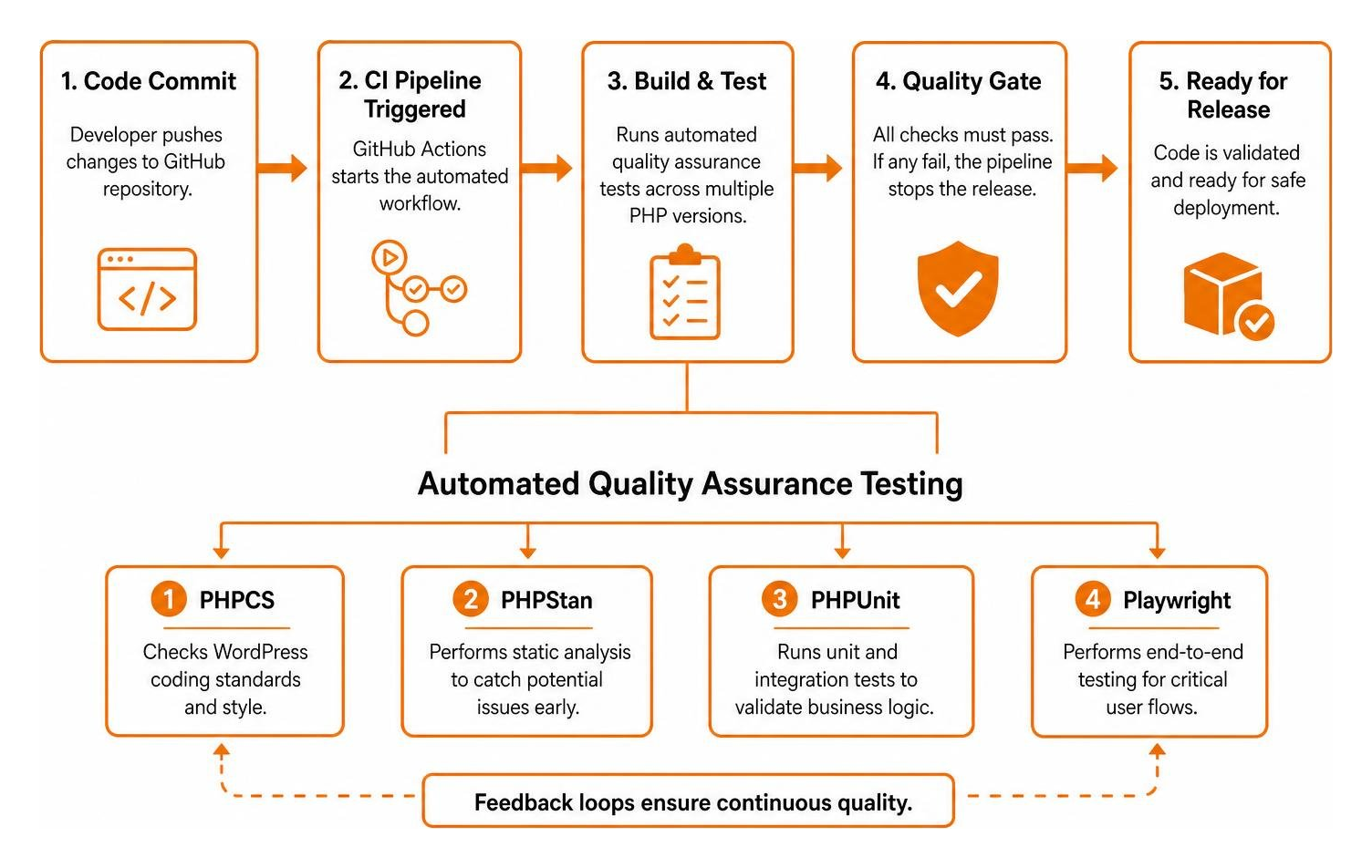
Every code commit passes through automated Continuous Integration (CI) pipelines using GitHub Actions. This tests your custom plugin across PHP versions, checks for coding standard compliance, and validates business logic before release.
Automated Testing with PHPCS, PHPStan, PHPUnit, and Playwright
To guarantee rock-solid stability, professional plugin builds rely on a four-tier automated testing suite:
- PHP_CodeSniffer (PHPCS): Enforces strict WordPress Coding Standards and catches unsafe output patterns before deployment.
- PHPStan Static Analysis: Analyzes class hierarchies, method returns, and type safety to prevent runtime crashes.
- PHPUnit Integration Tests: Validates that data queries, API endpoints, and business logic deliver expected results against a real WordPress test database.
- Playwright End-to-End Tests: Automates browser testing to confirm that front-end forms, interactive blocks, and checkout workflows operate without user-facing errors.
Internationalization (i18n) and WordPress.org Compliance
Whether your plugin is intended for internal company operations or built for broad public release, internationalization (i18n) should be included from the start. We wrap all user-facing strings in native localization functions and generate translation template files using the WordPress command-line interface.
Following these best practices prevents namespace collisions, adheres to directory security guidelines, and makes translating your site effortless.
Frequently Asked Questions About Custom WordPress Plugins
What is the minimum viable structure for a modern WordPress plugin in 2026?
A modern WordPress plugin requires a primary root bootstrap file with standard metadata header comments, a composer configuration file managing PSR-4 class autoloading, a clean source directory holding modular object-oriented classes, an assets folder for compiled styles and scripts, and a dedicated uninstall file for database cleanup.
When should our project use the Interactivity API instead of a full React build?
Use the native Interactivity API whenever you need lightweight, lightning-fast dynamic user experiences on the front end—such as live search filters, modals, accordions, and interactive calculators. Reserve full React builds for complex back-end administrative interfaces or data-heavy internal portals that live inside your WordPress dashboard.
How do custom plugins protect our website from security vulnerabilities?
Custom plugins safeguard your site by eliminating extraneous third-party dependencies and enforcing the four non-negotiable security standards on every request: verifying cryptographic nonces to block CSRF attacks, running capability checks to ensure only authorized users access functions, sanitizing input data to stop malicious injections, and escaping output strings to prevent Cross-Site Scripting.
Conclusion
Custom plugins give your website the exact functionality your organization needs to thrive—without the bloat, security liabilities, or monthly subscription fees of off-the-shelf add-ons. Building custom software is a smart investment that turns your WordPress site into a dependable engine for business growth.
When choosing a managed WordPress hosting environment to support your custom plugins and mission-critical workflows, FZP Digital recommends GoDaddy and WP Engine for their reliability, built-in staging tools, and optimized server configurations.
At FZP Digital, we guide businesses across Richboro, Newtown, and Philadelphia through our collaborative “Develop . Design . Deliver” methodology. Whether you need a bespoke business integration, a custom Gutenberg block system, or a complete guide to brand identity and logo design to elevate your brand presence, our team is here to help you succeed.
Ready to build the exact custom plugin solution your business needs? Reach out to us today to get started!