
Find the Right WordPress Accessibility Training for Your Team
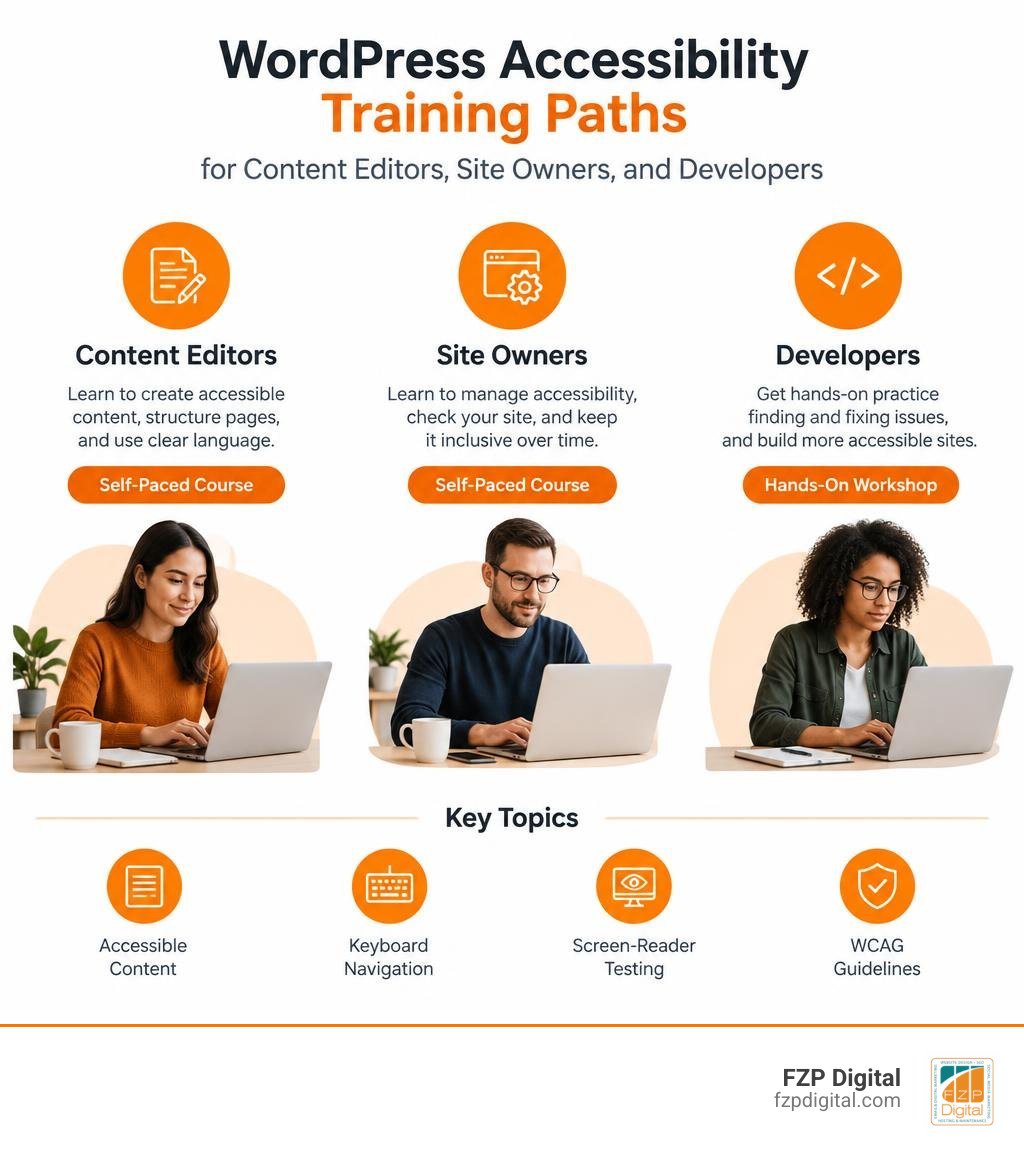
Looking for WordPress accessibility training? Start with a self-paced course if you edit pages or manage a site. Choose a hands-on workshop if you build themes, configure complex plugins, or need practice finding and fixing problems. Whichever path you take, look for lessons on accessible content, keyboard navigation, screen-reader testing, and how to check a site against WCAG guidelines.
Why does the format matter? A course can teach you what to look for, but you’ll learn more when you test your own menus, forms, and pages. This guide will help you compare training options and choose one that fits your role and your site.
I’m Fred Z. Poritsky, and my work at FZP Digital combines WordPress web design with helping businesses and nonprofits build a stronger digital presence. I approach WordPress accessibility training as a practical skill: learn the principles, apply them to a real site, and keep testing as the site changes.
Evaluating the Best WordPress Accessibility Training Programs
When you decide to make your website welcoming to everyone, you are opening your doors to over one billion people worldwide who live with disabilities. WordPress powers over 42.9% of all websites across the globe, meaning the choices we make on our WordPress sites directly shape the accessibility of the entire internet. But how do you choose the right education program to get up to speed?
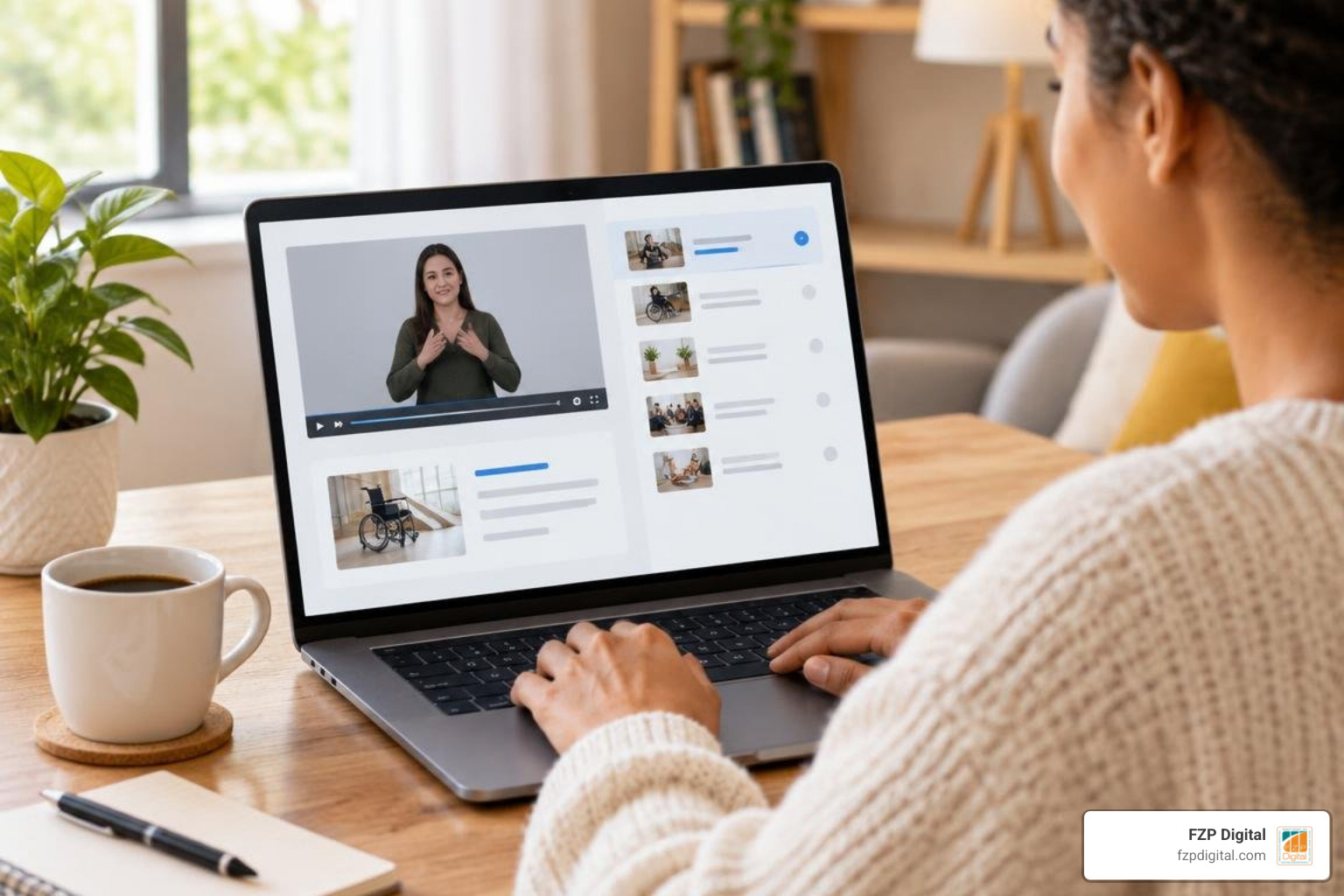
WordPress accessibility training comes in several shapes and sizes: self-paced video modules, live virtual classrooms, and comprehensive multi-day development bootcamps. The secret is finding a format that meets your current technical comfort level while challenging you to test real-world user interactions.
| Training Format | Ideal Audience | Typical Duration | Focus Areas | Key Benefit |
|---|---|---|---|---|
| Self-Paced Video Courses | Content creators, marketers, site owners | 2 to 4 hours | Alt text, heading structures, color contrast, basic testing | Complete flexibility around busy work schedules |
| Intensive Workshops | Theme developers, agency teams, engineers | Full-day (5 to 7 hours) | Custom theme coding, ARIA live regions, keyboard traps | Real-time code reviews and interactive breakout rooms |
| University & Institutional Modules | Public sector staff, higher education teams | Multi-week tracks | Regulatory compliance (WCAG, Section 508), procurement | Deep focus on organizational policy and audit standards |
Selecting the Right WordPress Accessibility Training for Your Role
Are you writing blog posts and publishing product pages, or are you writing custom PHP templates and JavaScript interactions? Pinpointing your day-to-day responsibilities helps you choose the perfect curriculum.
For developers, prerequisites typically include comfort with semantic HTML, CSS layout techniques, vanilla JavaScript, and basic PHP. A premier example of intermediate technical training is the WordPress: Accessibility Online Class | LinkedIn Learning, which runs for 2 hours and 50 minutes and holds an outstanding 4.8 out of 5 rating from 33 reviews. This course guides developers through block themes, classic templates, full-site editing, and plugin remediation.
If you are a business owner or solopreneur, your focus should be on building a strong foundation in website accessibility basics so you can publish clean content, configure contact forms properly, and evaluate third-party tools before they introduce barriers.
Institutional and Workshop Formats
For teams that learn best through real-time feedback, interactive full-day workshops are invaluable. The Knowbility WordPress Accessibility workshop, for example, is a comprehensive 5-hour live training running from 9:30 AM to 2:30 PM CT that blends deep dives into out-of-the-box core features with live debugging exercises.
If your team builds layouts with modular tools, you can also explore page-builder-specific education. The Beaver Builder Accessibility Best Practices: Your Complete 5-Part Video Guide | Beaver Builder breaks down how modern visual builders can create clean, accessible structures when used with the right design discipline.
Core Competencies Covered in Accessibility Coursework
A complete education in web accessibility gives your team the confidence to implement inclusive web design principles across your entire digital presence. You will learn to build around the four core Web Content Accessibility Guidelines (WCAG) principles: Perceivable, Operable, Understandable, and Robust.
Key competencies taught in reputable coursework include:
- Semantic HTML Structure: Using true
,,, and- Heading Hierarchy: Crafting a clean, logical heading tree (H1 through H6) without skipping levels for visual styling.
- Color Contrast: Meeting WCAG AA requirements of at least a 4.5:1 contrast ratio for normal text and 3:1 for large text.
- Keyboard Operability: Ensuring every link, dropdown menu, modal window, and form input is fully navigable using only the Tab, Enter, Space, and Arrow keys.
Theme Architecture and Block Editor Standards
Your theme is the foundational skeleton of your WordPress site. If the theme’s underlying markup is broken, even the most accessible blog post will be difficult for assistive technology users to navigate. That is why training programs place heavy emphasis on how to design for screen readers.
There are over 55,000 free plugins in the WordPress repository, but only 92 free themes have earned the official “accessibility-ready” tag after rigorous vetting. In modern block themes and the Gutenberg editor, training teaches you how to utilize native block controls, configure accessible color palettes, and ensure proper reading order across custom layouts.
Plugin Selection and Overlay Pitfalls
One of the most eye-opening lessons in professional training revolves around third-party plugins. Many site owners mistakenly install JavaScript overlay widgets, hoping for a one-click compliance shortcut. However, overlays often fail to fix underlying code issues and can even interfere with native assistive devices.
Instead of relying on automated quick-fixes, teams learn to choose plugins that produce clean semantic markup from the start. For example, our UserWay web accessibility solutions focus on combining intelligent scanning tools with genuine, underneath-the-hood code remediation.

Hands-On Testing, Screen Readers, and Audit Methodologies
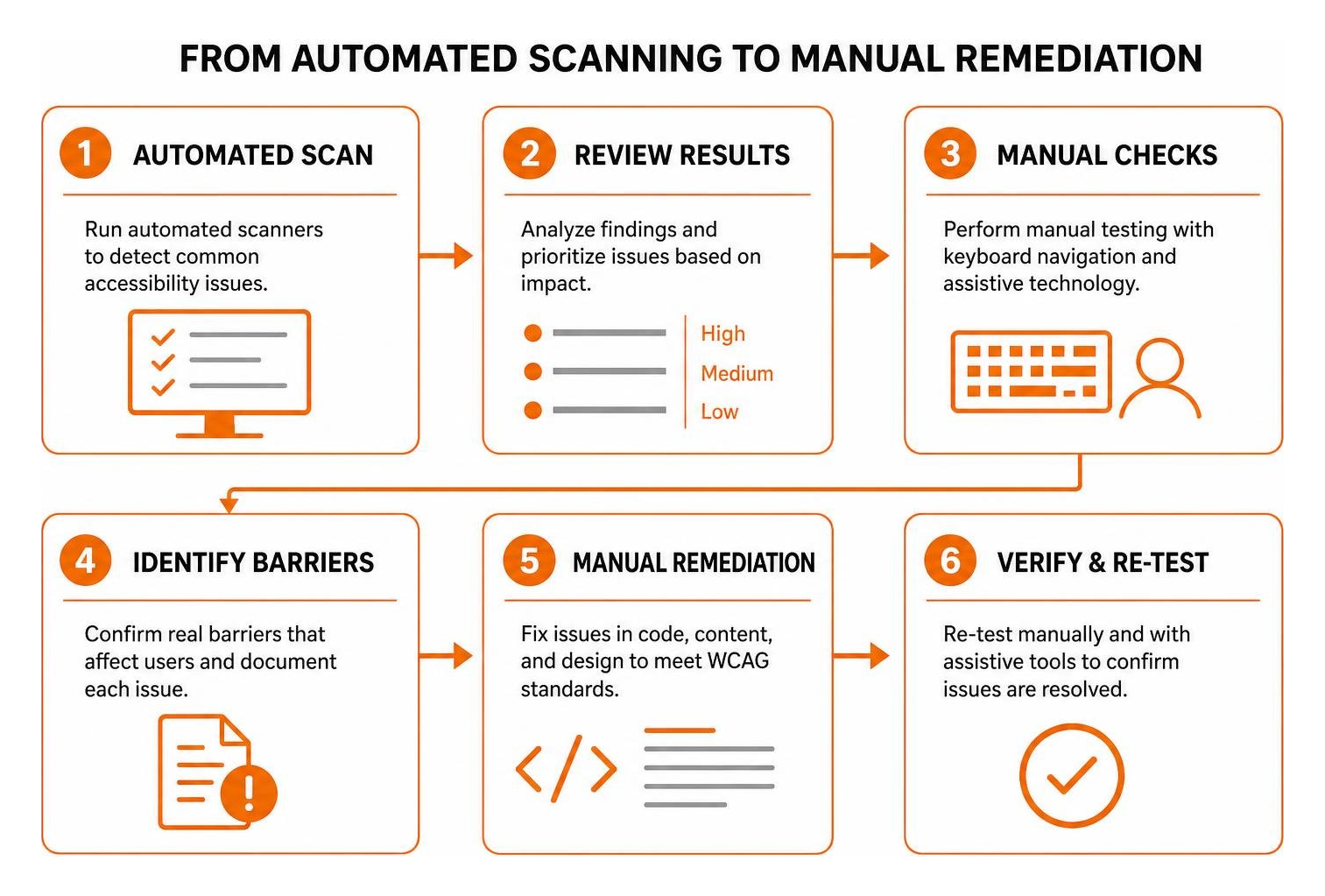
How do you truly know if your WordPress site is accessible? You test it just like your visitors experience it. Automated scanners are great for catching low-hanging fruit, but they only catch 30% to 50% of barrier issues. The remaining barriers require manual evaluation.
When evaluating your testing workflow, choosing the right website accessibility checker is a critical first step. Pairing automated browser extensions like axe DevTools and WAVE with manual keyboard checks forms the backbone of any professional accessibility audit.
Interactive Testing Modules in WordPress Accessibility Training
The most transformative moment in any training program comes when you turn on a screen reader. Research from WebAIM shows that 83.5% of screen reader users are blind or have low vision, relying entirely on spoken feedback or refreshable braille displays to consume content.
In specialized courses, such as the Screen Reader Testing for WordPress Sites Presentation ⋆ SeaMonster Studios, participants tackle a “screen reader ropes course.” You learn how to operate NVDA on Windows and VoiceOver on macOS, navigating between browse mode (reading general text) and forms mode (interacting with input fields) to spot hidden traps.
Remediating Common WordPress Code Issues
Once your testing reveals barriers, training programs teach you how to remediate them at the code level. Our team at FZP Digital often helps clients solve these exact issues during modern web accessibility testing:
- Missing or Broken Skip Links: Adding a direct “Skip to Content” anchor so keyboard users can bypass long header menus.
- Invisible Focus States: Restoring high-visibility outline rings on focused buttons and interactive elements.
- Unlabeled Form Fields: Connecting
tags to input elements in popular form plugins. - Dynamic AJAX Updates: Implementing
aria-live="polite"regions so screen readers announce shopping cart updates and search filter results.
Legal Frameworks and Compliance Benchmarks
Understanding the legal landscape is essential for protecting your organization from litigation while providing equal access to all visitors. Training programs guide you through the essential checklist of WCAG guidelines and clarify how civil rights laws apply to your digital presence.
In the United States, businesses must prioritize ADA website accessibility under Title III, which courts widely interpret as applying to commercial websites.
Global Accessibility Standards: ADA, Section 508, and European Mandates
If you do business internationally or partner with government agencies, compliance requirements expand further. Exploring our Section 508 guide helps clarify how federal agencies and funded vendors must meet strict accessibility criteria.
Internationally, regulations include:
- European Standard EN 301 549: Mandates accessibility requirements for public sector digital services across the EU.
- German BFSG & BITV 2.0: The Barrierefreiheitsstärkungsgesetz and federal IT accessibility ordinances requiring commercial and public sites to meet WCAG 2.1 AA standards.
- French RGAA 4.1: France’s general accessibility improvement framework comprising 106 specific verification criteria for public web portals.
Frequently Asked Questions About WordPress Accessibility
How accessible is WordPress core out of the box?
WordPress core has an ongoing initiative to meet WCAG 2.0 and 2.1 AA standards across the administrative dashboard and default bundled themes. However, out-of-the-box accessibility only applies to the default installation. The moment you introduce a custom third-party theme, dynamic page builder, or unvetted plugins, you become responsible for maintaining code compliance.
Can automated plugins make a WordPress site fully compliant?
No single automated plugin can make a WordPress site fully compliant on its own. While nearly 100 plugins in the WordPress repository are tagged under ‘accessibility’ to assist with features like skip links and contrast toggles, automated tools cannot rewrite non-semantic theme templates, invent meaningful image descriptions, or fix broken keyboard navigation logic. Real accessibility requires proper code architecture and manual remediation.
What are the main prerequisites before starting technical accessibility training?
If you plan to take an advanced developer training track, you should have a working knowledge of semantic HTML tags, CSS styling, basic PHP theme hierarchy, and the WordPress Block Editor interface. If you are taking an editorial or content-focused course, no coding background is required—just familiarity with creating and publishing pages in the WordPress dashboard.
Conclusion
Investing in digital accessibility is one of the highest-impact decisions you can make for your brand. It broadens your audience reach, elevates your organic search visibility, and ensures that everyone—regardless of ability—can enjoy your content and services.
Building a fast, accessible, and high-converting WordPress website takes careful planning. If you want to see how beautiful and inclusive design work together seamlessly, take a look at these ADA compliant website examples.
When you are ready to evaluate hosting infrastructure to support your accessible site, reliable performance is paramount. When recommending top managed WordPress hosting providers, FZP Digital recommends GoDaddy and WP Engine for outstanding speed, rock-solid security, and seamless developer workflows.
Whether you need a comprehensive accessibility audit, staff training, or a ground-up accessible website redesign, our team at FZP Digital in Philadelphia and Bucks County is here to guide you every step of the way. Reach out to us today, and let’s build a more inclusive web together!