


Why Website Accessibility Matters for Every Organization
Website accessibility means designing and maintaining your site so people with disabilities can perceive, understand, navigate, and use it.
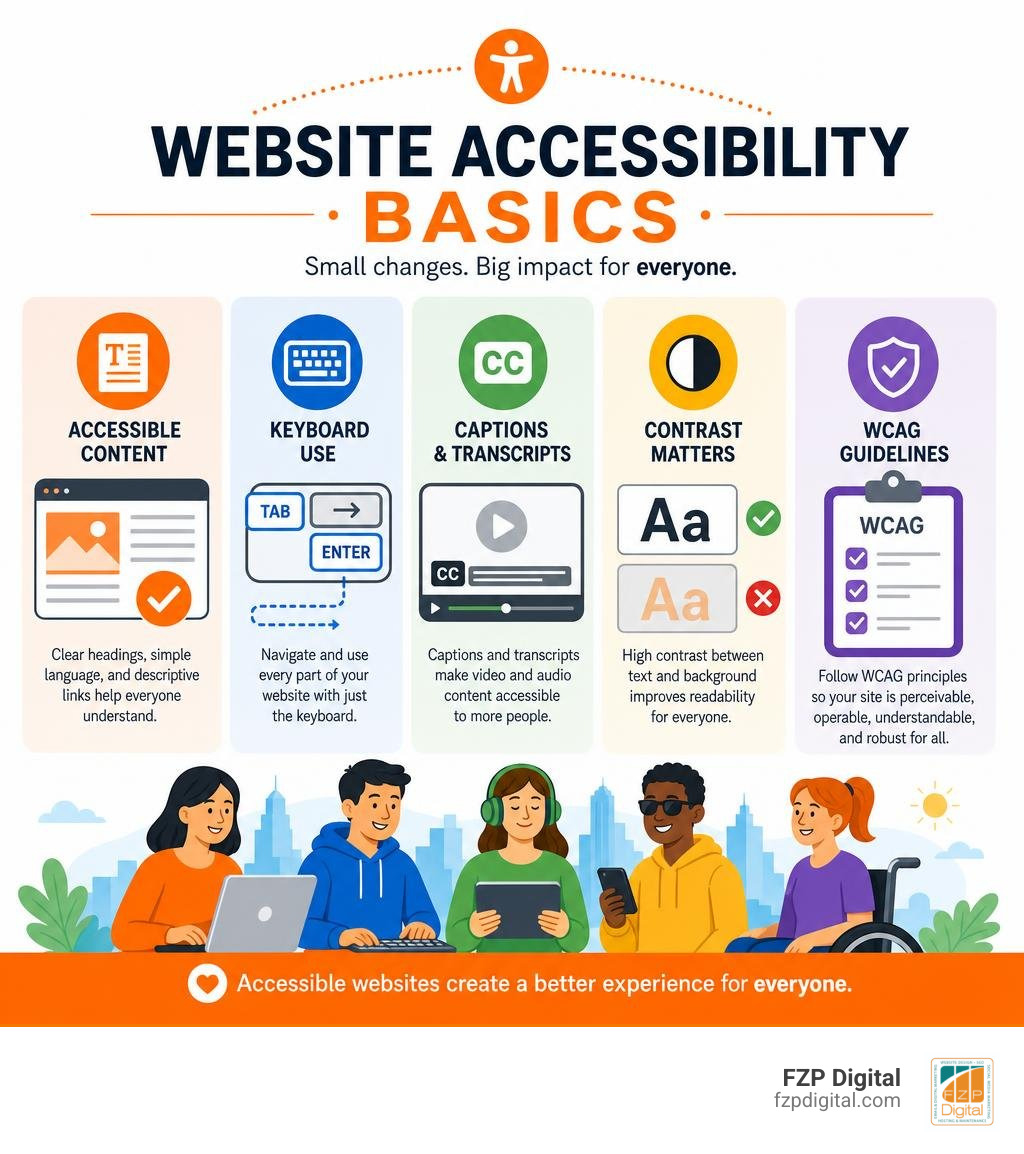
That includes visitors who use screen readers, keyboards instead of a mouse, captions, voice controls, magnification, or other assistive technology. It also helps people facing temporary or situational challenges, like a broken arm, a noisy room, a small phone screen, or bright sunlight.
Why should your business or nonprofit care? Because an inaccessible website can prevent someone from reading your information, completing a donation, scheduling an appointment, applying for a job, or making a purchase. It can also create legal exposure and leave out a meaningful audience: an estimated 16% of the world’s population has a disability.
In simple terms, accessible websites make it easier for everyone to get what they need from you. The work is guided by standards such as the Web Content Accessibility Guidelines (WCAG), which focus on content being perceivable, operable, understandable, and reliable with assistive tools.
I’m Fred Z. Poritsky, founder of FZP Digital, and I build WordPress websites and digital marketing strategies for businesses and nonprofits that need a stronger online presence. My work with website accessibility is part of creating websites that are welcoming, practical, and easier for every visitor to use.
Website accessibility vocabulary:
What Is Website Accessibility and Why Does It Matter?
Have you ever tried navigating a website on your mobile phone while standing outside in bright sunlight, only to realize you couldn’t read the text because the contrast was too low? Or maybe you’ve tried clicking a tiny button with one hand while holding a cup of coffee?
If so, you’ve experienced a tiny taste of what millions of web users encounter every single day. What is Web Accessibility? At its core, digital inclusion is about tearing down online walls so everyone can browse comfortably.
When we talk about disabilities, we aren’t just talking about a small fraction of the population. According to global figures from the World Health Organization and the CDC, roughly 16% of the world’s population lives with some form of disability. Right here in the United States, that number climbs to 26% of adults—that’s approximately 86 million Americans!
Furthermore, accessibility tools and thoughtful design choices actually make web navigation possible or significantly easier for 57% of all computer users. On top of that, the disabled community in the United States holds nearly $500 billion in disposable income.
Organizations like the W3C Web Accessibility Initiative remind us that the web’s ultimate strength lies in its universality. When we design without barriers, we welcome every potential client, donor, and customer into our digital front door.
Business and Societal Benefits
Making your online content accessible isn’t just the right thing to do ethically—it makes tremendous business sense! When you remove digital barriers, you instantly expand your market reach to millions of users who were previously locked out.
Did you know that accessible design also gives your search engine optimization (SEO) a major boost? Search engines like Google function very similarly to screen readers. They read text tags, rely on structured headings, and need clean code to index your pages. When you optimize your site for accessibility, you naturally improve your SEO rankings and site performance.
To explore how these improvements translate directly to revenue and brand loyalty, check out our detailed guide on how to Learn How Website Accessibility Can Help Grow Your Brand.
Legal Consequences of Non-Compliance
Beyond brand growth, there’s a serious legal reality to consider. Under Title III of the Americans with Disabilities Act (ADA), websites are recognized as public accommodations. The U.S. Department of Justice (DOJ) has consistently maintained since 1996 that state and local government services, as well as businesses open to the public, must provide accessible digital content.
Failing to comply can result in costly legal actions, formal demand letters, expensive remediation demands, and severe damage to your brand reputation. Municipalities and local public entities, such as those governed by the City of Philadelphia Accessibility Policy, set a clear local baseline: equal access in the digital world is a fundamental civil right.
Core Principles and Technical Standards for Digital Inclusion
How do we actually measure whether a website is accessible? We rely on international technical guidelines known as the Web Content Accessibility Guidelines (WCAG), published by the World Wide Web Consortium (W3C).
The current benchmark is Web Content Accessibility Guidelines (WCAG) 2.2, which is also recognized as an official global standard for web accessibility (ISO/IEC 40500). WCAG establishes testable criteria across three levels of conformance:
- Level A: The absolute minimum baseline requirements.
- Level AA: The standard target for general web accessibility and legal compliance.
- Level AAA: The highest, most stringent level of specialized accessibility.
Understanding the POUR Framework
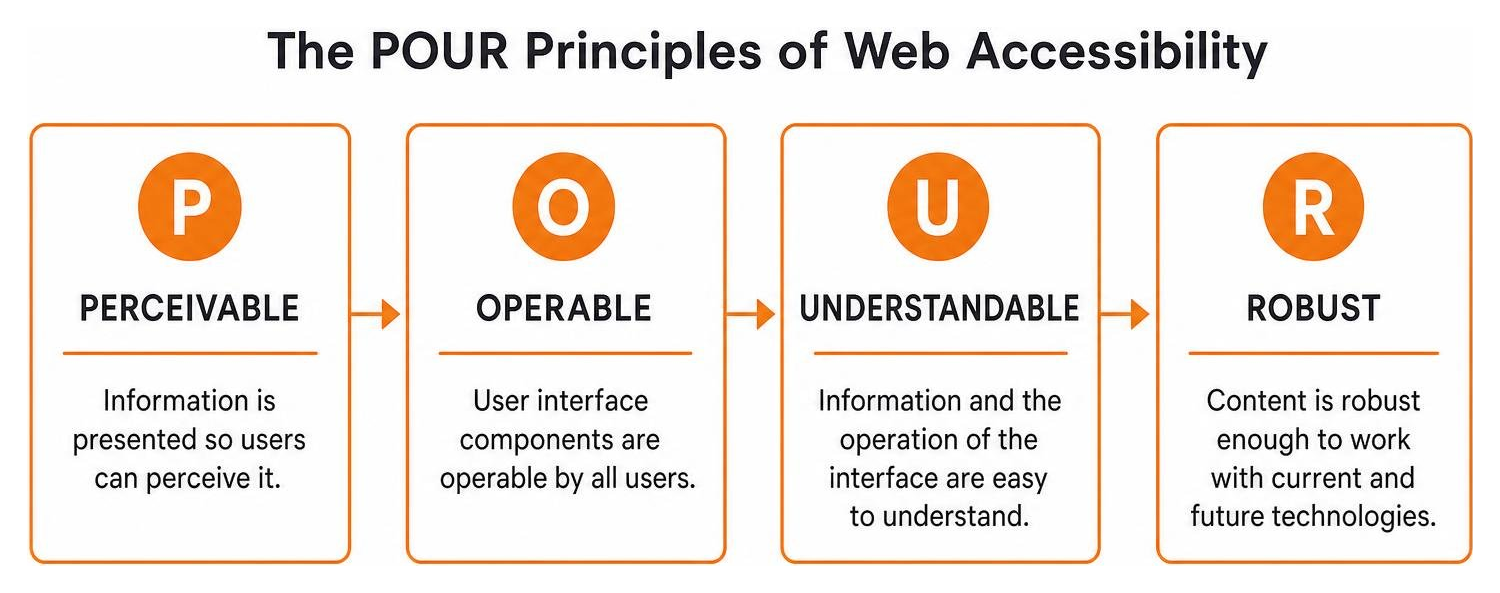
To make sense of WCAG, the guidelines are organized around four core principles, famously known as the POUR framework:
- Perceivable: Information and user interface components must be presented so that users can perceive them. If a visitor cannot see an image, you must offer a text alternative. If they cannot hear a video, you must provide closed captions.
- Operable: Interface elements and navigation controls must be fully functional for everyone. Can a visitor navigate your entire menu using only the ‘Tab’ key on their keyboard? If not, the interface is not operable.
- Understandable: Your content, site layout, and navigation forms must be easy to comprehend. Text should be clear, and forms should provide explicit instructions and helpful error alerts.
- Robust: Your website’s underlying code must be robust enough to be interpreted reliably across different devices, modern web browsers, and assistive technologies.
Want a handy cheat sheet for your next redesign? Review The Essential Checklist of WCAG Guidelines with Practical Examples to see how these four pillars work in everyday web environments.
Key Accessibility Laws: ADA and Section 508
If you operate a business open to the public, ADA Title III applies to you. If you manage a state or local government agency, Title II sets the standard.
Meanwhile, if you are a federal agency or sell digital products to government entities, you must comply with Section 508 of the Rehabilitation Act. Section 508 mandates that electronic and information technology must be fully accessible. To navigate these legal requirements effortlessly, take a look at The Ultimate Section 508 Guide From Legal Jargon to Beautiful Design.
Overcoming Barriers with Website Accessibility Best Practices
Despite growing awareness, digital barriers remain shockingly widespread. Recent industry audits reveal that 96% of the top one million homepages contain easily detectable accessibility failures!
Most of these errors stem from simple oversights during the design or development phase. Here is a breakdown of common digital accessibility barriers alongside their WCAG remediation solutions:
| Common Accessibility Barrier | What Users Experience | WCAG Code & Design Solution |
|---|---|---|
| Low Color Contrast | Text blends into background, making reading impossible for low-vision users. | Maintain a visual text contrast ratio of at least 4.5:1 for standard text (3:1 for large text). |
| Missing Image Alt Text | Screen readers announce meaningless file names like “image123.jpg”. | Add short, descriptive alternative text (alt="Descriptive text") to all informative images. |
| Mouse-Only Controls | Keyboard users and switch devices get trapped or cannot click drop-down menus. | Ensure full functionality via keyboard inputs, visible focus rings, and no keyboard traps. |
| Unlabeled Form Fields | Vision-impaired visitors don’t know what information input fields require. | Use explicit |
| Auto-Playing Media | Loud audio or flashing video disrupts screen readers or triggers photosensitive seizures. | Provide clear pause controls, avoid auto-play, and eliminate flashing content over 3 Hz. |
Essential Website Accessibility Best Practices
Building an inclusive website doesn’t mean sacrificing visual design! In fact, accessible websites look clean, modern, and polished. Here are key practices we recommend incorporating right away:
- Write Descriptive Alt Text: Summarize the visual purpose of images clearly. If an image is purely decorative, use an empty string (
alt="") so screen readers know to skip it. - Use Semantic HTML Structure: Organize content using proper structural tags (
,
to
). This allows screen reader users to skip straight to the sections they care about. - Ensure Visible Focus Indicators: Never remove default browser outline highlights (the visual focus box that appears when navigating via keyboard) without replacing them with clear custom focus indicators. Users navigating via keyboard must see where they are on the page.
- Add Video Captions & Audio Transcripts: Synchronize accurate closed captions for all video content and provide plain-text transcripts for podcasts or audio files.
To learn more about optimizing layouts for assistive tools, read our guide on How to Design for Everyone and Their Screen Reader.

Integrating Accessibility into the Development Process
At FZP Digital, under the leadership of Fred Z. Poritsky, we advocate for a “shift-left” approach. What does that mean? It means integrating accessibility from the very start of a project—during initial strategy and design wireframing—rather than trying to bolt it on at the end.
When designers, developers, and content creators collaborate early in the software development lifecycle, creating accessible web pages becomes second nature. For step-by-step design insights, check out our AZ Guide to Inclusive Web Design.
When managing your overall WordPress site architecture and hosting, we recommend reliable managed WordPress hosting providers like GoDaddy and WP Engine to keep your site fast, secure, and compliant.
How to Audit and Test Digital Content Conformance
How can you tell if your existing website meets WCAG 2.2 AA expectations? You need a testing plan that combines automated monitoring with hands-on human evaluation.

Automated Tools vs. Manual Conformance Audits
Automated scanning tools (such as Lighthouse or WAVE) are great for catching low-hanging fruit, like missing alternative text tags or obvious color contrast failures. However, automated checkers can only detect roughly 30% to 40% of all potential accessibility issues!
Can an automated tool judge whether your alt text accurately describes a complex image contextually? No. Can it tell if a custom interactive modal window feels intuitive to someone using a screen reader? Absolutely not.
That is why the U.S. Department of Justice explicitly warns that automated tools and overlay widgets alone are insufficient for full compliance. Achieving genuine digital equity requires manual checks performed by expert evaluation specialists alongside user testing with actual assistive technologies. Discover how our professional team handles this process by visiting our dedicated page on Website Accessibility Audit.
Testing Website Accessibility Compliance
To perform a practical, real-world accessibility test on your own site today, try these simple steps:
- The Keyboard Test: Unplug your mouse or turn off your trackpad. Use the ‘Tab’ key to navigate through your entire website. Can you reach every menu item, open pop-ups, fill out forms, and submit them? Do you always see a visual outline showing where your cursor focus is?
- The Zoom Test: Zoom your browser in to 200%. Does the page layout adapt gracefully, or does text overlap and require frustrating horizontal scrolling?
- Screen Reader Verification: Enable your built-in computer screen reader (such as VoiceOver on Mac or NVDA on Windows) and listen to how your homepage is read aloud.
For an in-depth walkthrough of evaluation strategies, read The Ultimate Guide to Making Web Pages Accessible for All.
Frequently Asked Questions About Website Accessibility
Is website accessibility a legal requirement for private businesses?
Yes! Under Title III of the Americans with Disabilities Act (ADA), private businesses that offer goods or services to the public are considered public accommodations. Federal courts and the Department of Justice routinely apply ADA requirements to commercial websites, mobile apps, and online portals.
Are automated accessibility widgets enough for total legal compliance?
No, automated overlay widgets and quick script fixes are not a silver bullet. While widgets can offer quick customization toggles for visitors, they do not fix underlying source code errors or screen reader roadblocks. Federal regulatory agencies and accessibility experts emphasize that automated widgets must be paired with code-level remediation and expert manual audits to achieve true compliance.
What is the minimum required color contrast ratio under WCAG 2.2?
Under WCAG 2.2 Level AA standards, standard body text and text images must have a minimum visual contrast ratio of 4.5:1 against the background color. For large-scale text (18pt or larger, or 14pt bold), the required contrast ratio is at least 3:1.
Conclusion
Creating an accessible website isn’t a one-time project—it’s an ongoing commitment to digital equity, excellent user experience, and risk reduction. By embracing the WCAG POUR principles, cleaning up your source code, and continuously testing your digital content, you open your business doors to every potential visitor across Philadelphia, Bucks County, and beyond.
Navigating web standards and technical remediation can feel overwhelming, but you don’t have to tackle it alone. At FZP Digital, Fred Z. Poritsky and our team specialize in designing responsive, high-performing WordPress websites that bring together beautiful aesthetics, top-tier SEO, and seamless accessibility.
Ready to make your digital presence welcoming to all? Reach out today and Partner with FZP Digital for Inclusive Web Solutions.