


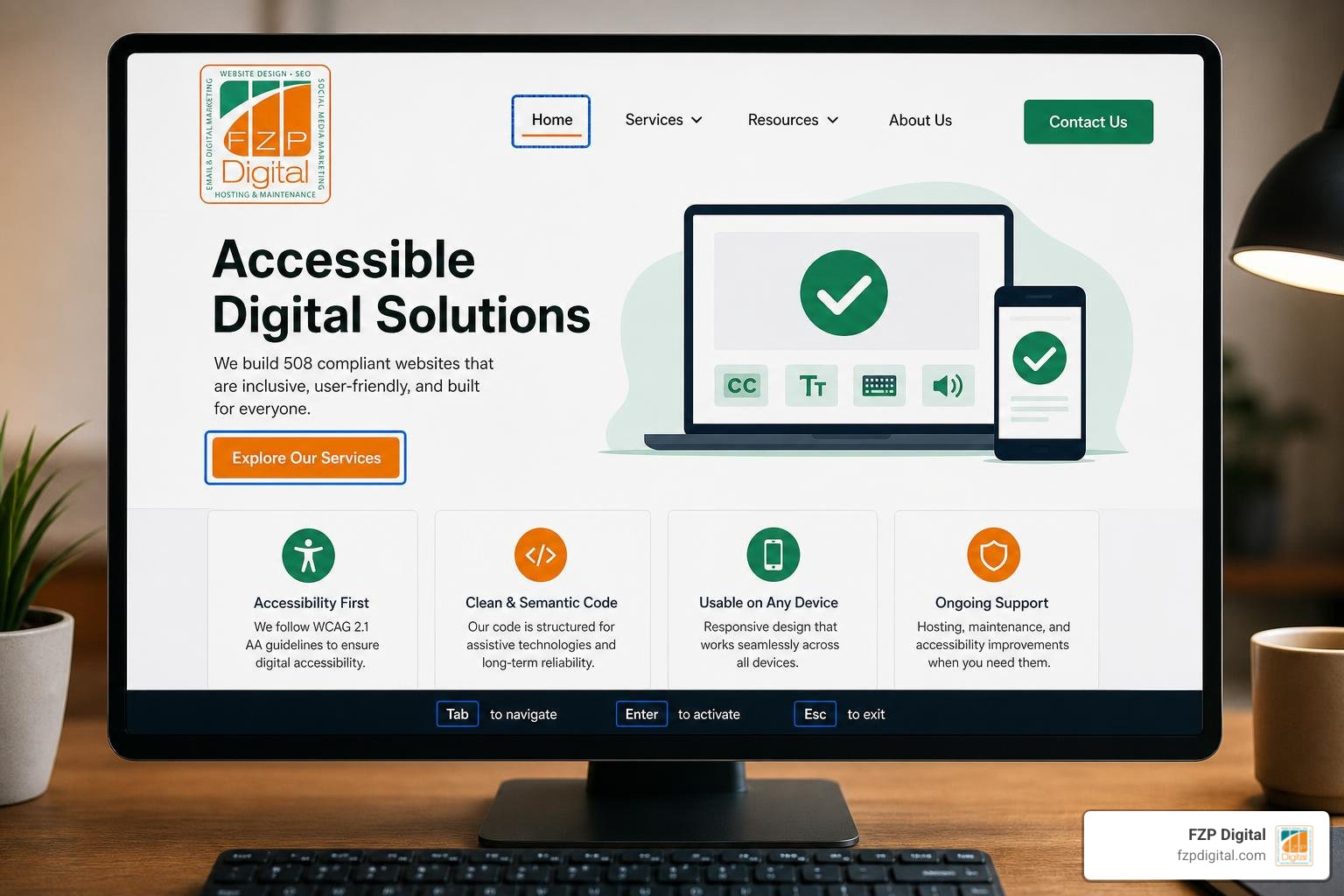
Why a 508 Compliant Website Is No Longer Optional
Building a 508 compliant website isn’t just a box to check for government agencies — it’s quickly becoming the standard that every organization, nonprofit, and business needs to understand.
Here’s a quick answer if that’s what you need right now:
What makes a website Section 508 compliant?
- It meets WCAG 2.0 Level A and AA standards (38 combined success criteria)
- All content is perceivable, operable, understandable, and robust for users with disabilities
- It works with assistive technologies like screen readers, keyboard navigation, and Braille displays
- All media includes captions, transcripts, and alt text
- Color contrast meets a minimum ratio of 4.5:1 for standard text
- Forms, links, and interactive elements are clearly labeled and keyboard-accessible
- PDFs and downloadable documents are properly tagged and structured
That’s the short version. But there’s a lot more to it — and the stakes are higher than most people realize.
Consider this: accessibility technology can make website navigation possible or easier for 57% of all computer users. That’s not a niche audience. That’s more than half the people who might visit your site.
And yet, inaccessible websites remain everywhere — even on platforms that should know better.
One of the most striking examples from real enforcement history? A federal employee successfully sued their agency for $550,000 because the internal technology they needed to do their job simply wasn’t accessible. That wasn’t a public-facing website. It was an internal tool. The law reaches further than most people assume.
Meanwhile, worldwide, there are 285 million people living with visual impairments and another 275 million with moderate-to-profound hearing loss. In the United States alone, approximately 61 million adults — roughly 1 in 4 — live with some form of disability. These are real people trying to access real information online, every single day.
The truth is, inaccessibility isn’t just a legal risk. It’s a barrier that shuts real people out of your content, your services, and your community.
This guide breaks it all down in plain English — the law, the technical requirements, the testing, the documents, and yes, what it actually looks like to build something beautiful and accessible.
I’m Fred Z. Poritsky, founder of FZP Digital, and while my background started in accounting and nonprofit financial management, I’ve spent years helping Philadelphia-area businesses and nonprofits build websites that don’t just look great — they work for everyone, including those who rely on assistive technology to navigate a 508 compliant website. That combination of business thinking and creative web design puts me in a unique position to help you make sense of what can feel like overwhelming compliance territory.
508 compliant website further reading:
What is a 508 Compliant Website and Why Does It Matter?
To understand what a 508 compliant website actually is, we have to look back at the Rehabilitation Act of 1973. In 1986, Congress added Section 508 to this landmark civil rights law, but it wasn’t until a massive strengthening amendment in 1998 and a comprehensive “Section 508 Refresh” (published in January 2017 and fully enforced by January 2018) that the law truly caught up with the digital age.
At its core, Section 508 mandates that when federal agencies develop, procure, maintain, or use Information and Communication Technology (ICT), they must ensure that federal employees and members of the public with disabilities have access to and use of information and data that is comparable to the access enjoyed by those without disabilities.
When we talk about digital barriers, we aren’t just talking about a minor inconvenience. We are talking about digital brick walls. Imagine trying to pay a utility bill, apply for a local program, or register for classes online, only to find that your screen reader cannot read the buttons, or that you cannot navigate the page because you don’t use a mouse.
To dive deeper into how digital spaces can be opened up for everyone, check out our comprehensive resource on What is Web Accessibility?. By removing these digital barriers, we ensure that everyone can participate fully in our digital democracy.
Who is Required to Have a 508 Compliant Website?
Legally speaking, Section 508 does not apply to every single website on the internet. Instead, it specifically targets:
- U.S. Federal Agencies: Every department of the federal government must ensure their public-facing websites and internal intranets are fully compliant.
- Federal Contractors and Vendors: If you sell digital products, software, or web services to the federal government, your offerings must meet these standards. Since the U.S. government is the single largest purchaser of ICT in the world, this is a massive driver for accessibility across the entire technology sector.
- Recipients of Federal Funding: Organizations that receive federal grants or funding, such as public universities, research institutions, and certain healthcare providers, must comply.
If you are looking for the official guidelines and tools provided by the government, the centralized hub is Home | Section508.gov.
But here is where things get interesting for those of us in the private sector. Even if you don’t directly contract with the federal government or receive federal funding, Section 508 sets a powerful legal benchmark. If a private business faces a lawsuit under the Americans with Disabilities Act (ADA), courts almost universally point to the technical standards of Section 508 as the standard of proof for whether a website is accessible.
Section 508 vs. ADA: Understanding the Key Differences
It is incredibly common to hear people use “Section 508” and “ADA” interchangeably, but they are actually different pieces of legislation with distinct scopes and enforcement mechanisms.
The Americans with Disabilities Act (ADA), passed in 1990, is a broad civil rights law that prohibits discrimination against individuals with disabilities in all areas of public life, including “places of public accommodation.” Over the years, the Department of Justice (DOJ) and federal courts have repeatedly ruled that websites and mobile apps are indeed places of public accommodation.
Let’s break down the key differences in a simple comparison framework:
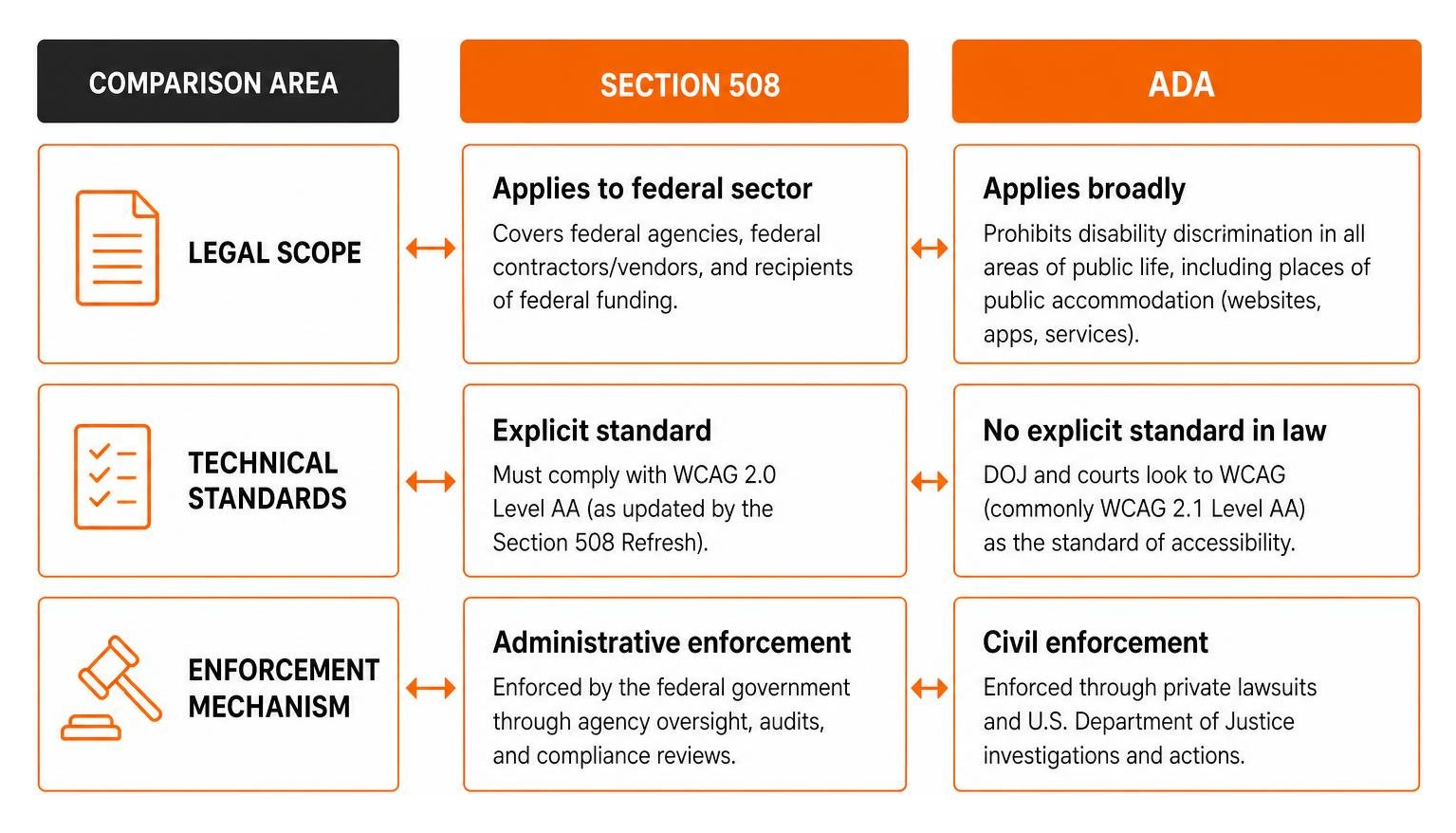
While the ADA is a broad mandate that historically did not explicitly name a technical standard (though courts rely heavily on WCAG), Section 508 is highly specific, explicitly incorporating WCAG 2.0 Level AA as its legal benchmark.
For local context, public entities in our area must stay highly vigilant. For instance, the Accessibility policy | City of Philadelphia outlines clear commitments to digital equity, and the DOJ’s recent ADA Title II updates require state and local agencies to meet WCAG 2.1 AA compliance by April 2026. Whether you look at Website Accessibility Policy – Philadelphia or local township guidelines like Town Website Accessibility | ADA Compliance, the standard for public and private spaces alike is rapidly consolidating around WCAG.
The Technical Blueprint: WCAG Standards and Key Requirements
If Section 508 is the law, then the Web Content Accessibility Guidelines (WCAG) are the building codes. When the U.S. Access Board refreshed Section 508, they officially incorporated WCAG 2.0 Level A and Level AA as the technical requirements.
To build a 508 compliant website, you must satisfy all 38 Success Criteria that make up these two levels. For a highly detailed checklist, you can refer directly to the Guide to Accessible Web Design & Development | Section508.gov.
The Four POUR Principles of Web Accessibility
WCAG is structured around four foundational principles, easily remembered by the acronym POUR. If your website does not meet these four principles, it cannot be considered accessible:
- Perceivable: Users must be able to perceive the information being presented. It cannot be invisible to all of their senses. This means providing text alternatives (alt text) for non-text content, transcripts for audio, and captions for video.
- Operable: Users must be able to operate the interface. The site cannot require interactions that a user cannot perform. This means making all functionality available from a keyboard, avoiding keyboard traps, and giving users enough time to read and use content.
- Understandable: Users must be able to understand the information as well as the operation of the user interface. The text must be readable, and the navigation must operate in predictable ways.
- Robust: Content must be robust enough that it can be interpreted reliably by a wide variety of user agents, including assistive technologies like screen readers.
To learn how to weave these principles into your overall creative process, check out our AZ Guide to Inclusive Web Design.
Designing and Developing a 508 Compliant Website
When we design and develop websites at FZP Digital, we don’t treat accessibility as an afterthought to be “bolted on” at the end. We bake it directly into our design systems and code pipelines.
Here are the key areas where design and development must align:
- Semantic HTML: Always use native HTML elements for their intended purpose. Use
for actions,for links, and proper heading tags (
through
) in a logical, sequential order. Avoid skipping heading levels, as screen reader users rely on headings to navigate and understand the page structure. - Keyboard Navigation & Visual Focus: A user should be able to navigate your entire website using only the
Tab,Shift + Tab, andEnterkeys. This means no keyboard traps (where a user gets stuck inside a modal or dropdown and cannot tab out) and ensuring a highly visible focus indicator (the outline that appears around a selected link or form field). - Color Contrast: Approximately 4.5% of the U.S. population has difficulty perceiving differences in color hues. Standard text must have a visual contrast ratio of at least 4.5:1 against its background, while large text (18pt or larger, or 14pt bold) requires at least 3:1. For example, a default orange button font on a white background often fails this test miserably, whereas a darker red like
#E60000on white will pass. - Form Labels & Error Handling: Every form input must have a programmatically associated
. When errors occur, they must be identified and described to the user in text, rather than relying on color alone (like simply turning the input border red).
For a deeper dive into coding for assistive technology, read our guide on How to Design for Everyone and Their Screen Reader.
VPATs, Enforcement, and the Business Case for Accessibility
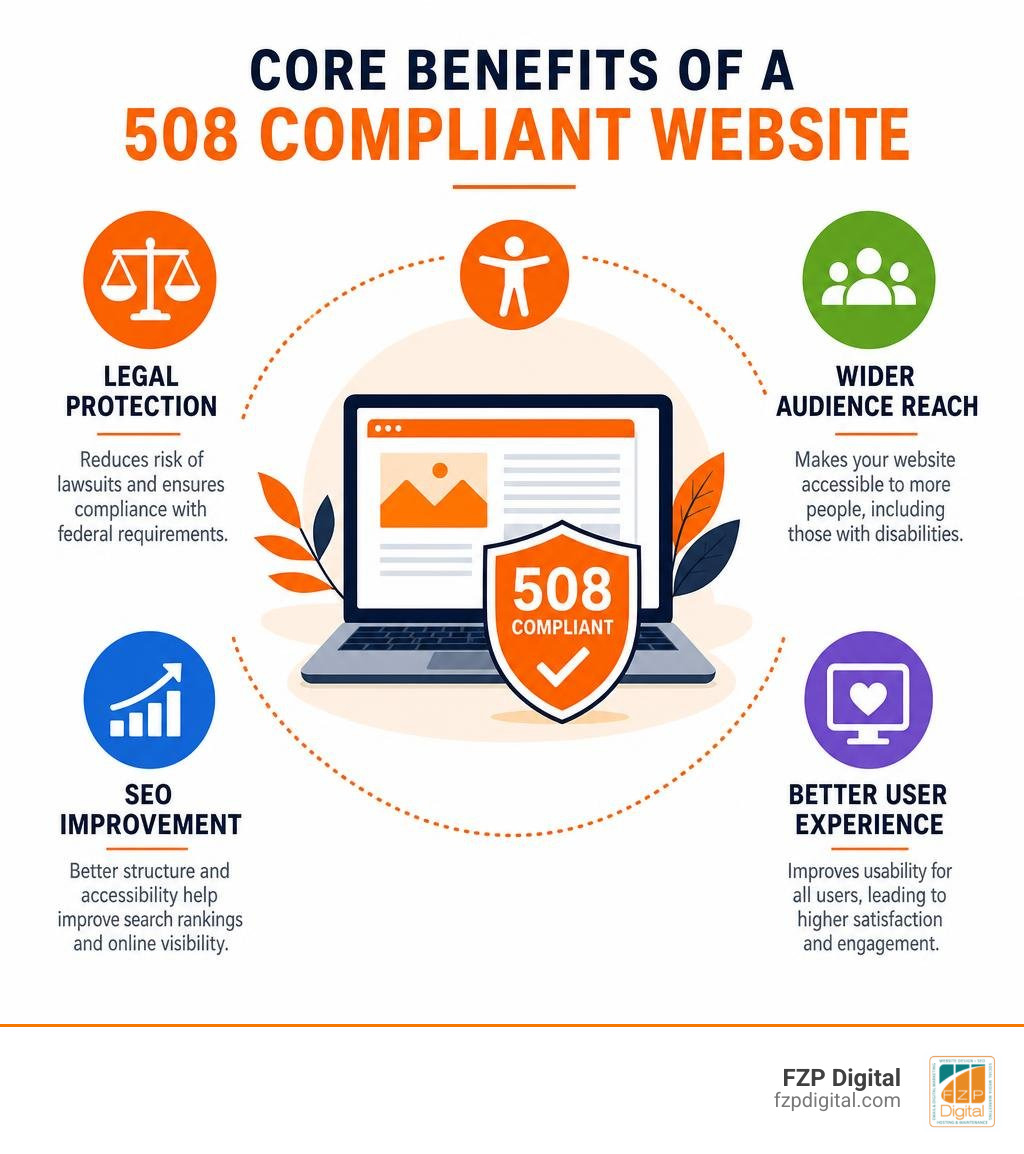
Beyond avoiding lawsuits, making your website accessible is a phenomenal business decision. When you make your site accessible, you are opening your doors to a massive, loyal customer base.
Moreover, search engines like Google love accessible websites. Clean semantic code, logical heading hierarchies, and descriptive alt text are the exact same elements that search engine crawlers use to index your site. By designing for accessibility, you naturally boost your organic search rankings.
To understand how this translates to real-world growth, explore our resource on Learn How Website Accessibility Can Help Grow Your Brand.
What is a VPAT and Why is It Crucial for Procurement?
If you want to sell software, digital services, or web development to a federal agency or a federally funded institution, you will inevitably be asked for a VPAT.
VPAT stands for Voluntary Product Accessibility Template. It is a highly technical, standardized form developed by the Information Technology Industry Council (ITI). Once a vendor fills out the VPAT, it becomes an Accessibility Conformance Report (ACR).
Think of a VPAT as a “nutrition label” for digital accessibility. It details exactly how your website, software, or document conforms to each Section 508 success criterion. Federal procurement officers use these reports to compare different products and make legally compliant purchasing decisions.
To see the official regulations and background of these procurement standards, you can review the Federal Register / Vol. 82, No. 11 / Wednesday, January 18, 2017 / Rules and Regulations.
How Section 508 Compliance is Enforced
Section 508 is enforced through several powerful channels:
- Federal Acquisition Regulations (FAR): Federal procurement officers are legally prohibited from purchasing non-compliant technology if a compliant alternative is available.
- Administrative Complaints: Individuals can file formal administrative complaints directly with the offending federal agency.
- Civil Litigation: Individuals with disabilities can file lawsuits in federal court against agencies, contractors, or funded entities.
- DOJ Consent Decrees: The Department of Justice regularly monitors compliance and can enter into binding consent decrees with organizations to force compliance under threat of heavy financial penalties.
If you want to make sure your private or public platform is protected from these risks, read our guide on Making Your Website ADA Compliant the Easy Way.
How to Test and Maintain Your Website’s Accessibility
Accessibility is not a one-time project; it is an ongoing practice. Every time you write a new blog post, upload a PDF, or add a new plugin, you run the risk of introducing accessibility errors.

To keep your digital presence safe and welcoming, you need a systematic testing workflow. If you aren’t sure where your website currently stands, we highly recommend starting with a professional Website Accessibility Audit.
Common Accessibility Violations and How to Avoid Them
When we perform manual audits for clients in Philadelphia, Richboro, Newtown, and Downtown Philadelphia, we see the same handful of errors over and over again:
- Missing or Poor Alt Text: Sighted content creators often upload images without alt text, or they write unhelpful descriptions like “image1.jpg” or “placeholder.” Sighted users see the image; screen reader users hear nothing or, worse, the file name.
- Keyboard Traps: Dynamic elements like popups, cookie consent banners, and mobile navigation menus often trap keyboard focus, forcing users to refresh the page to escape.
- Unlabelled Forms and Icon Links: Social media icons (like a Facebook or LinkedIn logo) are frequently placed in headers or footers as links without any screen-readable text. Adding an
aria-label="Visit our Facebook page"instantly solves this. - Vague Link Text: Links that say “click here” or “read more” provide zero context for screen reader users who navigate pages by jumping from link to link. Instead, use descriptive text like “Read more about our web design services.”
By learning how to spot and correct these issues, you can keep your site in top shape. For a deep dive into fixing these errors, check out The Ultimate Guide to Making Web Pages Accessible for All.
A Hybrid Approach to Accessibility Testing
There are plenty of automated accessibility scanners on the market today. While they are fantastic for catching low-hanging fruit, automated tools only catch roughly 30% to 40% of accessibility errors.
For instance, an automated scanner can tell you if an image has alt text, but it cannot tell you if the alt text actually makes sense in the context of the page. It can check if a button has a label, but it cannot tell you if a keyboard user can actually activate that button without getting trapped.
That is why we always advocate for a hybrid testing approach:
- Automated Scanning: Use tools to continuously monitor your templates for structural issues, broken code, and color contrast failures.
- Manual Testing: Have a human expert navigate the site using only a keyboard, and test key user journeys (like submitting a form or completing a checkout) using screen readers like NVDA, JAWS, or VoiceOver.
This is the only way to ensure true, defensible compliance that actually works for real people.
Frequently Asked Questions about Section 508 Compliance
Navigating digital accessibility can raise a lot of questions. Here are a few of the most common questions we hear from clients and partners in Bucks County and Philadelphia.
What is the difference between WCAG 2.0 and WCAG 2.2?
While Section 508 legally references WCAG 2.0 Level AA, the web has evolved significantly since those standards were written. WCAG 2.1 (released in 2018) and WCAG 2.2 (released in 2023) were introduced to address modern web design, particularly mobile optimization, touch target sizes, and cognitive accessibility needs.
Even though the strict letter of Section 508 law points to WCAG 2.0, federal agencies and forward-thinking organizations are actively encouraged to target WCAG 2.1 or 2.2 AA. Targeting the newer standards ensures your site is truly compatible with modern devices and touchscreens.
Do PDFs and downloadable documents need to be Section 508 compliant?
Yes, absolutely. Section 508 applies to all electronic content, which includes downloadable files like PDFs, Word documents, Excel spreadsheets, and PowerPoint presentations.
In fact, public universities and government agencies face incredibly strict enforcement from the Office for Civil Rights (OCR) regarding PDF accessibility. To be compliant, PDFs must be properly “tagged” to establish a logical reading order, images within the PDF must have alt text, and tables must have designated header rows.
Can small businesses get tax credits for website accessibility?
Yes! This is one of the best-kept secrets in business. Eligible small businesses can take advantage of the IRS Disabled Access Credit (Section 44 of the Internal Revenue Code).
This tax credit covers 50% of eligible access expenditures in a tax year, up to a maximum credit of $5,000 per year. This can be used to offset the cost of professional website audits, document remediation, and custom accessible web development.
Conclusion
At the end of the day, digital accessibility isn’t about rigid checklists or dry legal requirements. It is about people. It is about ensuring that a quarter of our community is not locked out of the digital spaces we build.
At FZP Digital, we believe that you should never have to choose between a gorgeous, modern website and a fully accessible one. Through our signature “Develop . Design . Deliver” process, we craft custom, responsive WordPress websites that load incredibly fast, rank beautifully on Google, and are fully welcoming to every single visitor.
We are proud to serve our local communities in Richboro, Newtown, Philadelphia, and Downtown Philadelphia. Whether you are a local business looking to protect yourself from legal risks, a nonprofit aiming to serve your entire community, or an organization preparing to bid on a federal contract, we are here to guide you every step of the way. When it comes to choosing the right home for your accessible site, we highly recommend and partner with industry-leading managed WordPress hosting providers like GoDaddy and WP Engine to ensure your site is secure, fast, and always online.
Ready to make your digital presence inclusive, beautiful, and legally secure? Partner with FZP Digital for Expert Accessibility Solutions today, and let’s build a web that works for everyone.