


What Is Inclusive Web Design — and Why Does It Matter?
Inclusive web design is the practice of building websites that work for everyone — regardless of ability, age, language, tech literacy, or life circumstance.
Here’s a quick breakdown of what that actually means:
| Concept | What It Covers |
|---|---|
| Inclusive Web Design | All users — disabilities, age, language, culture, tech access, situational limits |
| Accessible Design | Primarily users with permanent disabilities |
| Universal Design | Products usable by everyone without adaptation |
| Usability | How effectively any user can achieve a goal on your site |
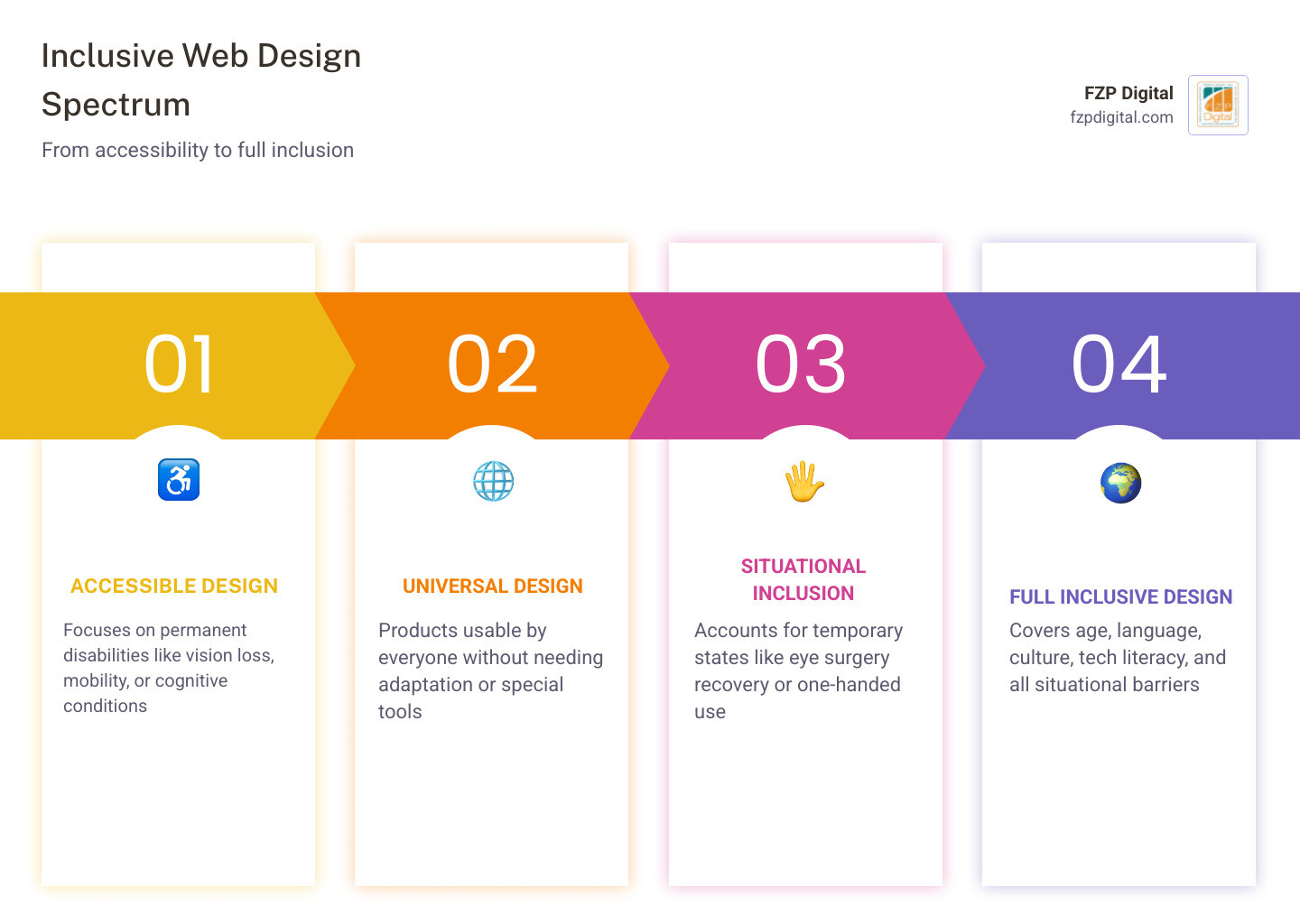
Think of inclusive design as the umbrella — and accessibility as one important piece underneath it.
Why does this matter right now? Because more than 1 in 6 people worldwide live with some form of disability. Over one billion people rely on assistive technology to navigate the web. And yet, more than 97% of top websites still have measurable accessibility issues.
That’s not a small gap. That’s a massive portion of your potential audience being quietly turned away.
And it’s not just people with permanent disabilities who are affected. Someone recovering from eye surgery, a parent holding a baby with one hand, or a commuter on a noisy train — they’re all bumping into the same barriers every day.
The good news? Designing inclusively doesn’t mean sacrificing aesthetics or functionality. Done right, it makes your website better for every single visitor.
I’m Fred Z. Poritsky, founder of FZP Digital — a Philadelphia-based digital agency where I’ve spent years helping businesses build websites that don’t just look great, but genuinely work for the full spectrum of people who visit them, which is why inclusive web design sits at the heart of everything we do. Whether you’re a small business owner, a nonprofit leader, or somewhere in between, this guide will walk you through everything you need to know to make your website truly welcoming.
Inclusive web design basics:
Understanding Inclusive Web Design in 2026
As we navigate through May 2026, the digital landscape is more diverse than ever. We’re no longer just designing for a “standard” user with a high-speed connection and perfect vision. Today, inclusive web design is the gold standard because it acknowledges the reality of human diversity.
Statistics show that 1 in 6 people globally live with a disability, but the numbers go deeper. Approximately 253 million people have visual impairments, and about 1% of the global population lives with cognitive impairments. When you realize that over a billion people rely on assistive technology—a number expected to double by 2050—you start to see that “niche” audiences aren’t niche at all. They are your customers.
If you’re wondering where to start, our What is Web Accessibility guide is a great primer. It’s also worth exploring the Introduction to Web Accessibility from the W3C to understand the global standards that keep the web open for all.
How Inclusive Web Design Differs from Accessibility
A common question we hear at our Philadelphia office is: “Isn’t accessibility and inclusivity the same thing?” Not quite! While they’re best friends, they have different focuses.
Accessibility is often about compliance and solving for permanent disabilities—like ensuring a blind user can use a screen reader. Inclusive web design goes a step further by considering situational and temporary limitations.
Think about these scenarios:
- Permanent: A user who is deaf.
- Temporary: A user with an ear infection that limits their hearing for a week.
- Situational: A user in a loud Philadelphia coffee shop who forgot their headphones and needs captions to watch your video.
Inclusivity also tackles cultural and demographic barriers. For instance, did you know there are 41 million native Spanish speakers in the U.S.? That’s over 10% of the population! If your site doesn’t account for language or cultural nuances, you’re leaving people out. Learning how website accessibility can help grow your brand is the first step in realizing that inclusion is just good business.
Why Your Business Needs an Inclusive Web Design Strategy
Prioritizing inclusive web design isn’t just about “doing the right thing” (though that’s a great reason!). It’s a savvy business move.
First, it massively expands your audience. When you remove barriers, you’re literally opening your digital doors to millions more people. Second, it’s an SEO powerhouse. Many inclusive practices—like clear heading structures and alt text—directly help search engines understand your site better.
Finally, there’s the legal side. Between 2017 and 2020, there were 8,000 ADA Title III lawsuits filed, and that number is only climbing. Protecting your business from litigation is important, but creating a positive brand perception is even better. People want to support brands that care about equity. If you’re feeling overwhelmed, don’t worry—we’ve broken down the basics in our What is Web Accessibility resource.
The POUR Principles and Beyond
To create a truly inclusive site, we follow the “POUR” principles. These aren’t just fancy acronyms; they are the pillars of the Web Content Accessibility Guidelines (WCAG).
- Perceivable: Users must be able to see or hear the information. This means providing text alternatives for images and captions for video.
- Operable: Users must be able to navigate the site. Can someone use your site with just a keyboard? If not, it’s not operable.
- Understandable: The content and interface must be clear. No jargon, no confusing navigation.
- Robust: Your site needs to work across different browsers and with assistive technologies like screen readers.
You can dive deeper into these Accessibility Principles to see how they apply to your specific project. At FZP Digital, we always emphasize that a site should be as easy to navigate as walking down Broad Street—clear signs, no obstacles, and a straight path to where you want to go.
Core Strategies for Inclusive Web Design
One of the most important things we do is ensure keyboard accessibility. Many users with motor impairments can’t use a mouse. They rely on the “Tab” key to move through your site. If your navigation gets stuck or doesn’t show a “focus state” (that little box that shows where you are), the user is effectively trapped.
Screen reader compatibility is another big one. Screen readers turn text into speech or braille. If your site’s code is messy, the screen reader will struggle to make sense of it. We’ve written a detailed post on how to design for everyone and their screen reader that covers the technical “must-haves” for this.
Seven Principles of Inclusivity
Beyond the technical requirements, inclusive web design is guided by seven core principles that make the experience better for everyone:
- Flexibility: Provide multiple ways to complete a task (e.g., swiping or clicking).
- Simplicity: Keep layouts clean and copy straightforward.
- Consistency: Use the same navigation and icons across all pages.
- Perception: Use more than just color to convey meaning (don’t just use a red border for errors; add an icon or text label).
- Equity: Ensure the outcome is the same for everyone, regardless of how they get there.
- Prevention: Design to stop errors before they happen (like clear form instructions).
- Accommodation: Welcome all users with a design that feels comfortable and inviting.
Practical Steps to Build an Equitable Experience
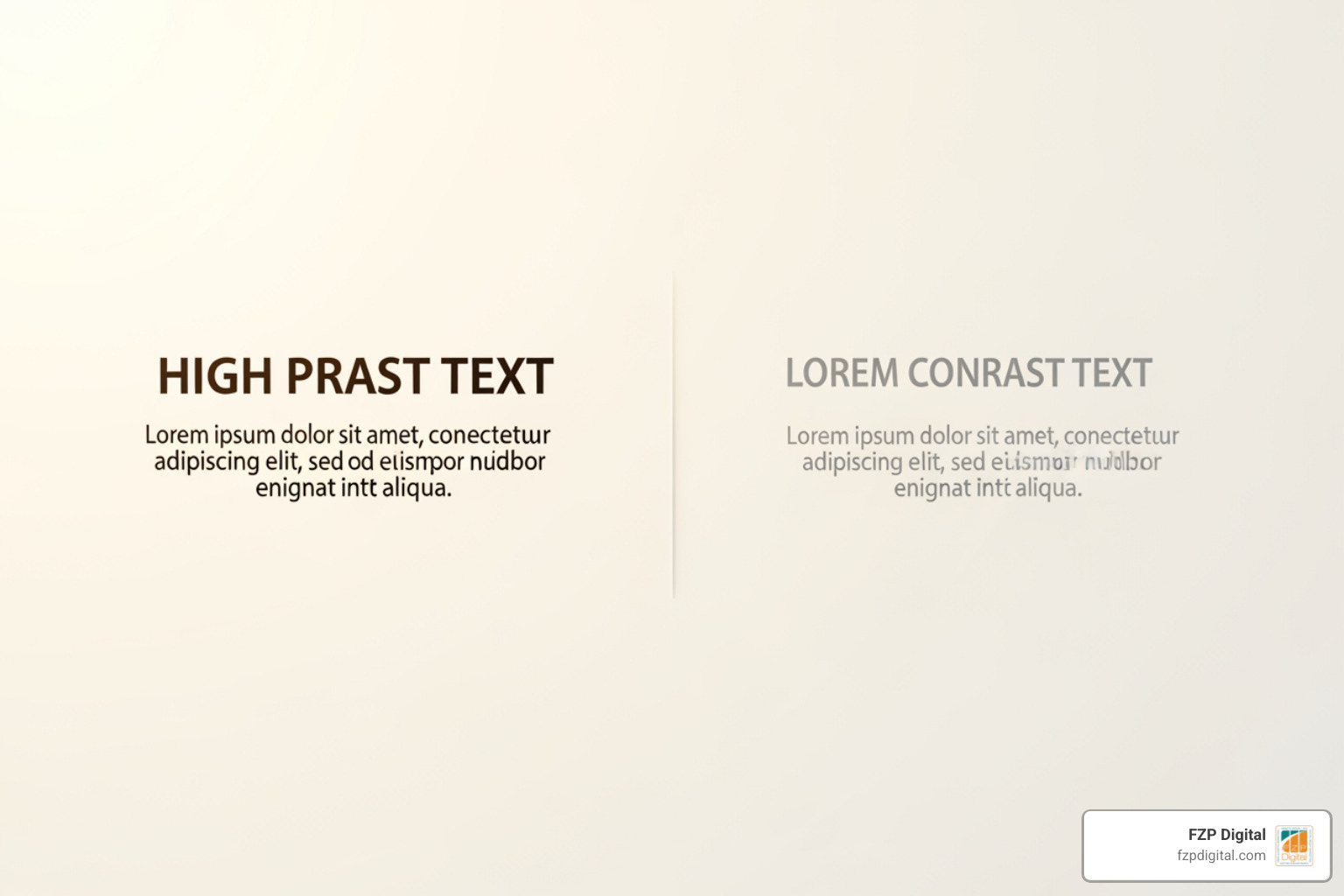
Ready to roll up your sleeves? Let’s talk about some quick wins you can implement today. One of the most common issues we see is poor color contrast. If your text is light gray on a white background, it might look “chic,” but it’s unreadable for many people, especially older adults (50% of whom need help with new tech).
The standard ratio you’re looking for is 4.5:1 for normal text. This ensures that the words pop against the background. You can find great tools to check this in the Learn Accessibility course materials.
Another “must” is alt text. Every image on your site should have a description in the code. If it’s a photo of the Philadelphia skyline, the alt text should say “Philadelphia skyline at sunset with the Comcast Center.” If the image is just decorative (like a swirl or a line), you can leave the alt text empty so screen readers know to skip it.
Content Structure and Readability
How you write and format your content is just as important as the code. We recommend using relative font units (rem) instead of pixels (px). Why? Because rem units respect the user’s browser settings. If a user has their default font size set to “Large,” your site will automatically adjust to fit their needs.
Keep your body text at a minimum of 16px. Anything smaller is a struggle for many. Also, pay attention to line width. If a line of text spans the entire width of a desktop screen, it’s hard for the eye to track. Aim for 50-70 characters per line for the best reading experience. For more tips, check out The Ultimate Guide to Making Web Pages Accessible for All.
Form Accessibility and Error Prevention
Forms are where many websites fail the inclusivity test. Have you ever filled out a long form, hit submit, and then had the page refresh with no explanation of what went wrong? It’s frustrating for anyone, but for someone with a cognitive impairment or a screen reader, it can make the site unusable.
Always keep your labels visible. Don’t use “placeholder text” (the gray text inside the box) as your only label, because it disappears as soon as the user starts typing! Use inline feedback to show errors in real-time, and make sure your error messages are descriptive. Instead of “Invalid,” try “Please enter a valid phone number (e.g., 215-555-0123).” We make this easy in our guide on making your website ADA compliant.
Creating Personas and Testing for Real-World Impact
In marketing, we often talk about “Buyer Personas.” For inclusive web design, we need to expand those personas to include more than just age and income. We look at:
- Ability: Does the user have a permanent, temporary, or situational disability?
- Aptitude: How tech-savvy are they? 40% of seniors in some areas are digitally illiterate.
- Attitude: Are they frustrated or in a hurry?
- Access: Are they using a $2,000 MacBook or a five-year-old smartphone with a slow data plan?
- Localization: What is their primary language and cultural background?
| Factor | Traditional Persona | Inclusive Persona |
|---|---|---|
| Focus | Demographics & Buying Power | Human Diversity & Access |
| Example | “Marketing Manager, $80k salary” | “User with low vision using a mobile device on a bus” |
| Goal | Conversion | Equitable Access & Task Completion |
Testing Methodologies for Inclusivity
You can’t just “set it and forget it.” Testing is vital. We suggest a three-pronged approach:
- Automated Tools: Use checkers to find the “easy” stuff like missing alt text or low contrast.
- Manual Reviews: Have a human (like our team!) navigate the site using only a keyboard.
- User Testing: The best way to know if your site is inclusive is to have people with diverse abilities actually use it.
If you’re not sure where your site stands, we offer a comprehensive Website Accessibility Audit to help you find and fix those hidden barriers.
Overcoming Common Implementation Challenges
We get it—adopting a full inclusive web design strategy can feel like a big mountain to climb. Common challenges include a lack of awareness, tight budgets, and technical complexity.
The trick is to start small. You don’t have to fix everything overnight. Start with your most visited pages. Fix the contrast, add alt text, and check your form labels. Over time, these small changes add up to a significantly better experience. If you want to see who’s doing it right, check out our ranking of the most accessible websites on the internet.
Frequently Asked Questions about Inclusive Design
What is the role of WCAG in inclusive design?
The Web Content Accessibility Guidelines (WCAG) are the international “rules of the road.” They provide the technical standards that ensure websites are perceivable, operable, understandable, and robust. Most businesses aim for Level AA conformance, which is the generally accepted standard for legal compliance and good usability. You can learn more about these standards in our Learn Accessibility resources.
How does inclusivity help my SEO?
Search engines love inclusive websites! Google’s “Core Web Vitals” reward sites that are easy to use and perform well. When you use semantic HTML (like using
for titles and for buttons), you’re giving search engines a clear map of your content. This leads to lower bounce rates and higher rankings. It’s a win-win for everyone! Learn more about how website accessibility can help grow your brand.
What are the biggest barriers to digital inclusion?
The biggest barriers are often our own assumptions. We assume everyone has a fast computer, perfect vision, and great internet. In reality, 1.1 billion people are “internet-poor” with limited access. Bias and a lack of empathy in the design phase can lead to “blind spots” that exclude millions.
Conclusion: Your Journey Toward a More Welcoming Web
At the end of the day, inclusive web design is about people. It’s about making sure that whether someone is visiting your site from Newtown, Richboro, or Downtown Philadelphia, they feel welcomed and capable of finding what they need.
At FZP Digital, we take a collaborative “Develop . Design . Deliver” approach. We believe that a website is more than just code—it’s a digital storefront that should be open to everyone. If you’re ready to make your digital presence more inclusive, or if you just have questions about where to start, we’re here to help.
The journey toward a more welcoming web starts with a single step. Let’s make sure no one is left behind.
Ready to make your site accessible for all? Explore our Accessibility services today and let’s build something great together.