

Connect Wufoo Forms to Salesforce Without Manual Data Entry
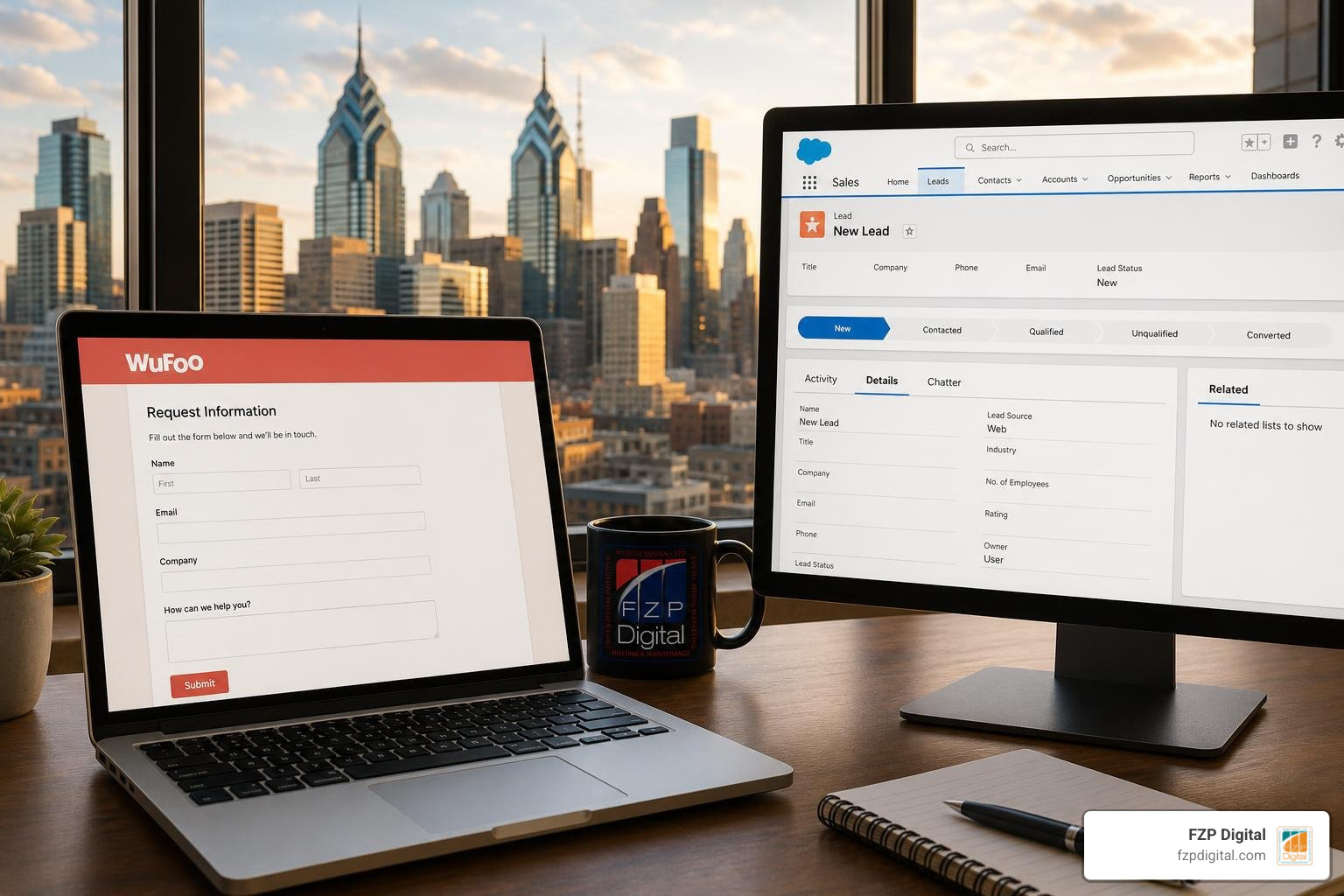
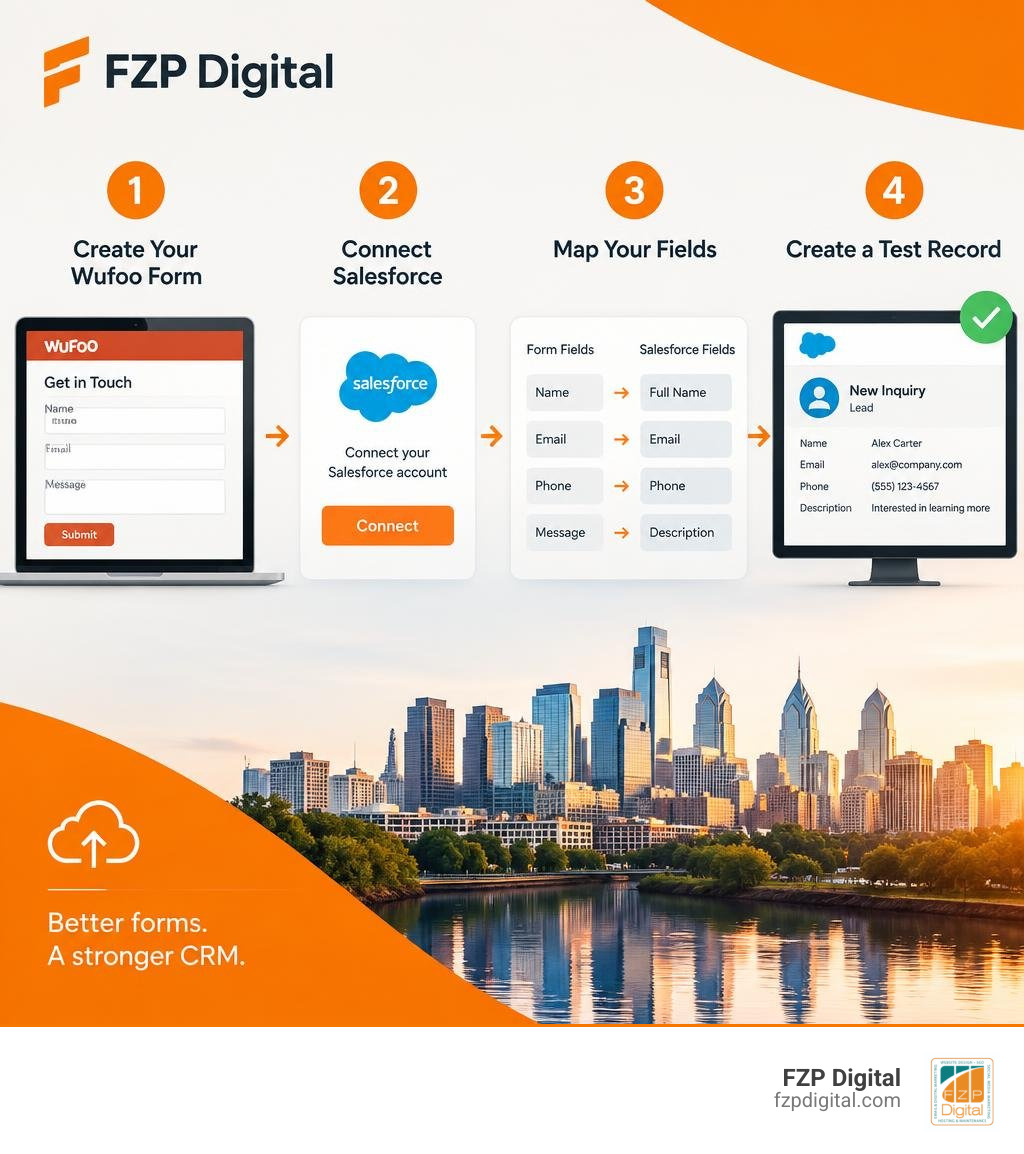
To set up a Wufoo-Salesforce integration, create your form, open its integrations menu, and connect your Salesforce account. Choose whether submissions should create Leads or Contacts, map the form fields to Salesforce fields, and send a test entry to confirm the record appears. You’ll need a paid Wufoo plan to use integrations.
Once it’s working, a new inquiry can reach your CRM without someone copying it over. That gives your team a better chance to follow up promptly and spot missing or mismatched information before it becomes a recurring problem.
I’m Fred Z. Poritsky, and my background in nonprofit financial management, web design, and digital marketing shapes my practical approach to wufoo salesforce integration. Let’s start with a reliable connection, then look at how to make the incoming data useful.
Understanding the essentials of integrated customer relationship management helps you build a reliable lead flow. From mastering broader CRM integration to connecting Salesforce and WordPress, syncing your digital channels keeps your pipeline running smoothly.
Why You Need the Wufoo Salesforce Integration for Lead Capture
Have you ever filled out a contact form on a website, only to wait three days for a response? By that point, you’ve probably moved on to a competitor.
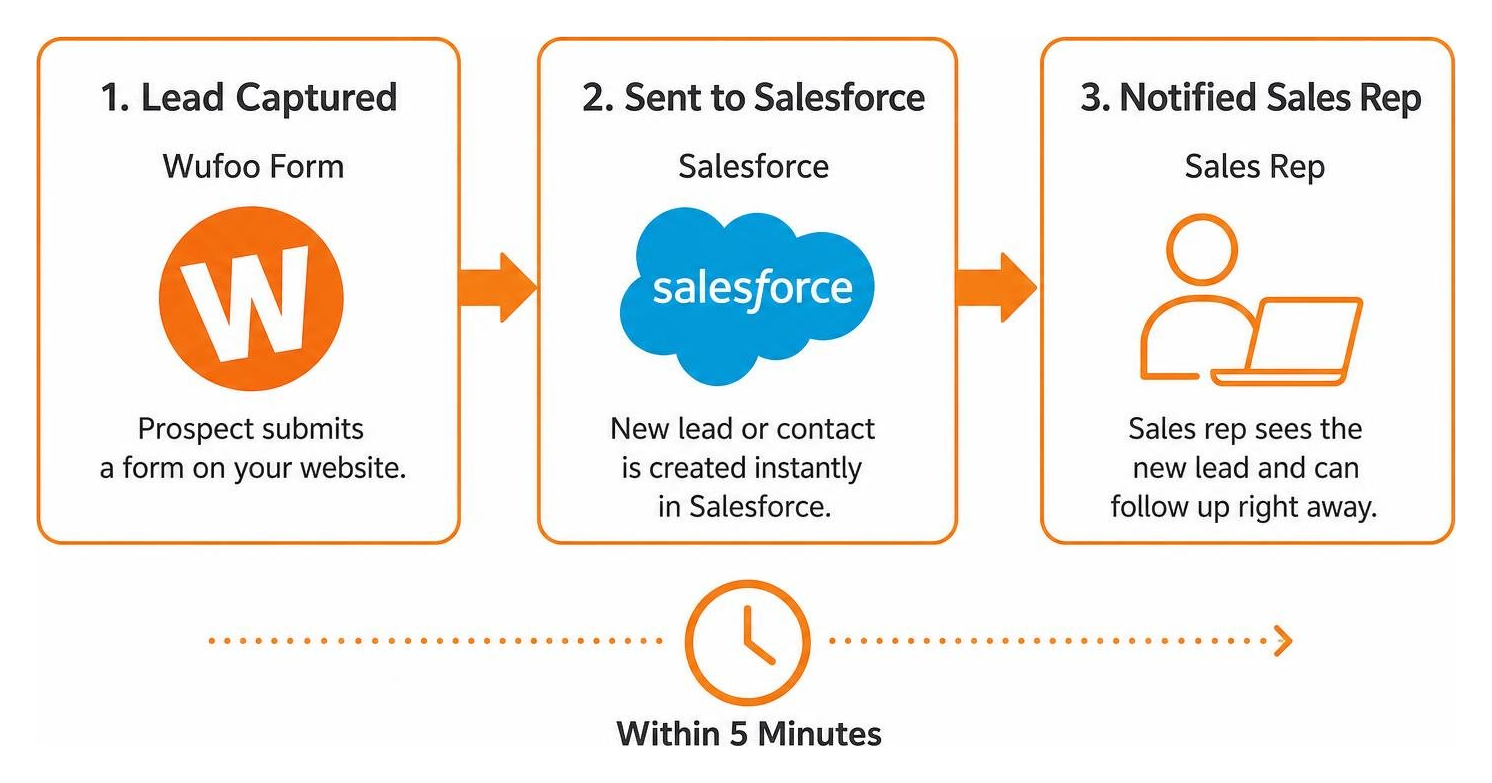
In sales, timing is everything. Research consistently shows that to maximize conversion rates, you need to follow up with new inbound leads within 5 minutes. After those first five minutes, conversion chances plummet rapidly because prospective buyers start researching alternative solutions.
When your sales reps are stuck copying and pasting names, phone numbers, and email addresses out of form notification emails, hitting that 5-minute response target is nearly impossible. Manual data entry creates unnecessary bottlenecks, causes human errors, and leaves warm prospects sitting idle in an inbox.
By taking the time to stop losing leads by connecting your website to your CRM, you eliminate friction entirely. Every time someone submits an inquiry through a Wufoo form on your site, that data instantly creates a structured record inside Salesforce. Your pipeline moves faster, your data stays clean, and your sales team can focus on what they do best: talking to clients and closing deals.
Benefits of Real-Time CRM Synchronization
Connecting your forms directly to your customer relationship management software turns static web pages into real-time pipeline engines. Instead of waiting for a batch export at the end of the day, your team receives actionable data the second a prospective client clicks “Submit.”
- Instant Record Creation: New leads or contacts appear immediately in Salesforce with all required standard and custom fields already filled out.
- Frictionless Lead Qualification: Automatically capture key qualifying details—like budget, timeline, and company size—so reps know how to prioritize outreach.
- Higher Conversion Rates: Reaching out while your brand is top-of-mind yields higher answer rates and warmer conversations.
- Clean Data Architecture: Direct data sync enforces consistent formatting, eliminating typos, missed fields, and disorganized spreadsheets.
Understanding how data flows between your front-end assets and your back-end database is the core of modern marketing operations. For a deeper look at architecture strategies, explore our comprehensive guide to CRM integration to see how connected tools transform daily business efficiency.
Automated Lead Routing and Deduplication Rules
What happens after the lead lands in Salesforce? If everything sits in a generic pool, response times still suffer. You can leverage Salesforce assignment rules in tandem with your Wufoo forms to route records automatically:
- Geographic Routing: Direct leads to regional sales reps based on state, postal code, or country fields captured on the form.
- Product or Service Interest: Send inquiries regarding specific service tiers directly to specialized account executives.
- Language Preferences: Route international prospects to team members fluent in their preferred language.
- Company Size & Tier: Direct enterprise accounts to senior account directors while assigning smaller accounts to inside sales representatives.
Beyond smart routing, keeping your database clean requires managing duplicates. When an existing customer fills out an event registration or feedback form, you don’t necessarily want a duplicate lead record. Configuring Salesforce deduplication rules allows the incoming Wufoo data to update an existing Contact record or attach a new Campaign Member status rather than creating clutter.
How to Connect Your Forms to Salesforce Step-by-Step
Before diving into setup, make sure you have everything ready. You’ll need an active Salesforce account with administrative privileges (or permissions to install connected apps and manage objects) and an active paid Wufoo plan, as native third-party integrations aren’t available on the free tier.
If you enjoy building custom technical pipelines, learning how to hook your data up to your CRM using APIs gives you complete control over your payloads. But for most teams, Wufoo’s built-in connector offers a fast, no-code pathway to get up and running in minutes.
Step-by-Step Guide to Configure the Wufoo Salesforce Integration
Setting up the native connection is straightforward:
- Log in to Wufoo: Navigate to Form Manager and locate the form you want to connect.
- Access Form Integrations: Click the More icon next to your form name, select Integrations, and choose Salesforce from the available CRM options.
- Authenticate Your Salesforce Account: Follow the on-screen OAuth prompts to log into your Salesforce instance and grant permissions for data transfer. If you’re building in a staging environment, be sure to connect your Salesforce Sandbox first.
- Choose Target Record Type: Select whether form submissions should generate a new Lead or a new Contact record in Salesforce.
- Map Your Fields: Link each Wufoo form field to its corresponding Salesforce field (e.g., First Name, Last Name, Email, Phone, Company).
- Save and Test: Click save, then visit your live Wufoo form (or preview mode) to submit a test entry. Log into Salesforce immediately to confirm that the new record populated accurately.
For additional configuration nuances, refer to the official integration setup guidelines from SurveyMonkey Help.

Mapping Custom Form Fields to Standard and Custom Objects
Standard fields like Name, Email, and Phone are straightforward, but your business likely collects industry-specific data. Wufoo’s integration interface allows you to map custom form inputs to custom Salesforce fields.
When creating these mappings, make sure the data types align. If you have a dropdown menu in Wufoo, ensure the corresponding Salesforce field is a Picklist with matching values. If your form collects numerical data (such as estimated budget), map it to a Currency or Number field in Salesforce rather than a standard Text string.
If your site runs on WordPress, integrating your capture points creates a seamless lead pipeline. Discover how to connect WordPress and Salesforce to automate your pipeline to unify your website design, forms, and database management.
Extending Your Form Workflow with Middleware and Verification Tools
While native integrations are great for simple workflows, modern marketing systems often require multi-step automation. When your sales operations expand, relying solely on manual processing or rigid single-step connections can slow your growth. Discover why in our breakdown of automated marketing services and manual workflow challenges.
Enhancing Lead Quality with Kickbox and Zapier
Have you ever had sales reps waste hours calling fake phone numbers or sending emails to addresses that bounce? Dirty data costs time, damages domain sender reputations, and skews pipeline reporting.
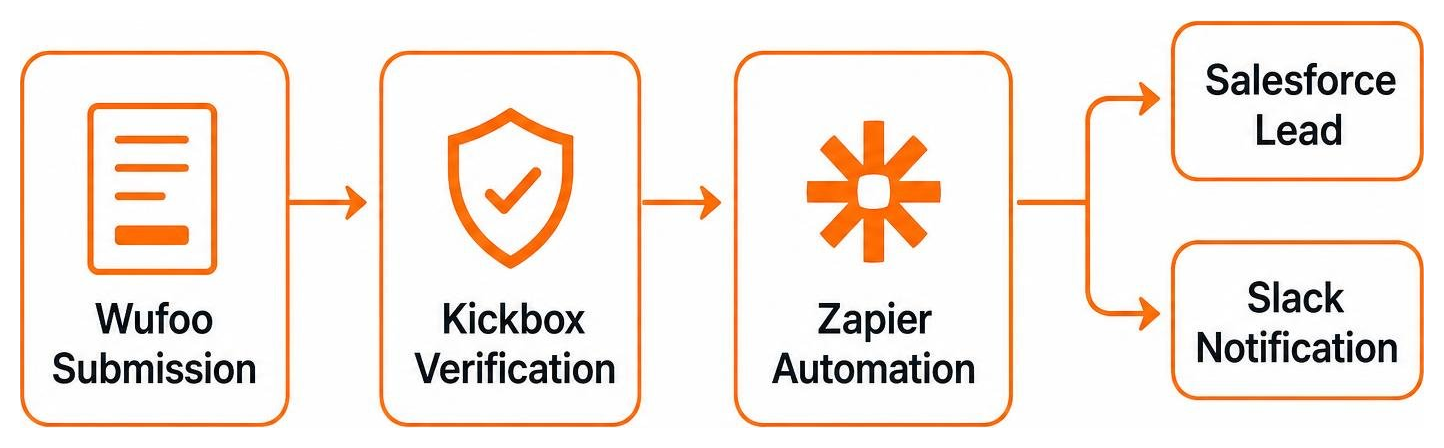
By using middleware platforms like Zapier, you can build an automated verification checkpoint between Wufoo and Salesforce:
- A prospect submits a Wufoo form.
- Zapier catches the submission webhook and sends the email address to Kickbox.
- Kickbox validates deliverability in real time, checking for typos, disposable inboxes, and spam traps.
- If the email is deliverable, Zapier creates the lead in Salesforce. If it’s invalid, the record is flagged or diverted for review.
Reviewing automated email verification with Kickbox and Zapier shows how simple it is to protect your CRM hygiene while maintaining rapid lead flow. Along the way, your middleware can send instant Slack alerts to sales channels and backup raw submission entries to secure cloud storage.
Connecting Multi-Step Workflows Across Your Tech Stack
True digital growth happens when your web assets, CRM, and analytics platforms speak to one another seamlessly. Capturing lead data is only half the battle; knowing which marketing campaign drove that submission completes the puzzle.
By passing Google Analytics tracking parameters (like UTM campaign, source, and medium) through hidden fields on your Wufoo forms, you can push closed-loop attribution data directly into Salesforce. This allows your team to evaluate which marketing channels generate genuine revenue, not just vanity form clicks.
Building these interconnected ecosystems can feel overwhelming when balancing technical APIs, responsive design, and tracking scripts. That’s where expert guidance becomes invaluable. At FZP Digital, founder Fred Z. Poritsky combines financial rigor and digital marketing strategy to help businesses design high-converting, fully integrated websites that turn traffic into qualified pipeline.
Comparing Form Builders and Integration Architecture
Not all form-to-CRM connections operate the same way. Depending on your compliance requirements, budget, and tech stack, you might choose between native connectors, middleware automation, or CMS-specific form modules.
| Integration Method | Best For | Pros | Cons |
|---|---|---|---|
| Native Wufoo Connector | Standard Lead & Contact capture | Fast setup, no code required, included in paid plans | Limited to standard Lead/Contact creation; one-way sync |
| Middleware (Zapier / Webhooks) | Multi-app pipelines & email verification | High flexibility, multi-step routing, filter logic | Adds third-party subscription costs and slight data latency |
| Direct CMS Modules (e.g., Drupal Suite) | Deep bidirectional enterprise sync | Direct object mapping, field prefill, tight CMS harmony | Requires developer maintenance and continuous module updates |
For organizations running complex content platforms, reviewing Drupal Salesforce integration best practices provides helpful context on how enterprise architectures manage direct bidirectional data flows.
Native Form Connectors vs Middleware Bridges
Wufoo’s native Salesforce connector operates by pushing form payloads directly to Salesforce endpoints. This reduces latency compared to polling-based middleware and provides a simple setup interface.
However, native connections can have limitations when dealing with complex Salesforce architectures involving custom junction objects, bidirectional synchronization, or advanced prefill needs. Middleware bridges provide robust conditional logic and multi-tool routing, but they introduce an extra service layer to maintain.
Pricing Breakdown and Integration Tier Requirements
When budgeting for your form infrastructure, keep Wufoo’s plan tiers in mind:
- Free Plan: Great for basic surveys, but does not include integrations or API features.
- Starter Plan ($19/month billed monthly): Provides core features, 10 forms, and standard workflow integrations.
- Professional Plan ($39/month): Increases form limits, field limits, and includes file storage for document uploads.
- Advanced Plan ($99/month): Built for higher submission volumes, priority support, and multi-user team collaboration.
Wufoo supports connections across 60+ platforms and has powered over $500 million in transactions through payment integrations like Stripe and PayPal, making it a reliable solution for lead capture, event signups, and order processing.
Overcoming Technical Challenges and Real-World Applications
Even well-designed integrations can occasionally run into synchronization snags. Understanding common technical pitfalls ensures your lead flow runs uninterrupted:
- OAuth Token Expiration: If the administrator who authorized the Salesforce connection changes passwords or leaves your organization, re-authenticate the integration immediately to prevent data drop-offs.
- Required Field Mismatches: If a new mandatory field is added to your Salesforce Lead object, any Wufoo submission lacking that field will fail. Always match required fields across both platforms.
- API Rate Limits: High-volume campaigns can run up against daily Salesforce API limits. Batch processing or middleware queuing can help pace incoming traffic during massive surges.
- Security & Compliance: Ensure your forms utilize 100% SSL encryption, especially when collecting sensitive personal or transactional information.
Key Limitations of the Wufoo Salesforce Integration and How to Solve Them
Wufoo is designed as a form-first, user-friendly builder. Because of that focus, its native Salesforce connector is primarily a one-way push: it sends form data into Salesforce to create records, but it does not natively query Salesforce to prefill form fields for returning visitors.
If your team requires dynamic form prefill based on existing CRM data or needs to update complex multi-object relationships simultaneously (such as creating an Account, Contact, and Opportunity in one step), you can solve this by pairing Wufoo webhooks with custom middleware or an API bridge.
Real-World Use Cases Across Sales, Support, and Events
Businesses leverage the Wufoo and Salesforce integration across several operational touchpoints:
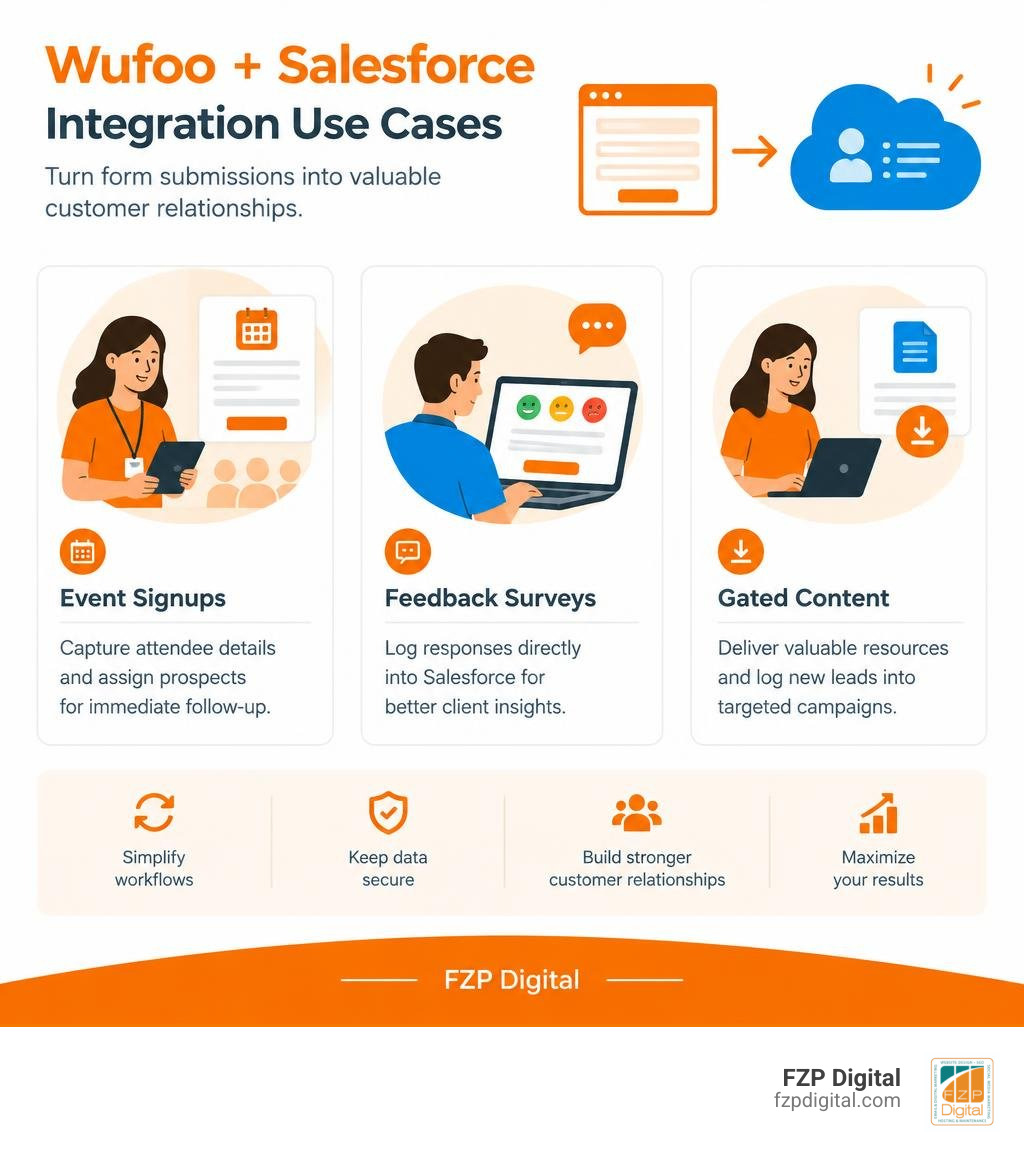
- Event Registrations: Capture attendee details at trade shows or webinars, automatically assigning prospects to regional reps for immediate follow-up.
- Customer Feedback Surveys: Embed satisfaction forms on confirmation pages and log responses directly into Salesforce cases for client success reviews.
- Gated Whitepaper Downloads: Deliver resources instantly to prospects while logging new leads into targeted email nurture campaigns.
- Direct Order Inquiries: Collect service quote requests, complete with project details, allowing reps to prepare accurate proposals before their first call.
Frequently Asked Questions about Wufoo and Salesforce
Does the integration create duplicate records if a contact already exists?
By default, standard form submissions generate a new Lead or Contact record based on your configuration. To prevent duplicate clutter, configure deduplication and matching rules inside your Salesforce setup (or utilize middleware logic) to update existing records when matching email addresses are detected.
Which Wufoo subscription plan is required to access Salesforce integration?
You must be on a paid Wufoo subscription (starting with the Starter plan at $19 per month) to access third-party integrations, including Salesforce, webhooks, and email marketing connections.
Can form submissions trigger automated lead assignment rules in Salesforce?
Yes! When Wufoo pushes a new record into Salesforce, you can set your Salesforce Lead Assignment Rules to fire automatically, routing the prospect to specific team members or queues based on field criteria like region, product interest, or company size.
Conclusion
Automating your lead capture is one of the most effective ways to accelerate your sales pipeline, maintain clean CRM data, and deliver rapid response times to prospective clients. Connecting your Wufoo forms to Salesforce eliminates repetitive manual data entry, prevents lost leads, and keeps your entire team focused on growth.
Building an effective, high-converting digital presence requires aligning your website architecture, user experience, and back-end CRM integrations. Whether you need a fully responsive WordPress platform or an automated inbound marketing system, FZP Digital helps businesses across Philadelphia and Bucks County build scalable, integrated engines. Elevate your inbound conversion rates and streamline your operations with our dedicated digital marketing services.