


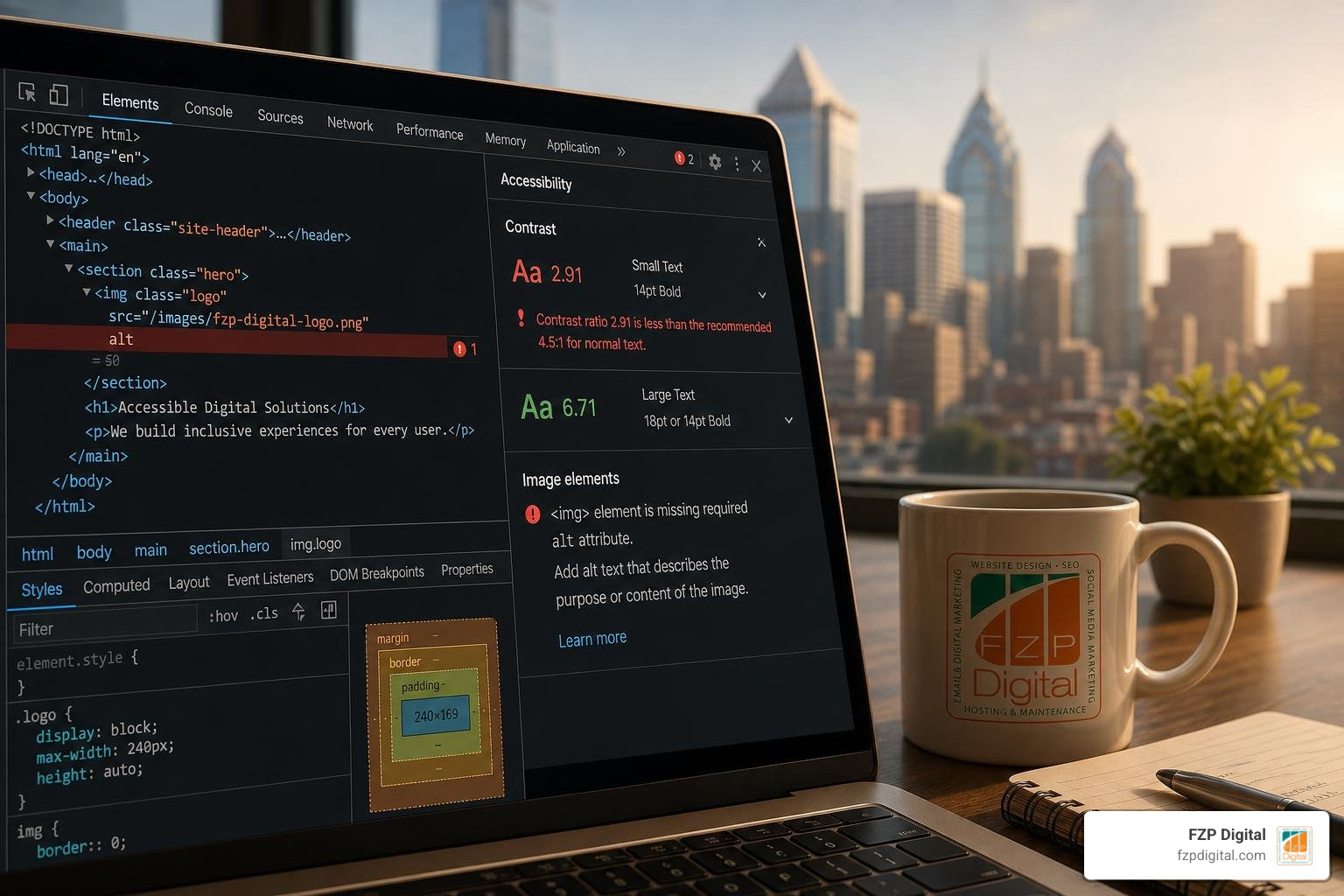
How a Website Accessibility Checker Evaluates WCAG and ADA Compliance
If you ask which website accessibility checker catches the most WCAG errors, the honest answer is no single tool catches everything. Top automated testing engines like axe DevTools and WAVE do an excellent job finding up to 30% to 50% of code-level failures, but the best coverage comes from combining a browser extension, a crawler engine, and a manual audit. Automated tools are brilliant at spotting missing alt text and low contrast, while human judgment is still essential for keyboard traps and context. So think of your accessibility toolkit as a team effort, not a single magic solution.
When you type a URL into an automated evaluation engine, what actually happens behind the scenes? An automated scanner loads your webpage in an automated browser environment, renders the Document Object Model (DOM), and evaluates the underlying markup against programmatic rules. It analyzes CSS color values against background nodes, checks whether image elements contain descriptive properties, and verifies that input fields connect to appropriate descriptors.
Understanding ADA compliance for websites starts with recognizing how these testing algorithms interpret your site’s code. Modern engines inspect computed styles, verify ARIA attributes against specification guidelines, and flag missing structural landmarks.
However, automated algorithms operate strictly on logic rules. They can instantly determine if an image tag is missing its alternative text attribute, but they cannot tell whether an existing description actually describes the visual content accurately. Recognizing the distinction between automated programmatic checks and contextual evaluation prevents teams from developing a false sense of security.
WCAG 2.1 and WCAG 2.2 Success Criteria
The international benchmark for digital accessibility is the Web Content Accessibility Guidelines (WCAG), organized around four foundational principles known as POUR:
- Perceivable: Users must be able to comprehend the information presented through sight, sound, or touch.
- Operable: Navigation and user interface components must be controllable using various input methods, including keyboards and assistive switches.
- Understandable: Content, structure, and operational controls must be clear, predictable, and straightforward to follow.
- Robust: Markup must be written cleanly so assistive technologies and modern web browsers can interpret it reliably.
Most legal frameworks around the globe specifically target WCAG Level AA conformance. Level A establishes baseline technical requirements, while Level AA adds criteria covering contrast minimums, visible keyboard focus indicators, and consistent navigation structures. For a practical breakdown of these criteria, review our comprehensive checklist of WCAG guidelines.
ADA Title III, Section 508, and Global Legal Mandates
In the United States, Title III of the Americans with Disabilities Act (ADA) has been consistently interpreted by federal courts and the Department of Justice to apply to commercial websites as public accommodations. With over 5,000 ADA digital accessibility lawsuits filed in 2025 alone—a 37% surge over the previous year—and average legal settlements landing between $15,000 and $75,000, proactive testing is a necessary risk management practice.
Public sector organizations and federal vendors face strict compliance obligations under Section 508 of the Rehabilitation Act. If you manage government portals or educational institutions, navigating federal Section 508 requirements ensures your platforms maintain compliance across all digital assets.
Internationally, the European Accessibility Act (EAA) enforces EN 301 549 standards across private sector digital services, while Canadian organizations must adhere to the Accessibility for Ontarians with Disabilities Act (AODA), where corporate non-compliance fines can reach substantial daily penalties.
Automated Scans vs. Manual Audits: What Automated Tools Catch and Miss
Automated scanning tools excel at detecting syntactic errors, programmatic omissions, and measurable visual values. Yet industry research shows that automated tools alone typically capture only 30% to 50% of total WCAG success criteria failures. The remaining barriers require human perception and contextual validation.

Investing in a thorough professional website accessibility audit bridges the gap between automated detection and real-world human usability.
Common Code-Level Violations a Website Accessibility Checker Detects
Automated engines provide exceptional accuracy when evaluating specific, rules-based criteria across large numbers of pages:
- Low-Contrast Text: The WebAIM Million study revealed that 79.1% of homepages fail basic contrast ratios (4.5:1 for standard text).
- Missing Image Alt Attributes: Found on 55.5% of analyzed pages, leaving screen-reader users without context.
- Unlabeled Form Fields: Approximately 48.2% of web inputs lack programmatic labels, preventing assistive devices from identifying input requirements.
- Empty Links and Buttons: Present on 45.4% of links and 29.6% of buttons, creating ambiguous navigation stops.
- Missing Document Language Tags: Nearly 15.8% of websites fail to declare a default page language, causing screen readers to mispronounce content.
Critical Usability Flaws That Require Human and Screen Reader Testing
While algorithms check syntax, human testers must assess real-world interaction patterns:
- Keyboard Traps and Focus Order: Modals that capture keyboard focus without allowing users to escape via the Escape or Tab keys.
- Descriptive Context: An image of a checkout button labeled with filename text passes automated syntax checks but fails user comprehension.
- Dynamic AJAX and State Changes: Notifications or expanded accordions that fail to broadcast live updates to screen readers.
- Custom ARIA Widgets: Incorrectly mapped ARIA attributes that override native HTML semantics and confuse screen readers.
To ensure your layout works seamlessly for non-sighted visitors, learn more about optimizing web design for screen readers.
Comparing Tool Architectures: Testing Engines, Browser Extensions, and Overlays
Understanding the difference between available testing architectures helps you select the right tool for your specific team workflow:
| Tool Architecture | Primary Use Case | Key Advantages | Technical Limitations |
|---|---|---|---|
| Browser Extensions (e.g., WAVE browser extension, axe DevTools) | On-page developer and designer auditing | Inspects rendered DOM, evaluates dynamic states behind logins, zero setup required | Tests one single page view at a time |
| Crawler Engines & APIs (e.g., enterprise accessibility monitoring platforms) | Site-wide monitoring and CI/CD automation | Scans hundreds of URLs, detects cross-page component patterns, generates executive reporting | Requires server resources and ongoing monitoring configuration |
| Free Cloud Scanners (e.g., public WCAG compliance testing tools) | Quick public URL health checks | Instant baseline report, no installation or registration needed | Limited to single public landing pages without state navigation |
| Overlay Widgets | Temporary front-end visual adjustments | Quick toolbar appearance | Does not fix source code; leaves underlying WCAG violations intact |
Choosing the Right Website Accessibility Checker for Your Workflow
Different stages of website creation demand tailored evaluation tools:
- Design & Development Auditing: Utilizing a browser extension like WAVE or axe DevTools allows developers to identify DOM contrast and structure issues directly in their local development environments.
- Enterprise Multi-Page Scanning: Robust platforms enable teams to crawl entire sitemaps, group identical component errors across templates, and monitor compliance trends over time.
- Public Sector Standards Verification: Tools aligned with municipal testing standards, such as those cataloged in the comprehensive accessibility checkers and standards guide, ensure strict alignment with Section 508 and local accessibility mandates.
Why Overlay Widgets Fail Legal and Technical Benchmarks
Third-party accessibility overlay widgets often market themselves as instant, one-click solutions for legal compliance. However, these widgets rely on client-side JavaScript injection that attempts to modify visual elements after the page loads.
They do not correct the underlying source code in your WordPress themes, plugins, or database templates. Assistive technology users frequently report that overlays disrupt their personalized screen-reader settings, and hundreds of businesses utilizing overlay widgets have still faced ADA Title III demand letters and lawsuits. Sustainable accessibility requires fixing the actual code and design assets.
Step-by-Step Remediation: Turning Scan Results into Real Code Fixes
Receiving an accessibility report with dozens of flagged errors can feel overwhelming, but an organized remediation process turns those findings into straightforward updates:

Triage and Prioritization of High-Impact Accessibility Barriers
- Resolve Critical Blocker Issues First: Correct missing form labels on lead generation and checkout forms, eliminate keyboard focus traps, and repair broken interactive buttons.
- Fix Sitewide Component Patterns: Address navigation menus, footer contrast issues, and global header markup in your theme templates to resolve hundreds of child-page errors in a single update.
- Remediate Media and Content Assets: Add accurate alternative text to meaningful product and informational imagery while marking purely decorative icons with empty alt attributes (
alt=""). - Refine Semantic Heading Structures: Reorganize heading hierarchies (
through
) to ensure logical outline navigation for assistive technologies.
Ongoing Compliance Monitoring and Routine Rescanning Protocols
Websites are never static. Every blog post, marketing banner, plugin update, or new landing page can introduce new accessibility barriers. Establishing weekly automated rescanning schedules and maintaining dated audit logs demonstrates a proactive, good-faith commitment to digital inclusion and helps your team catch regressions before they impact visitors.
Frequently Asked Questions About Web Accessibility Testing
Do I need to know how to code to use an accessibility testing tool?
No, you do not need coding expertise to run scans or understand the results. Modern checkers generate clear, plain-English summaries that categorize issues by severity and impact. Content creators and website managers can easily resolve editorial items—such as missing image alt text, low-contrast typography, and heading structures—directly inside their CMS visual editors, reserving complex ARIA markup or script modifications for their development partners.
Can an automated scan test an entire website or just a single page?
Free online scanners typically evaluate a single submitted URL at a time. Enterprise scanning platforms and developer API engines can crawl entire XML sitemaps, audit hundreds of pages simultaneously, and even evaluate password-protected staging environments using custom authentication tokens.
How often should automated accessibility scans be scheduled?
At a minimum, run automated scans whenever publishing new website sections, redesigning page templates, or introducing major software updates. For dynamic e-commerce portals and actively managed business websites, scheduling automated weekly scans ensures ongoing protection against accessibility regressions.
Conclusion: Building an Inclusive, Compliant Digital Experience
Making your website accessible is one of the most effective ways to welcome every customer, improve your search engine rankings, and protect your organization from legal liability. Automated accessibility tools provide an indispensable starting line, helping you identify code issues quickly and establish a baseline for continuous improvement.
When pairing your accessibility strategy with reliable website infrastructure, hosting performance matters just as much as clean code. For reliable WordPress environments, FZP Digital recommends GoDaddy and WP Engine for their managed performance, security, and developer-friendly staging workflows.
Whether you need a complete accessibility audit, custom theme remediation, or a brand-new accessible website built from the ground up, our team is here to help. Explore our accessible web design and compliance services to start building a digital experience that works seamlessly for everyone.