

An Essential Guide to QuickBooks CRM Integration Options
Connect Your CRM and QuickBooks Online Without Double Entry
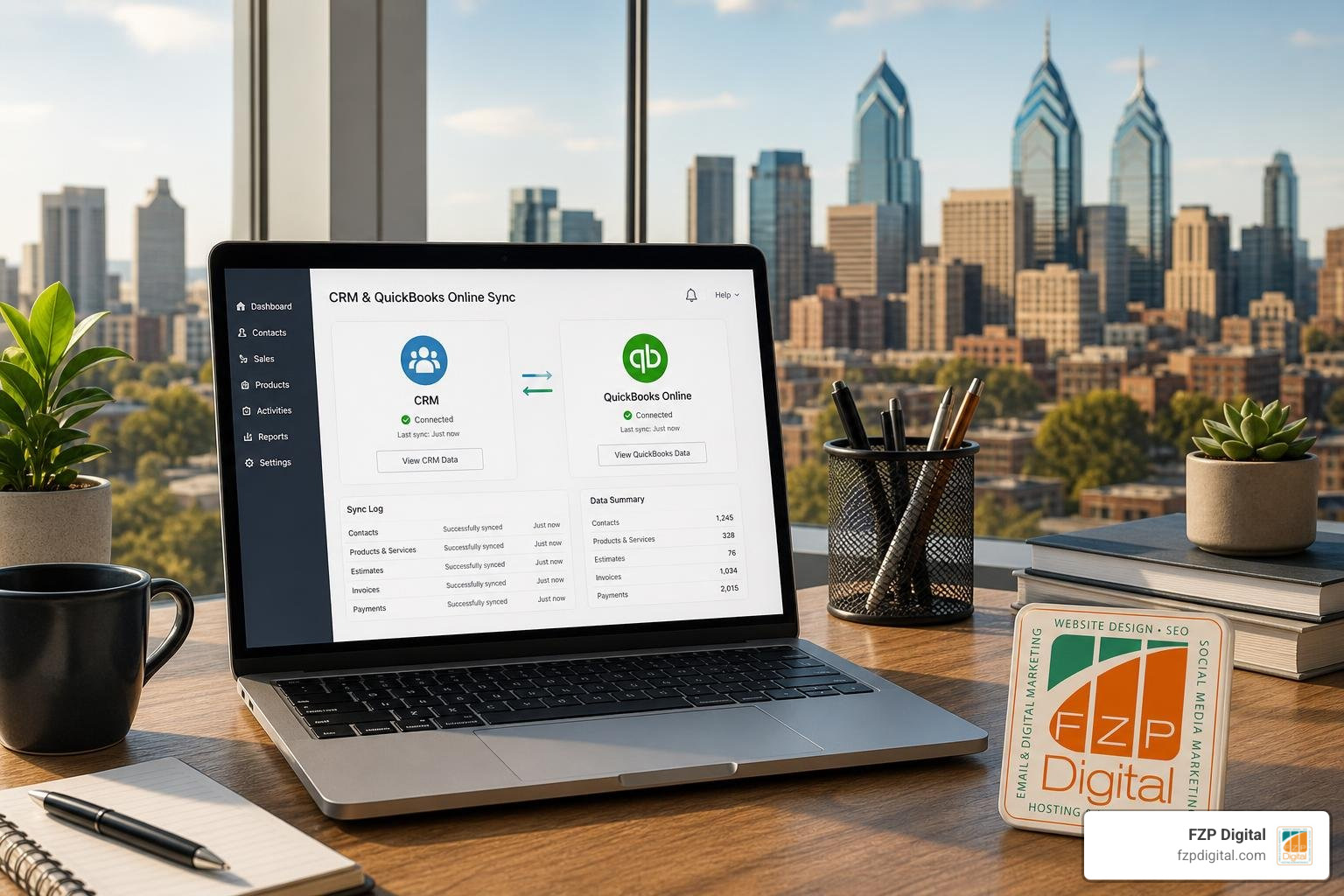
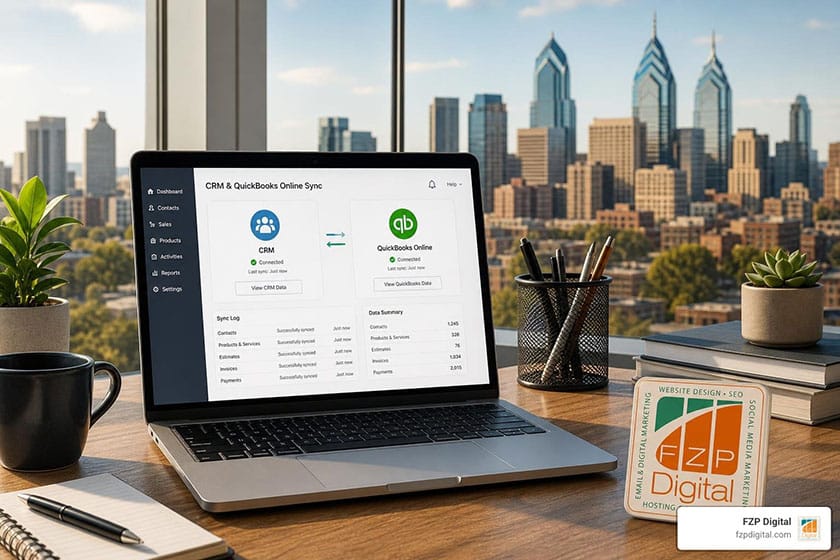
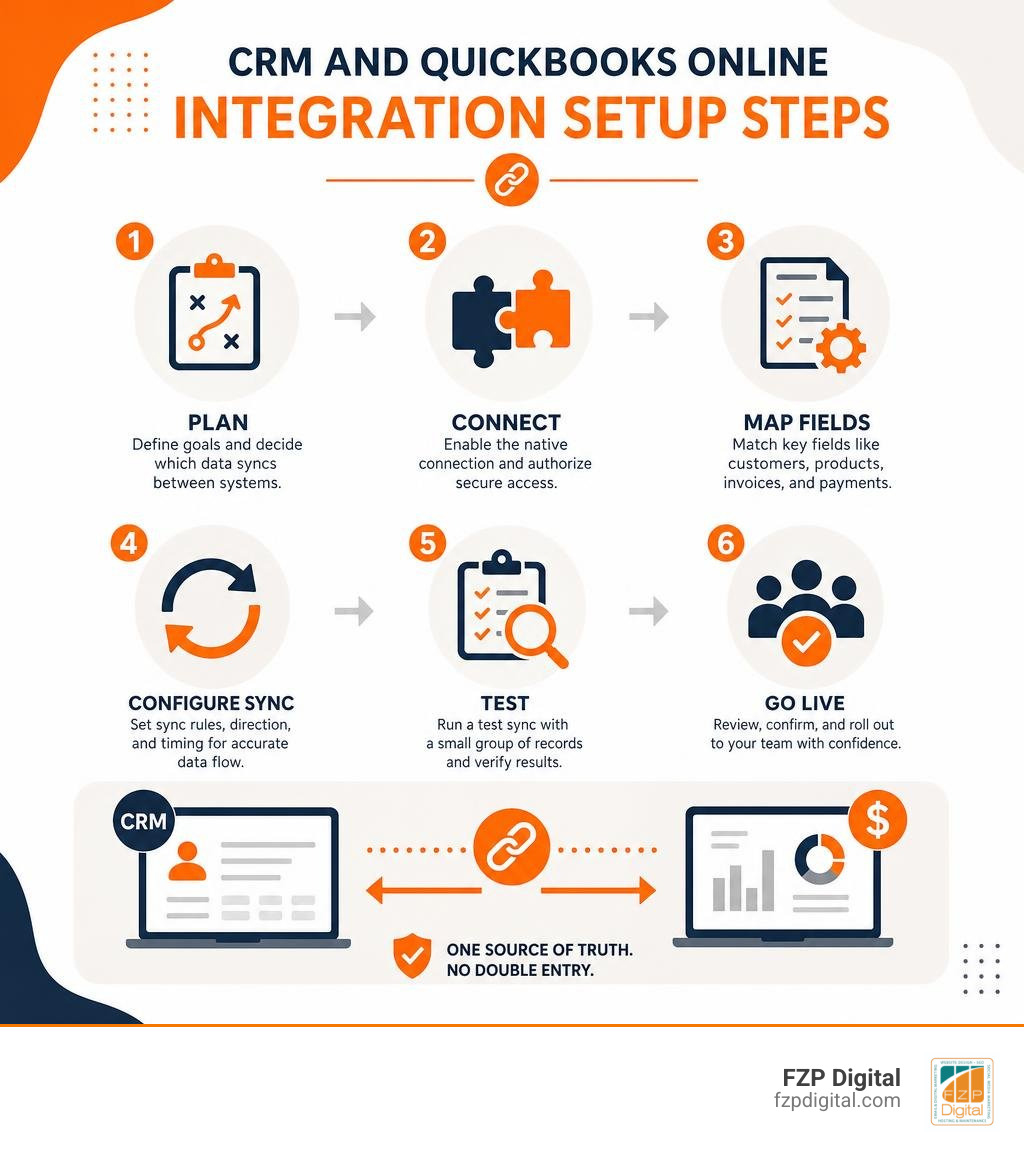
A CRM integration with QuickBooks Online connects your sales and accounting data so customer records, products, estimates, invoices, and payment status can move between systems automatically. To get started, choose a CRM with a native QuickBooks Online connection when possible, decide which system owns each type of data, map essential fields, and test the sync with a small group of records before rolling it out to everyone.
The practical result is simple: your sales team can see relevant financial context without chasing down accounting, while your finance team receives cleaner customer and deal information without re-entering it. Depending on the CRM and integration method, you may also be able to create invoices from a closed-won deal and send them without constantly switching between platforms.
That matters when every inquiry, estimate, and payment follow-up needs a fast answer. A carefully configured integration can replace spreadsheet exports and duplicate typing with a more reliable quote-to-cash workflow.
I’m Fred Z. Poritsky, founder of FZP Digital, with a background in public accounting, nonprofit financial management, web design, and digital marketing. That mix helps me explain CRM integration with QuickBooks Online in practical business terms: what data should connect, what should remain protected, and how the workflow can support better service and growth.
Learn more about crm integration with quickbooks online:
- how to integrate crm with accounting software
- how to integrate company data into crm using api
- integrated customer relationship management
Key Business Benefits of CRM Integration with QuickBooks Online
Have you ever watched a sales rep close an exciting new deal, only to spend the next forty-five minutes re-typing customer addresses, line items, and payment terms into an accounting ledger? When your front-office sales operations live on an island separate from your back-office books, growth slows down.
Connecting your systems bridges that gap. Companies that effectively connect their customer pipelines with accounting platforms achieve productivity gains of up to 15%. When your team no longer has to toggle between tabs or ask finance for invoice updates, everyday operations move faster. Organizations using real-time data synchronization report a 30% reduction in customer inquiries related to financial issues.
When you make your money talk by connecting CRM and accounting, you eliminate administrative friction and give everyone on your team the context they need to serve clients well.

Streamlining the Quote-to-Cash Workflow
The quote-to-cash cycle represents the entire journey from presenting an initial estimate to collecting cash in your bank account. Without an integrated pipeline, this workflow stalls at every transition point.
Consider the operational impact:
- Instant Conversion: When a deal moves to “Closed-Won,” the system can automatically generate a matching draft or final invoice inside QuickBooks Online.
- Payment Visibility: Sales reps can see whether an invoice is paid, pending, or overdue directly on the deal card, removing the need to email the accounting department.
- Inventory & Catalog Sync: Accurate product lists and current pricing levels flow straight from QuickBooks into your CRM deal builder, ensuring reps never quote outdated rates.
- Customer Portals: Many integrated tools allow your clients to view estimates, approve quotes, and pay balances online 24/7.
Consider a real-world example: a $45M manufacturing distribution company integrated its CRM pipeline with QuickBooks, reducing order processing time from 18 minutes down to just 3 minutes. That single shift reclaimed over 2,000 hours of productive sales time per year—worth nearly $78,000 in labor—while saving an additional $52,000 annually by eliminating order errors and lost sales.
Eliminating Double Entry and Discrepancies
Manual data entry carries an average error rate of approximately 4.7%. In contrast, automated real-time synchronization between CRM and accounting platforms drops error rates down to around 2%.
When addresses, tax codes, or customer names drift apart between sales and accounting records, billing discrepancies follow. Automated syncing enforces clean contact hygiene across both platforms, standardizing customer profiles and matching unique tax IDs without human intervention. That saves hundreds of hours during month-end closes and tax season.
Types of QuickBooks Integration: Native, Middleware, and Custom API
Not all integrations work the same way under the hood. Depending on your software stack and technical requirements, you will generally encounter three approaches:
| Integration Type | Setup Complexity | Sync Speed | Ongoing Maintenance | Best For |
|---|---|---|---|---|
| Native Sync | Low (Plug-and-play) | Real-time / Near Real-time | Handled by software vendor | Businesses wanting standard two-way syncing with zero code |
| Middleware (iPaaS) | Moderate (No-code builders) | Scheduled / Event-triggered | Moderate (Requires monitoring workflows) | Custom multi-app workflows and conditional routing |
| Custom API | High (Developer required) | Instantaneous REST webhooks | High (Internal updates and maintenance) | Unique enterprise processes and proprietary databases |
If you’re exploring how backend communication works, understanding how to hook your data up to your CRM using APIs will help you evaluate whether an out-of-the-box tool or a custom script fits your operations best.
Native API Architectures for CRM Integration with QuickBooks Online
Native integrations are built directly by the CRM developers or certified Intuit partners. They communicate seamlessly through modern REST APIs protected by OAuth 2.0 authentication protocols.
Because they run within pre-built frameworks, native connectors offer plug-and-play deployment. For example, if you Connect HubSpot and QuickBooks Online, you gain access to guided setup menus where you select record types and conflict rules without writing a single line of code. Similarly, platforms that let you Connect Method CRM with QuickBooks Online – Intuit deliver a patented, bidirectional engine engineered specifically around the QuickBooks ledger structure.
Native API connectors minimize ongoing technical overhead because the software creators manage API versioning, security updates, and schema changes behind the scenes.
Third-Party Middleware and iPaaS Solutions
When your CRM lacks an out-of-the-box connector for QuickBooks Online, Integration Platform as a Service (iPaaS) tools like Zapier, Make, or Integrately serve as a bridge.
Middleware tools allow you to create multi-step recipes. For instance, a closed deal in your CRM can create an invoice in QuickBooks, post a celebratory message in your team chat, and log a task in your project management board. However, middleware solutions operate within monthly task quotas, require active monitoring when API fields change, and may introduce slight sync latency compared to direct native webhooks.
Key Data Fields, Record Syncing, and Directional Controls
To build a reliable setup, you need to understand which data objects flow across the connection. A complete sync generally touches four primary record groups:
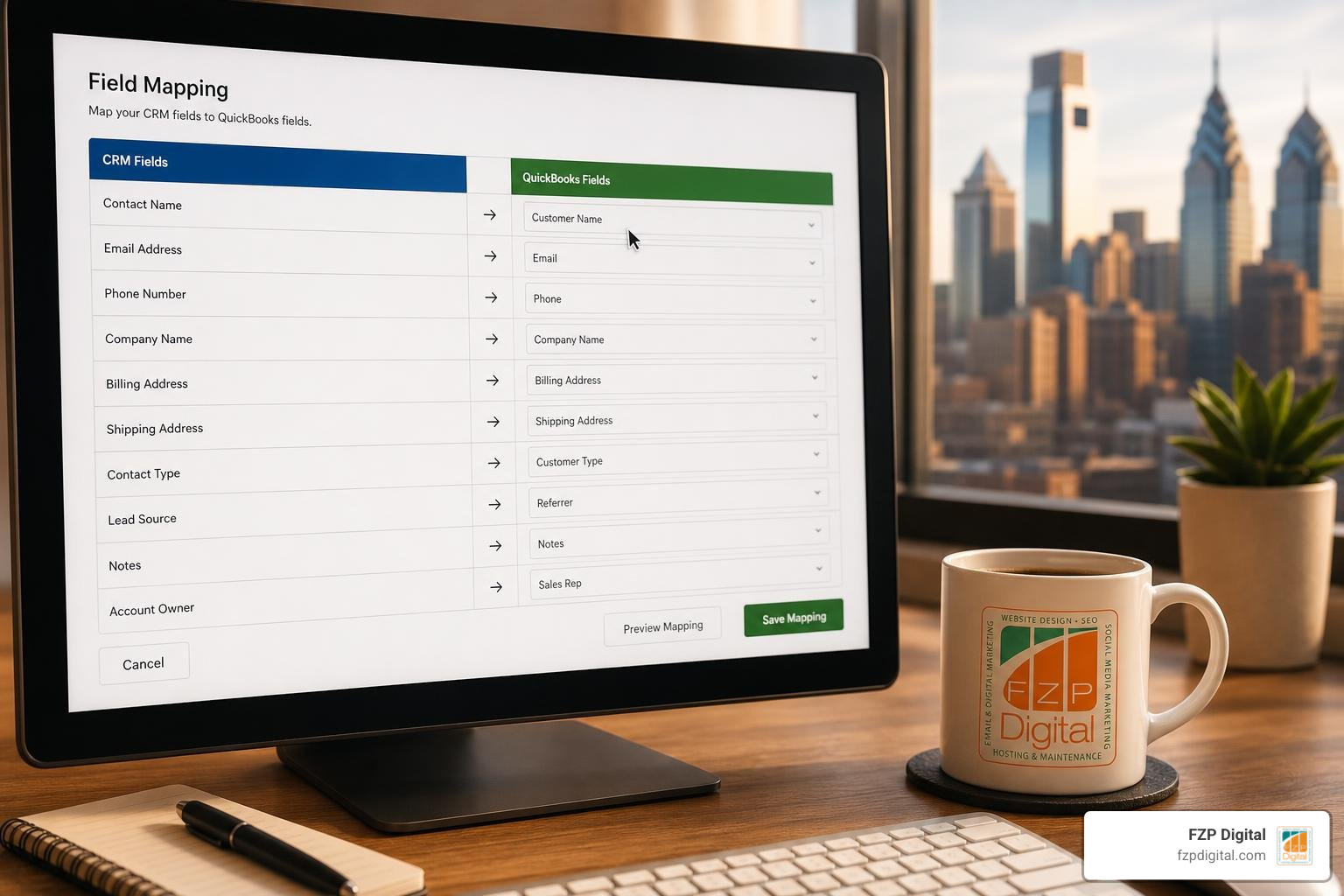
- Customer & Contact Records: First name, last name, company name, billing address, shipping address, email, and phone number.
- Products & Services Catalog: Item SKU, product description, unit price, income account classification, and tax status.
- Sales Transactions: Estimates, proposals, sales orders, line-item breakdowns, discounts, and payment terms.
- Financial Status Indicators: Invoice balance, payment receipt dates, transaction IDs, and credit memos.
For a deeper dive into organizing these data structures, review a comprehensive guide to CRM integration to see how proper planning prevents operational bottlenecks.
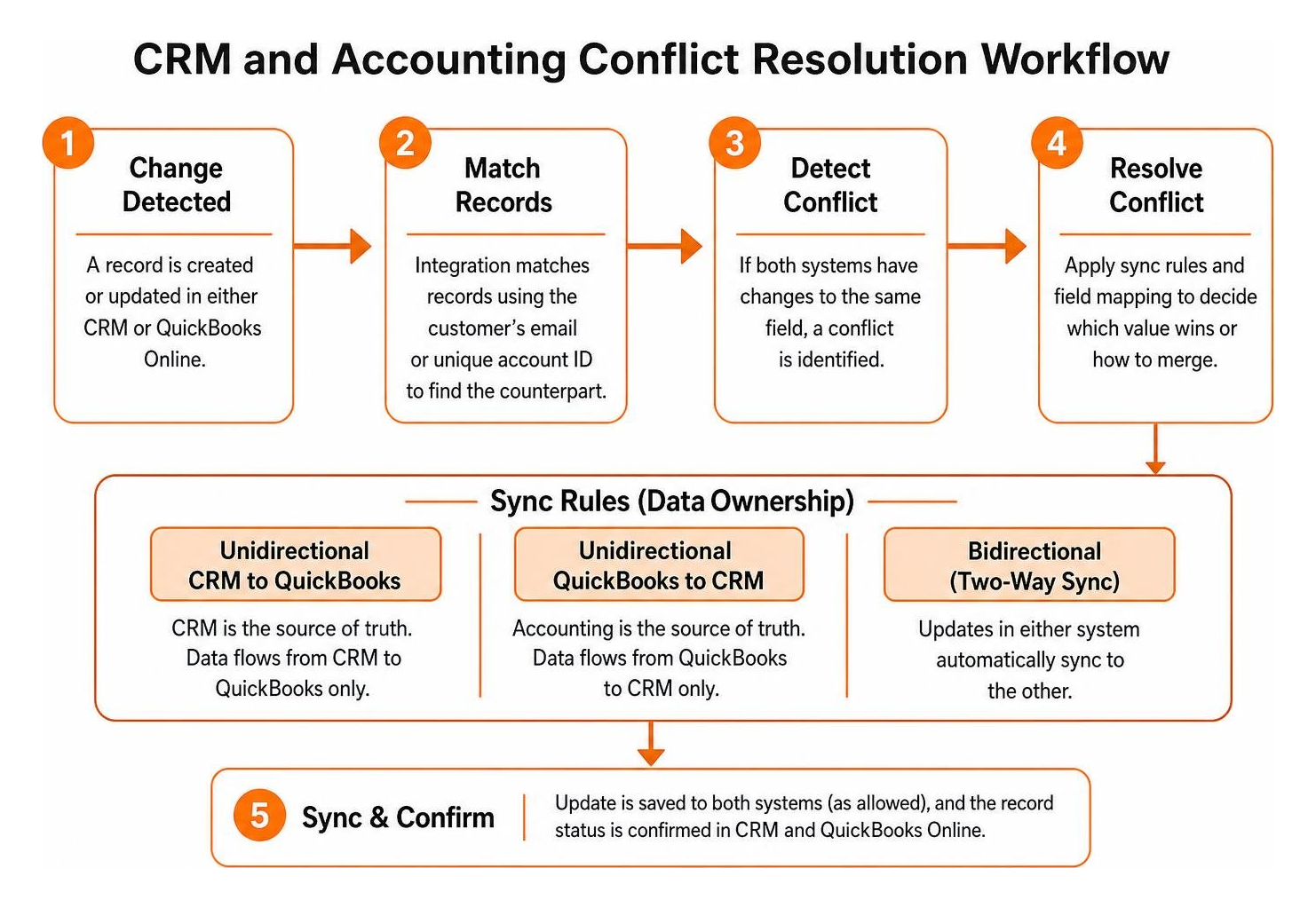
Managing Sync Rules in CRM Integration with QuickBooks Online
How do you control data ownership when two systems communicate? You must establish clear synchronization directions:
- Unidirectional (CRM to QuickBooks): Ideal when your CRM acts as the primary command center. New leads and closed deals push into QuickBooks, but accounting entries do not alter CRM pipeline records.
- Unidirectional (QuickBooks to CRM): Helpful when accounting holds the definitive financial truth. Customer billing records and payment receipts update CRM deal records in read-only mode for sales reps.
- Bidirectional (Two-Way Sync): Updates made in either system automatically reflect in the other.
To prevent duplicate records, integrations rely on the customer’s email address or a unique account ID as a matching key. Admin-controlled permission rules are also essential—you can allow sales reps to view invoice status without giving them permission to modify general ledger accounts or delete financial entries.
QuickBooks Online vs. QuickBooks Desktop Compatibility
It is important to note the difference between QuickBooks Online (cloud-based) and QuickBooks Desktop (on-premise). Most modern native CRM integrations are built exclusively for QuickBooks Online’s cloud API.
If your organization relies on an on-premise Desktop edition (such as Pro, Premier, or Enterprise), standard cloud connectors will not work out of the box. Instead, you must use specialized middleware or desktop sync agents, such as Data Integration for Intuit QuickBooks Desktop + Microsoft Dynamics 365. These tools run background processes on your local hosting server to package and deliver accounting records to your cloud CRM.
Common Implementation Pitfalls, Limitations, and Best Practices
Connecting sales and accounting tools requires careful planning. Here are the most frequent pitfalls and how our team at FZP Digital recommends handling them:
- Accounting Period Locks: QuickBooks allows bookkeepers to lock closed financial periods. If a sales rep tries to sync an invoice edit into a closed month, the sync will fail. Always configure your sync settings to prevent updates to locked periods.
- Custom Transaction Numbers: If QuickBooks is set to auto-generate sequential invoice numbers, turning on custom transaction numbers in your CRM can create numbering collisions. We recommend letting QuickBooks control the master invoice numbering sequence.
- Tax Calculation Differences: Complex sales tax rules across different jurisdictions can cause rounding mismatches between CRM proposals and QuickBooks invoices. Sync your master product catalog with proper tax codes attached before running transactions.
- Customer Email Requirements: Most integrations use email addresses as the unique matching key. Any QuickBooks customer record lacking an email address will be skipped during an import, causing missing records. Audit and clean your customer database before running your first sync.
Taking time to configure these rules ensures why your business needs integrated customer relationship management now translates into real operational savings rather than sync headaches.
Frequently Asked Questions About QuickBooks CRM Integrations
Can I create and send invoices directly from my CRM without opening QuickBooks?
Yes, with most native two-way integrations, you can generate an invoice straight from the deal record once a sale is marked won. The integration pushes the line items and customer details to QuickBooks Online, generates the official invoice, and displays real-time payment status directly in your CRM feed.
How much does it typically cost to integrate a CRM with QuickBooks?
Many CRMs include their native QuickBooks Online sync within standard subscription tiers with no extra connection fees. If you use third-party middleware (like Zapier or Make), you may pay between $20 and $100 per month depending on transaction volume. Dedicated enterprise connectors or custom API scripts require an upfront configuration investment, but typically deliver substantial returns in reclaimed administrative hours.
What happens if a customer record in QuickBooks is missing an email address?
Because email addresses serve as the unique matching identifier in most integration frameworks, records without an email will generally be skipped during automated imports to prevent duplicates. You should audit your QuickBooks customer list and add missing emails before turning on the sync.
Conclusion
Bringing your sales pipeline and accounting records together transforms everyday business operations. By removing duplicate data entry, your sales reps gain back hours each week to focus on building client relationships, while your finance team enjoys cleaner ledgers and faster payment reconciliations. In fact, comprehensive integration projects routinely achieve a 247% ROI, paying for themselves in under eighteen months.
At FZP Digital, we help businesses across Philadelphia and Bucks County—from our offices in Richboro, Newtown, and Downtown Philadelphia—align their digital marketing, WordPress platforms, and backend operations into seamless growth engines. Whether you need custom web development or want to explore our complete digital marketing services, we are here to help you develop, design, and deliver practical digital solutions.
Ready to connect your pipeline and eliminate double entry for good? Reach out to our team today to get started!